
onenav-5iux-wood Custom Edition
This post was translated from Chinese by AI. If anything reads oddly, the Chinese original is authoritative. 中文原文
Author's Telegram group: https://t.me/woodschat2023
AI discussion group: https://t.me/ai_cn2023
Repository: https://github.com/woodchen-ink/onenav-5iux-wood
If you find it useful, please give it a star.
Preview
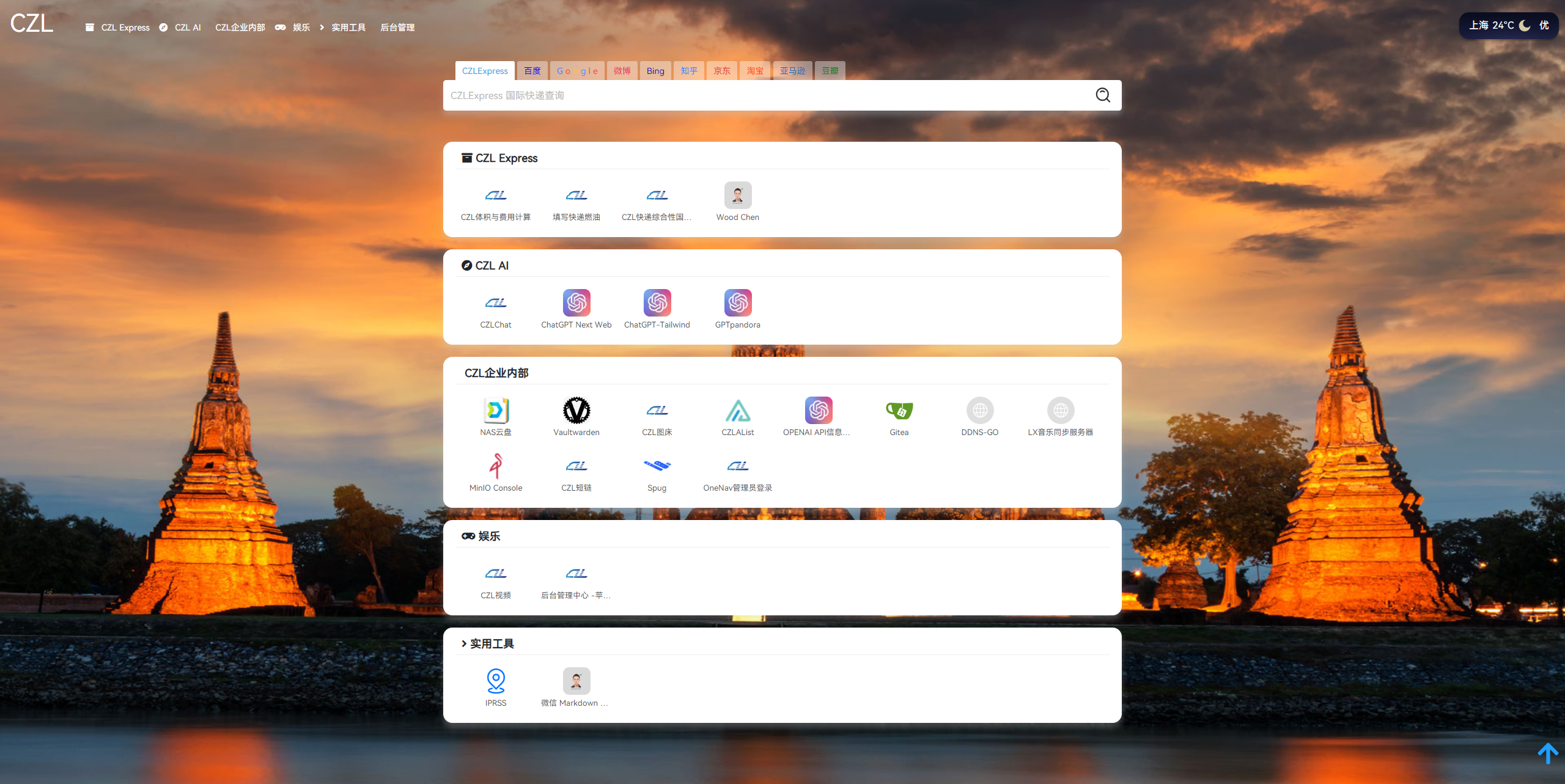
Usage
Download the files, place them in the templates directory, and enable the template in the admin panel.
Key Changes
Icons can now be fetched from web URLs and saved in the cache folder. If a request fails, a .lock file is created to prevent further requests.
What you need to do: Create a
cachefolder in the website's root directory and set its permissions to 777. Icon files and json files will be generated in this folder.
The first visit may be a little slow because icons need to be fetched. Subsequent visits should be normal.
If an icon cannot be fetched, there are two options
- Manually enter the icon URL in the admin panel
- Place the website's favicon.ico in the
cachefolder and rename it to域名:端口.ico. If there is no custom port, omit it and use域名.ico;- Manually edit the json file in the
cachedirectory, changing thefaviconfield to a custom URL. Remember to use\for escaping.
Icon Caching
To improve the application's performance, we use a caching mechanism to store and retrieve website favicons. This feature is implemented in two main parts:
1. Cache Checks and Updates
Before rendering each link tag, we first check whether the corresponding website's favicon is already cached. If it is, we use the cached favicon directly instead of fetching it over the network. If it is not cached, we call the get_favicon function to fetch it over the network and store it in the cache. The cache data is stored in a JSON file for reuse in subsequent requests.
2. Prioritize Icons Set in the Admin Panel
If an icon has already been set for a link in the admin panel, we use that icon instead of checking the cache or fetching the favicon over the network. We only check the cache or fetch the favicon when no icon has been set.
Icon caching can significantly improve the application's performance, especially when rendering a large number of links. Prioritizing icons set in the admin panel also keeps the application flexible and customizable.
Limitations
For some reason, icons cannot be fetched from certain websites. I've already implemented requests for the standard shorticon, but they don't work reliably. If you can improve this, PRs are welcome.
Last updated 2024-01-14
Comments 0