
Adding the ckplayer Player to maccms
This post was translated from Chinese by AI. If anything reads oddly, the Chinese original is authoritative. 中文原文
ckplayer supports formats such as m3u8,mp4,ts,flv and works pretty well.
I have to say, both the answers I found through search engines and the AI responses were wrong.
After adding the ckplayer player, you only need to import m3u8 sources. Everything plays through your own player, which is stable and avoids potential ads from third-party players.
For some reason, the code in this article is missing. See the new post: https://q58.org/t/topic/111
Download the package from the official website
Link: https://www.ckplayer.com/
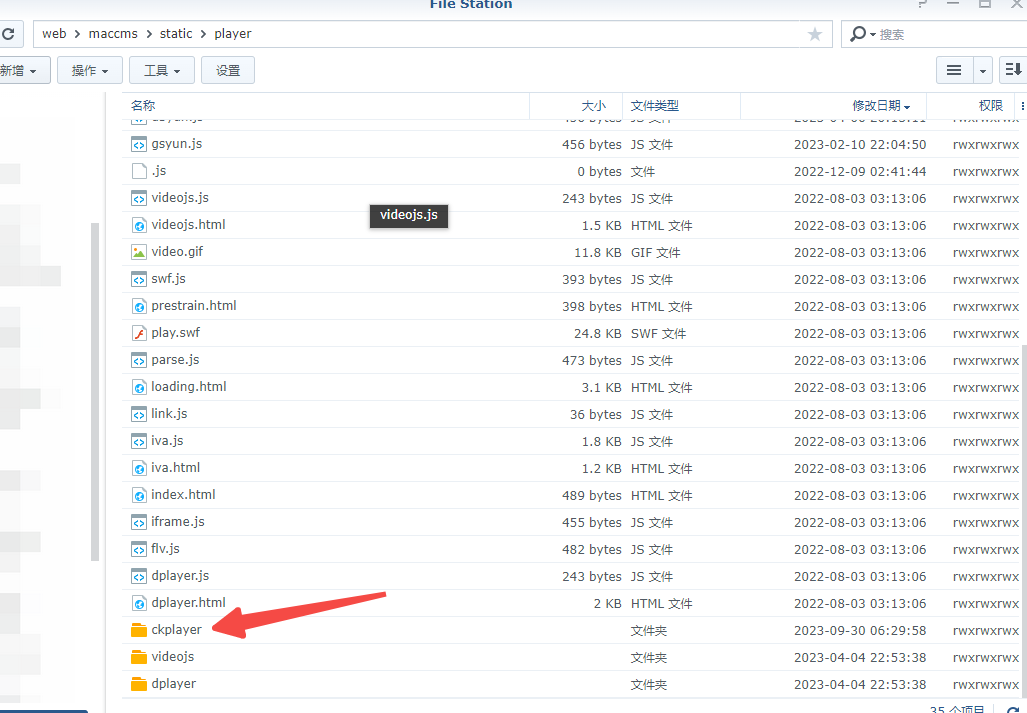
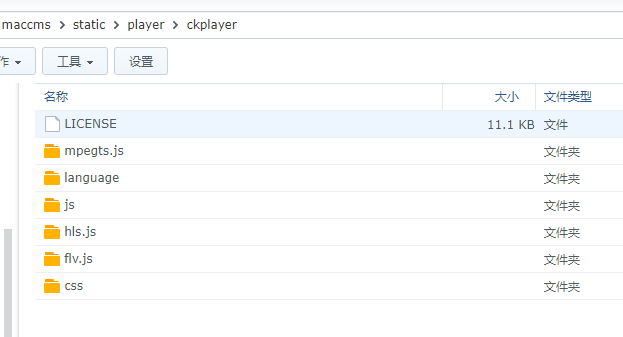
After downloading and extracting it, put the ckplayer folder in your website's static/player directory.
The folder should look like this:
Add the player
Create two files under static/player: ckplayer.html and ckplayer.js
ckplayer.html contents
ckplayer.js contents
MacPlayer.Html = '';
MacPlayer.Show();
Configure it in the admin panel
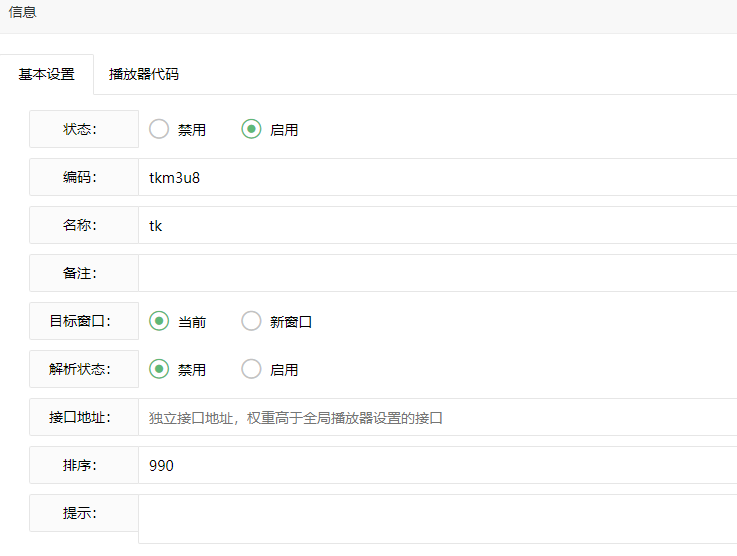
Add a player: first-page settings
Add a player using the player code specified in the imported video data
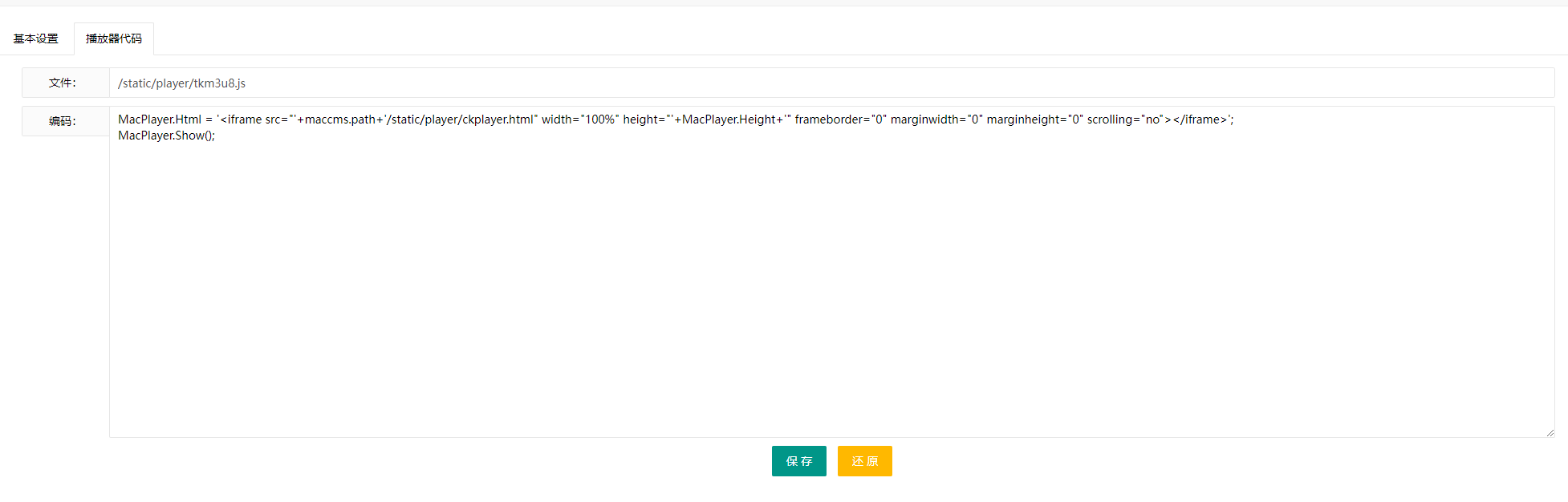
Second-page settings
This is just the contents of ckplayer.js
It should now work on the public-facing site.

Last updated 2024-09-02
Comments 0