
Automatically Build Docker Images and Push to Docker Hub with GitHub Actions
This post was translated from Chinese by AI. If anything reads oddly, the Chinese original is authoritative. 中文原文
Build File Path and Contents
Path: .github/workflows/docker.yml
name: Docker

on:
  push:
    branches:
      - main
    tags:
      - v*

env:
  IMAGE_NAME: czloapi

jobs:
  build:
    runs-on: ubuntu-latest

    steps:
      - name: 检出代码库
        uses: actions/checkout@v3

      - name: 构建镜像
        run: docker build . --file Dockerfile --tag $IMAGE_NAME

      - name: 登录到镜像仓库
        run: echo "${{ secrets.ACCESS_TOKEN }}" | docker login -u woodchen --password-stdin

      - name: 推送镜像
        run: |
          IMAGE_ID=woodchen/$IMAGE_NAME
          IMAGE_ID=$(echo $IMAGE_ID | tr '[A-Z]' '[a-z]')

          # Get the branch name from the GitHub event payload
          BRANCH_NAME=$(echo "${{ github.ref }}" | sed -e 's,.*/\(.*\),\1,')

          # Use the "latest" version for branches other than "main" and tags
          VERSION=$(if [ "$BRANCH_NAME" == "main" ]; then echo "latest"; else echo $BRANCH_NAME; fi)

          echo IMAGE_ID=$IMAGE_ID
          echo VERSION=$VERSION

          docker tag $IMAGE_NAME $IMAGE_ID:$VERSION
          docker push $IMAGE_ID:$VERSION
How to Add Secrets to the Project
The location for adding secrets has changed in the new version
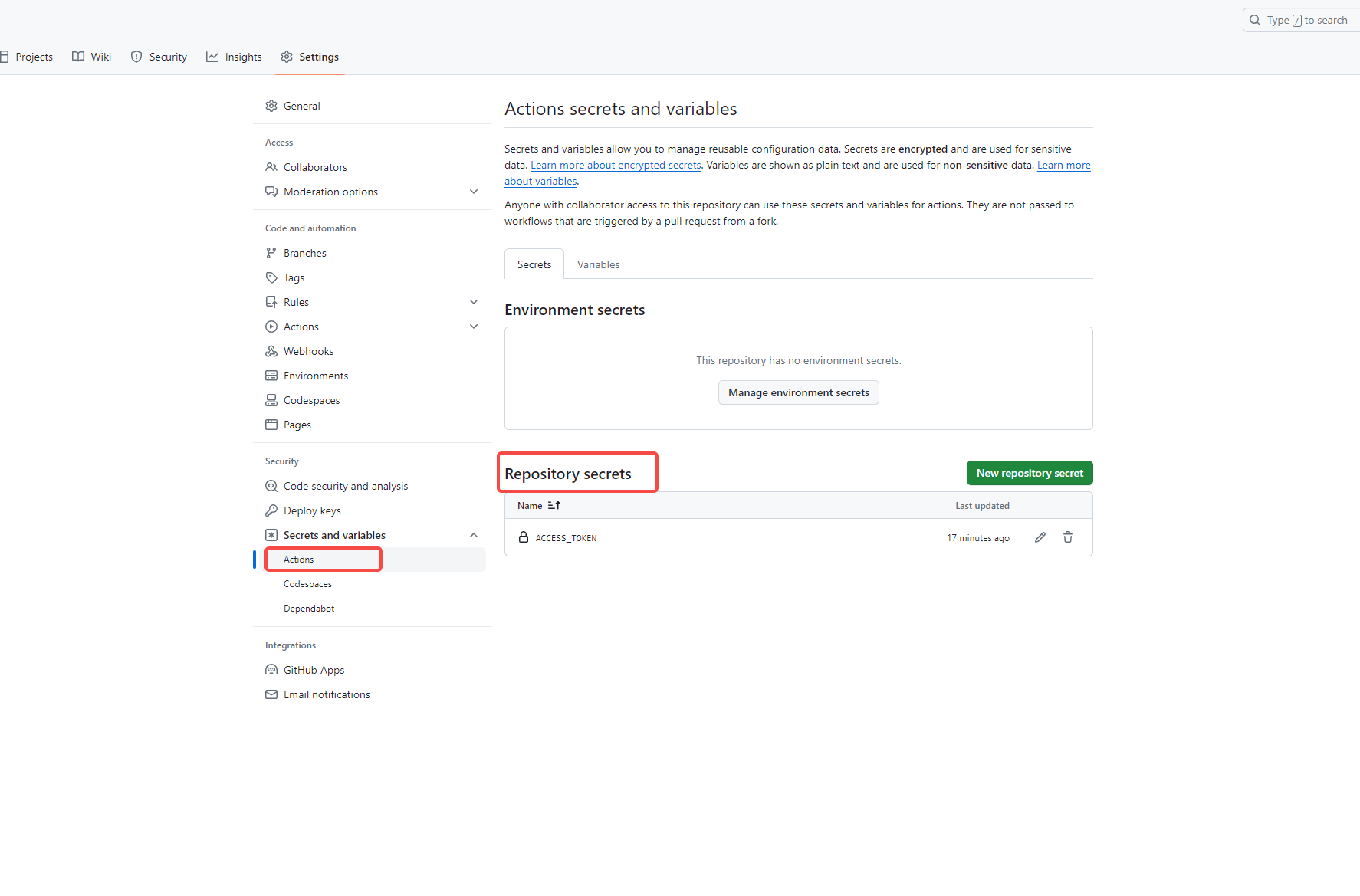
After completing the steps above, you can push the yml file to your GitHub repository. From then on, every tag push or successful PR merge into the main branch will automatically trigger the workflow, build the docker image, and push it to Docker Hub.
Last updated 2024-01-17
Comments 0