
Free Image Optimization with Cloudflare Images + proxy-go: One Domain, Multiple Sources, Browser-Adaptive avif and webp
This post was translated from Chinese by AI. If anything reads oddly, the Chinese original is authoritative. 中文原文
Original post and comments: https://q58.club/t/topic/187?u=wood
proxy-go shortens links, completely hides the original image URL, and lets you add a CDN in mainland China on top
If you don't need those three features, you can just use the long links
You can also use a cloudflare worker proxy instead of proxy-go; I've posted the method in the comments
Cloudflare Images Setup
5000 free transformations/month
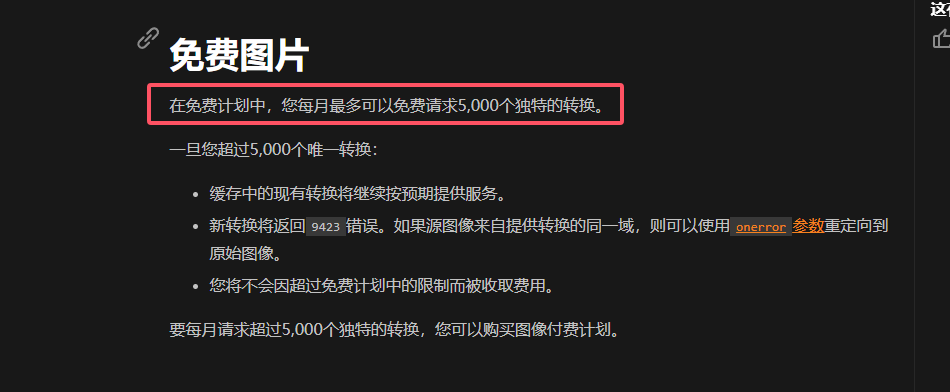
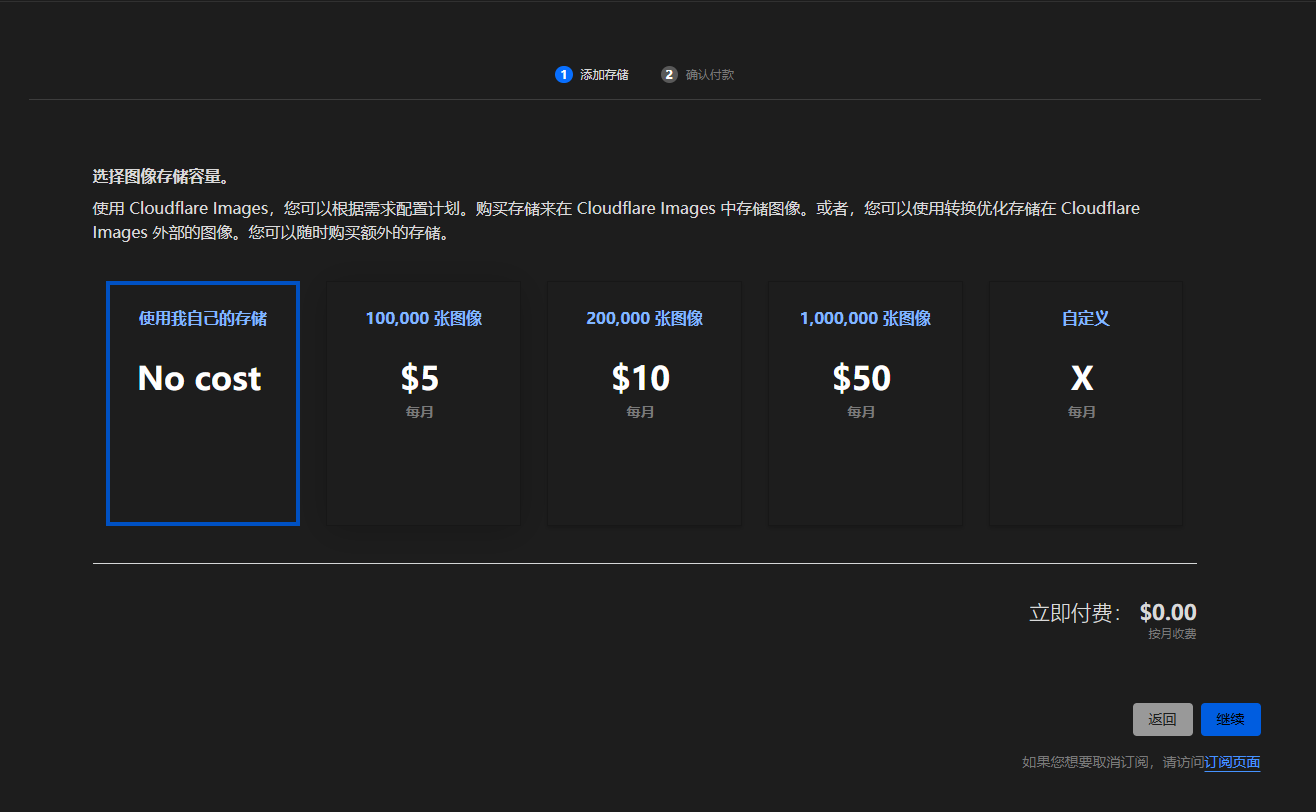
- Subscribe: https://www.cloudflare.com/developer-platform/products/cloudflare-images/ , then log in, go to "Images-Overview" in the left sidebar, and choose self-hosted storage
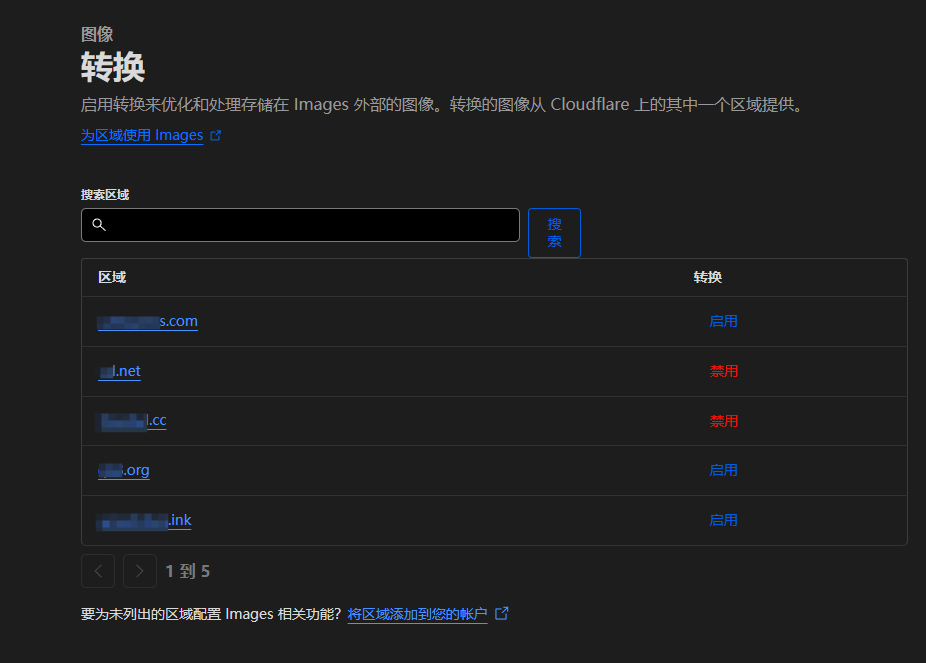
- Under "Images-Transformations" in the left sidebar, enable the domains you want to use. These are the original image domain and the root domain for the transformation URLs. The domains must be hosted on cloudflare
You can now optimize images by constructing URLs.
For example:
Your enabled domain is https://test.com (cloudflare CDN must be enabled. If the root domain doesn't use Cloudflare's CDN, any subdomain will work, such as https://anyone.test.com)
The image URL is https://s3.test.com/666.jpg
You can then access the optimized image through this URL
https://test.com/cdn-cgi/image/format=auto,metadata=none/https://s3.test.com/666.jpg
Deploying proxy-go
If you only need a basic proxy, nginx should work too. Make sure to pass through
acceptand select the appropriate format, add theCF-Image-Format: autoheader, and remove CSP. You can ask AI to write the configuration; I haven't used it, so I haven't looked into itproxy-go is best deployed on an overseas server with a direct route to mainland China for better speeds. Alibaba Cloud and Tencent Cloud servers in Japan or Hong Kong also work
Deploy the project using this proxy-go deployment tutorial (https://q58.club/t/topic/165)
-
Write part of config.json like this
"MAP":{ "/s3": { "DefaultTarget": "https://s3.test.com", "ExtensionMap": { "jpg,png,jpeg,webp": "https://test.com/cdn-cgi/image/format=auto,metadata=none/https://s3.test.com" } } }... -
Bind the
cdn.test.comdomain to proxy-go
You can then access the image like this:
https://cdn.test.com/s3/666.jpg
It automatically serves avif, webp, jpeg, etc., based on the user's browser environment and the resulting image size after compression and conversion
Results
Original image:

Optimized:
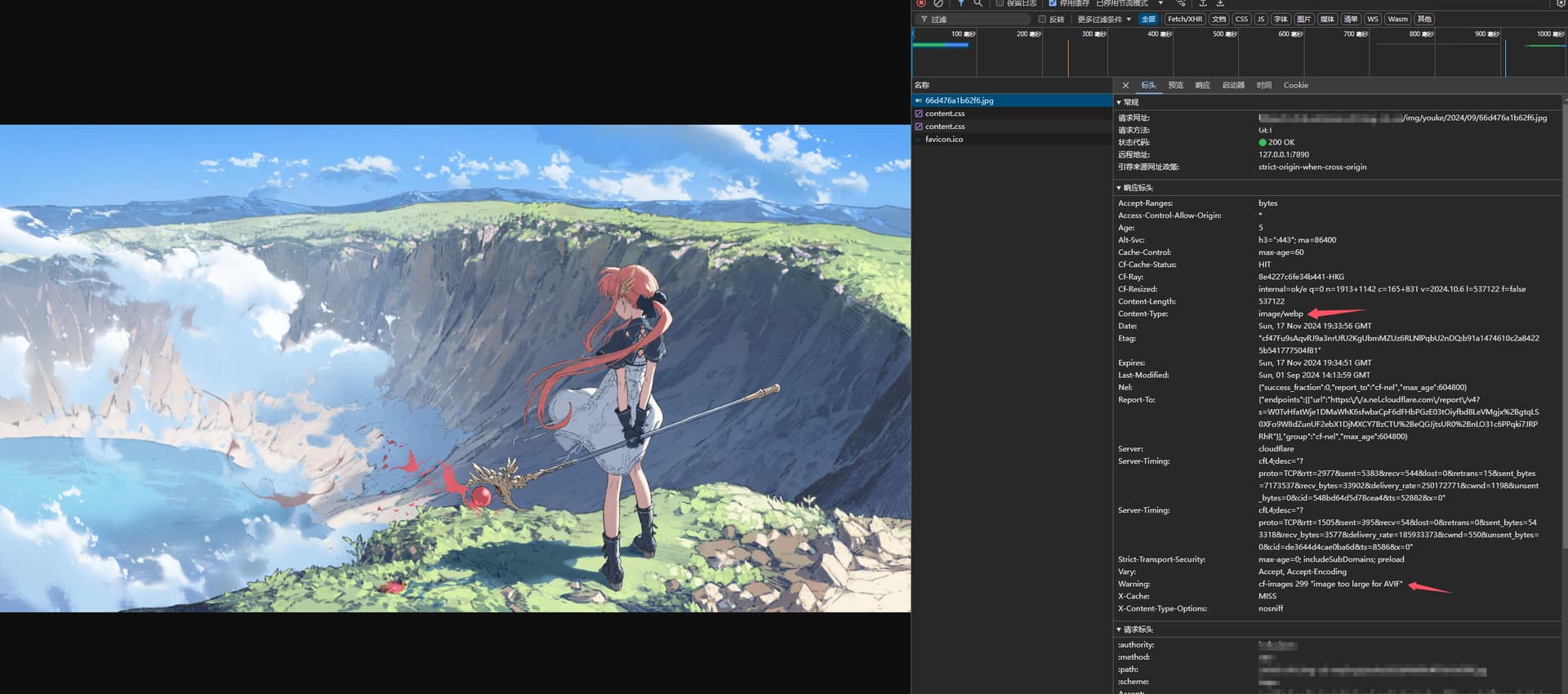
Why not avif?
You can see this message in the screenshot: "warning:cf-images 299 "image too large for AVIF"
Because avif is larger, it uses the format with the smallest file size, which is webp
If both avif and webp are larger than the original, it uses the original image. For example, converting some jpeg images actually increases their file size, so the original is used instead
If avif is smaller, it uses avif, for example:

Also, Cloudflare Images supports very high transformation concurrency. It can transform dozens or hundreds of images at once with almost no delay, which is fantastic. It's much easier to use than my modified version of webp-server-go (https://q58.club/t/topic/134), and it doesn't consume server resources either.
The only downside:
You get 5000 free transformations per month, and you have to pay if you exceed that. Personal users or small companies probably won't exceed it. That's because each unique image transformation, once completed successfully, is counted only once within a month. In other words, 5000 transformations means 5000 images, not 5000 requests.
The pricing beyond that is reasonable too: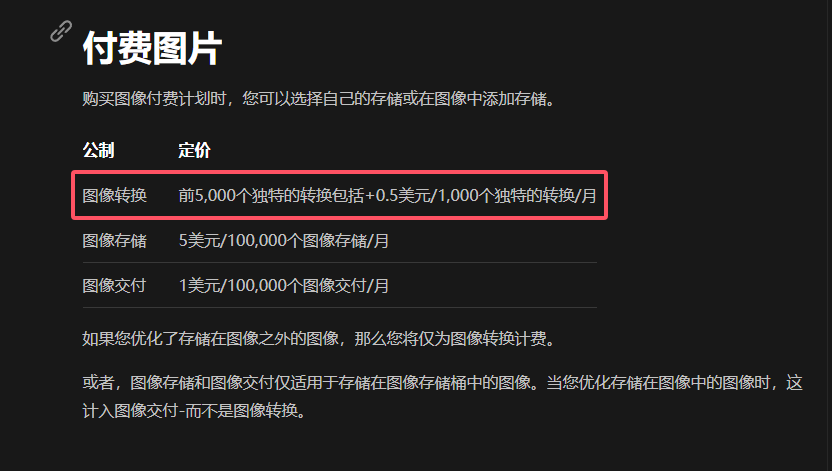
Cloudflare the Generous
See the original post for comments
I host the images on img.czl.net, with automatic optimization, free to use
Last updated 2025-02-15
Comments 0