
Quiet Microphone? Boost Volume and Reduce Noise with Equalizer APO and RNNoise
This post was translated from Chinese by AI. If anything reads oddly, the Chinese original is authoritative. 中文原文
Download the files from the forum: https://www.sunai.net/t/topic/1137
I play games on my PC using an Edifier GS04 sound card and Apple's 3.5mm earphones. My teammates keep saying my mic is too quiet. I've already turned it all the way up, so software is my only option.
Download and Install Equalizer APO

During installation, select the appropriate playback and recording devices.
After installation, select the appropriate "Capture device", then add a Preamplification filter. You can test the gain level using the built-in Windows Listen feature.
This also amplifies electrical noise and background hiss, so we'll add an RNNoise deep learning noise suppression model to reduce them.
Download and Add RNNoise

There are two versions here. I use stereo because the other one doesn't seem to do much.
After downloading, put the file in C:\Program Files\EqualizerAPO\VSTPlugins

Then add it
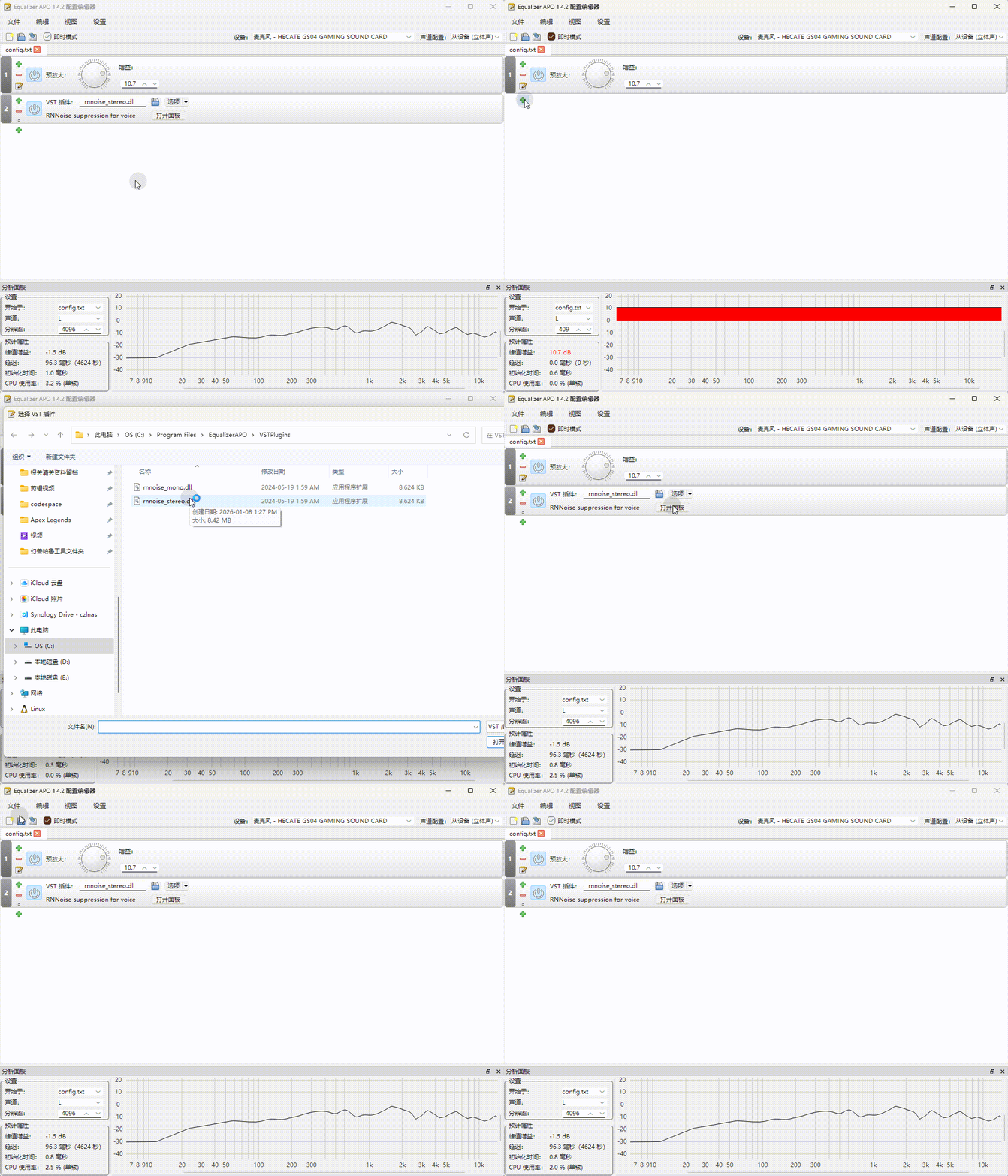
And that's it.
Comments 0