
Getting a Physical Bank Card in Singapore for chatgpt, midjourney, and claude
This post was translated from Chinese by AI. If anything reads oddly, the Chinese original is authoritative. 中文原文
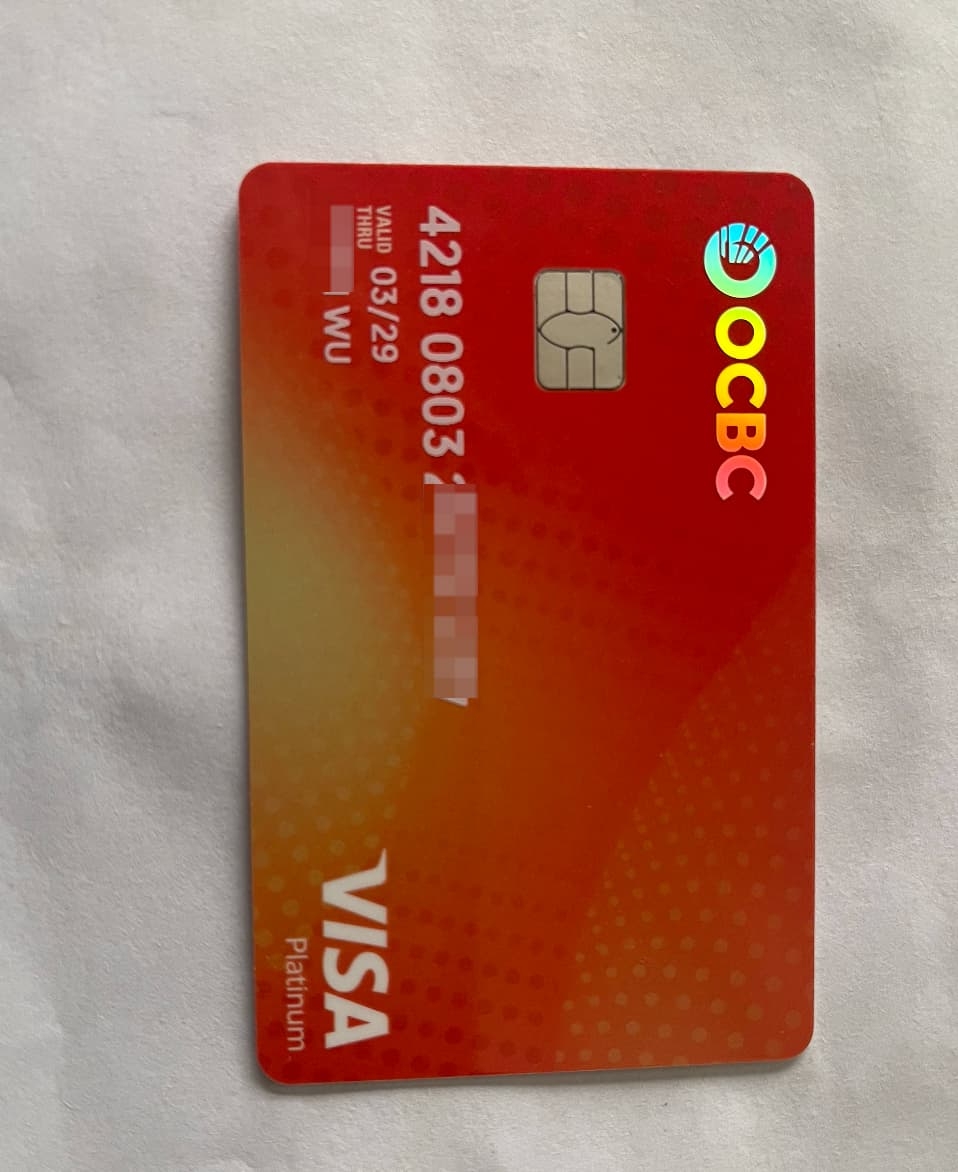
Physical Card
Why?
Users in China may face restrictions when using some overseas services due to factors such as regulatory policies, transaction security, and compatibility. This may prevent them from subscribing with Chinese bank cards, making these international services less convenient to use.
Having an overseas bank card therefore makes it easier to use overseas services, send and receive payments, and even subscribe to services that do not accept Chinese bank cards.
I particularly recommend OCBC (Oversea-Chinese Banking Corporation in Singapore). From my own experience, all you need is a passport to successfully open an account.
Is OCBC Safe?
OCBC, short for Oversea-Chinese Banking Corporation, was founded in Singapore in 1932 and is headquartered there. It is Singapore's second-largest bank, after DBS. It is also one of Asia's leading financial institutions, offering corporate and retail banking, asset management, insurance, and other services. OCBC also has branches around the world.
OCBC is not a virtual bank and offers greater security than virtual banks.
Glossary
- Statement Savings Account (SSA) : A basic savings account denominated in Singapore dollars.
- Global Savings Account (GSA) : GSA is a flexible savings account with USD as its default currency, but account holders can also add other currencies.
- 360 Account: A specific type of savings account denominated in Singapore dollars that may offer additional interest or rewards.
- Debit Card: A bank card that lets cardholders pay directly from their checking or savings account.
- OneToken: A mobile app feature that serves as a digital token for secure authentication and transaction authorization.
- SGD: The Singapore dollar, Singapore's official currency.
- Access Code: Usually the username or a form of personal identification number used to log in to a bank account.
- PIN: A personal identification number used to verify your identity when making transactions or accessing your account.
How to Open an Account
You will need a valid passport, an identity document, and a mainland Chinese mobile number that can be used to complete registration.
Next, download and use the official OCBC mobile app on your smartphone. Apple users can search for OCBC Digital - Mobile Banking in the App Store, while Android users can search for OCBC SG in Google Play.
Finally, if you want to receive a physical bank card, make sure your mailing address is accurately translated into English. Remember to put your mobile number at the beginning of the address so the bank can contact you.
Follow these steps to apply for an account through the app:
-
Enter your mobile number, email address, and other required personal information. Make sure your name matches the English spelling on your passport, avoid selecting “Self-employed” as your occupation, and use your national ID number as your tax identification number.
-
At the final stage of entering your details, enter my referral code YDBR37JB for a chance to receive a reward of 15 Singapore dollars.
-
Scan your passport and national ID card, then complete facial verification.
-
Enter your mailing address(put your mobile number at the very beginning of the address to help ensure your card reaches you). This is required when you apply for a 360 account later (once the account application is approved, the physical card will be sent automatically by international registered mail, without a notification, and should arrive a few days later):
- After successfully opening an OCBC account, you will receive SSA and GSA accounts by default. Neither comes with a physical card.
- If you do not need a physical card right away, the digital debit card included with the 360 account can also cover everyday spending. If you want a physical card, however, I recommend applying for a 360 account through the app. Applying through the web version of internet banking may not get you a physical card.
-
Set your app login username and password.
-
Finally, activate One Token. Note that without activating it, you will not be able to change your information later.
Follow the steps above and make sure your information is accurate to complete the account-opening process smoothly.
Response Time
In my case, I waited about 3 business days, excluding Saturday and Sunday.
If your application is unsuccessful, you can try again after a while. A different customer service representative might approve it.
Applying for a 360 Account in the App
After successfully opening your OCBC account, follow these steps to apply for a 360 account through the app.
Here are the steps:
- Open the app, then find and tap the menu icon in the upper-left corner of the home screen.
- Find and tap “Apply” in the menu, then select “360 Account”.
- Use the existing information from your SSA account, then fill in or confirm the details as prompted to complete your 360 account application.
A digital debit card is provided by default when you apply for a 360 account, but it seems unusable now—I couldn't find its expiry date or CVV. It's better to wait a few days for the physical card to arrive before using it; otherwise, you'll have to update your saved card details again when it arrives.
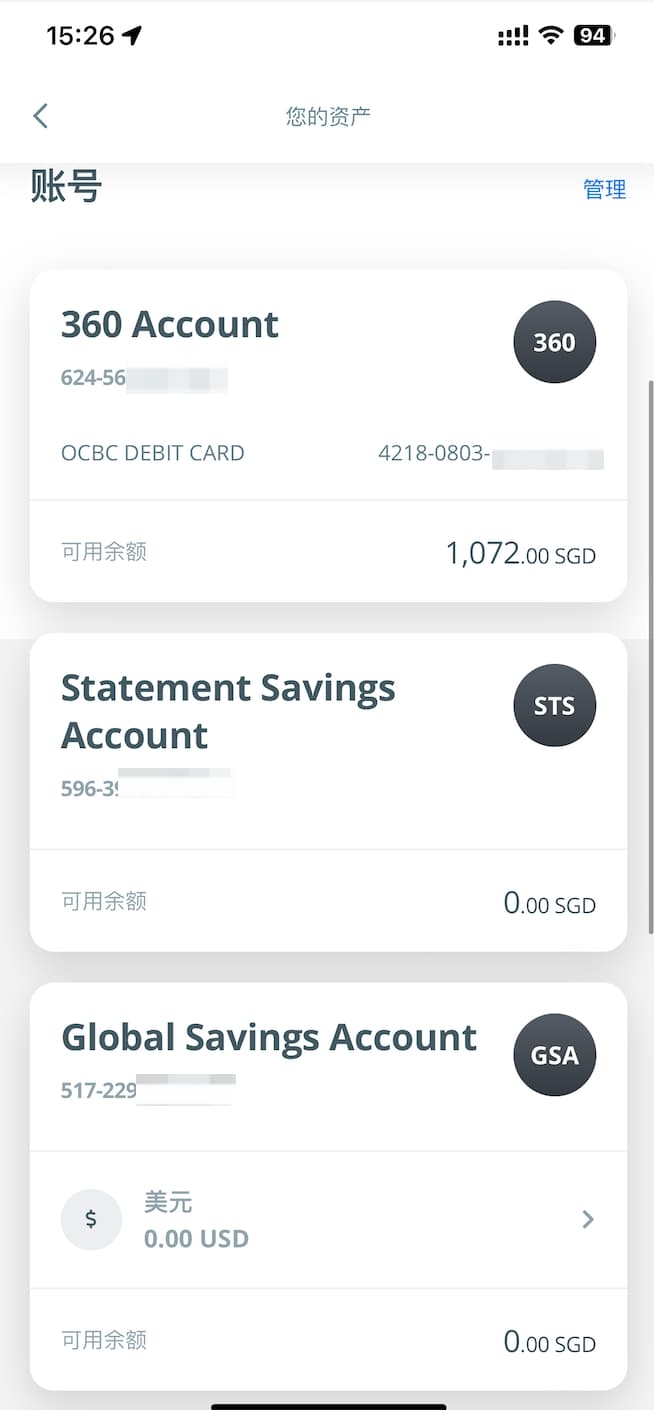
There are several reasons to open a 360 account:
First, the 360 account is primarily a savings account denominated in Singapore dollars (SGD). Spending directly in US dollars (USD) or making international transactions with this account may incur currency conversion fees, since SGD must be converted into USD or another currency.
Here are the specific reasons to open a 360 account:
Reason One: The Convenience of a Physical Card
If you need a physical debit card, you can apply for a 360 account through the app. Applying through internet banking may not get you a physical card. The card will be mailed to you within one to two weeks after your application is approved. Note that you can keep using the digital debit card if you do not activate the physical card. Once you activate the physical card, however, you will need to update your saved payment methods with its details.
Reason Two: Easy Subscriptions to Overseas Services
An OCBC 360 account is usually linked to a Visa card, which is widely accepted on international payment networks and makes it easy to subscribe to overseas services such as ChatGPT.
Reason Three: Lower Maintenance Fees
When you register for an OCBC account, SSA (Statement Savings Account) and GSA (Global Savings Account) accounts are opened by default. You need to apply separately for a 360 account. The account maintenance fees are as follows:
- Maintenance fees are waived for all accounts in the first year.
- For non-Singapore residents, the SSA account has a monthly maintenance fee of 10 SGD if the balance is below 20,000 SGD.
- The GSA account has no minimum balance requirement or maintenance fee.
- The 360 account has a monthly maintenance fee of 2 SGD if the balance is below 500 SGD.
Considering both maintenance fees and convenience, keeping the 360 account and closing the SSA account is usually more economical, since you will pay at most 2 Singapore dollars per month in maintenance fees. The GSA account has no maintenance fee, so there is no additional cost to worry about.
Activating your OCBC account usually involves the following steps:
- After receiving an SMS confirming that your account has been opened, log in to the OCBC app.
- Create a OneToken in the app. OneToken is linked to your phone and generates the one-time passwords needed for transactions. Keep your OneToken secure, because you will not be able to complete transfers if you cannot obtain these one-time passwords.
- Based on other users' experiences, your Singapore dollar account (SSA or 360) may be closed if it does not receive any transfers within six months. To prevent this, transfer some funds into the account as soon as possible.
You can transfer funds to your Singapore dollar account as follows:
I strongly recommend ICBC if you have a bank card with them. Other banks' transfer fees are really expensive. I initially used China Merchants Bank to transfer 100 Singapore dollars: the domestic fee was 125 RMB, OCBC charged 20 Singapore dollars, and only 80 Singapore dollars arrived. With ICBC, transferring 1000 Singapore dollars cost 40 RMB in domestic fees and 8 Singapore dollars in OCBC fees
- Open the ICBC app and find “Foreign Exchange Settlement and Purchase” to buy some Singapore dollars. Make sure you select “Foreign Exchange” rather than “Cash”.
- Search for and select “Transfers and Remittances” in the ICBC app, then choose “Cross-border Remittance” and “Remit to Another Bank Overseas”.
- Enter the recipient's name in pinyin, matching the English spelling on your passport.
- Select Singapore dollars (SGD) as the receiving currency.
- In the receiving bank details, select Singapore and enter SWIFTCODE OCBCSGSG. If the SWIFTCODE is fewer than 11 characters, the system will automatically pad it with X.
- Enter your SSA account number as the receiving account number.
- Enter the recipient's Singapore address(I used the bank's address: 63 Chulia Street #10-00, OCBC Centre East, Singapore 049514).
Here are OCBC's transfer details for reference:
- Bank name: Oversea-Chinese Banking Corporation Limited Singapore
- SWIFTCODE: OCBCSGSGXXX (if the actual SWIFTCODE is fewer than 11 characters, it will be padded with X)
Wire transfers through ICBC on business days are usually very fast. Sometimes the funds arrive within 30 minutes, activating your SSA account.
To close your SSA account, you can use the following steps to keep its balance at 0 Singapore dollars so it closes automatically after six months:
- First, make sure you have transferred all funds from your SSA account to your 360 account or another account of your choice.
- Keep your SSA account balance at 0 Singapore dollars.
- If the balance remains at 0 for six months, the account will close automatically, with no fees charged in the process.
- This will not affect your other accounts.
To transfer funds from your SSA account to your 360 account, follow these steps:
- Open the OCBC mobile app and tap “Transfer & Payment” in the top-left corner.
- Select “Local” from the transfer options.
- Select “360 Account” from your account list as the receiving account.
- On the transfer page, select “SSA Account” as the source account.
- Enter the transfer amount, including two decimal places. For example, to transfer 100 Singapore dollars, enter 10000; the system will automatically interpret this as 100.00 SGD.
- Check that the transfer details are correct, then slide the on-screen button to complete the transfer.
- Once the transfer is complete, you can view the confirmation page.
After completing these steps, your 360 account will receive the funds, and you can use the linked Visa card for purchases. When paying for services such as ChatGPT, the amount will automatically be converted to US dollars at the applicable exchange rate.
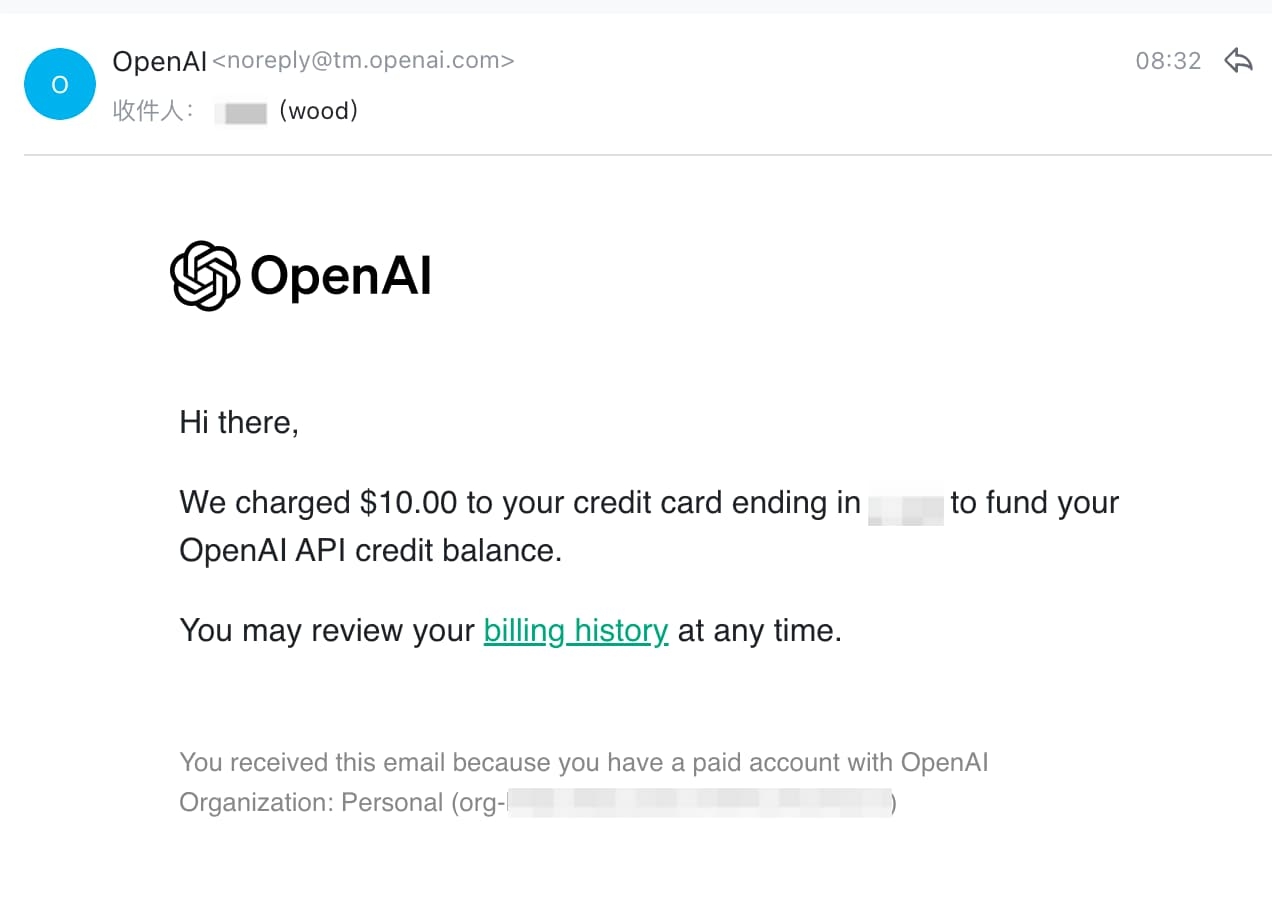
For example, with OPEN AI, I was able to add a payment method and successfully make a payment:
Final Thoughts
If you found my post helpful, consider using my referral code YDBR37JB when opening an account. You may receive a reward of 15 Singapore dollars by using this code.
Feel free to leave a comment. If you have any questions or ideas to share, I’m happy to hear them.
Last updated 2025-06-25
Comments 0