
Useful Plugins for Managing WordPress Posts
This post was translated from Chinese by AI. If anything reads oddly, the Chinese original is authoritative. 中文原文
Bulk edit/import/delete featured images: Quick Featured Images
Bulk import posts: Import any XML or CSV File to WordPress
How to bulk import posts:
Install the plugin
In the search results, select Import any XML or CSV File to WordPress. There may be many results, so make sure the icon and name match those shown above. For this tutorial, I tested importing a CSV file with this plugin. Install and activate it.
Prepare the Data
Since we are importing a CSV file, we need to prepare a file with comma-separated values.
If you are unfamiliar with CSV files, you can use EXCEL.
First
Create a blank workbook
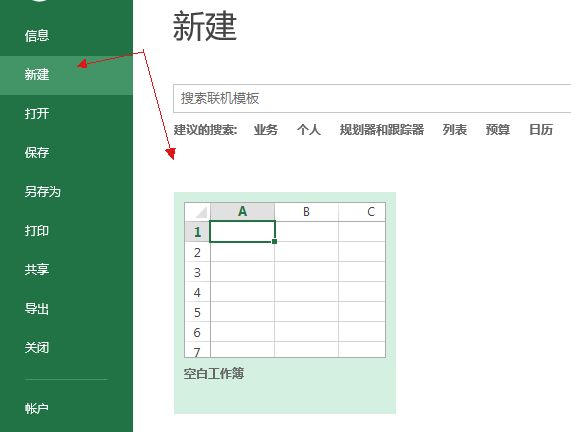
Second
In the first row, add fields for the post title, excerpt, content, and so on. Be sure to include a unique ID field.
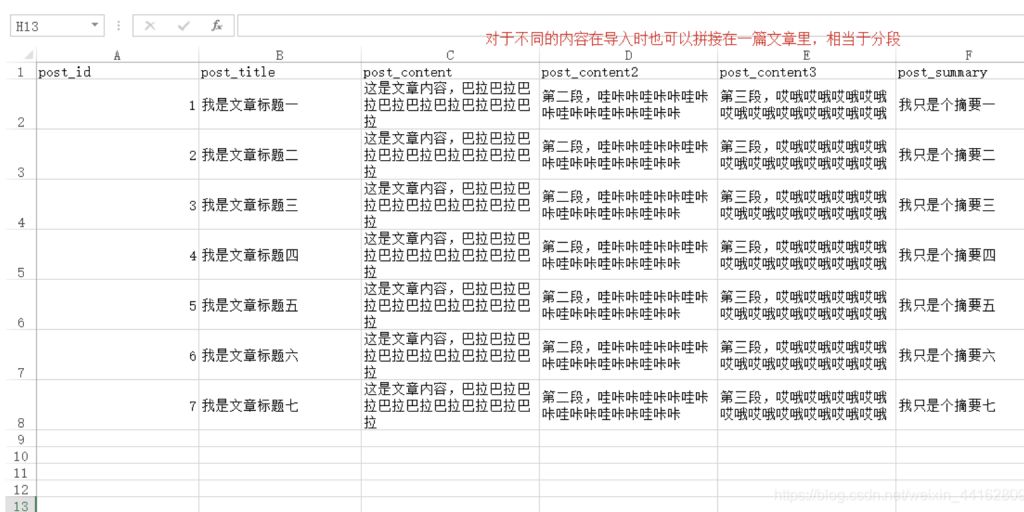
Third
Save the data as CSV. If a dialog appears, click Yes to continue.
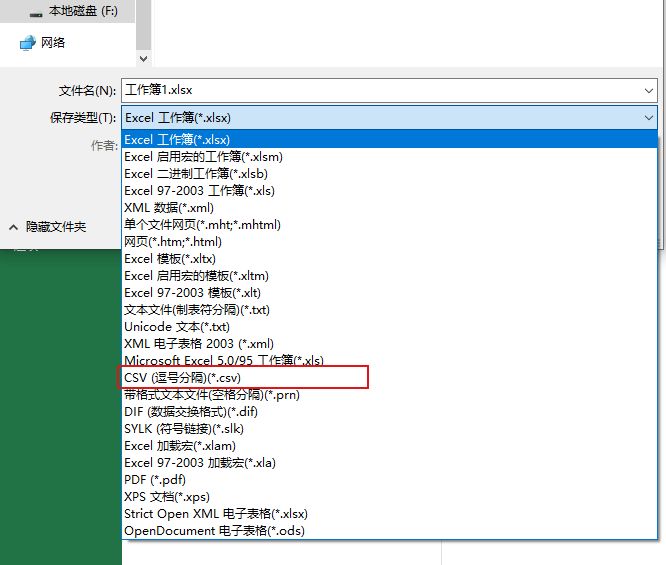
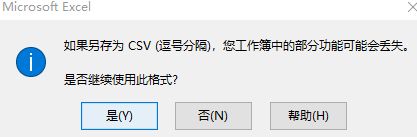
We now have a CSV file containing the posts to import.
Check the Encoding
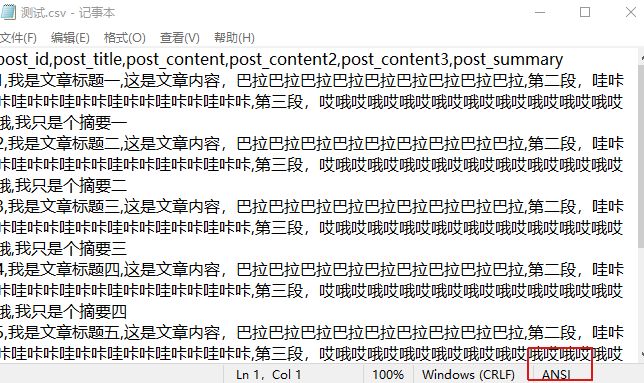
Open the file in Notepad. The CSV file generated by Excel uses ANSI encoding, so save it again with utf-8 encoding.

Start the Import
Return to the WordPress dashboard. The ALL IMPORT plugin we installed should now appear at the bottom of the sidebar menu. Select new import.
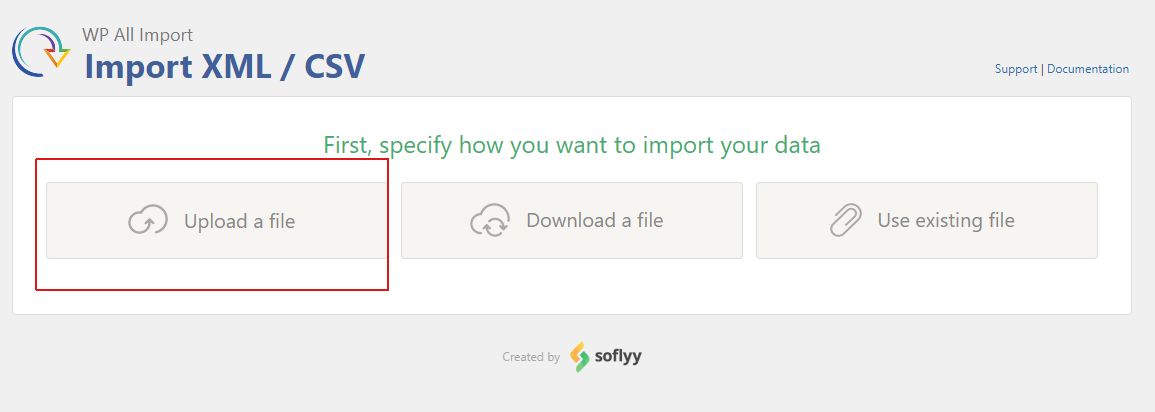
On the import screen, select upload a file and choose the CSV file we just saved.
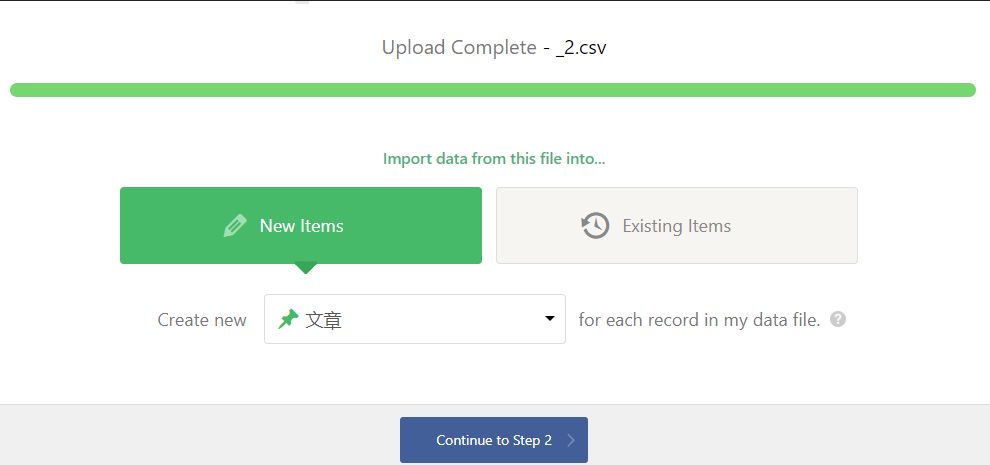
Select Posts and continue to step two.
Preview the content
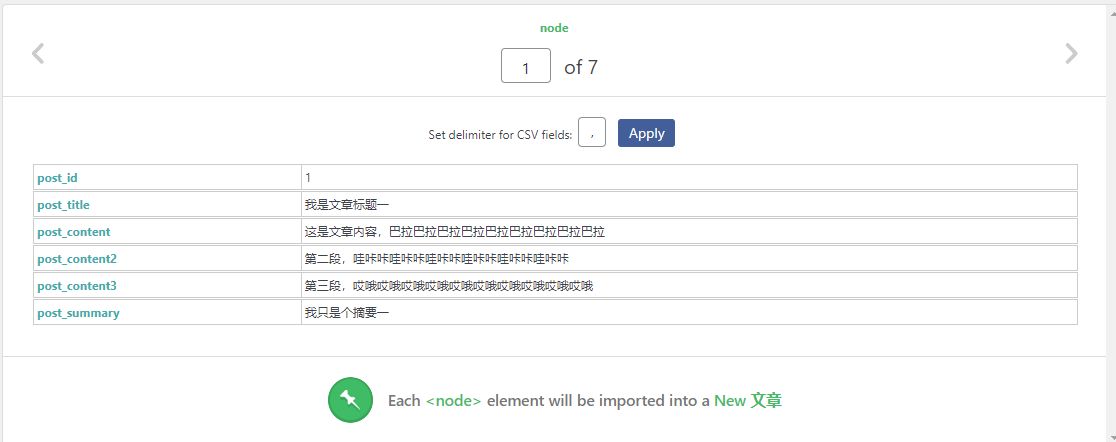
Continue to step three. Drag each field to its corresponding position.
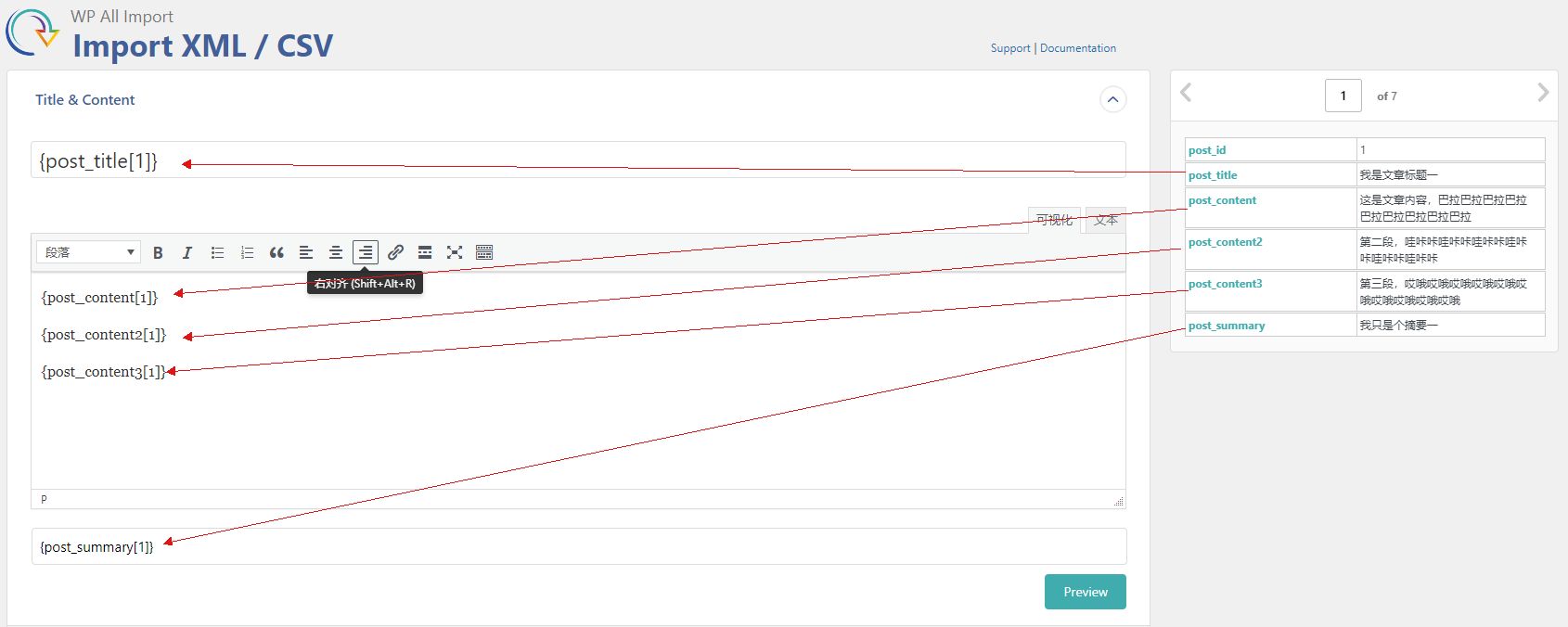
After mapping the fields, click preview to check the result.

The pro version also supports bulk image imports (I haven't purchased it yet, so I haven't tested this).
Continue to step four, then drag the unique ID field we created earlier into
Unique Identifier
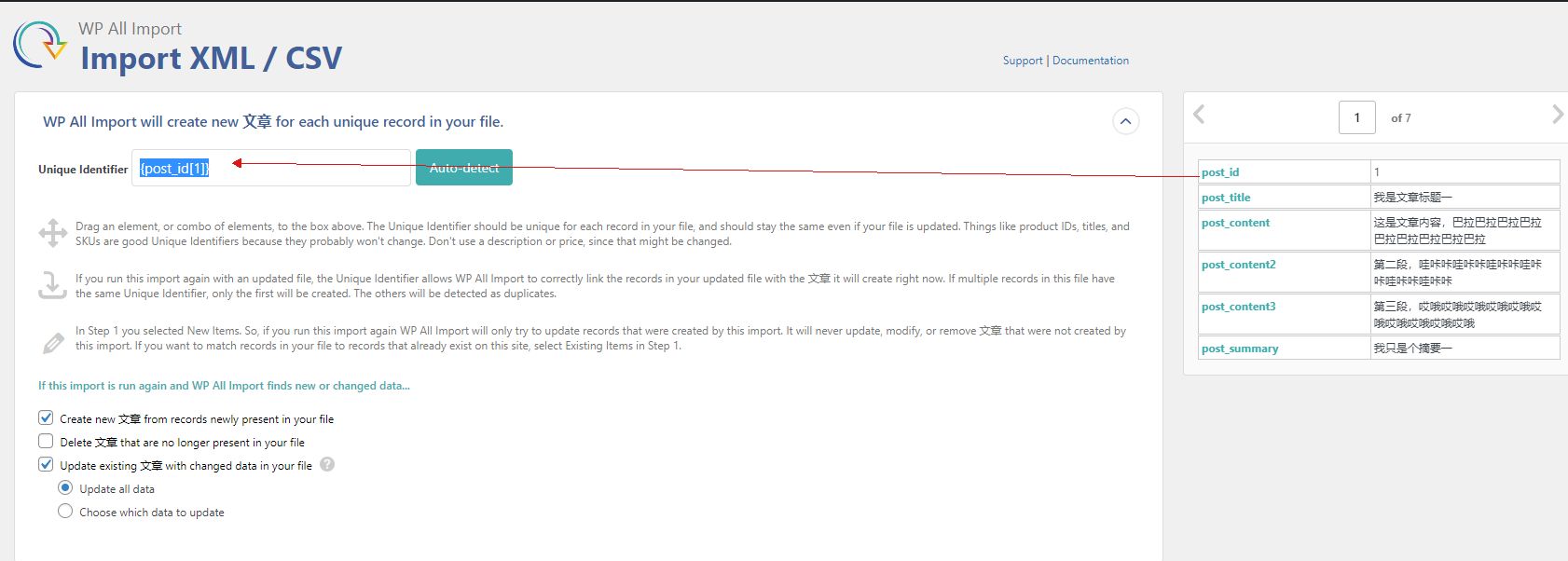
Finally, continue, confirm, and run the import.
Copyright notice: This article was originally written by CSDN blogger “Ruo Xiaoyu” and is licensed under CC 4.0 BY-SA. When republishing, include a link to the original article and this notice. Original article: https://blog.csdn.net/weixin_44162809/article/details/117789336
Last updated 2024-01-14
Comments 0