
WordPress 5.9
This post was translated from Chinese by AI. If anything reads oddly, the Chinese original is authoritative. 中文原文
Full Site Editing Is Now Available
Full site editing lets you control the appearance of your entire site from the WordPress admin dashboard.

The New Twenty Twenty-Two Theme
This is the first default block theme in WordPress history. It is not just a new default theme, but an entirely new way to use WordPress themes.
Block themes offer a wide range of visual options, from color schemes and font combinations to page templates and image filters, all configurable through the Site Editor. With changes managed in one place, you can give Twenty Twenty-Two a look and feel that matches your brand or other websites, or take your site's appearance in a completely different direction.
Twenty Twenty-Two is ready to use. It is installed with WordPress 5.9 and can be found on the Installed Themes page.
Build Your Site with Unlimited Creativity
With the release of Twenty Twenty-Two, more block themes supporting full site editing will arrive in the theme directory, ready for you to explore. Stay tuned for more block themes.
When you use any block theme, you no longer need the Customizer. Instead, you get all the features of the Styles interface in the Site Editor. Just as with Twenty Twenty-Two, you can use these blocks to create the look and feel your site needs, with the tools you need in a smooth, intuitive interface.


The Navigation Block
At the heart of this new experience is the ability to use blocks in your site's navigation.
The new Navigation block offers several options, such as an always-expanded responsive menu or a menu that adapts to the user's screen size. Whatever menu you create, you can reuse it wherever you need it, even after using a new template or switching themes.
More Improvements and Updates
Do you enjoy writing blog posts or creating content? The updated publishing workflow helps you say more, faster.
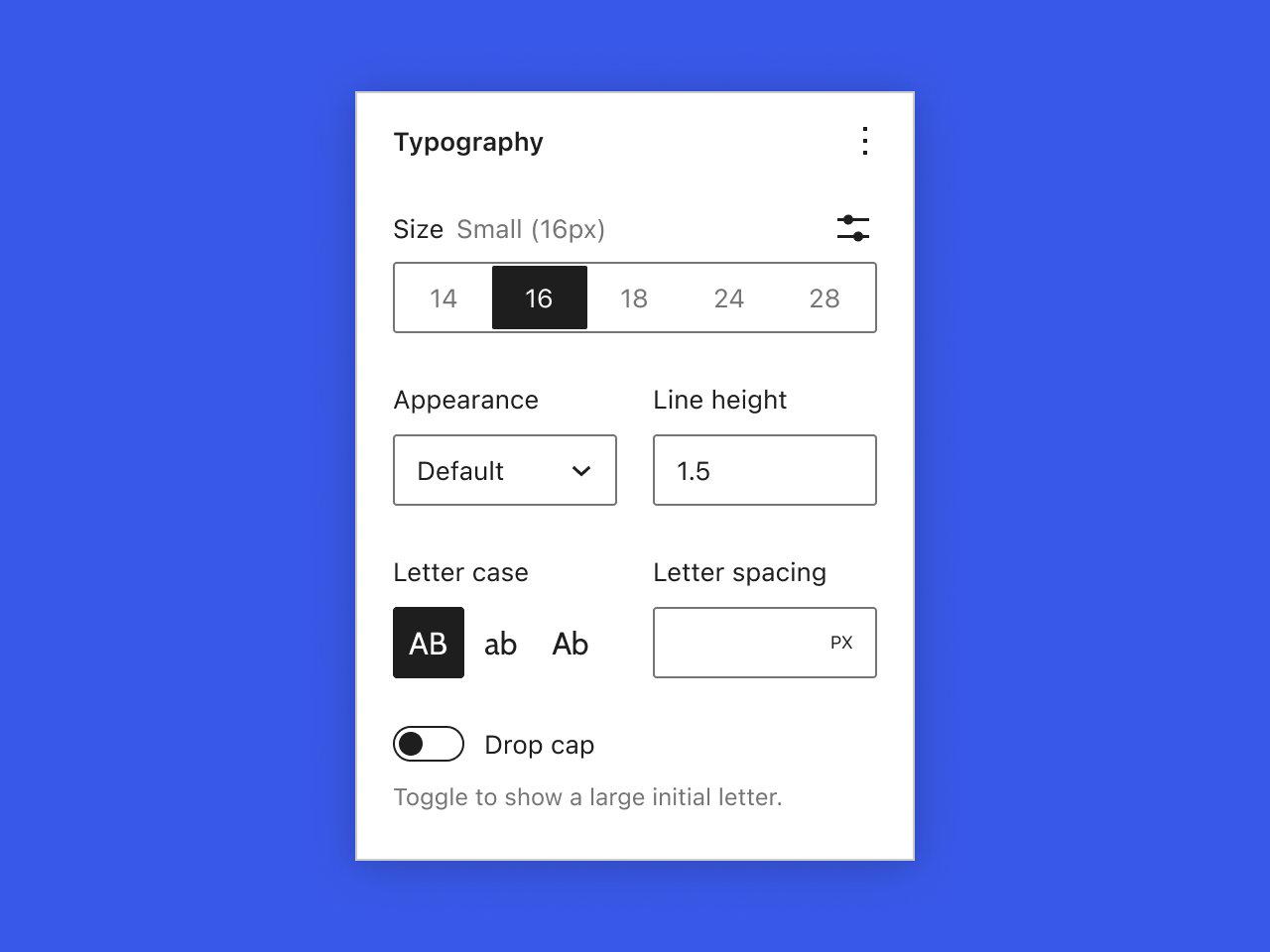
More Refined Block Controls
WordPress 5.9 brings new typography tools, flexible layout controls, and fine-grained control over details such as spacing and borders, helping you design your site's appearance and fine-tune it to your needs.
The Power of Block Patterns
The WordPress Pattern Directory is home to a variety of block patterns that save you time and add core functionality to your site. You can edit these patterns as needed. If you want a different header or footer for your current theme, a few clicks are all it takes for a fresh look.
With the full-screen pattern explorer, you can focus on the finer details, making it easy to compare patterns and choose the one you need.


Improved List View
List View in 5.9 lets you drag and drop blocks to move them where you need them. Managing complex documents is now easier, with simple controls that let you expand and collapse sections as you build your site, and add HTML anchors to blocks to help users navigate the page.
A Better Gallery Block
Work with each image in the Gallery block the same way you would in an Image block.
Give each image in your gallery a different style, such as a different crop or duotone effect, or style them all the same. You can also change the layout by dragging and dropping.

WordPress 5.9 Developer Notes
Introducing Block Themes
Block themes are a new way to build themes, using blocks to define layout templates for the entire site. HTML and custom styles in theme.json define the new templates and template parts. For details, see the block theme developer notes.
Multiple Stylesheets per Block
You can now register more than one stylesheet for each block. Use this feature to share styles across your custom blocks or load styles for individual blocks only when those blocks are used. Learn more about using multiple stylesheets per block.
Block‑Level Locking
Starting with this release, you can lock any block in a block pattern by adding the lock attribute to its block.json settings, leaving the rest of the pattern free to adapt to your site's content.
Refactored Gallery Block
The Gallery block changes listed above are the result of an almost complete refactor. Before developing plugins or themes related to Gallery block functionality, be sure to read the Gallery block compatibility developer notes.

Learn More About What's New in 5.9
Want to explore 5.9 in depth but don't know where to start? Visit learn.wordpress.org for resources on the new features in WordPress 5.9.
Last updated 2024-01-14
Comments 0