
Deploy Clash and Its Dashboard with One Click Using Docker
This post was translated from Chinese by AI. If anything reads oddly, the Chinese original is authoritative. 中文原文
The official Clash deployment requires two images to run the service and dashboard separately. Here, I use the official server image and dashboard frontend code, modify them, and rebuild everything into a single image that runs both the service and dashboard. Simple and lightweight.
Modified Source Code
https://github.com/woodchen-ink/clash-and-dashboard
Changes
- Changed the frontend API baseurl to use the page-relative path
/apiinstead of user configuration. - Removed the Clash API configuration field.
- Added nginx and the built frontend files to the docker image.
- Configured nginx to reverse-proxy the Clash management API, allowing the dashboard to manage the Clash service inside the container without any configuration.
Start the Container
Using docker compose
version: '3.8'

services:
  clash:
    image: woodchen/clash-and-dashboard:latest
    container_name: clash
    restart: always
    logging:
      options:
        max-size: "1m"
    volumes:
      - /data/clash/clash.yaml:/root/.config/clash/config.yaml
    ports:
      - "7888:8080"
      - "7890:7890"
Using sh
docker run -d \
  --name clash \
  --restart=always \
  --log-opt max-size=1m \
  -v /data/clash/clash.yaml:/root/.config/clash/config.yaml \
  -p 7888:8080 -p 7890:7890 \
  woodchen/clash-and-dashboard:latest
- -v /data/clash/clash.yaml:/root/.config/clash/config.yaml Provides the Clash yaml file; obtaining this file is up to you
- -p 7888:8080 Dashboard port
- -p 7890:7890 http proxy port; the socks port is 7891
- woodchen/clash-and-dashboard:latest The modified image
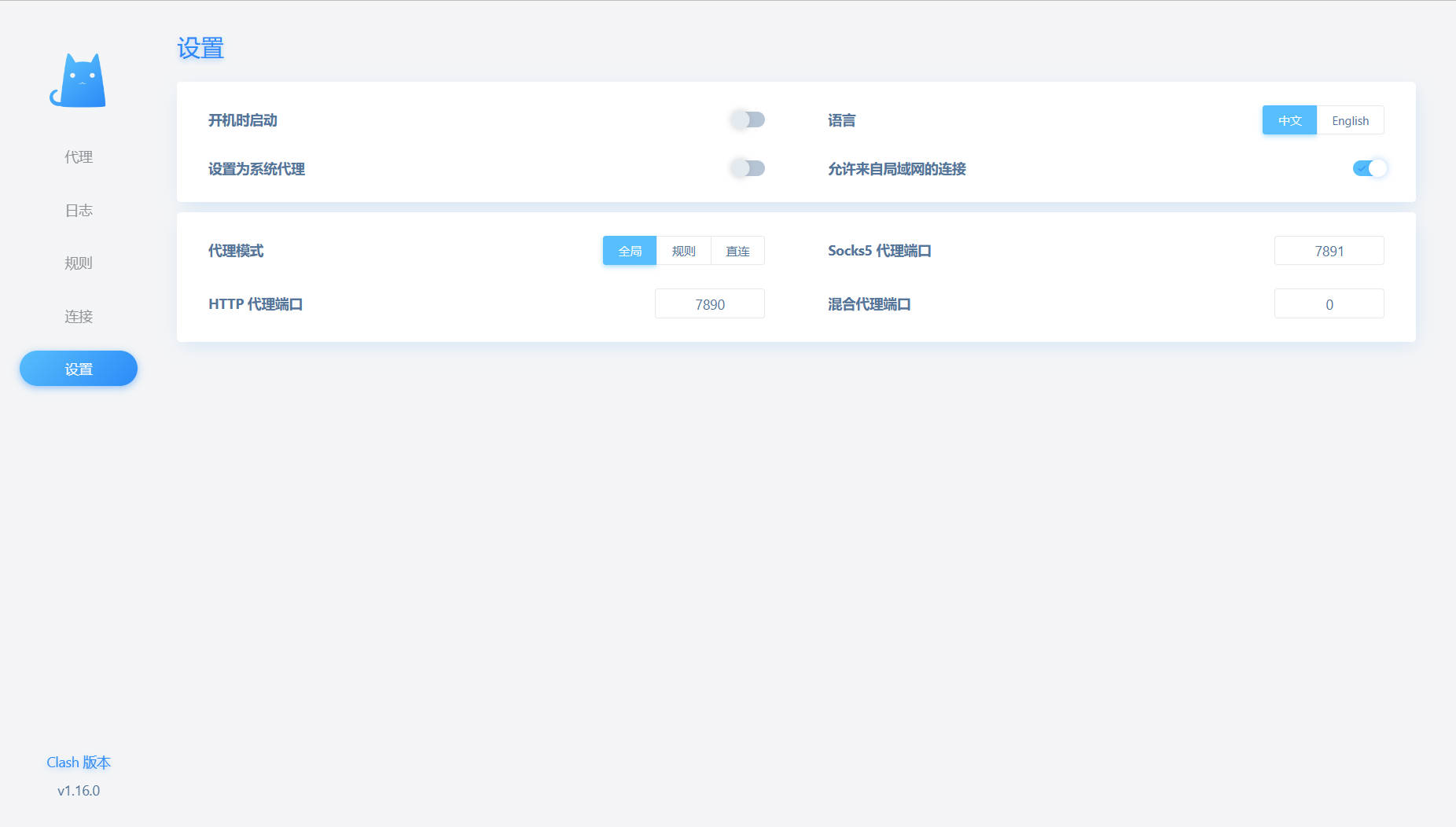
Open Ip:7888 to access the dashboard. For access from other machines, enable Allow LAN connections
Last updated 2025-06-24
Comments 0