
Deploy ChatGPT on Feishu with CZLOapi and Docker
This post was translated from Chinese by AI. If anything reads oddly, the Chinese original is authoritative. 中文原文
This project is based on
CZLOapi OPENAI proxy service in China, no VPN required.
Docker
Feishu Developer Platform
A Docker image modified from a Github open-source project (original project: https://github.com/ConnectAI-E/Feishu-OpenAI)
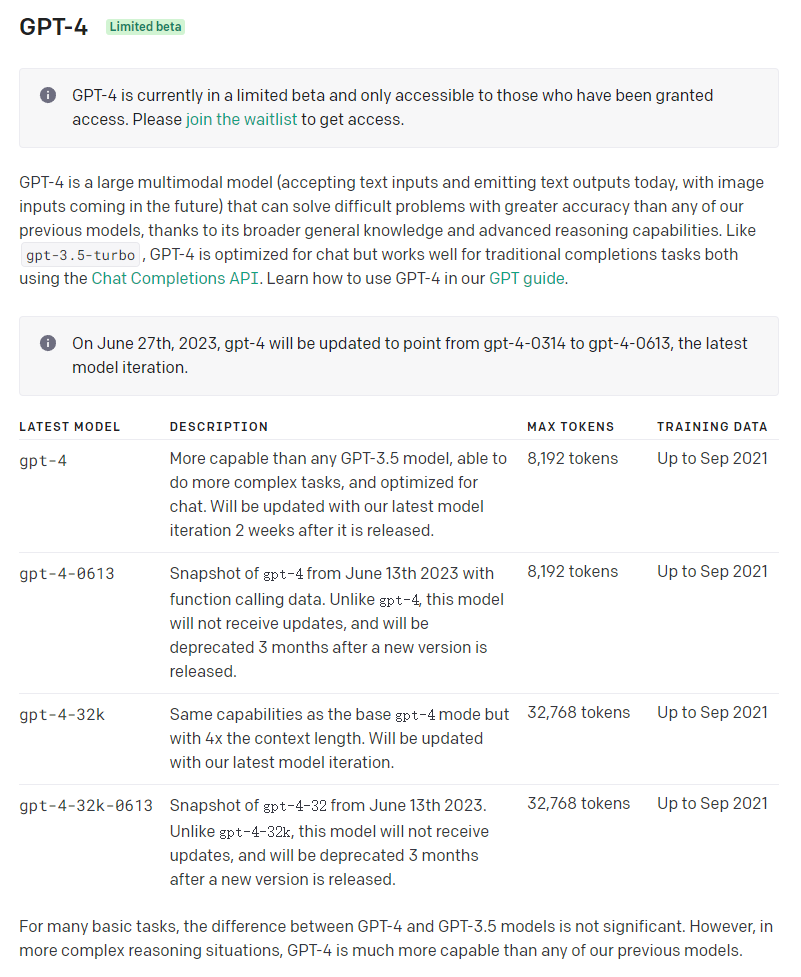
Supported models
gpt-3.5-turbo-0613
gpt-3.5-turbo-0613-16k
gpt-4-0613(requires a $5.0 top-up)
Community group
Wood Chen invites you to join the Feishu group. Click https://applink.feishu.cn/client/chat/chatter/add_by_link?link_token=8bfv9781-d031-4504-b831-ae5307a44a8b to join!
Demo
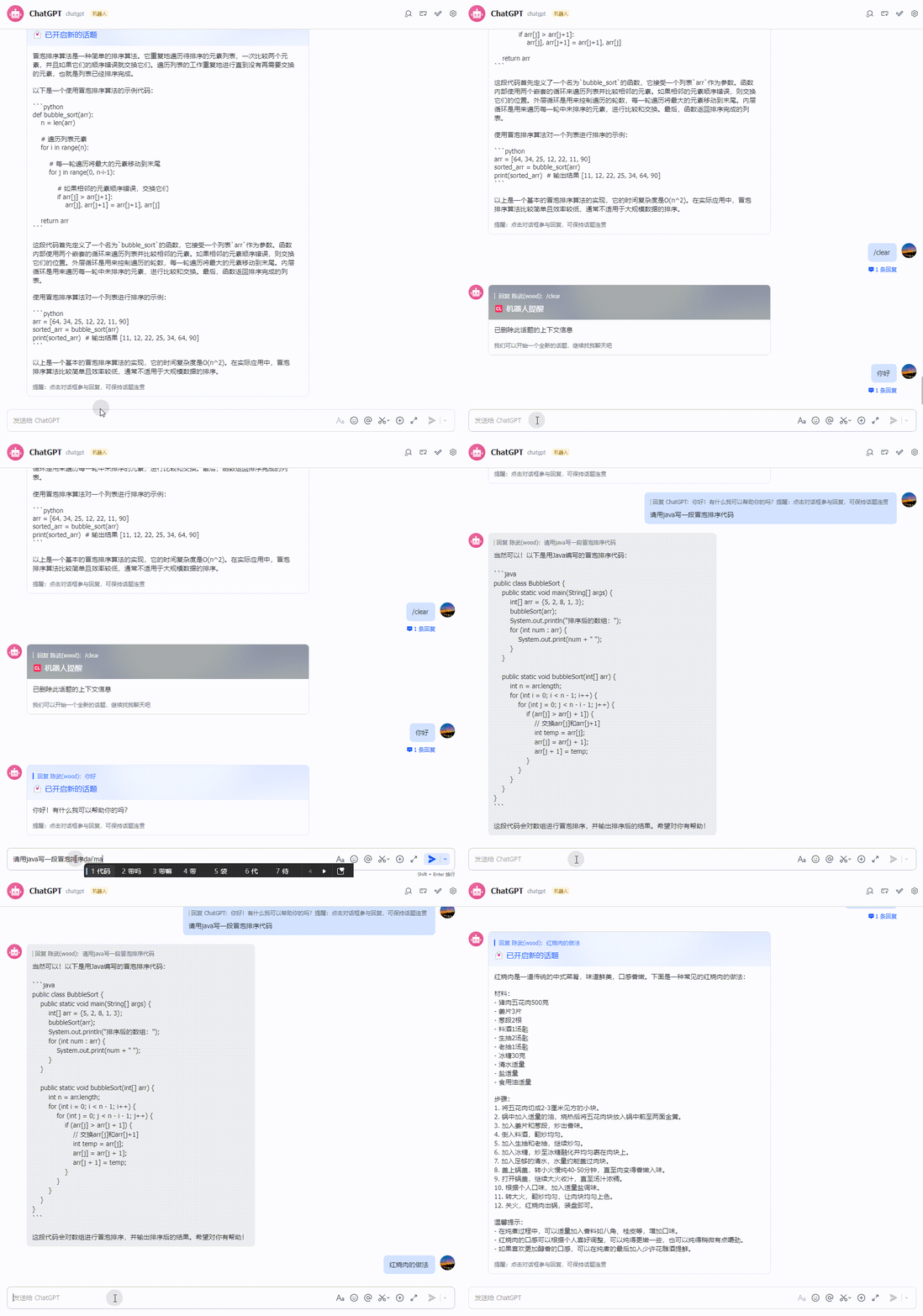
1. CZLOapi: Get a key
Website: https://oapi.czl.net
- Register and log in
Signing up gives you enough credit for about 500 Chinese characters. The balance shows 0 because the amount is so small, but you can still use it.
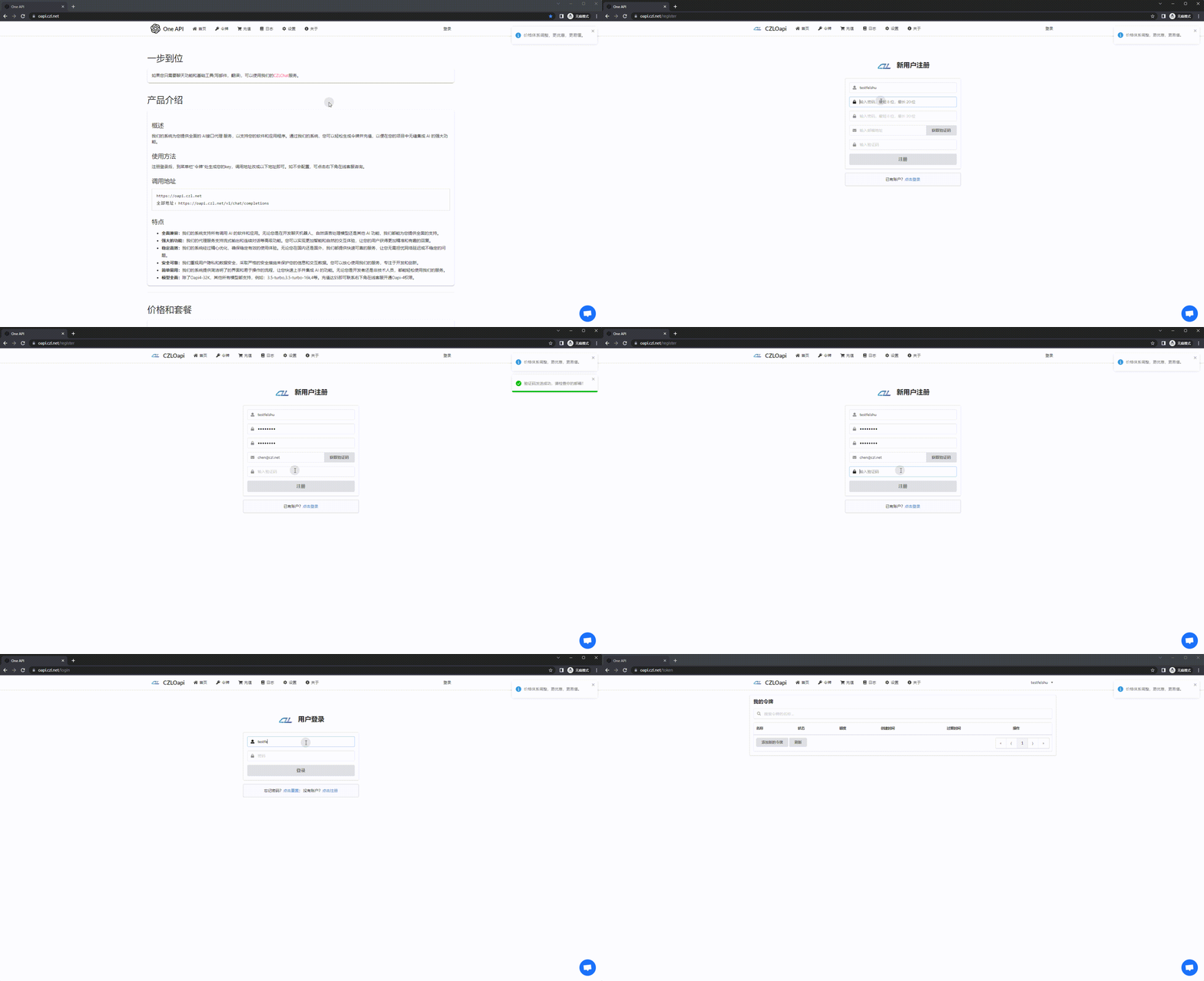
- Get a KEY, then copy and save the generated key
Example: sk-BdH2ECx9UeUmqI2j86B9E6C
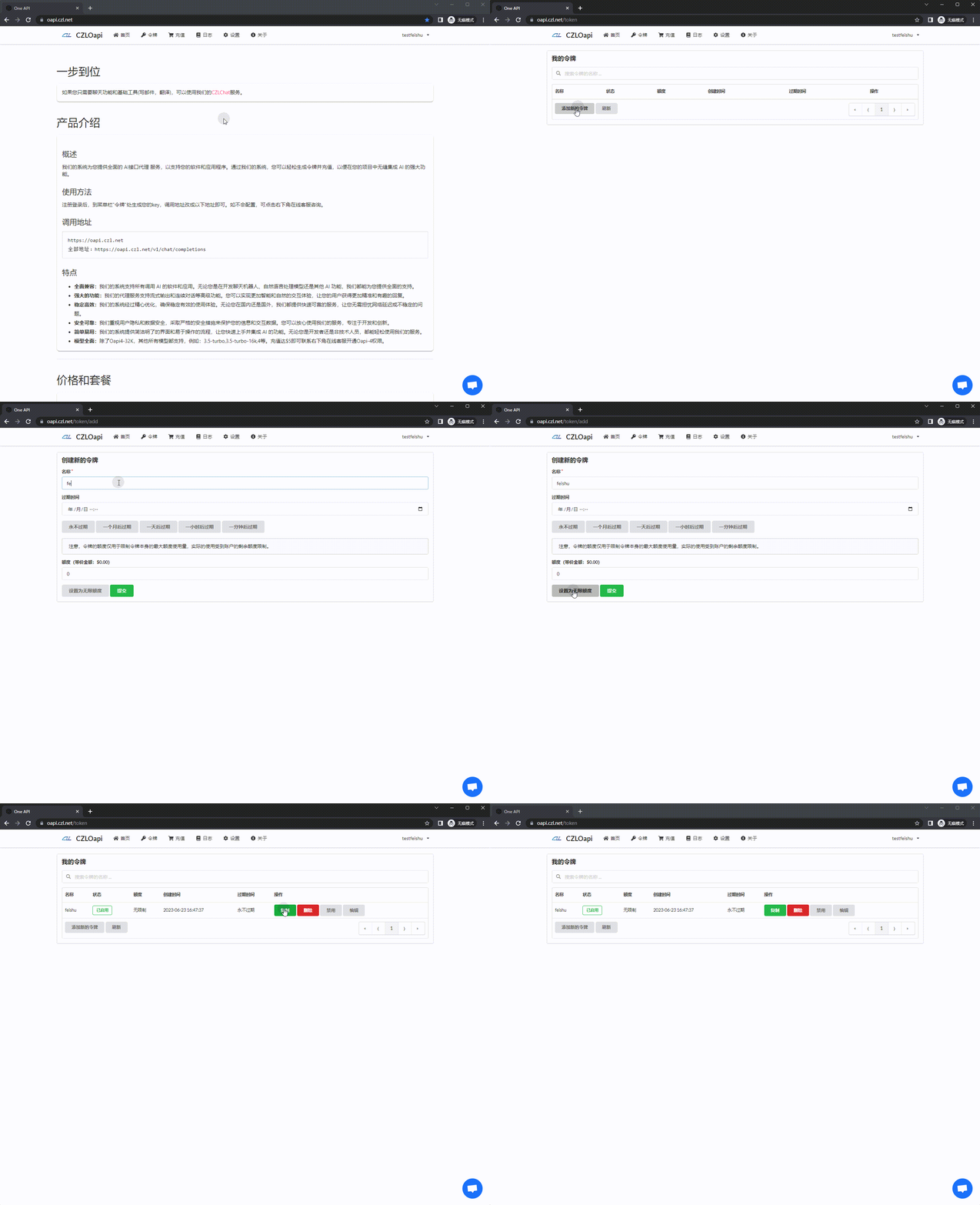
2. Create an app on the Feishu Developer Platform
Website: https://open.feishu.cn/app/
- Create an app and save the APPID and Secret
Example: cli_a41fe20b2539d00b, 0kMAQp1c0ydxrBwkQHT7OgGMeHzXuuwr
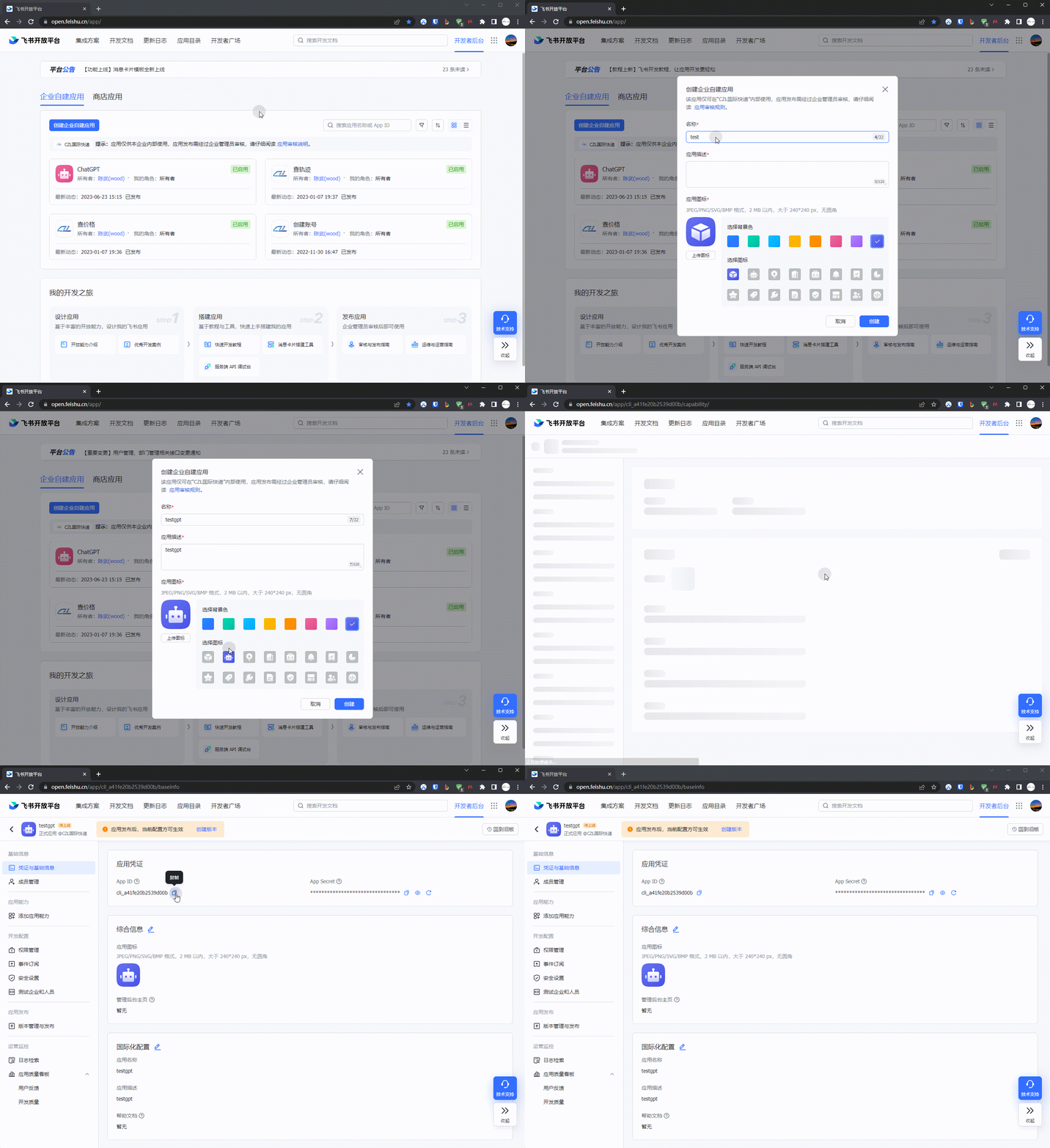
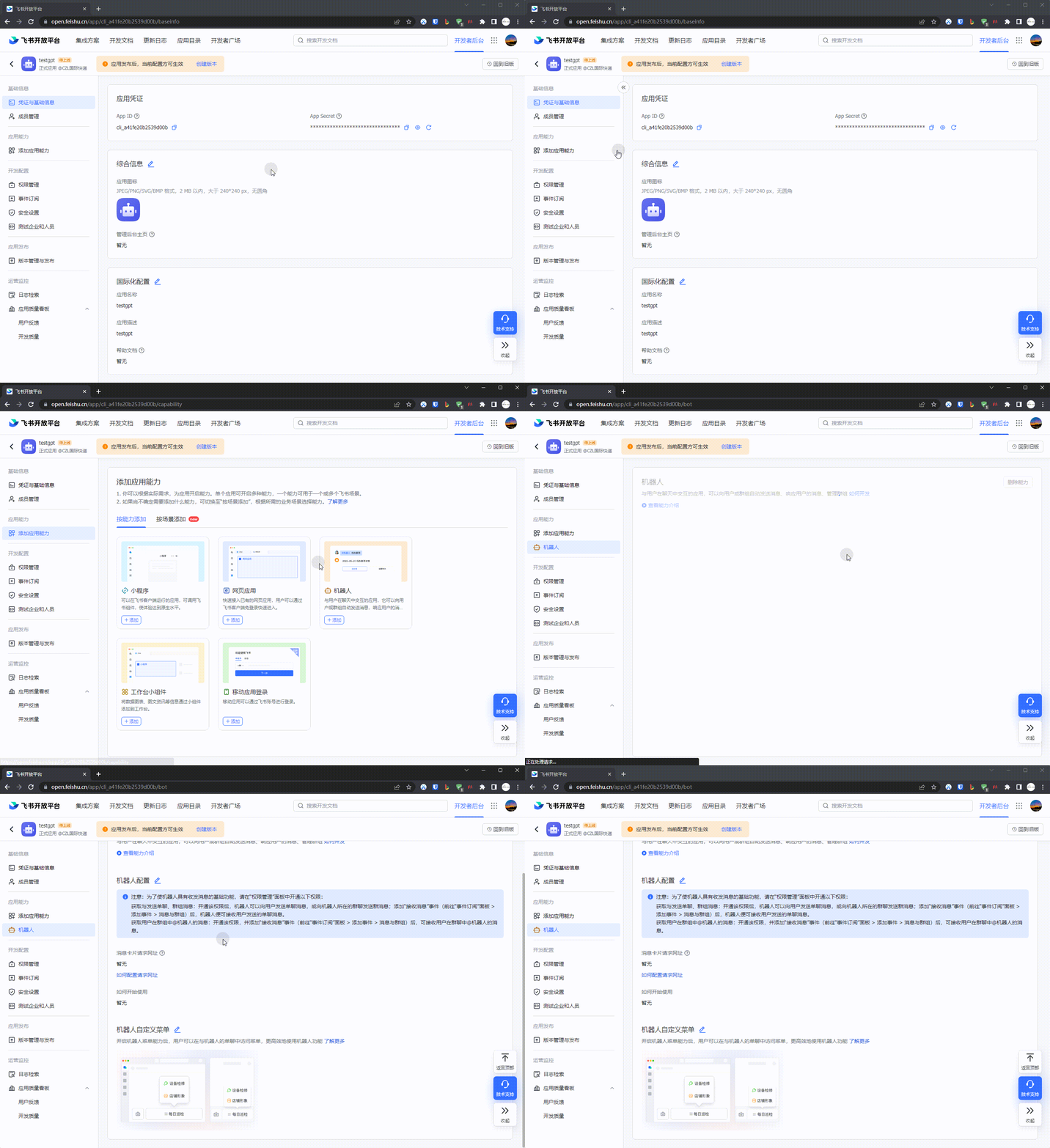
- Go to
应用功能-机器人and create a bot
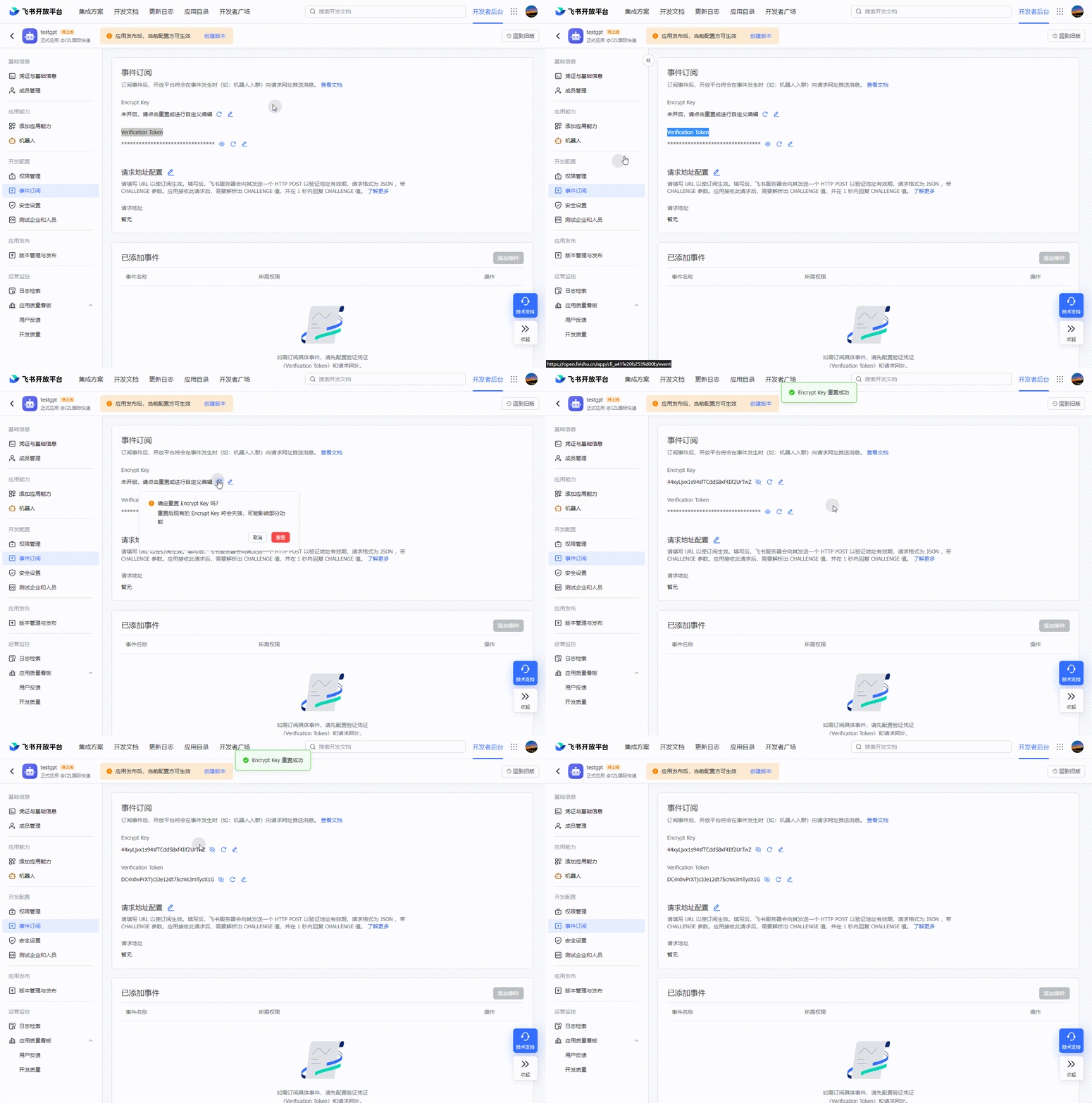
- Get the
Encrypt KeyandVerification Token
Example:
44xyLjvx1s94sfTCddS8xf4Iif2UrTwZ
DC4rdwPrXTjc3Je12dt75cmk3mTyoX1G
3. Deploy the Docker app
- Pull the docker image
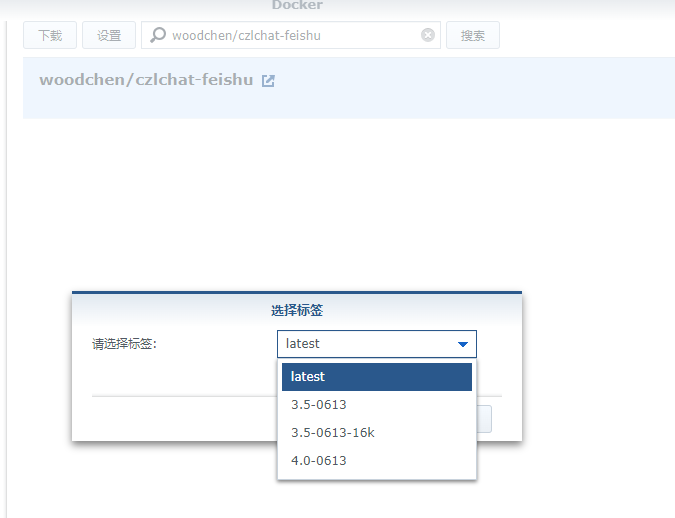
docker pull woodchen/czlchat-feishu:<版本>
3.5-0613:gpt-3.5-turbo-0613
3.5-0613-16k:gpt-3.5-turbo-0613-16k
4.0-0613:gpt-4-0613
- Deploy the container
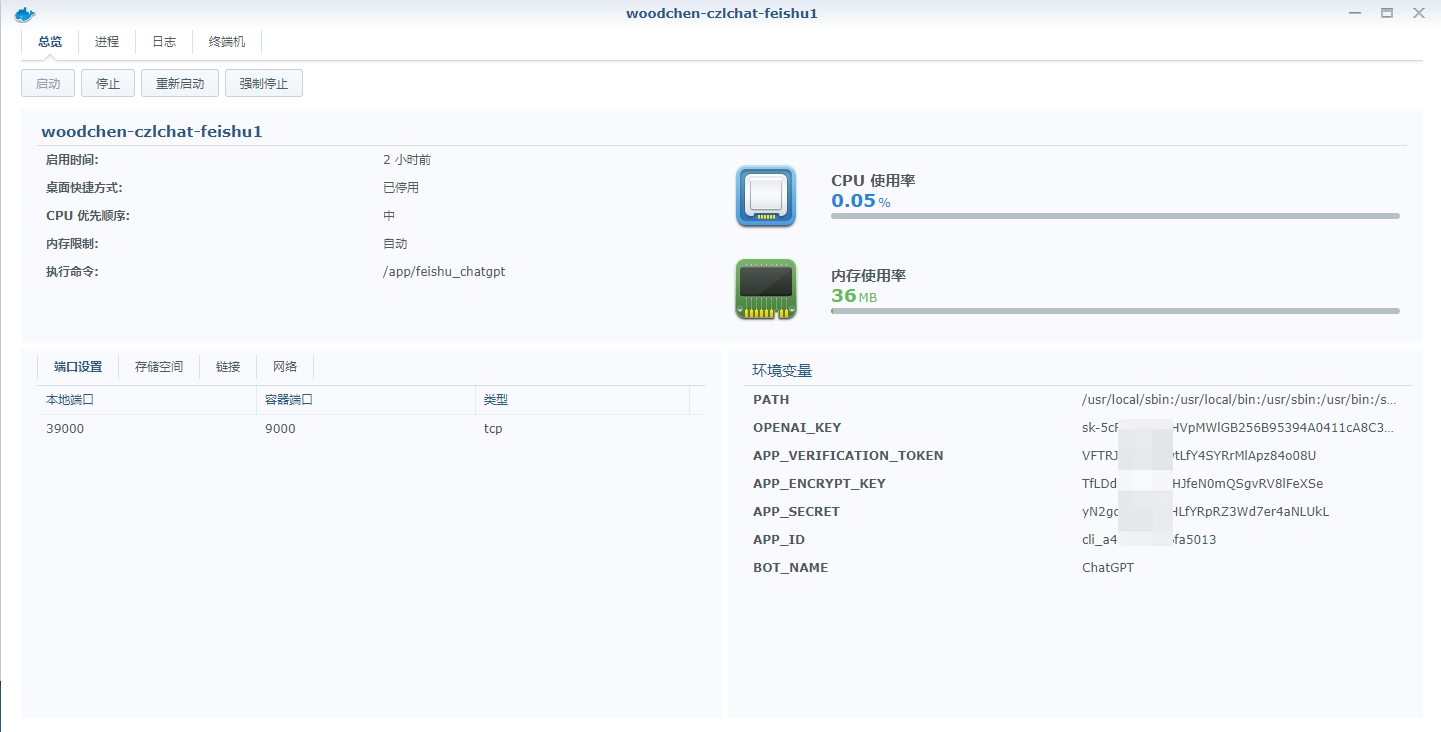
Environment variables
- BOT_NAME: The app name you set above; testgpt in this example
- APP_ID: Obtained in section 2, step 1 above
- APP_SECRET: Obtained in section 2, step 1 above
- OPENAI_KEY: Obtained in section 1, step 2 above
- APP_ENCRYPT_KEY: Obtained in section 2, step 3 above
- APP_VERIFICATION_TOKEN: Obtained in section 2, step 3 above
Ports
The container port is 9000; you can choose any external port
Deploy from the command line
docker run -d \
-e BOT_NAME= \
-e APP_ID= \
-e APP_SECRET= \
-e OPENAI_KEY= \
-e APP_ENCRYPT_KEY= \
-e APP_VERIFICATION_TOKEN= \
-p <外部端口>:9000 \
woodchen/czlchat-feishu:<版本>
GUI example
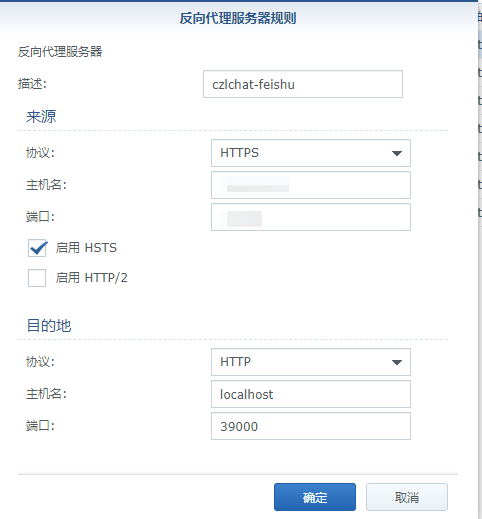
- Set up a reverse proxy for access
The principle is the same regardless of the tool.
- Test access
Access URL: https://访问地址/ping
The response should look like this. If it doesn't, check the docker logs.

4. Add endpoint URLs on the Feishu Developer Platform and publish a version
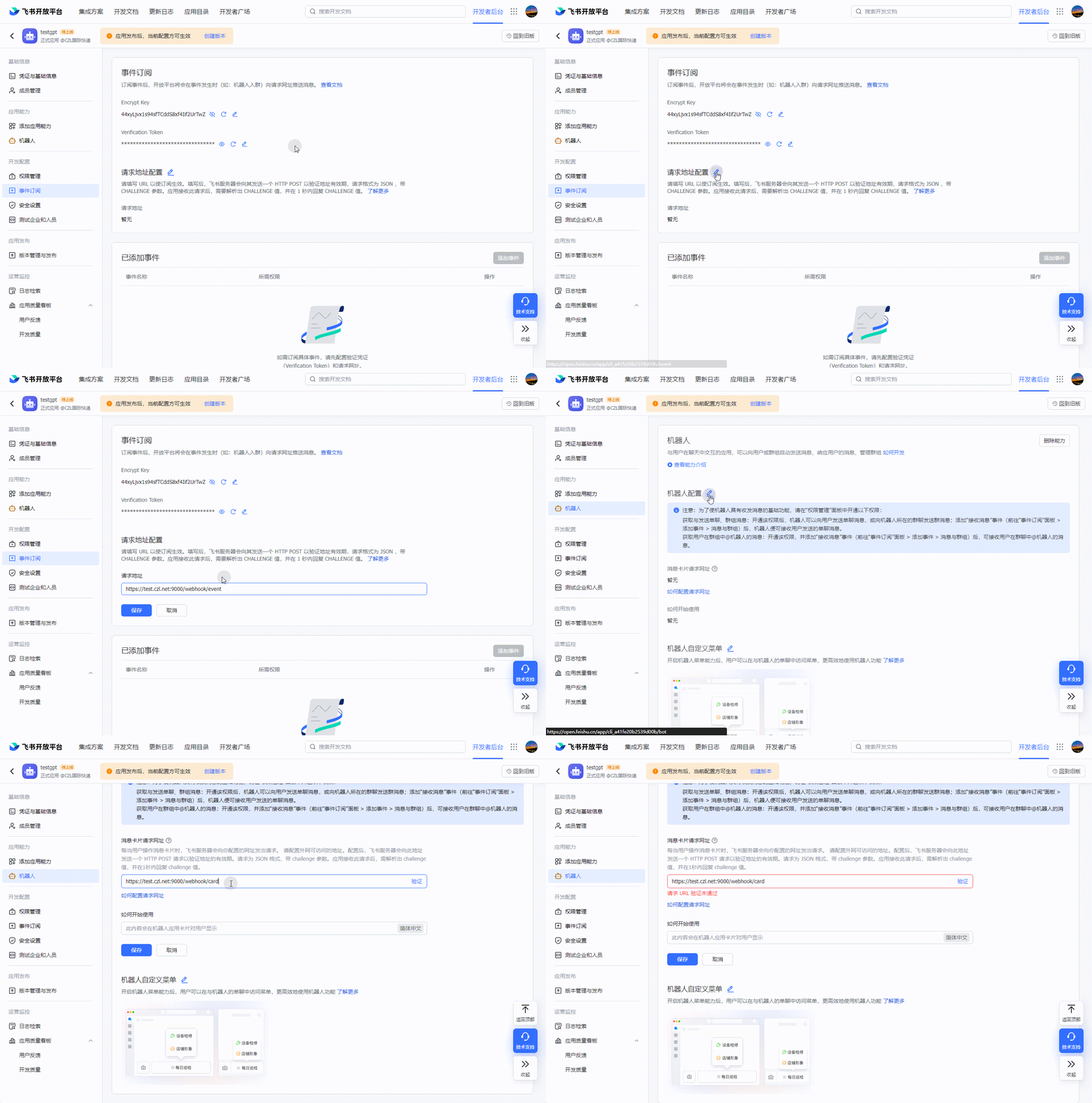
- Add the event subscription URL and card message URL
Event subscription URL format: https://访问地址/webhook/event
Card message URL: https://访问地址/webhook/card
The URL shown in the video is only a test URL, so saving it fails
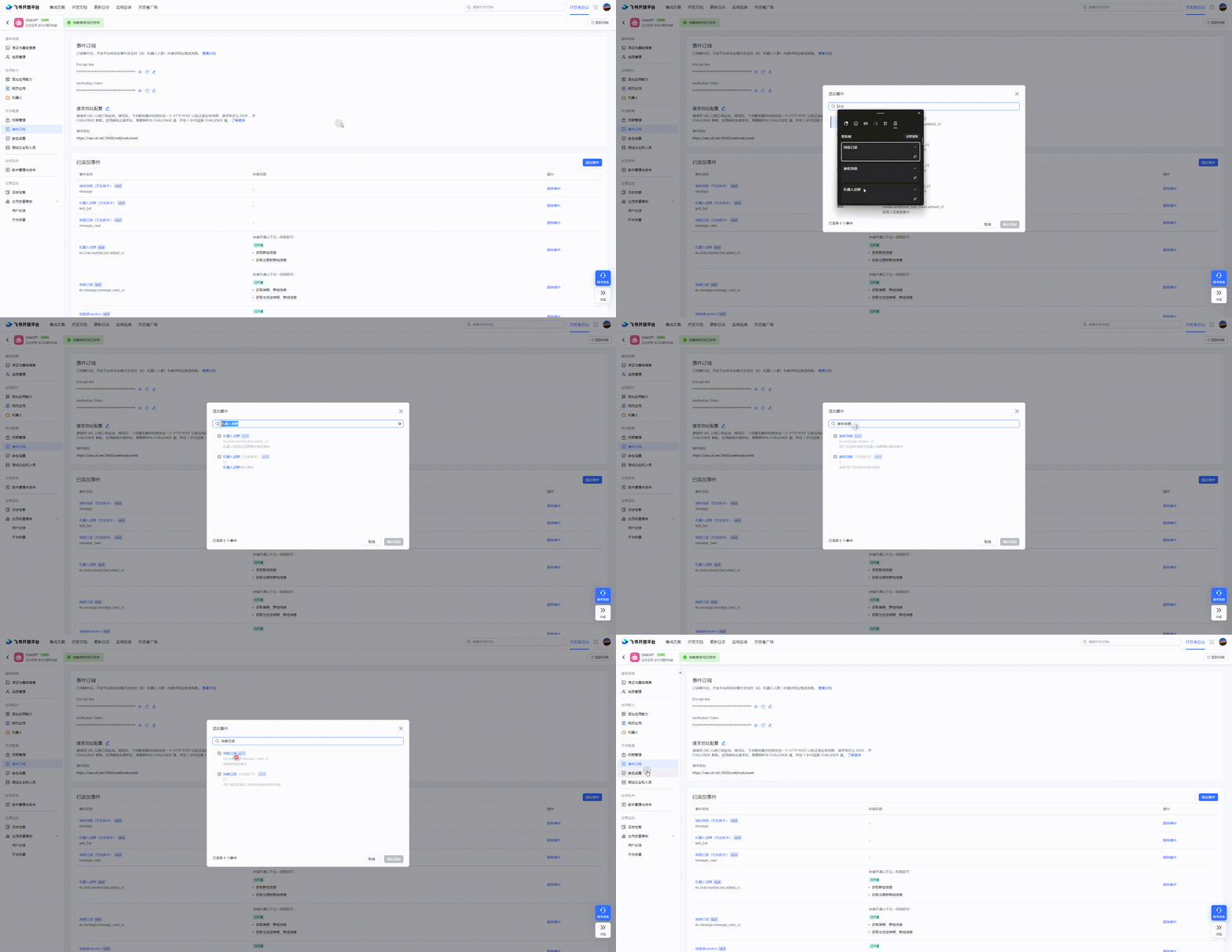
- Add permissions and capabilities
In the event subscription section, search for the three terms 机器人进群, 接收消息, and 消息已读, and select all permissions listed under them. Go to permission management, search for 图片, and select 获取与上传图片或文件资源. You should end up with the following callback events:
- im:resource(Get and upload image or file resources)
- im:message
- im:message.group_at_msg(Get all messages in a group)
- im:message.group_at_msg:readonly(Receive events for group messages that @mention the bot)
- im:message.p2p_msg(Get direct messages sent by users to the bot)
- im:message.p2p_msg:readonly(Read direct messages sent by users to the bot)
- im:message:send_as_bot(Get messages in which users @mention the bot in a group)
- im:chat:readonly(Get group information)
- im:chat(Get and update group information)
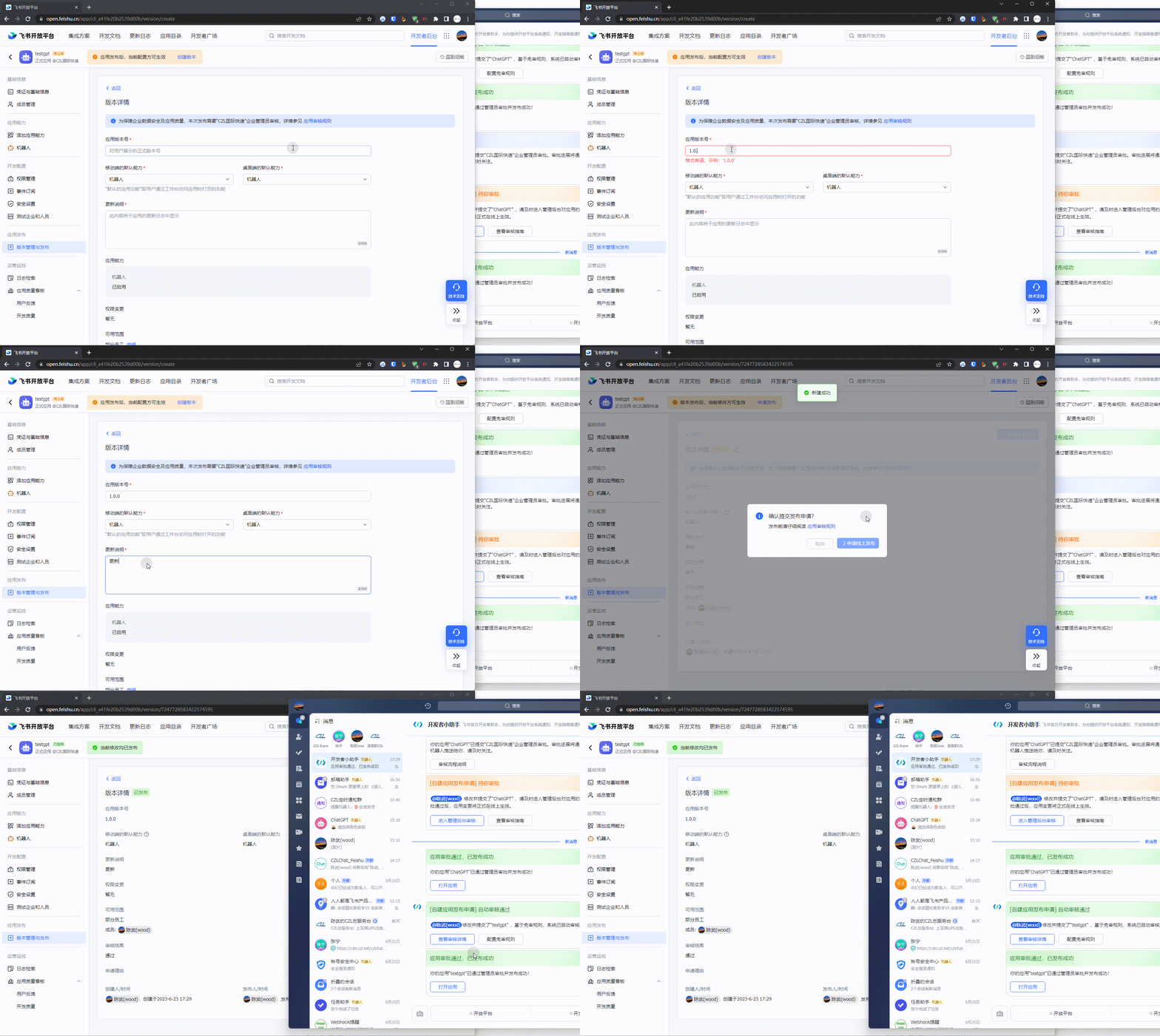
- Create and publish a version, then approve the app
I've enabled review-free publishing here. Otherwise, a review button labeled 进入管理后台审核 will usually appear. Click it and approve the app in the admin console.
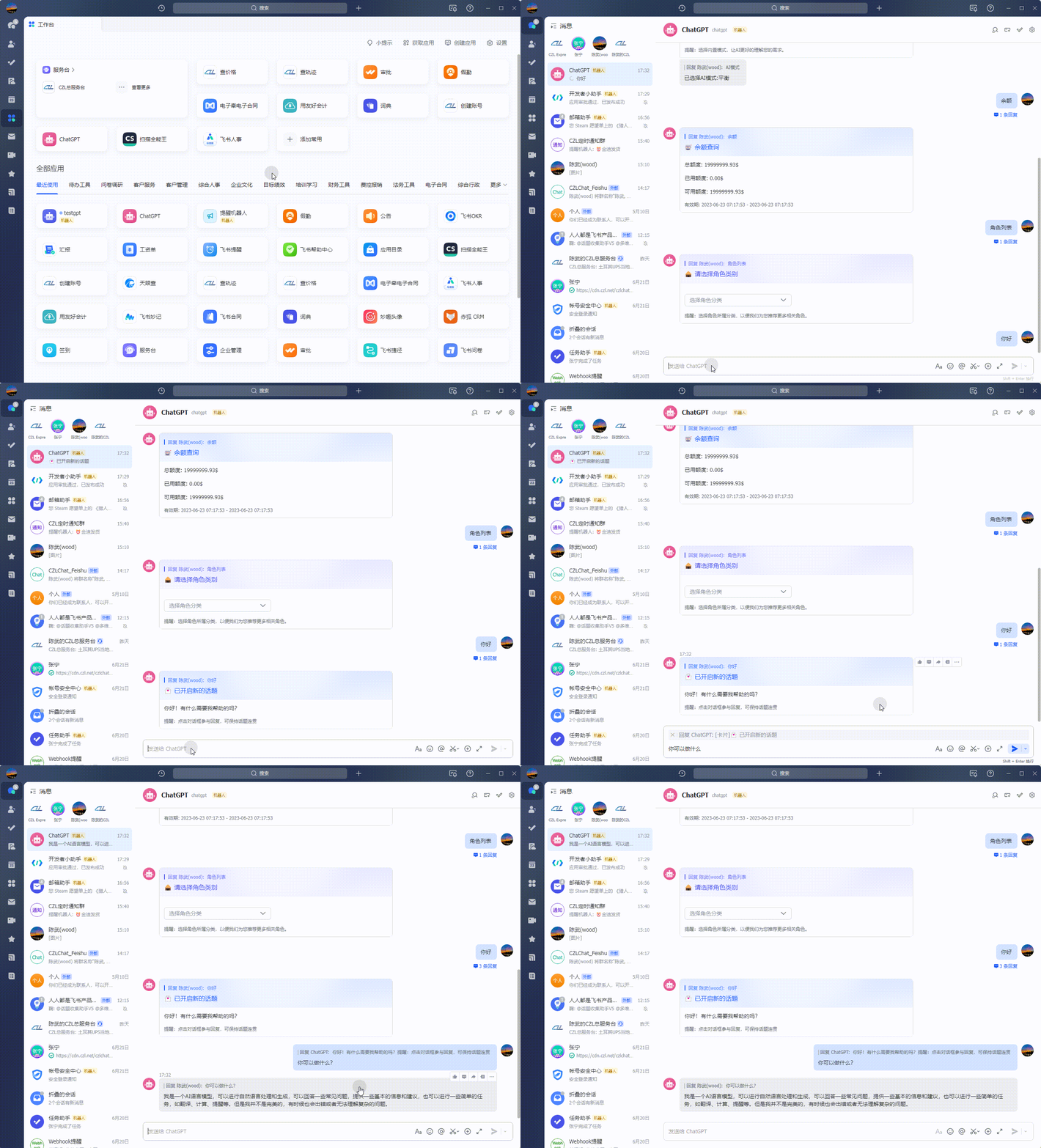
5. It's ready to use
- Click Reply on a bot message to continue the conversation
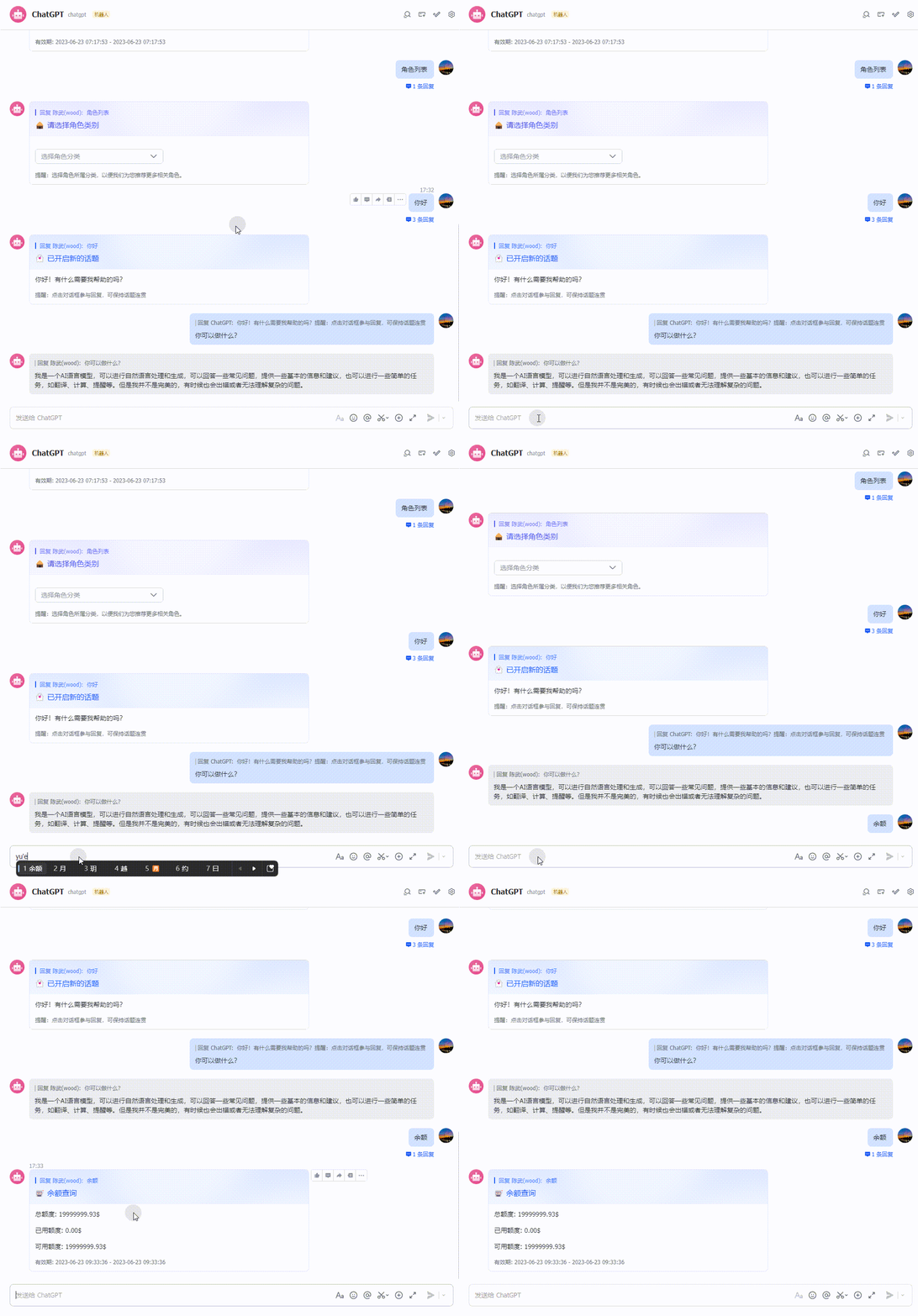
- Check your balance; this is your CZLOapi balance
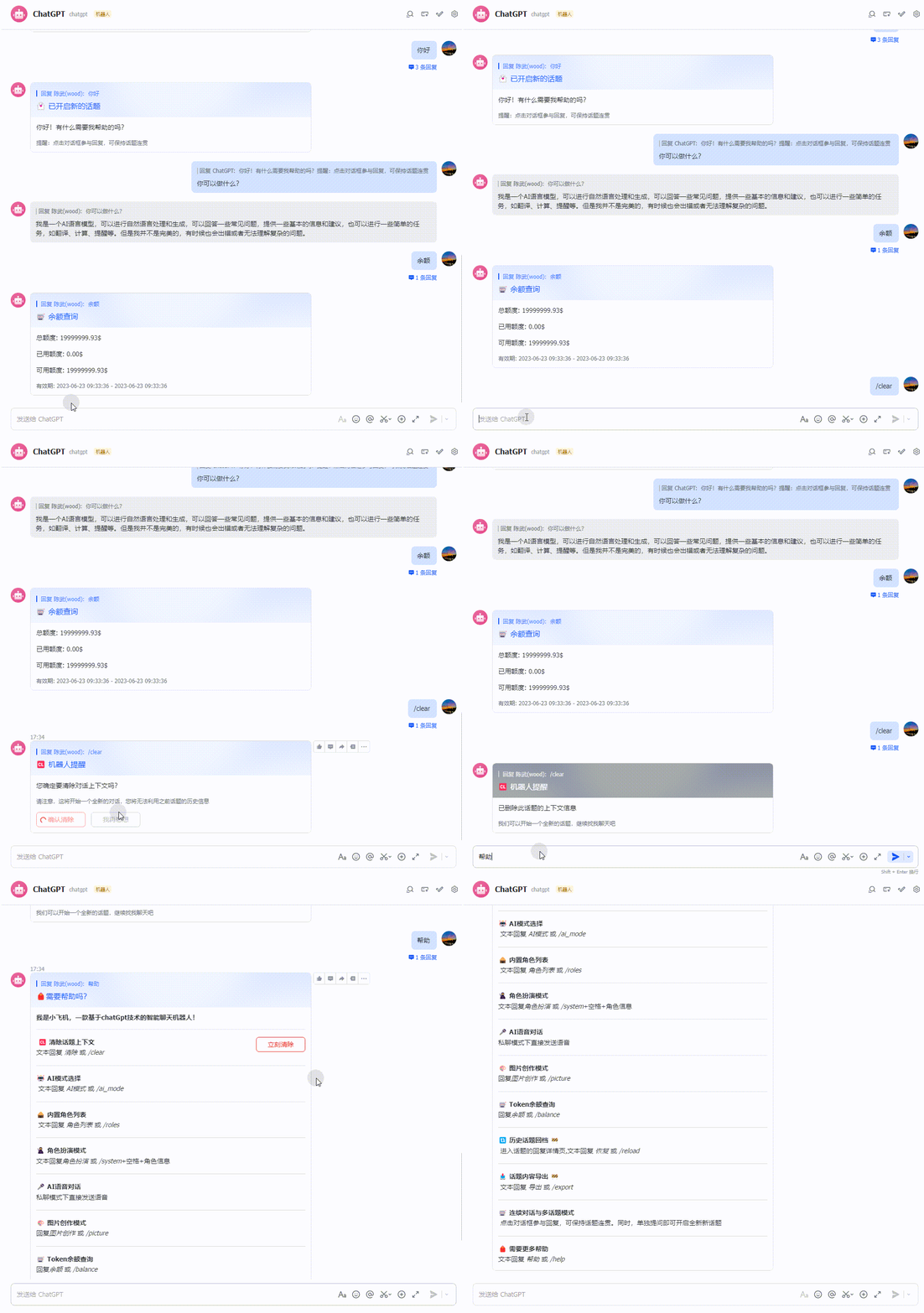
- Clear the context with
/clearand explore more features
Additional notes:
- OPENAI model details
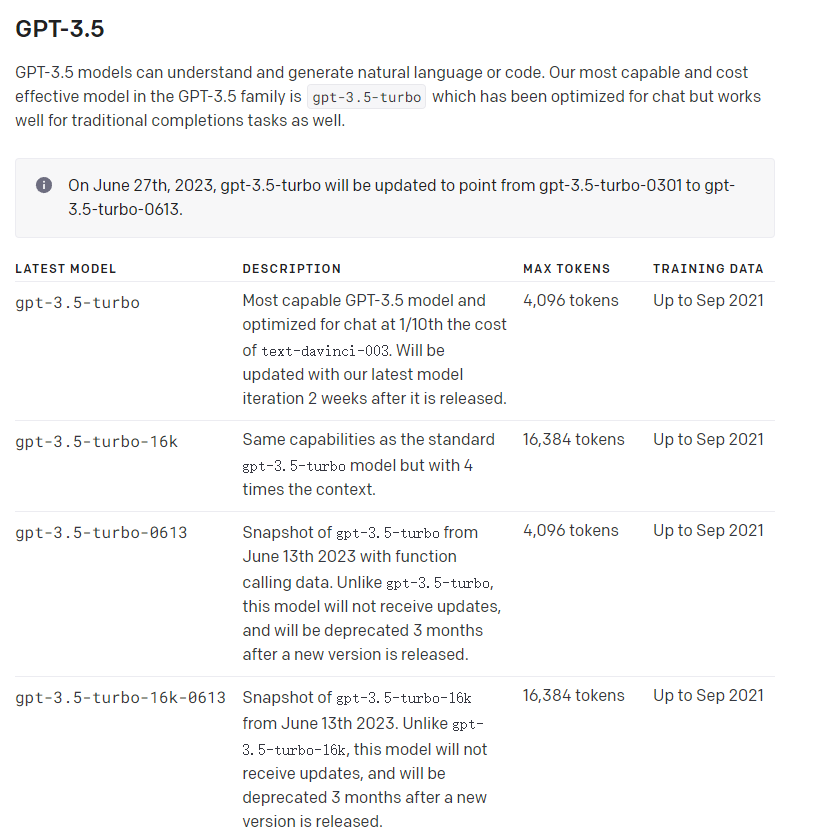
- Request new models or model switching in the frontend
I'd also like to support model switching in the frontend, but I don't have the skills to implement it. The source code is at https://github.com/woodchen-ink/CZLChat-Feishu. If you can help, please submit a pr.
- GPT-4 model notes
You need to top up at least $5.0 to use the GPT-4 model.
- Image generation notes
This system only supports chat, not image generation.
- Streaming output and multi-topic conversations
I recommend using CZLChat below or self-hosting the open-source project
ChatGPT Next Web
Project homepage: https://github.com/Yidadaa/ChatGPT-Next-Web
docker run --name chat-next-web -d -p 3001:3000 -e CODE="页面访问密码" -e OPENAI_API_KEY="czloapi获取的key" -e BASE_URL="https://oapi.czl.net" yidadaa/chatgpt-next-web
Remember to change the 端口号 and OPENAI_API_KEY.
ChatGPT Web
Project homepage: https://github.com/Chanzhaoyu/chatgpt-web
docker run --name chatgpt-web -d -p 3002:3002 -e OPENAI_API_BASE_URL="https://oapi.czl.net" -e OPENAI_API_KEY="czloapi获取的key" chenzhaoyu94/chatgpt-web
Remember to change the 端口号 and OPENAI_API_KEY.
Advertisement
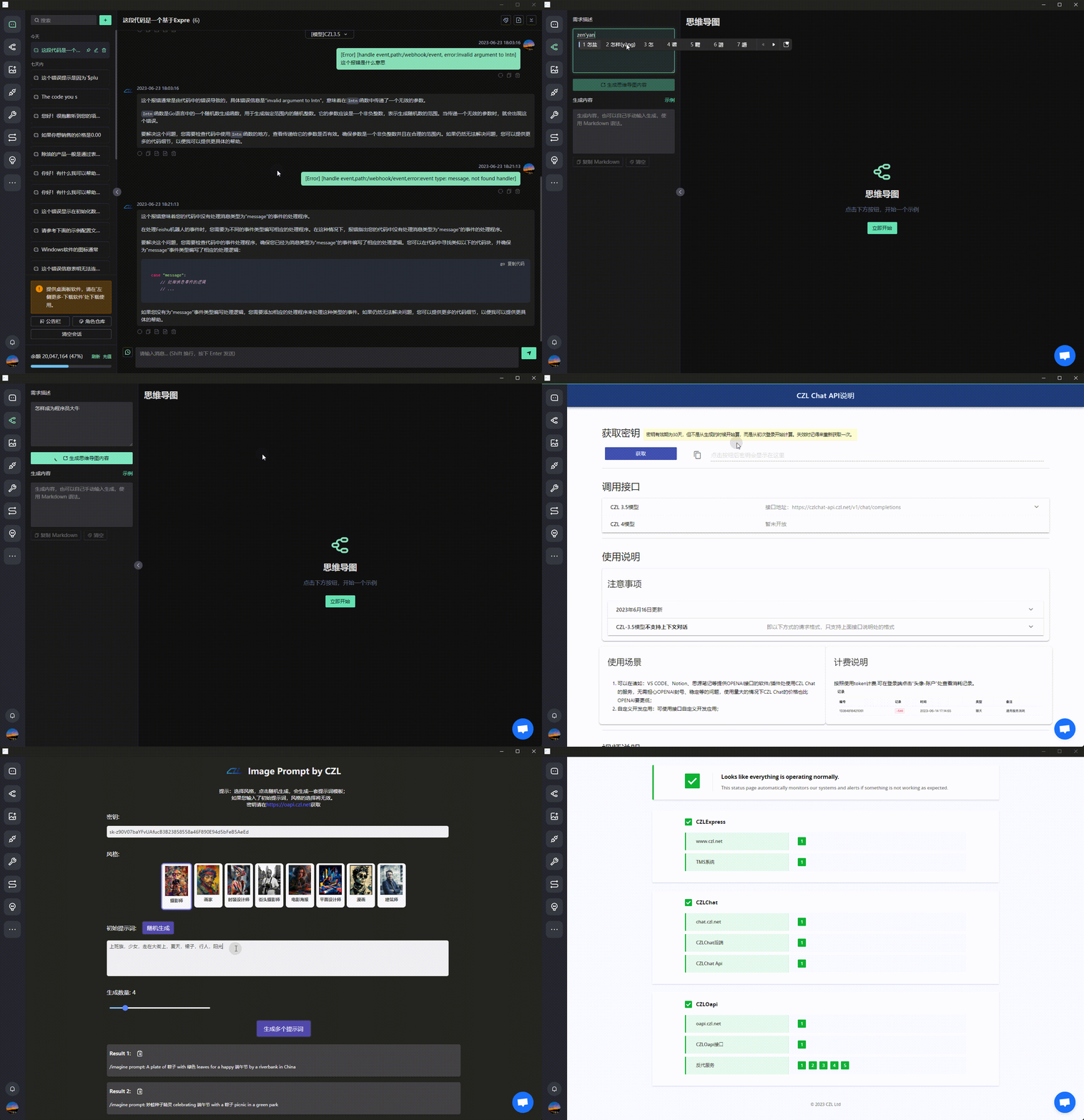
- If you only need chat, mind maps, and basic features, consider CZLChat. It supports the web, MAC, and windows. Here's what the interface looks like:
Last updated 2025-06-25
Comments 0