
2024.01.27 Latest Version: Deploy ChatGPT to Feishu with CZLOapi and Docker, with Streaming Output
This post was translated from Chinese by AI. If anything reads oddly, the Chinese original is authoritative. 中文原文
::: tip Note ✅ This project is based on
CZLOapi OPENAI proxy service in China, with no VPN required.
Docker
Feishu Developer Platform
A Docker image modified from a Github open-source project (original project: https://github.com/ConnectAI-E/Feishu-OpenAI-Stream-Chatbot)
Some CZLOAPI screenshots are quite old; refer to the current interface when using the service.
:::
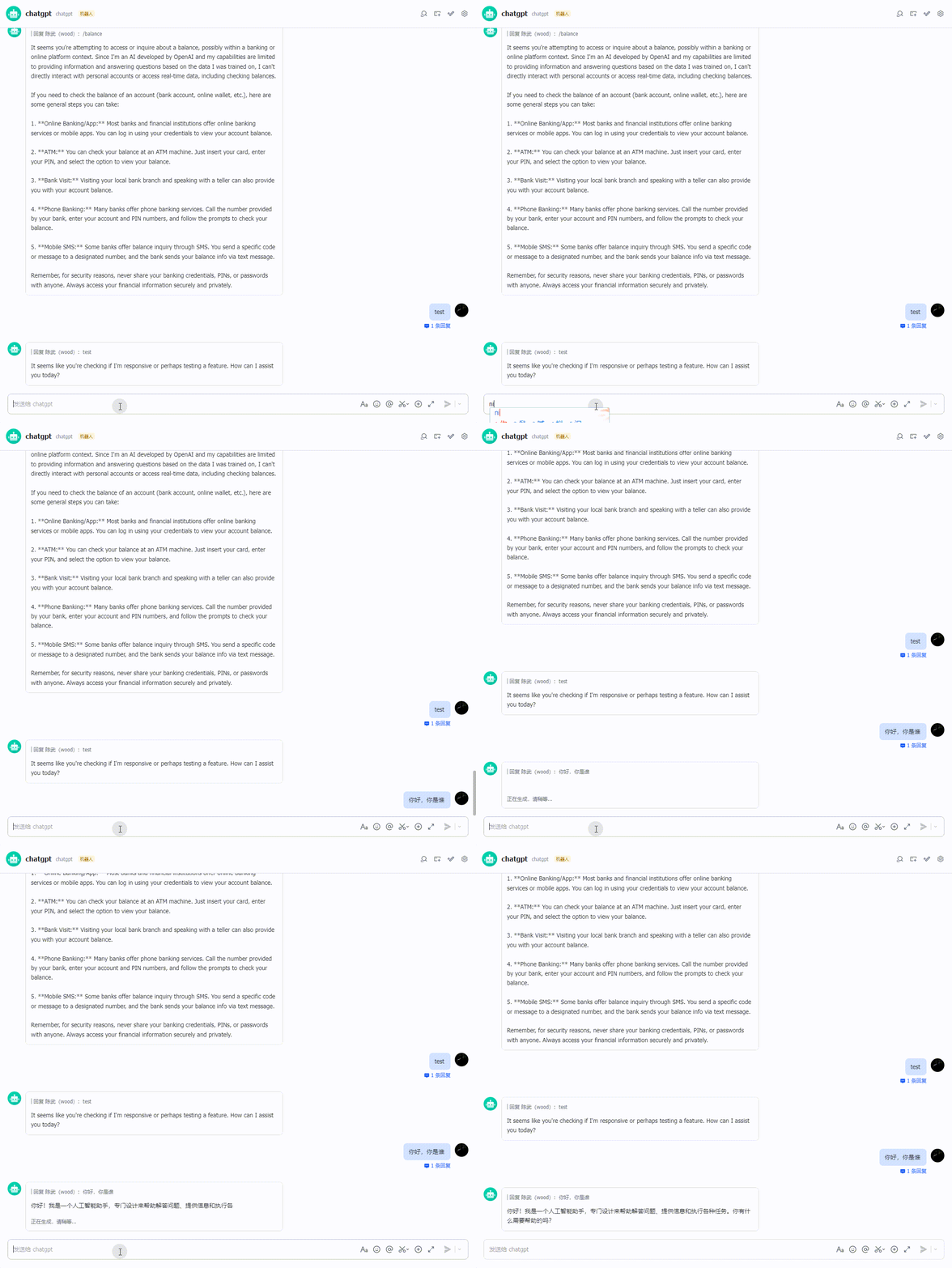
Demo
1. Get a CZLOapi key
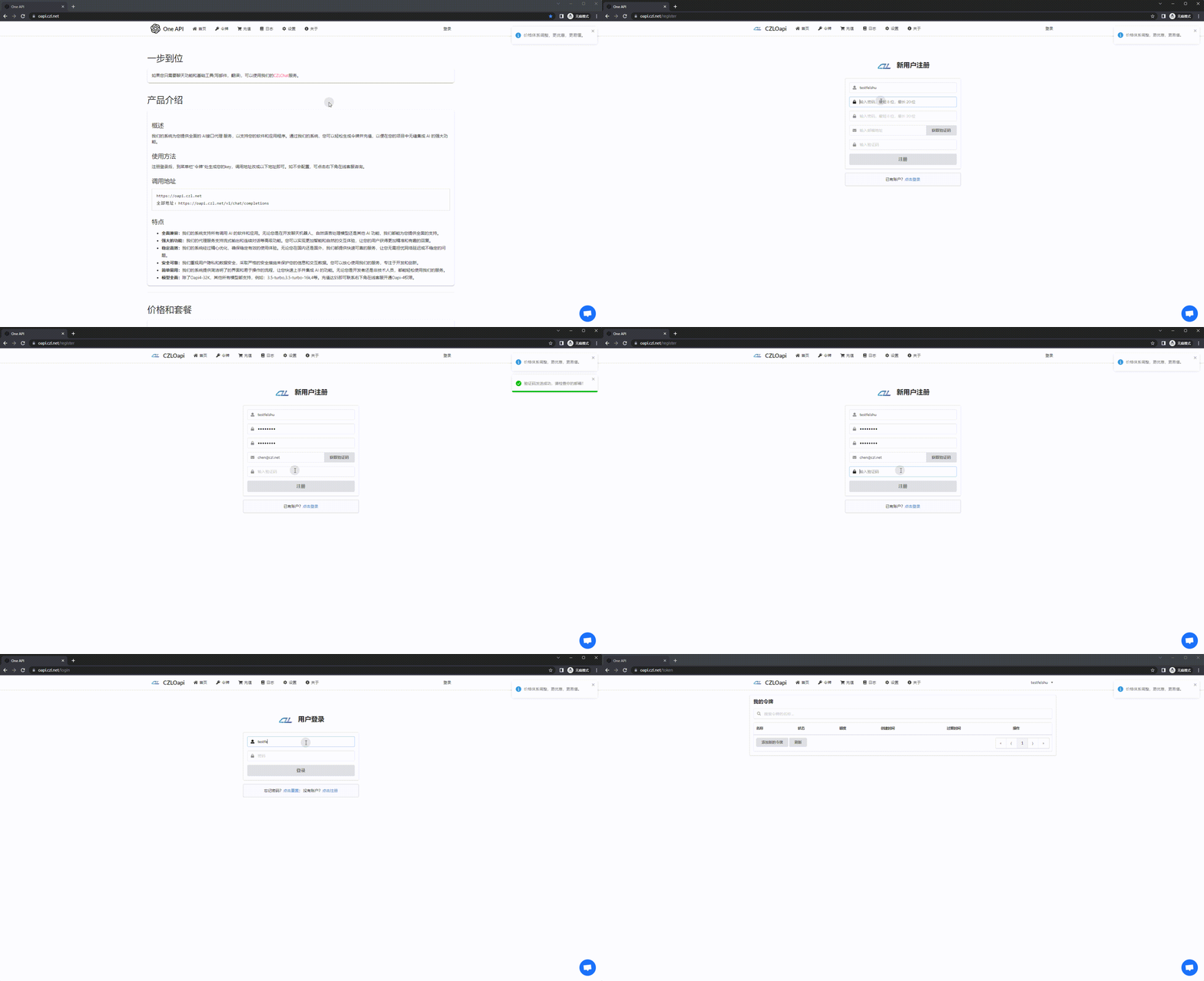
Website: https://oapi.czl.net
1. Register and log in
New registrations currently receive $0.1 in credit, enough for approximately 25,000 Chinese characters.
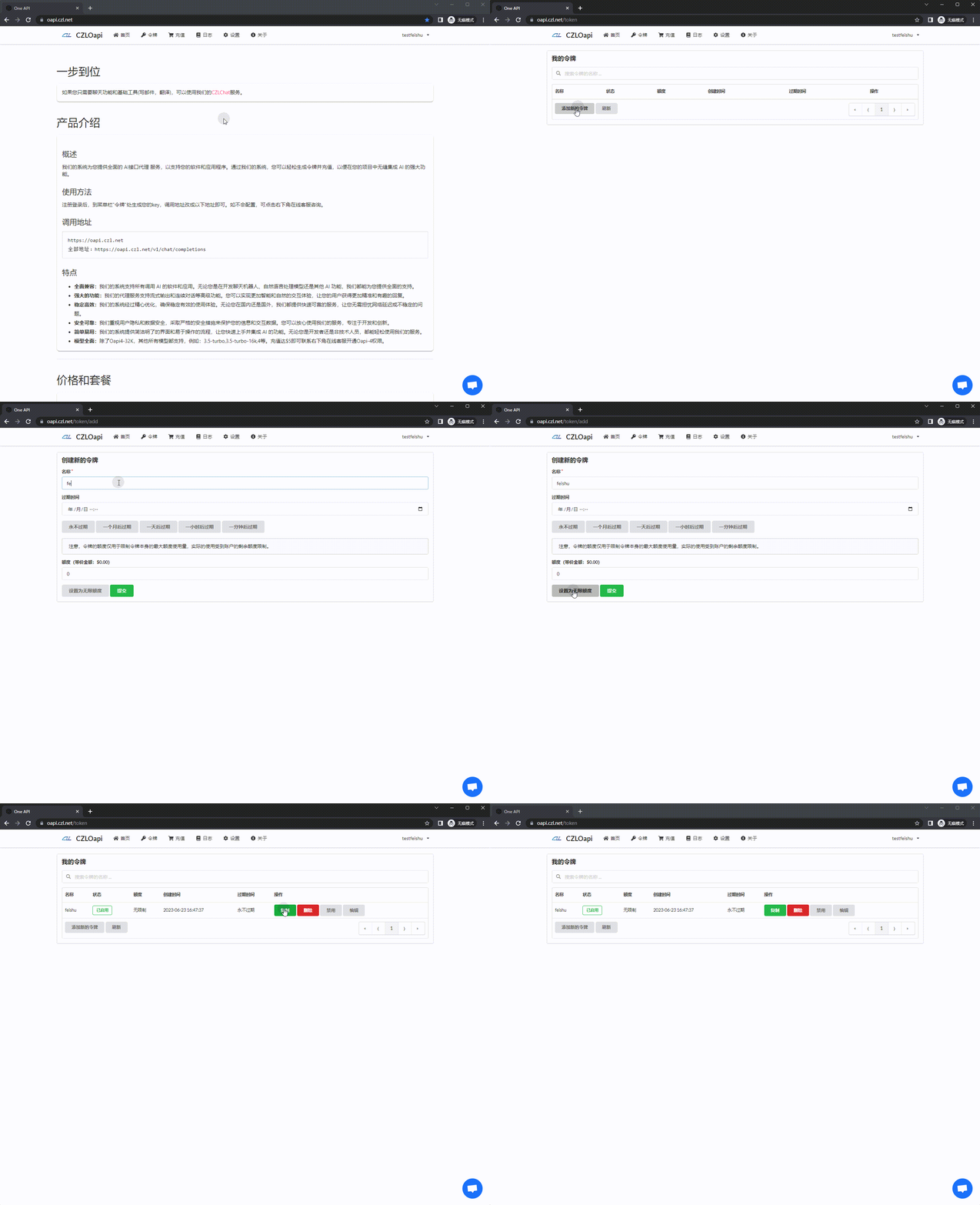
2.Get a KEY, then copy and save the generated key
Example: sk-BdH2ECx9UeUmqI2j86B9E6C********
2. Create an app on the Feishu Developer Platform
Website: https://open.feishu.cn/app/
1.Create an app and save the APPID and Secret
Under Credentials & Basic Info
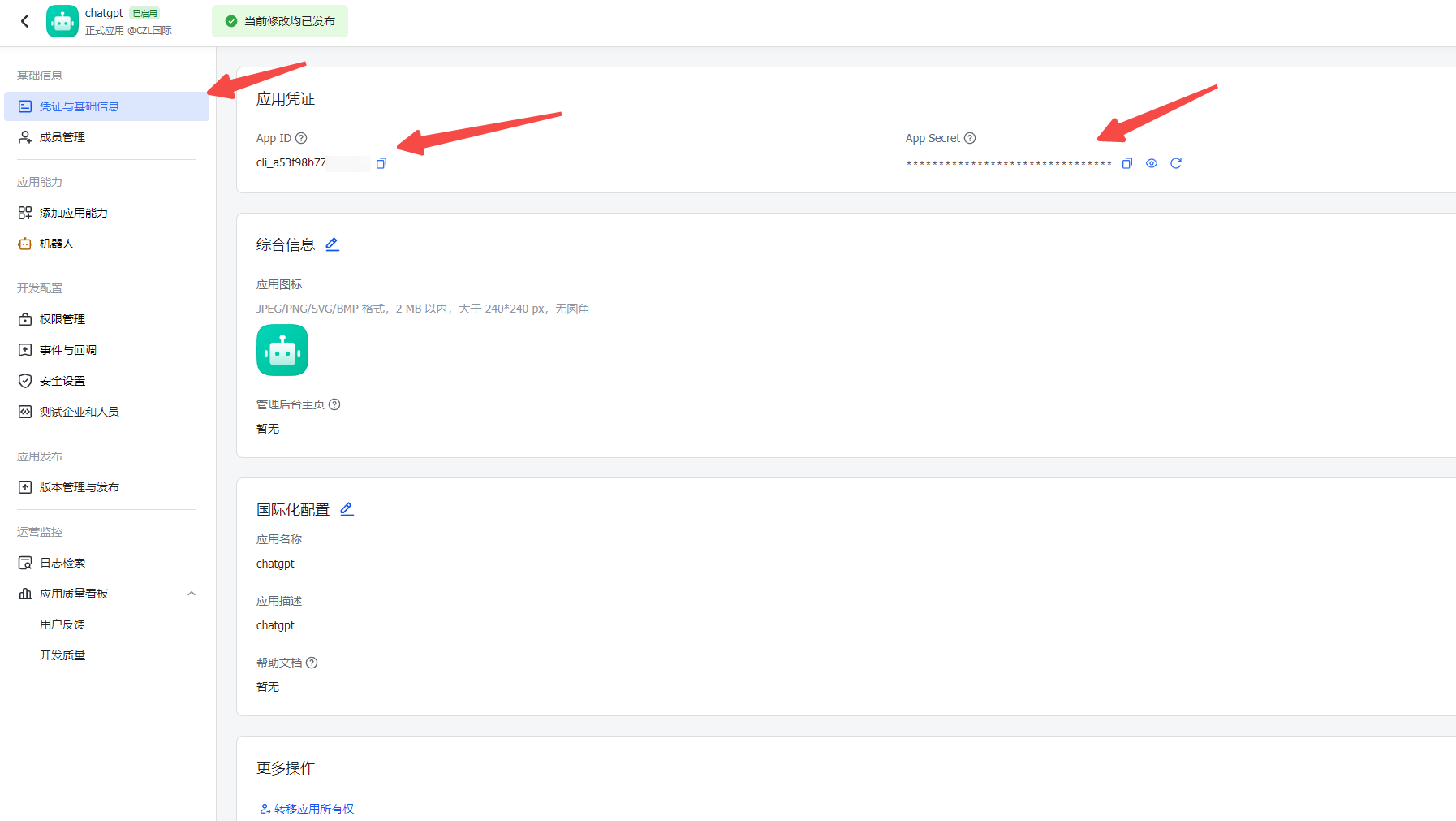
Example: cli_a41fe20b2539d00b, 0kMAQp1c0ydxrBwkQHT7OgGMeHzXuuwr
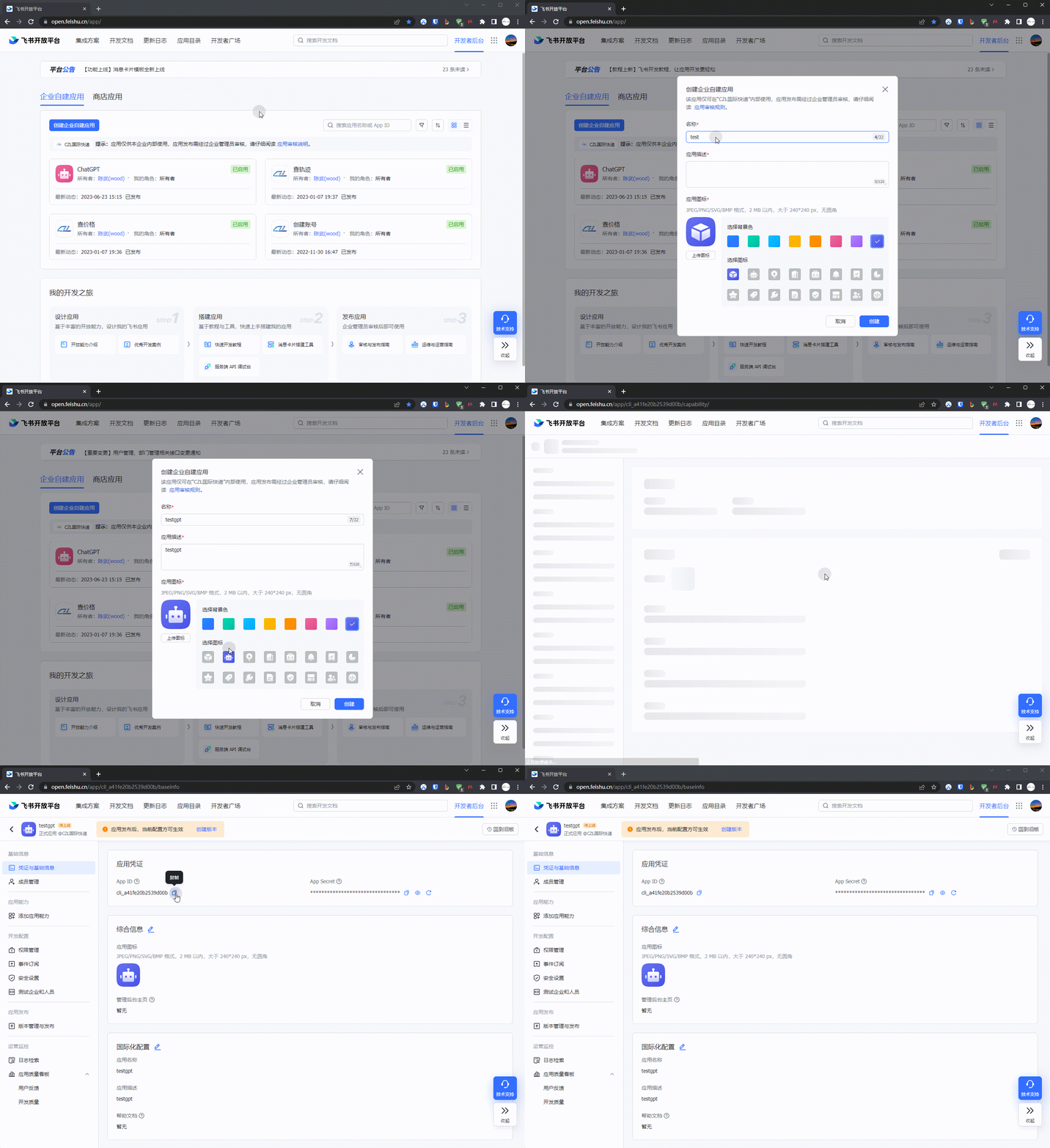
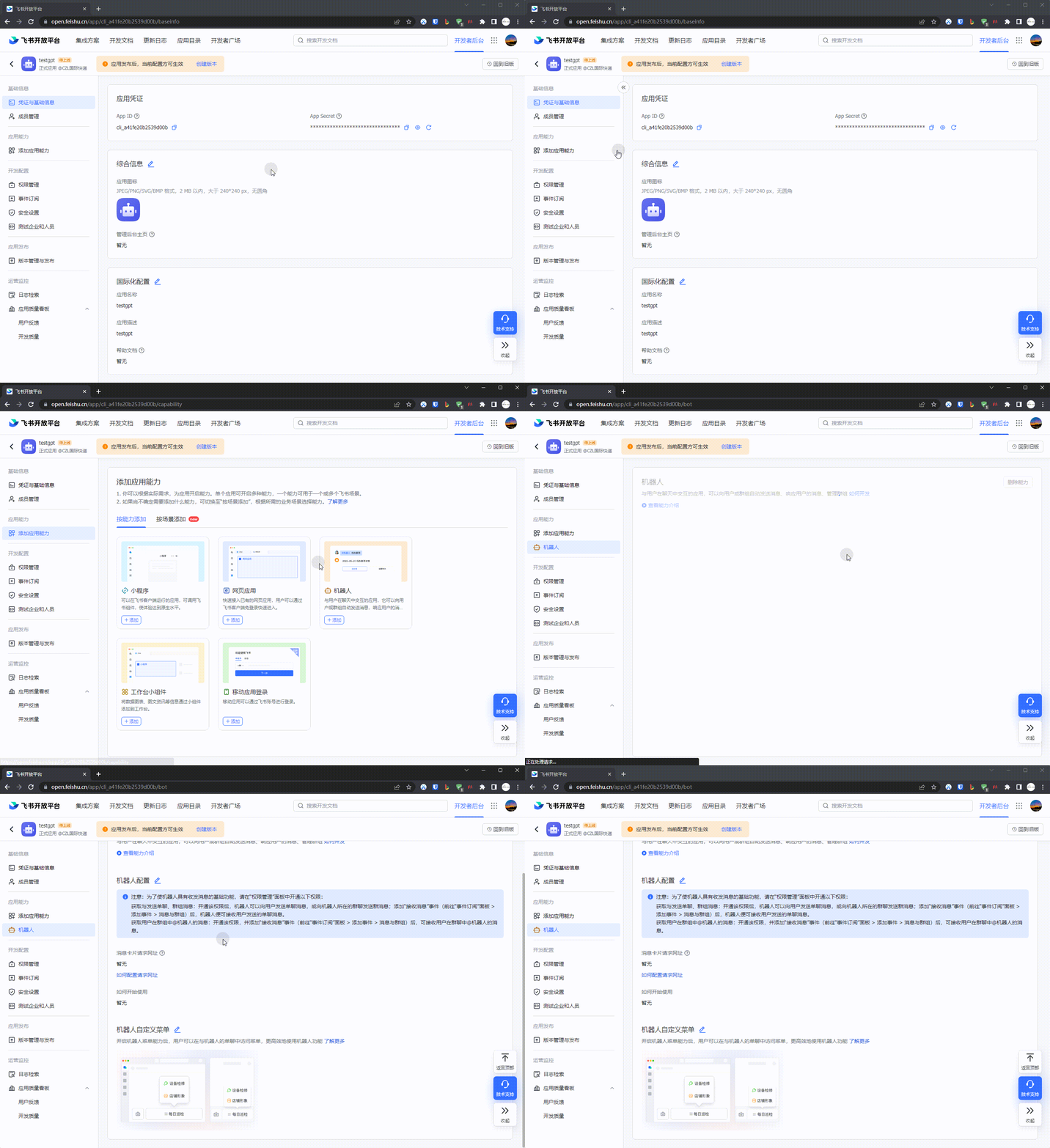
2.Go to 应用功能-机器人 and create a bot
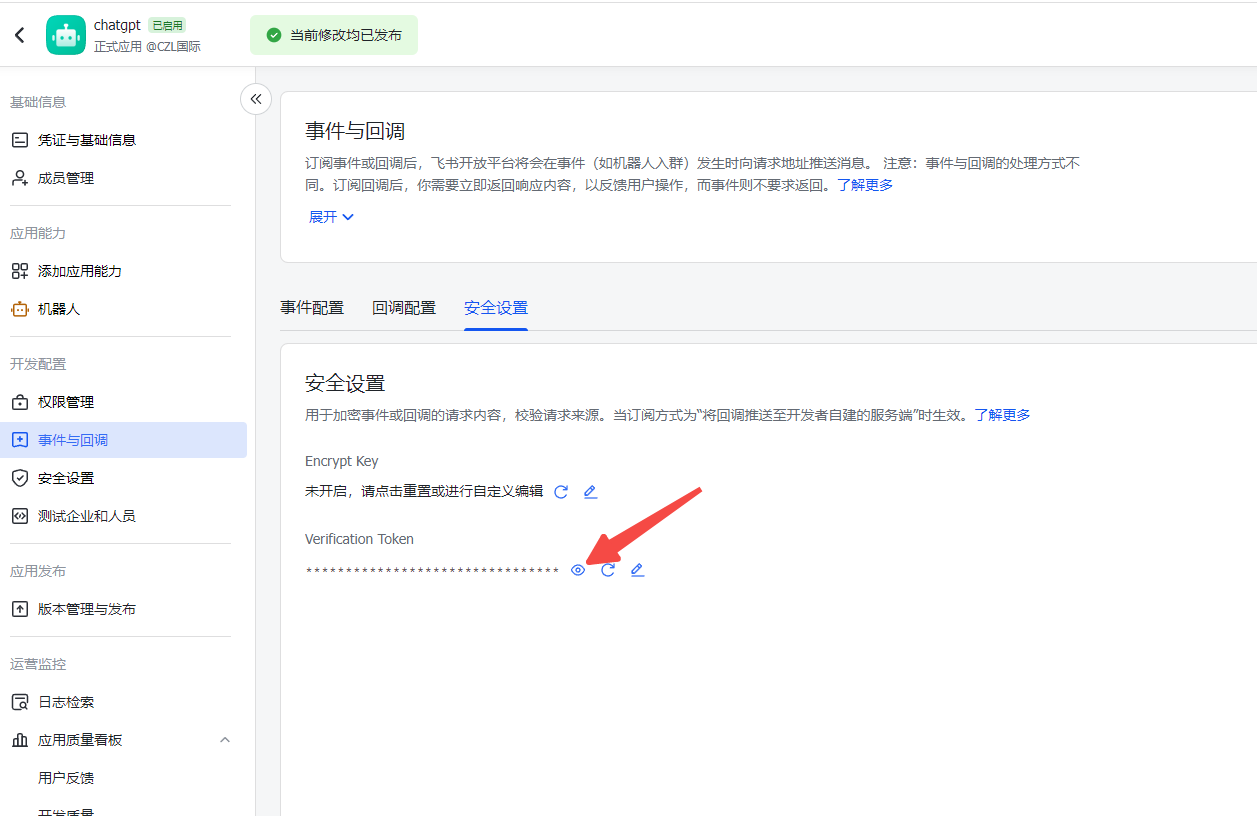
3.Get the Verification Token, but do not get an Encrypt Key
Under Events & Callbacks on the left
3. Deploy the Docker app
1.Deploy the container
Example docker compose file
version: '3.3'
services:
  oapi-feishu:
  # The current latest version is v0.0.2
    image: woodchen/oapi-feishu:v0.0.2
    ports:
    # The port on the left is the exposed host port; change it as needed
      - 1008:9000
    volumes:
      - ./code/config.yaml:/app/config.yaml:ro
      - ./logs:/app/logs
    environment:
      # Logging configuration; enable this to view logs
      - ENABLE_LOG=true
      - APP_ID=cli_a53f9xxxxxxxb
      - APP_SECRET=5GBU1vl6UxxxxxxxxxxxW6sytW
      # Do not generate this on the Feishu Developer Platform or fill it in, otherwise callbacks cannot be enabled. Remove it if you installed this before
      - APP_ENCRYPT_KEY
      - APP_VERIFICATION_TOKEN=Gteixxxxxxxxxxxxxxxxxxx5DloFR
      # Make sure this matches the setting in the Feishu app management platform
      - BOT_NAME=chatgpt
      # Your key from Oapi
      - OPENAI_KEY=sk-5cF4VxxxxxxxxxxxxxxxxxxxxxxxxxxxC31d792cCcBa32
      # Server configuration
      - HTTP_PORT=9000
      ## Access control
      # Whether to enable access control. Disabled by default.
      - ACCESS_CONTROL_ENABLE=false
      # Maximum questions per user per day. Defaults to 0. A value less than or equal to 0 means unlimited.
      - ACCESS_CONTROL_MAX_COUNT_PER_USER_PER_DAY=0
      # API request timeout in seconds; defaults to 550 seconds if not configured
      - OPENAI_HTTP_CLIENT_TIMEOUT=600
      # You can customize the model here; check oapi.czl.net for the models available to you
      - OPENAI_MODEL=gpt-4-turbo
2.Test access
I do not recommend using nginx or a proxy to access this docker app. Ideally, expose the docker port directly. Tunneling or ddns will work, and a server with a public IP is even better.
Adding another proxy layer may affect streaming output
Access URL: http://访问地址/ping
The response should look like this. If it does not, check the docker logs.

4. Add callback URLs on the Feishu Developer Platform and publish a version
1.Add the event subscription URL and card message URL
Event subscription URL format: https://访问地址/webhook/event
Card message URL: https://访问地址/webhook/card
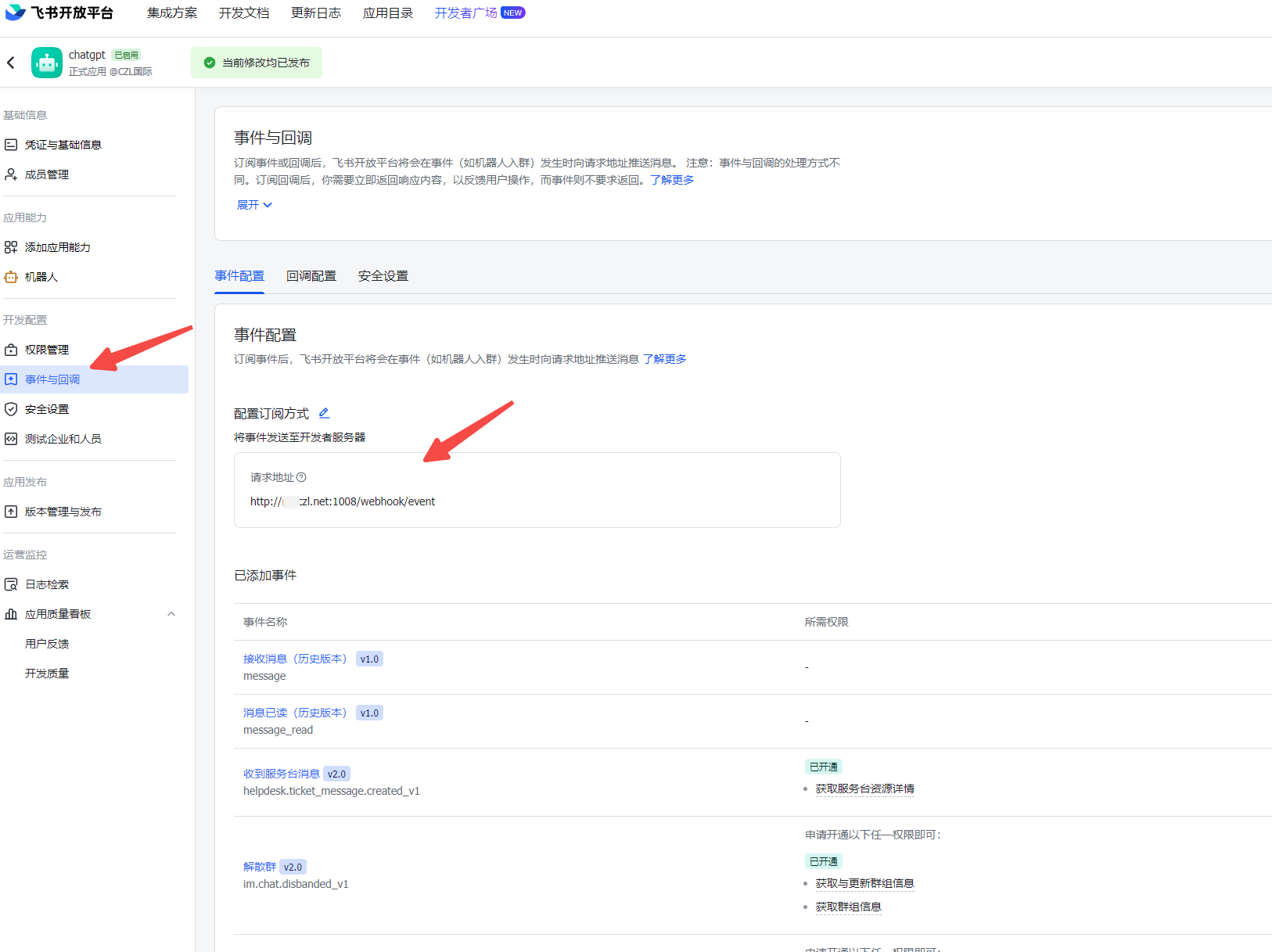
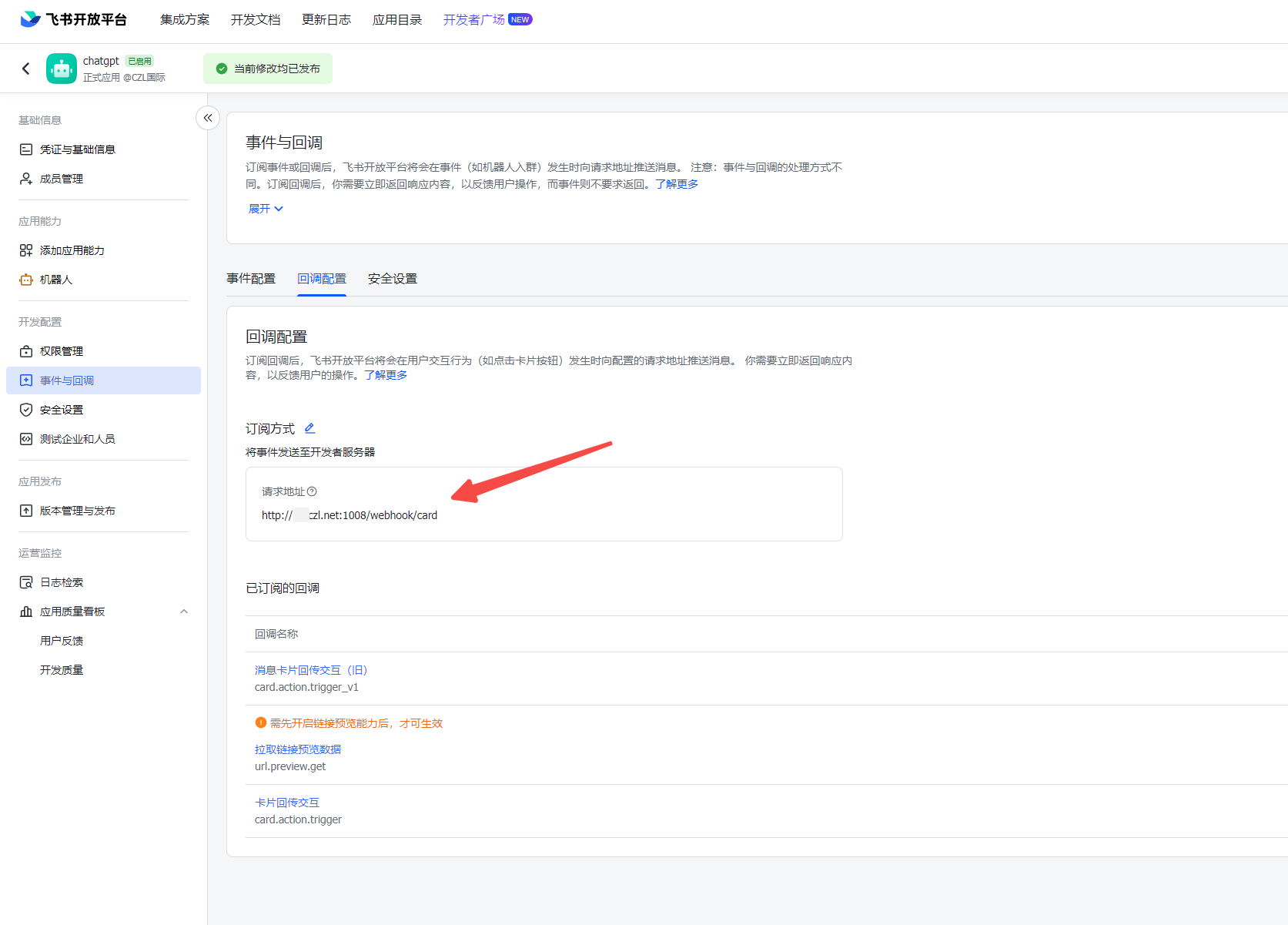
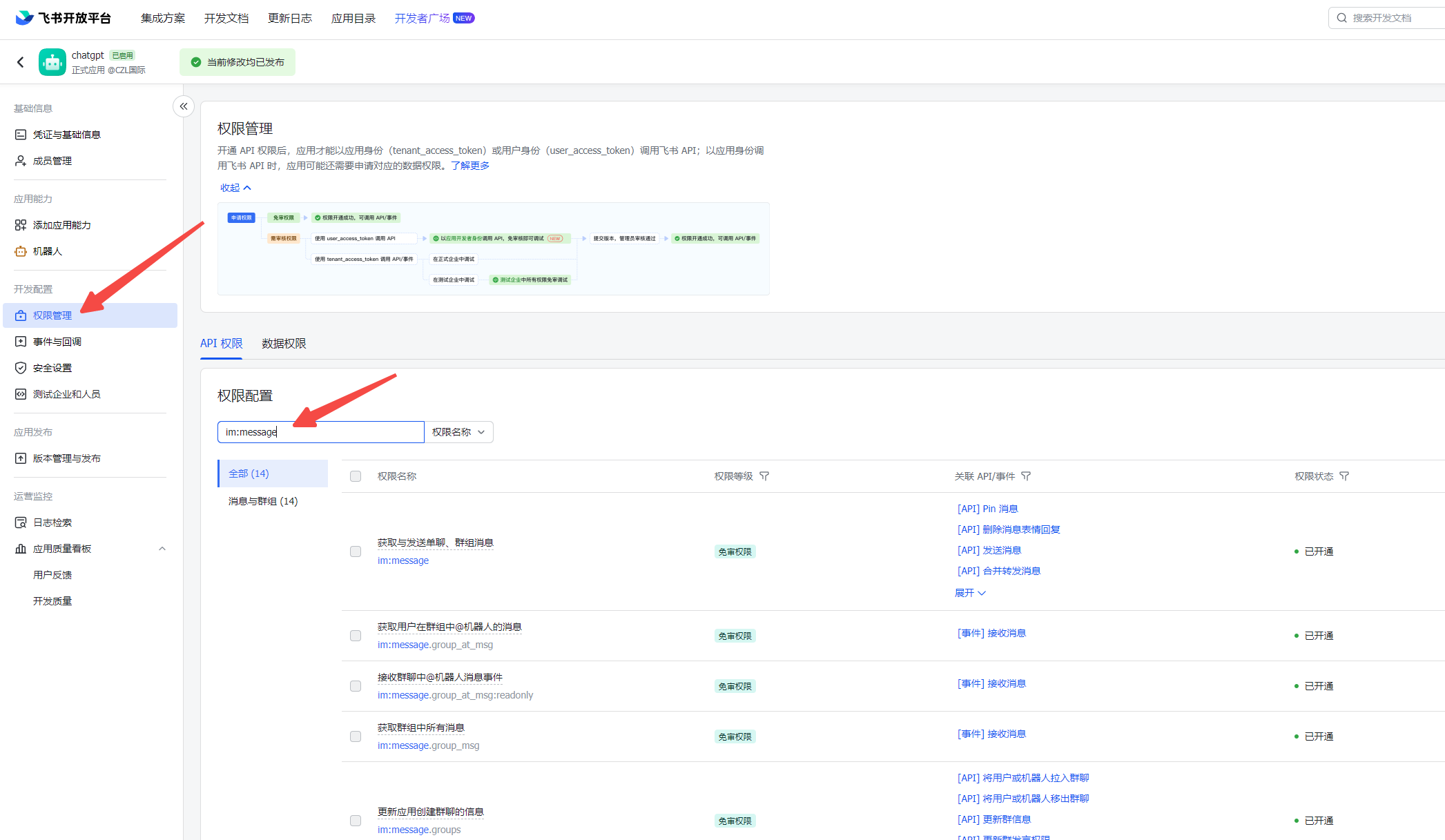
2.Add permissions and capabilities
Permission Management
Search for im:message, im:chat, im:resource and enable all permissions.
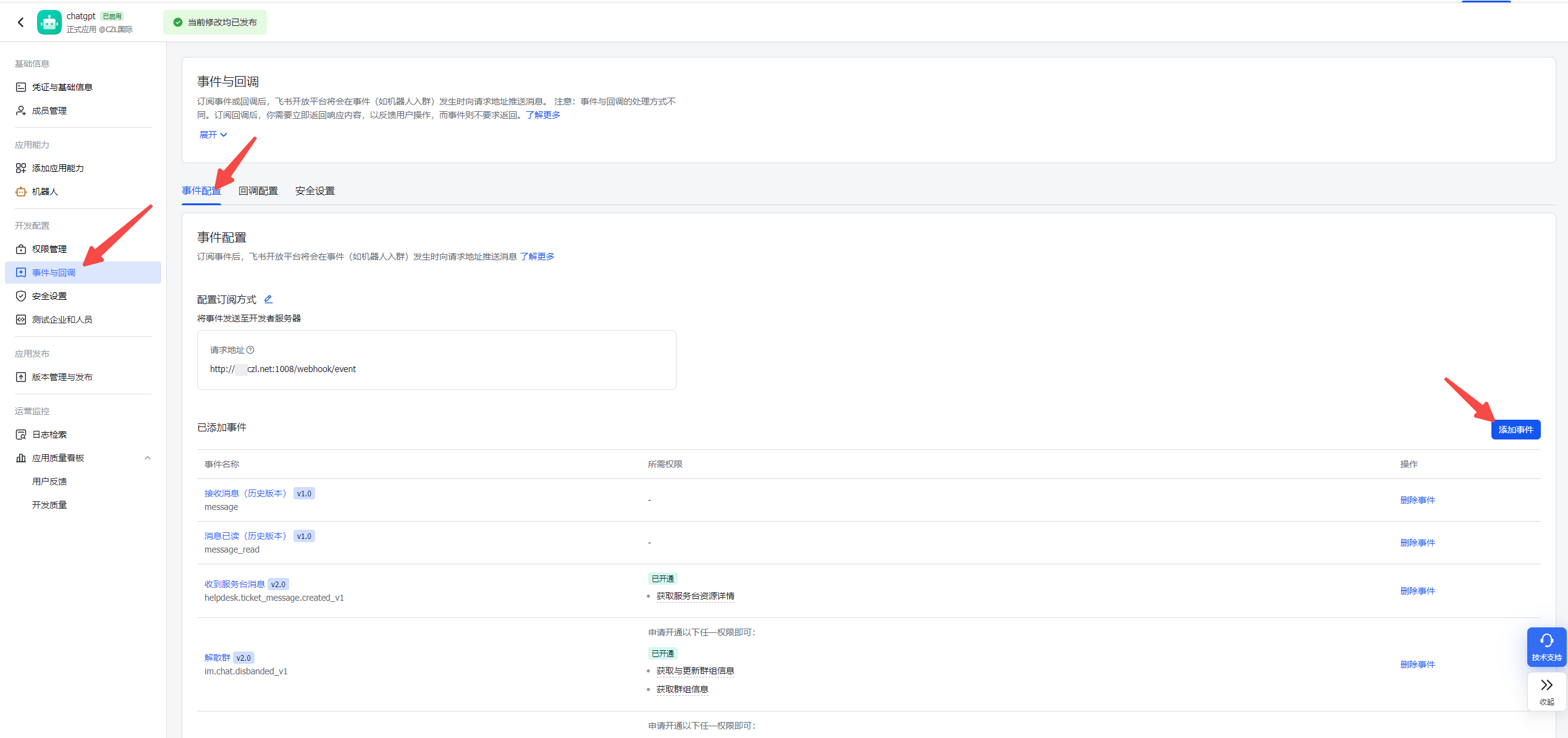
Events & Callbacks
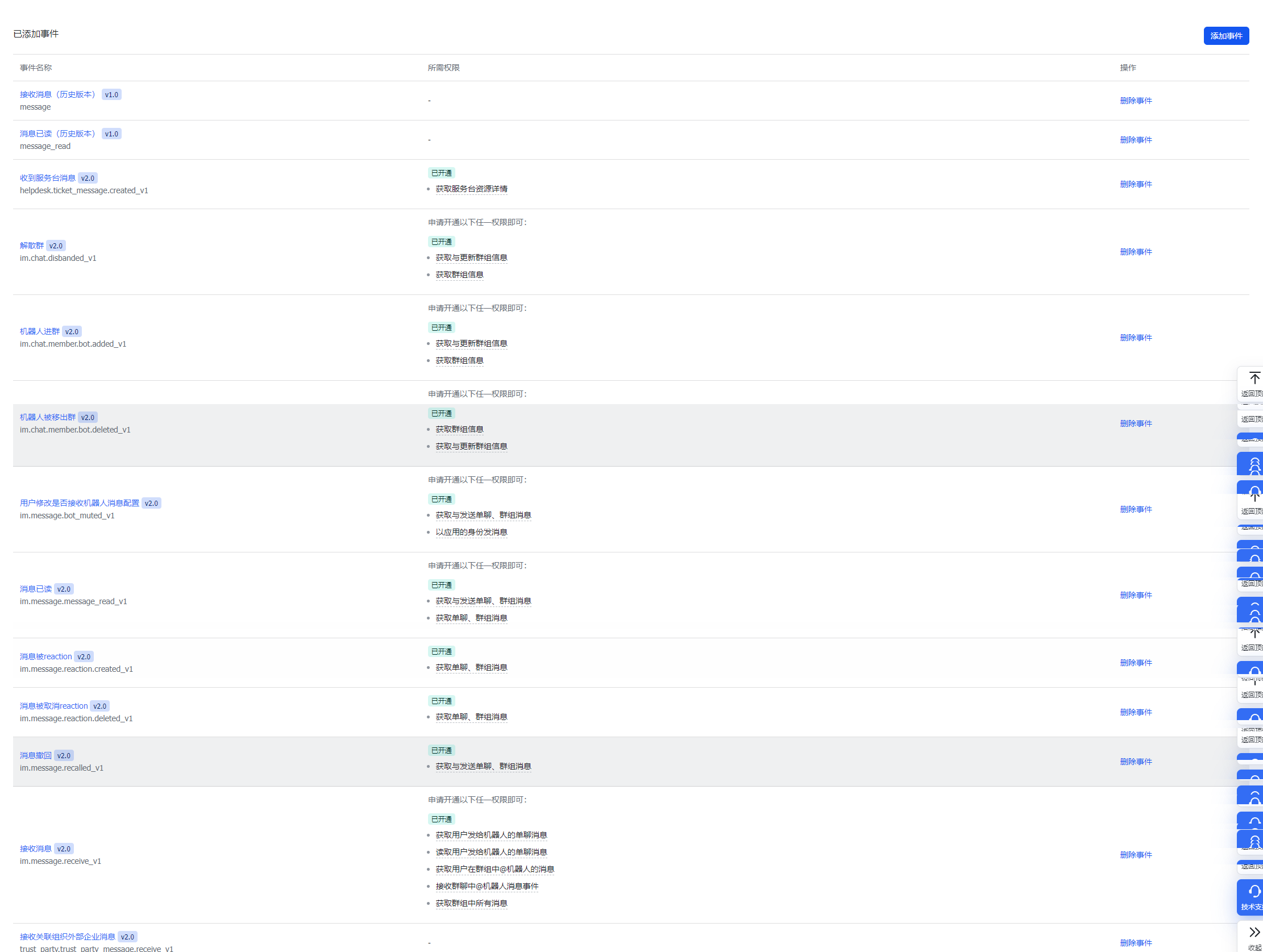
Events section
Enable the permissions shown in the screenshots. You can search by keyword.
Callbacks page
These permissions are required for features such as clearing context and listing roles.
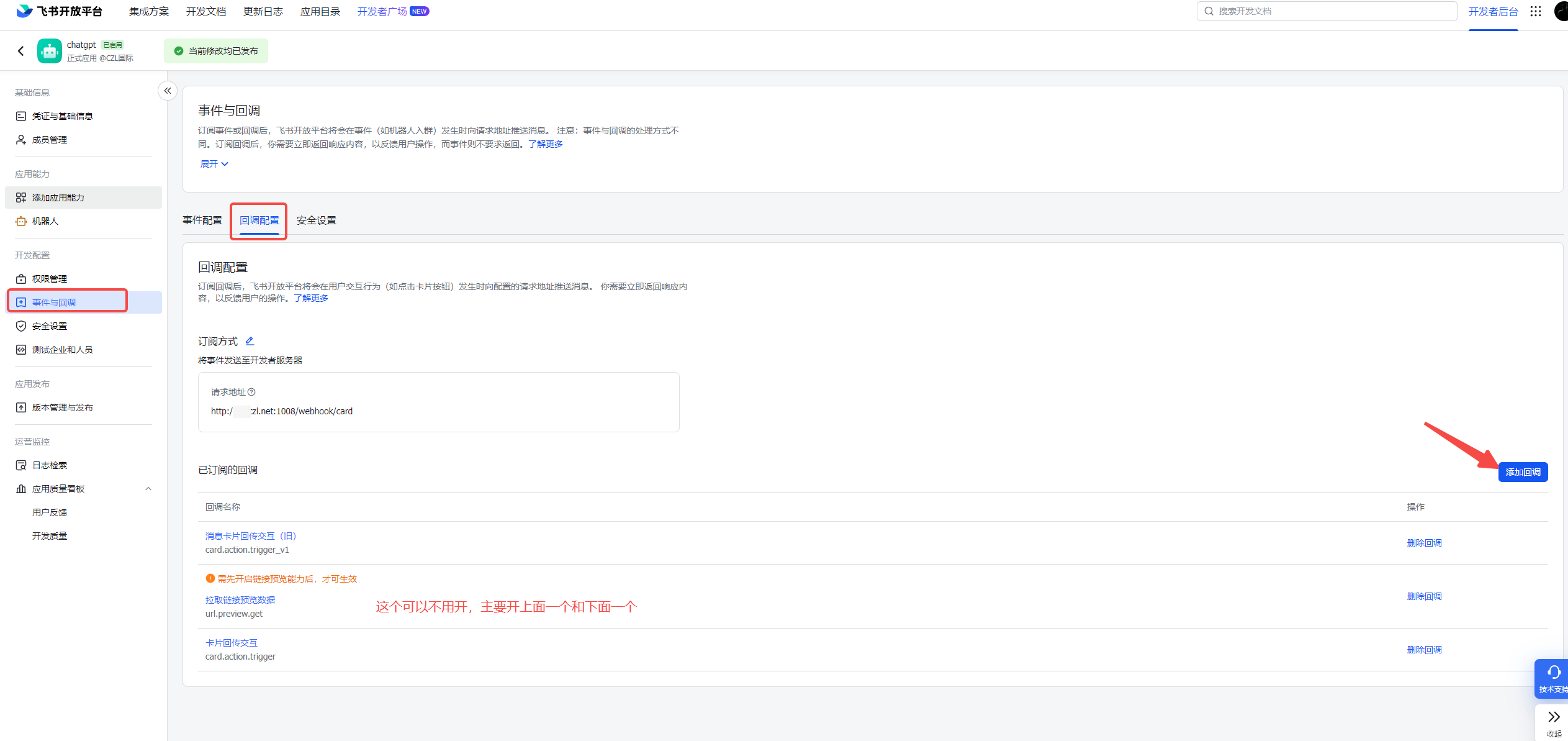
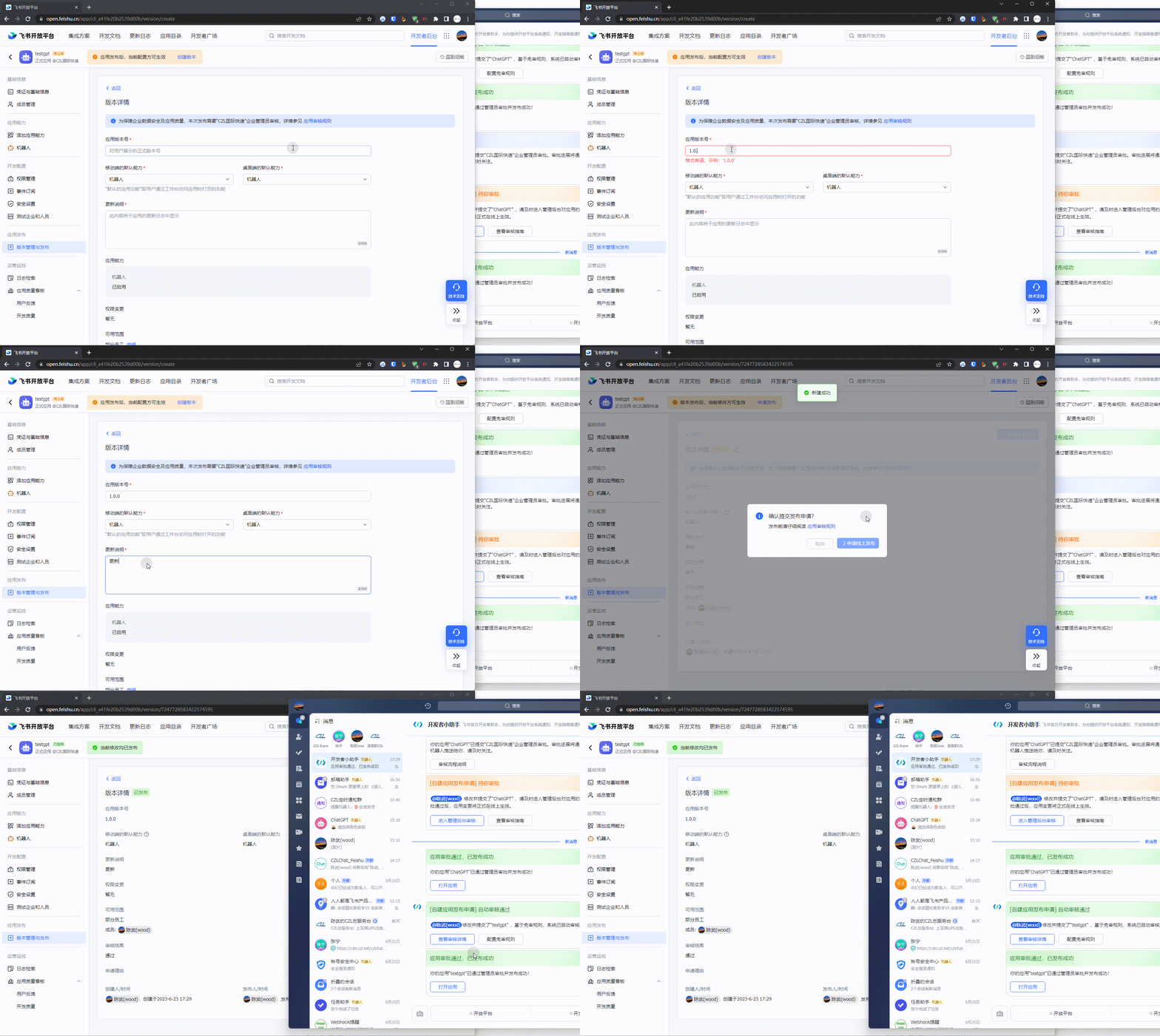
3.Create and publish a version, then approve the app
I enabled review exemption here. Otherwise, a review button labeled 进入管理后台审核 will usually appear. Click it and approve the app in the admin console.
5. You can now start using it
- Click Reply on a bot message to continue the conversation
- Clear context with
/clearand explore more features
Last updated 2025-06-25
Comments 0