
Palworld Community Servers: Essential Tools for Quick Player Management
This post was translated from Chinese by AI. If anything reads oddly, the Chinese original is authoritative. 中文原文
A quick ad first: Tencent Cloud has a deal on dedicated Palworld servers: https://curl.qcloud.com/uLCNpnXB. Great value.
Web-based remote player management: kick, ban, and send announcements, with external access via an open port—even from your phone
Repository: https://github.com/zaigie/palworld-server-tool
Screenshot
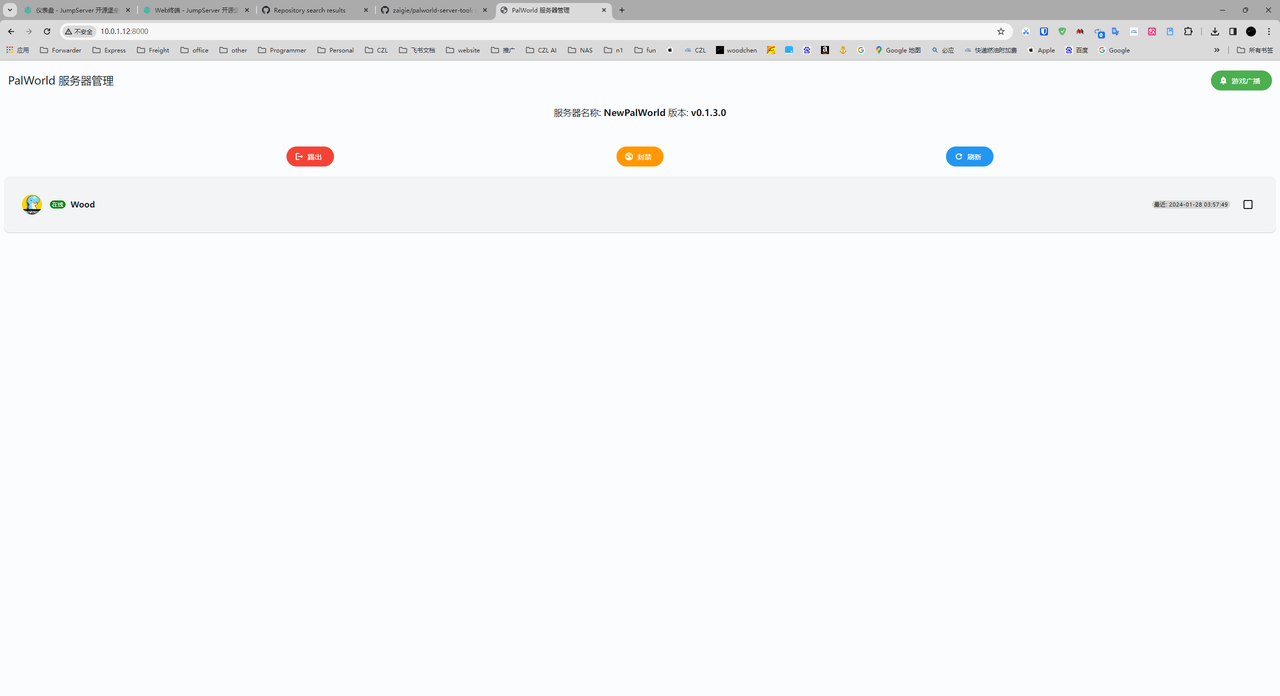
As you can see, I'm not opening the browser on the server itself; I'm accessing it from another machine on the LAN.
Likewise, you can open a port on a public server to manage it without logging into the server. I'd call this a must-have for community servers.
How to use
- Prerequisites: enable RCON and set an admin password
- Download the files to your server. The files are in the group announcement document
- Extract the files wherever you like, then edit the bat file inside, mainly the password and port
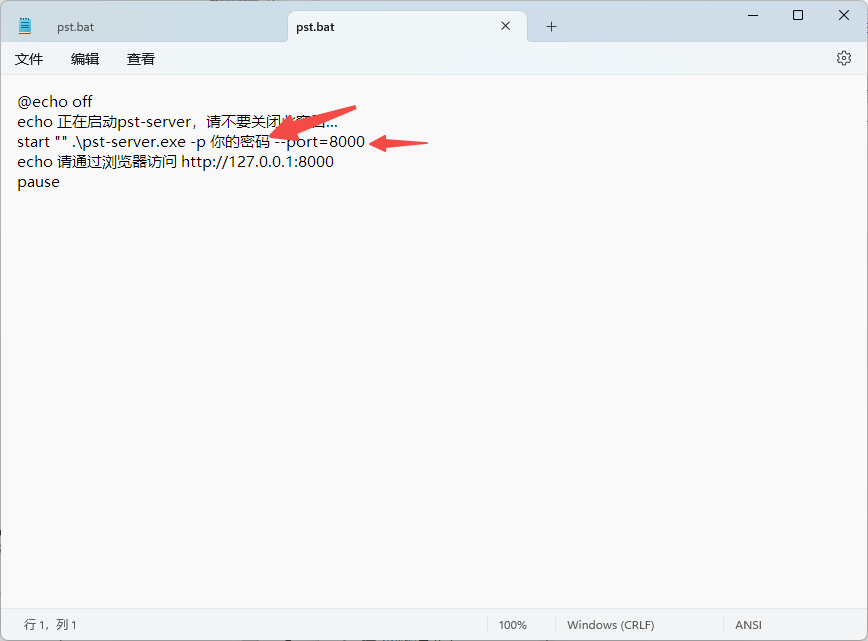
- Once you've made the changes, click the bat file to run it
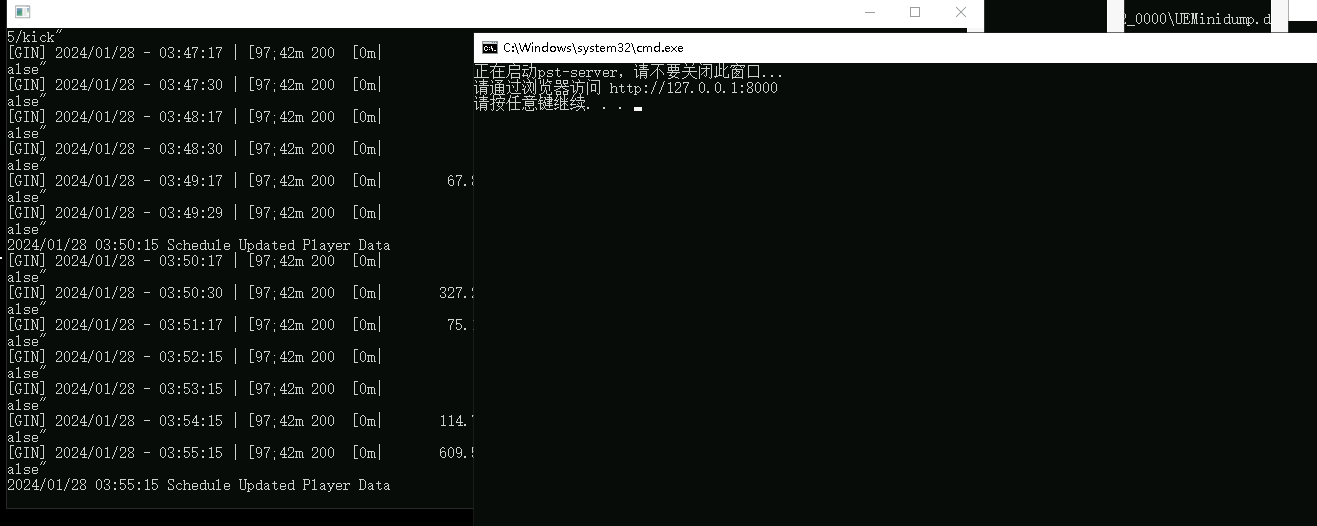
- There are two ways to access it
Option 1: In a browser on the server itself, open http://127.0.0.1:port
Option 2: Open your custom port on the server, then access it remotely at: http://你的Ip:你的端口 - No need to worry about security: every refresh, kick, ban, or announcement requires the admin password. It's a little inconvenient, but secure. You can also share the public access URL with friends so they can check the online player count.
Graphical server administration—worth trying for community servers
Repository: https://github.com/ddakebono/PalworldRcon
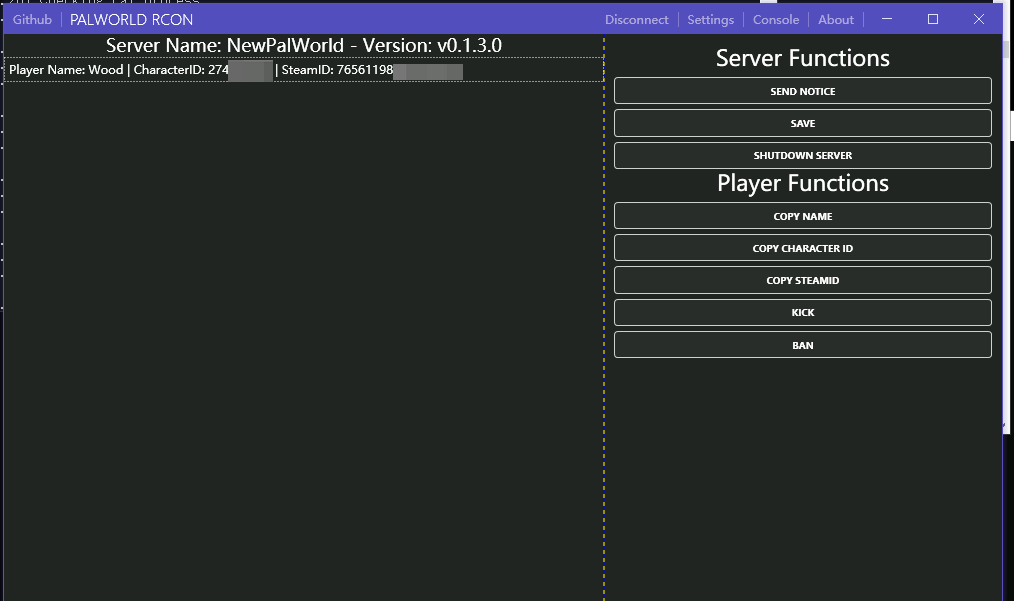
You can easily broadcast messages to everyone (Chinese apparently doesn't work), kick or ban players, and shut down the server
- Install the .net runtime. The files are in the group announcement document
- Run this program. The files are in the group announcement document
- Configure the connection
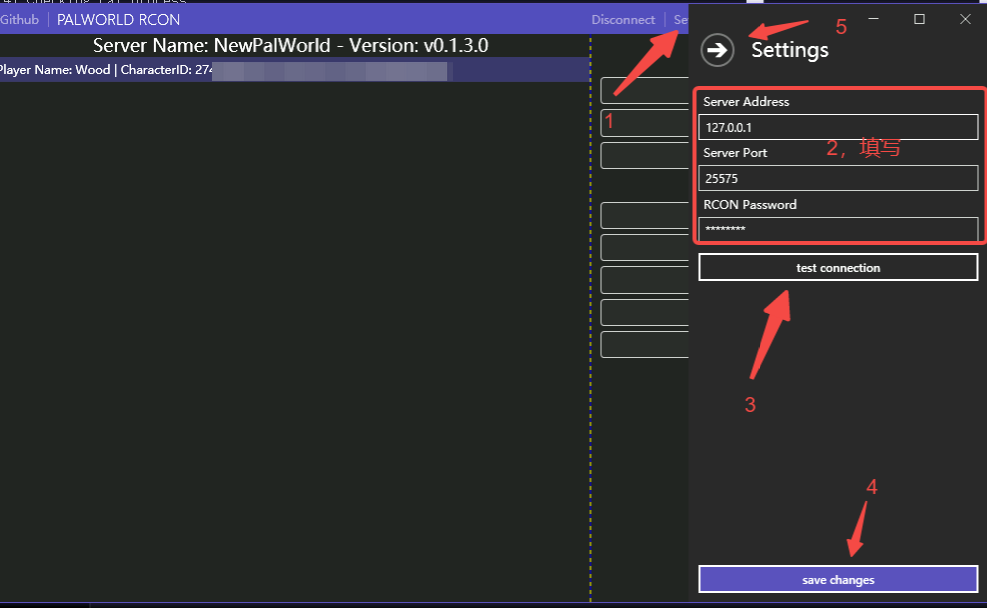 Setting -> Enter the parameters -> test -> save, then click the large back arrow to close it
 - Then select a player and perform an action. KICK kicks the player, and BAN bans them
A panel for installation, settings, and launch parameters
Repository: https://github.com/TianYu-00/PalworldServerManager
Personally, I don't find it very useful yet, but future updates may be worth watching
Screenshot
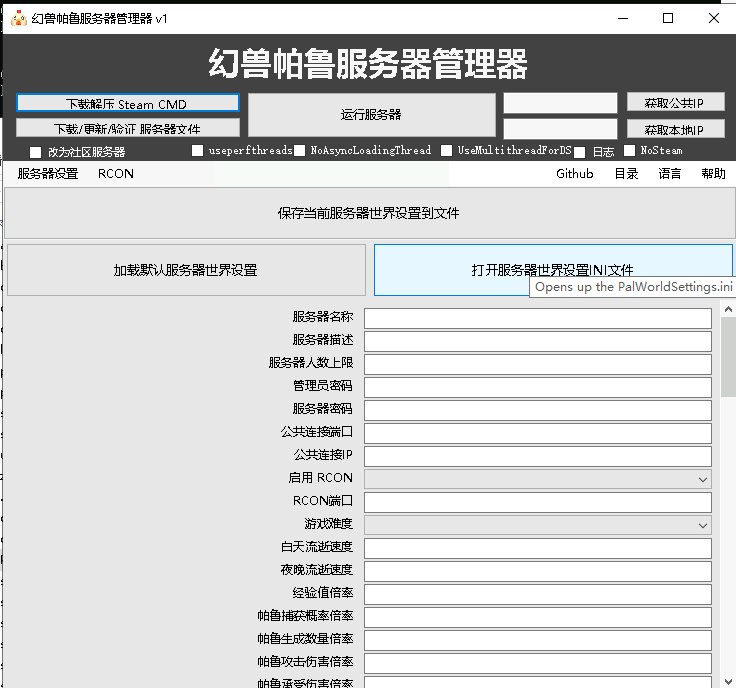
Files
In the group announcement document
How to use
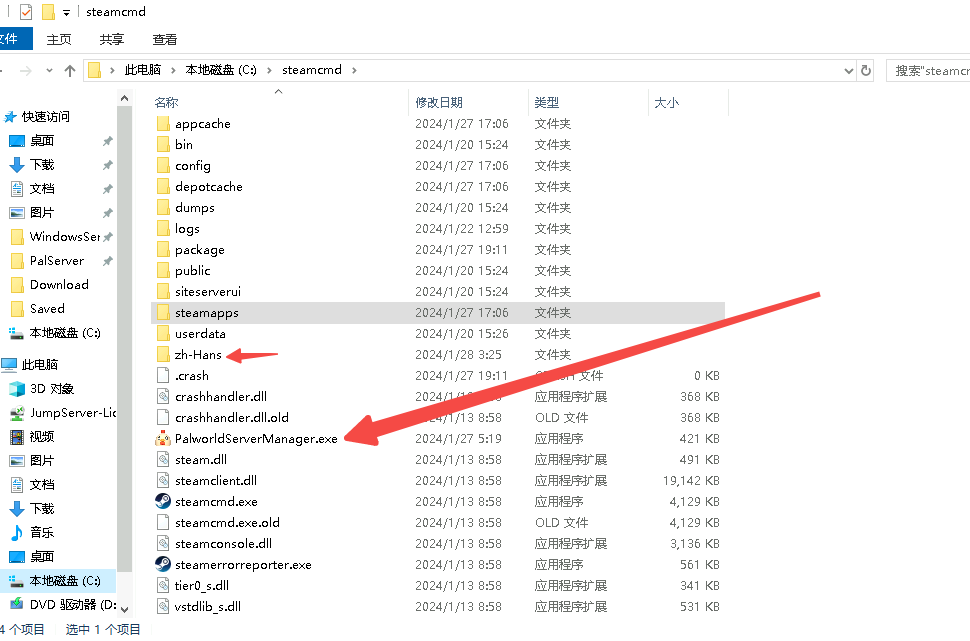
- If you haven't installed it yet, extract the files, drag the exe and zh-hans folder to wherever you want to install steamcmd, then install it;
- If you've already installed it, put the files in the same folder as steamcmd.exe
Community chat
Click the link to join the QQ channel 【Palworld PalWorld】: https://pd.qq.com/s/cfoglmfwc
Last updated 2025-06-24
Comments 0