
DNSPOD: Automatic Carrier-Specific DNS with Optimized IPs
This post was translated from Chinese by AI. If anything reads oddly, the Chinese original is authoritative. 中文原文
Github URL: https://github.com/woodchen-ink/dnspod-yxip
Primarily addresses conflicts between CNAME and MX records at the root domain, If you are using a subdomain, you do not need this project; you can point it directly to **.cf.cname.vvhan.com, reference site: https://cf.vvhan.com/
Thanks to https://cf.vvhan.com/ for providing the API
Creates or updates DNS records in DNSPOD using the IP addresses returned by the API, automatically creating records for four routing lines: Default, China Unicom, China Telecom, and China Mobile.
Supports running in docker, requires Tencent Cloud credentials, and supports configuring multiple domains. Queries the API every 5 minutes and compares the results.
Results
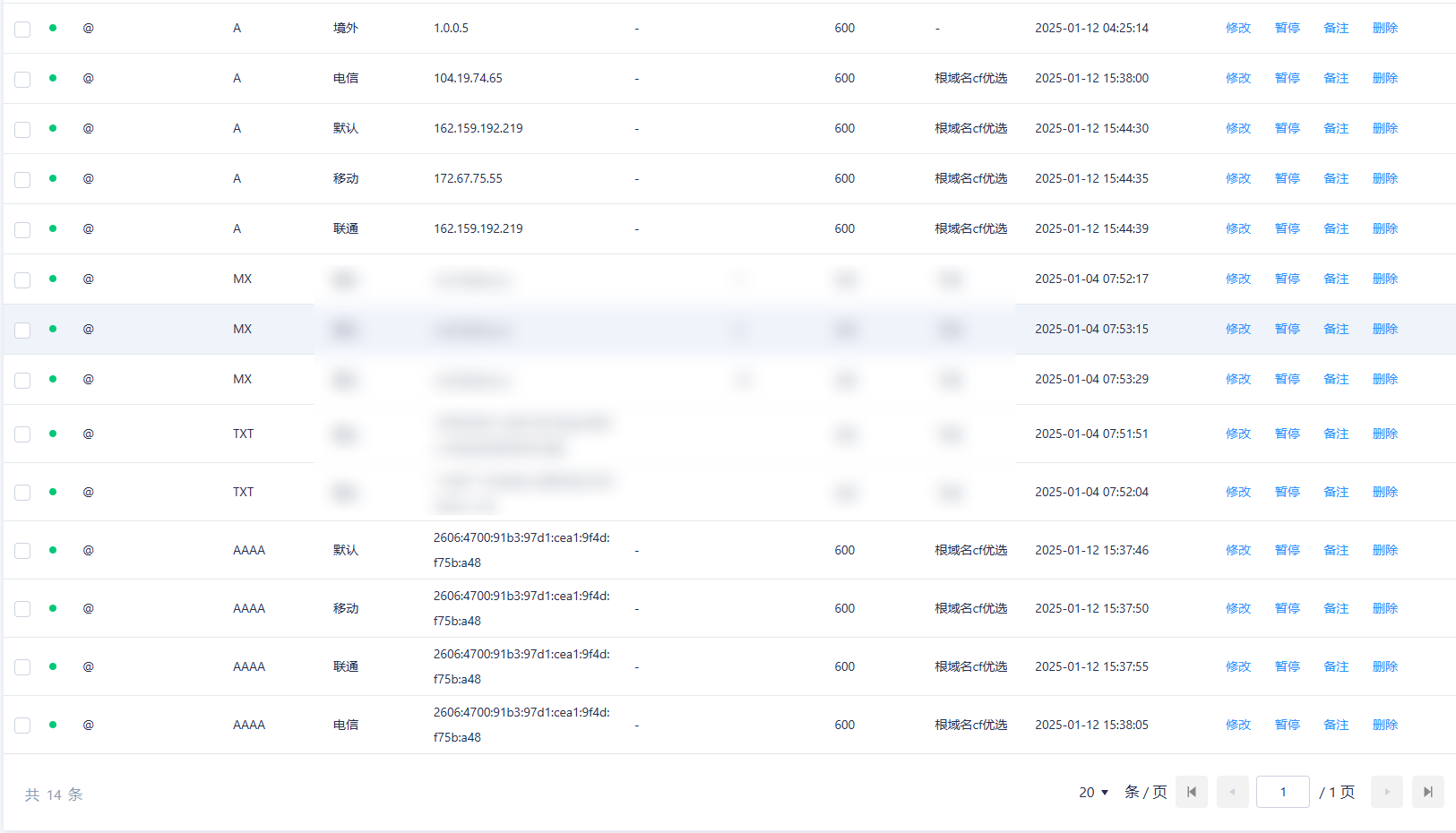
Features
- Automatically fetches optimized IP addresses
- Supports IPv4 and IPv6
- Supports China Mobile, China Unicom, and China Telecom routing lines
- Automatically selects the IP with the lowest latency
- Supports multiple domain configurations
- Configurable update interval and TTL
- Comprehensive logging
- Docker support
Quick Start
Using Docker Compose
- Create the configuration file:
cp .env.example .env
- Edit the
.envfile with your configuration:
# DNSPOD API configuration
TENCENT_SECRET_ID=your_secret_id_here
TENCENT_SECRET_KEY=your_secret_key_here

# Domain configuration - Domain 1
DOMAIN_1=example1.com
SUB_DOMAIN_1=@           # Subdomain; @ represents the root domain
REMARK_1=优选IP          # Record remark
TTL_1=600               # TTL value (seconds)
IPV4_ENABLED_1=true     # Whether to enable IPv4 records
IPV6_ENABLED_1=true     # Whether to enable IPv6 records
ENABLED_1=true          # Whether to enable this domain configuration
- Pull and run the container:
docker compose pull
docker compose up -d
Building and Running Manually
- Clone the repository:
git clone https://github.com/your-username/dnspod-yxip.git
cd dnspod-yxip
- Create and edit the configuration file:
cp .env.example .env
# Edit the .env file
- Build the image:
docker compose build
- Run the container:
docker compose up -d
Configuration
Each domain configuration includes the following parameters:
DOMAIN_n: Domain nameSUB_DOMAIN_n: Subdomain; @ represents the root domain, * represents a wildcardREMARK_n: Record remarkTTL_n: TTL value (seconds)IPV4_ENABLED_n: Whether to enable IPv4 recordsIPV6_ENABLED_n: Whether to enable IPv6 recordsENABLED_n: Whether to enable this domain configuration
Here, n is the domain number (1, 2, 3...). You can configure any number of domains.
Viewing Logs
Log files are saved in the logs directory:
# View live logs
docker compose logs -f

# View the log file
cat logs/dnspod.log
Updating
- Pull the latest image:
docker compose pull
- Restart the container:
docker compose up -d
Comments 0