
How to Link Your Telegram Wallet to DOGS
This post was translated from Chinese by AI. If anything reads oddly, the Chinese original is authoritative. 中文原文
Wallet linking became available a few days ago, but I was traveling and only got back today, so I put this together late tonight.
I've seen similar tutorials on other public accounts, but they usually link an OKX wallet. I don't usually use OKX; I prefer the Telegram wallet. When I want to buy, sell, or trade later, I can transfer directly from the Telegram wallet to an exchange, so it doesn't really make a difference.
Without further ado, here's a walkthrough with screenshots.
Prerequisites
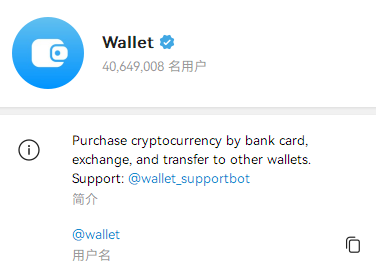
You need to have set up or imported a wallet in Telegram Wallet, shown below. If you haven't, set one up first.
Link Your Wallet in DOGS
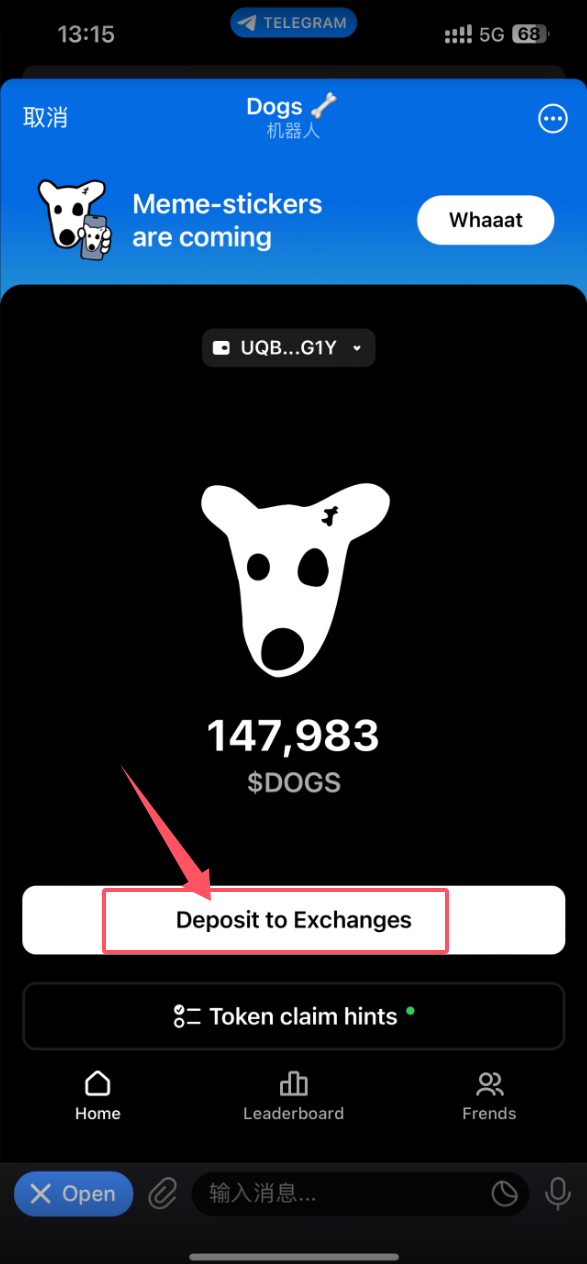
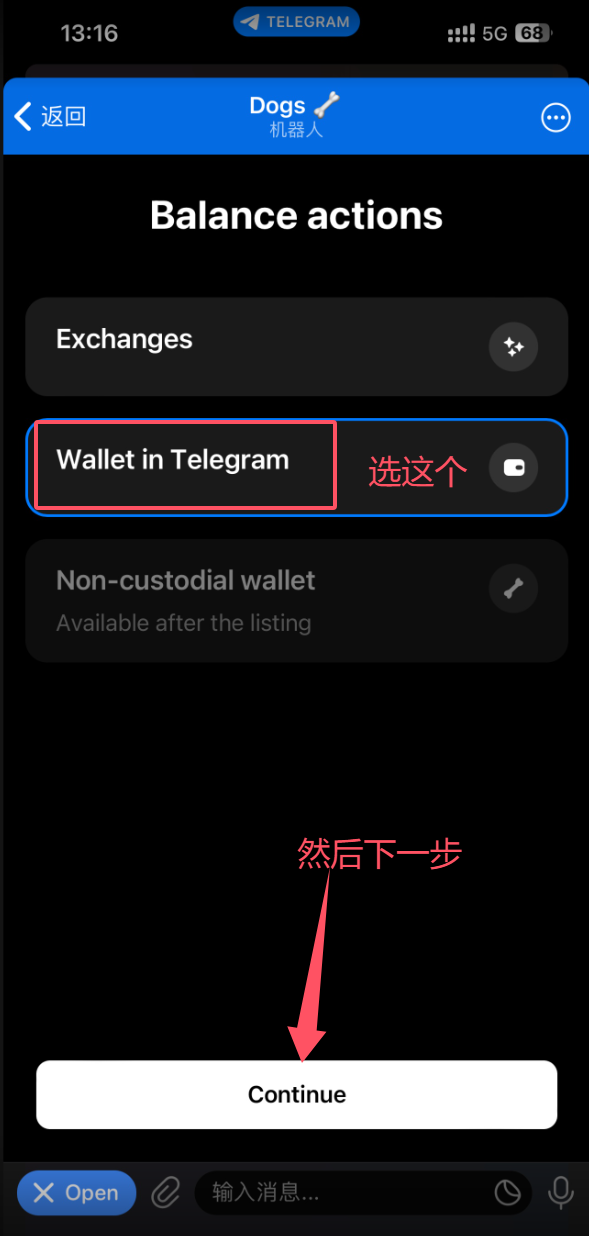
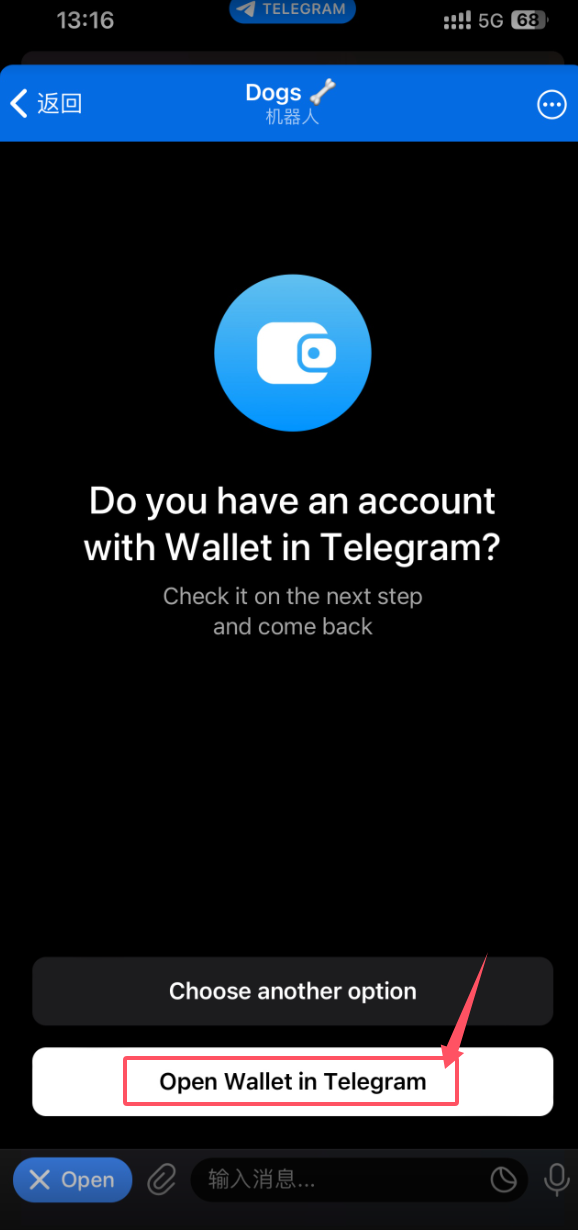
This will open Wallet
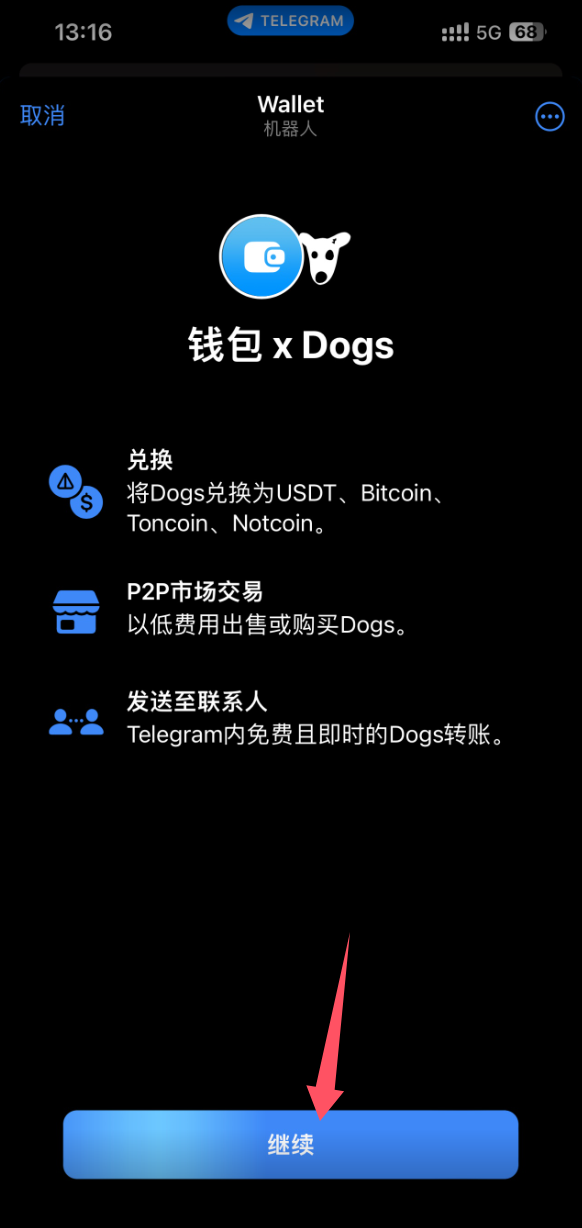
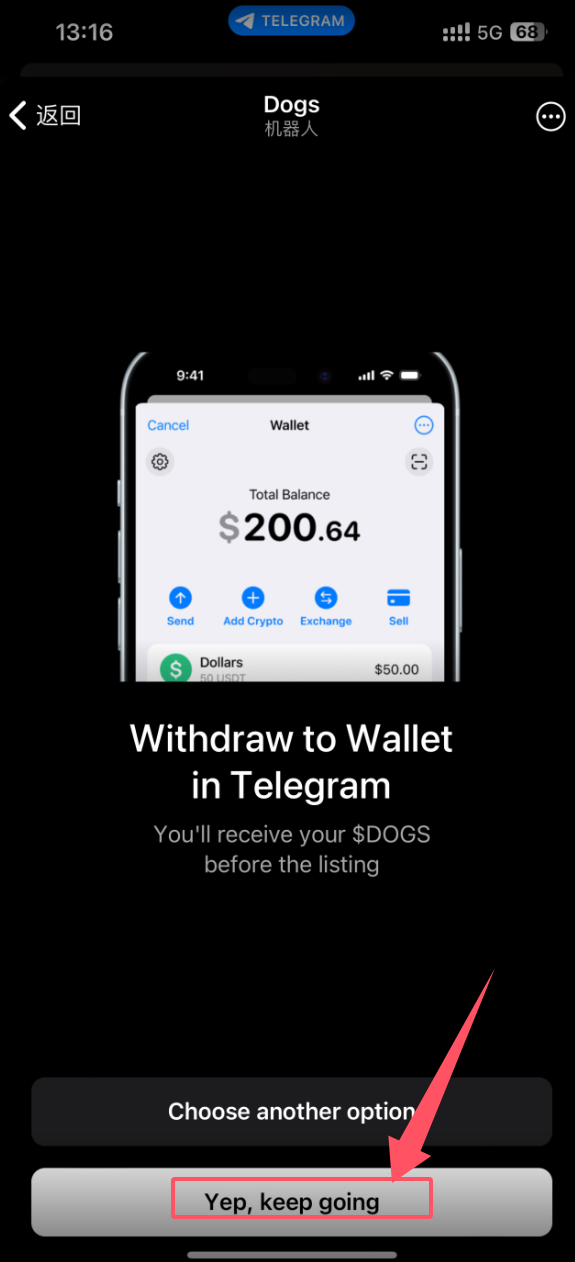
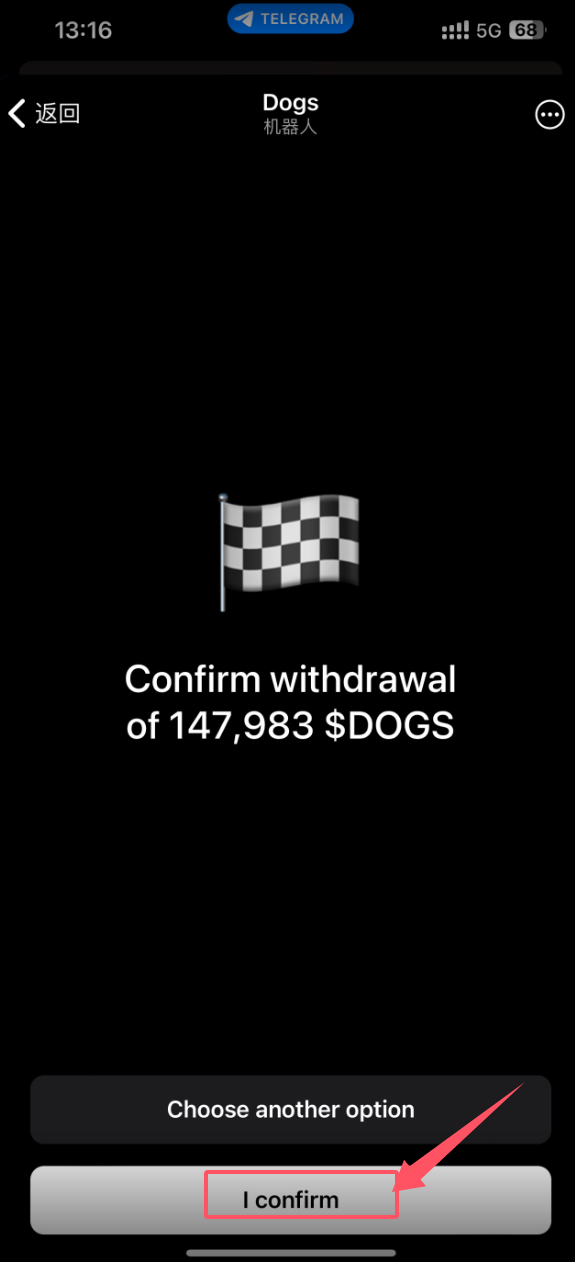
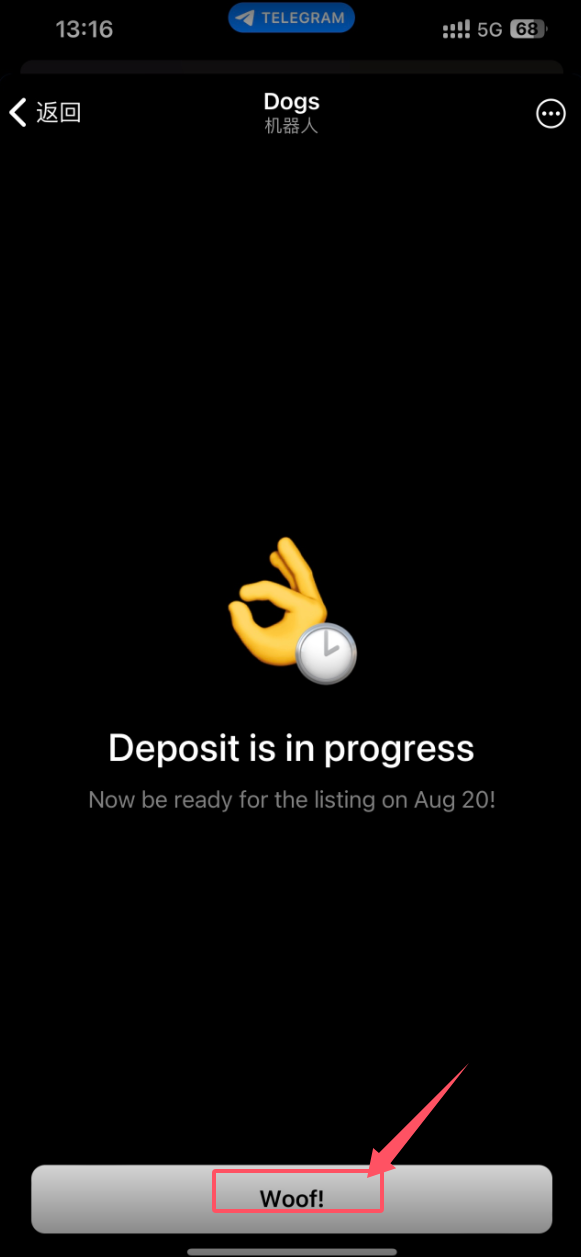
And you're done
You'll See This Message When You Open DOGS Again
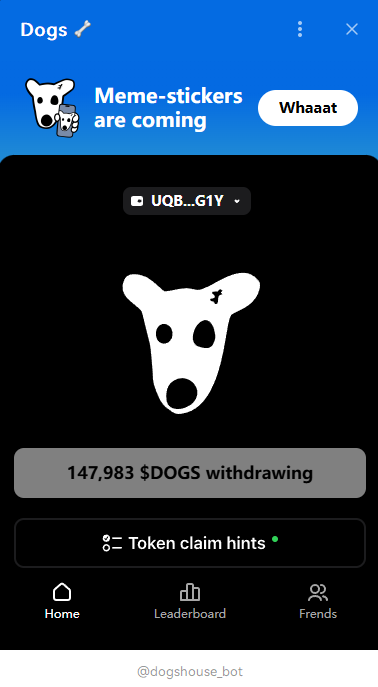
Personally, I don't think there's necessarily any rush to sell. After all, this is the first time Telegram has officially done something like this, with a token launch on such a large scale. Selling probably won't bring in much money anyway, so you could hold on to it for a while—maybe the price will go up. Just my personal opinion, not investment advice.
Last updated 2025-06-24
Comments 0