
Add a Cloudflare R2 Bucket as a Storage Strategy in Lsky Pro
This post was translated from Chinese by AI. If anything reads oddly, the Chinese original is authoritative. 中文原文
Why I Use Cloudflare R2
- No egress fees;
- 10G free, with low prices beyond that—much cheaper than providers in China;
- I like using Cloudflare;
Create a Cloudflare Bucket and Get the ID and KEY
- Create a bucket. You can choose Asia as the region.
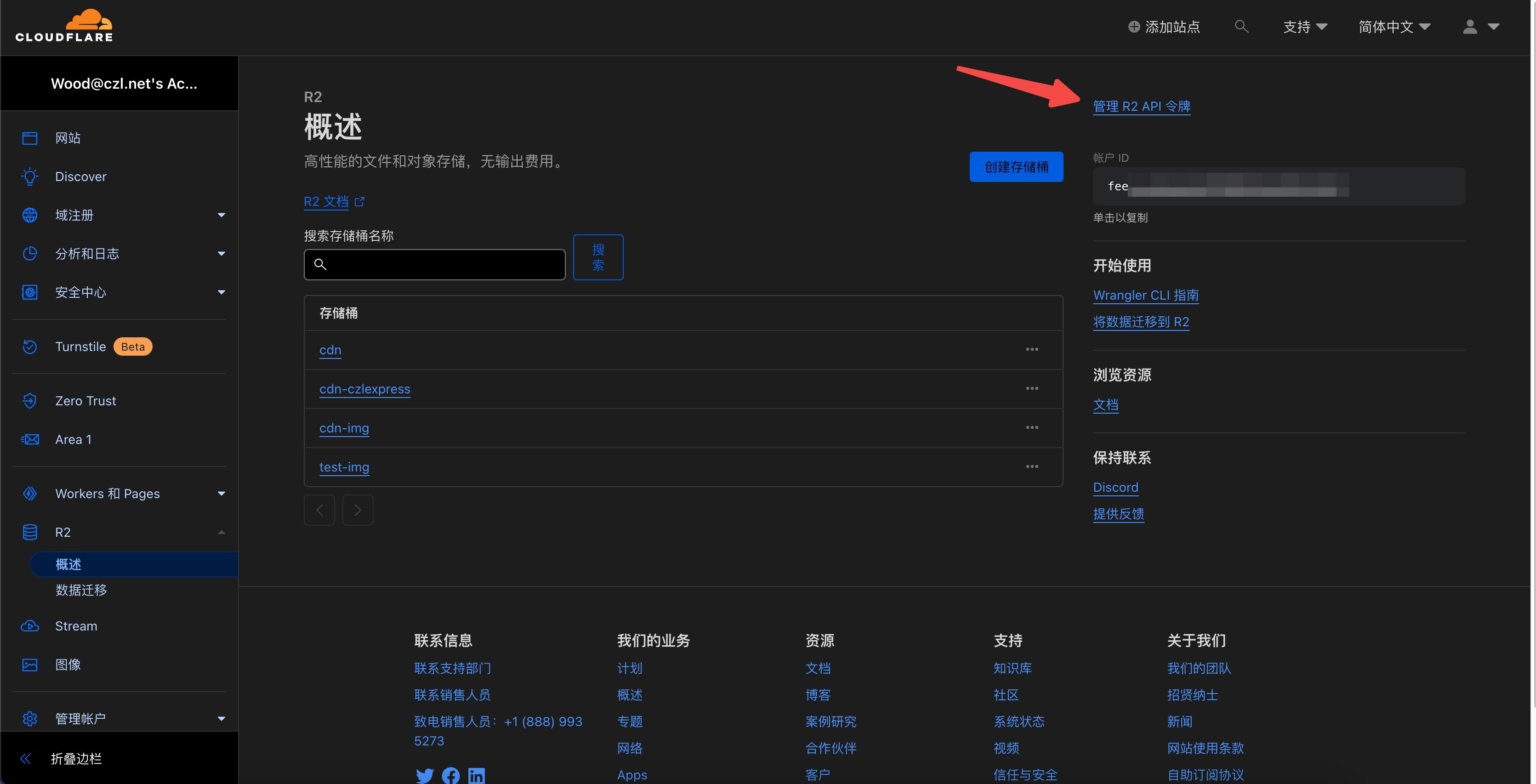
- After creating it, click Settings and bind your own access domain first.
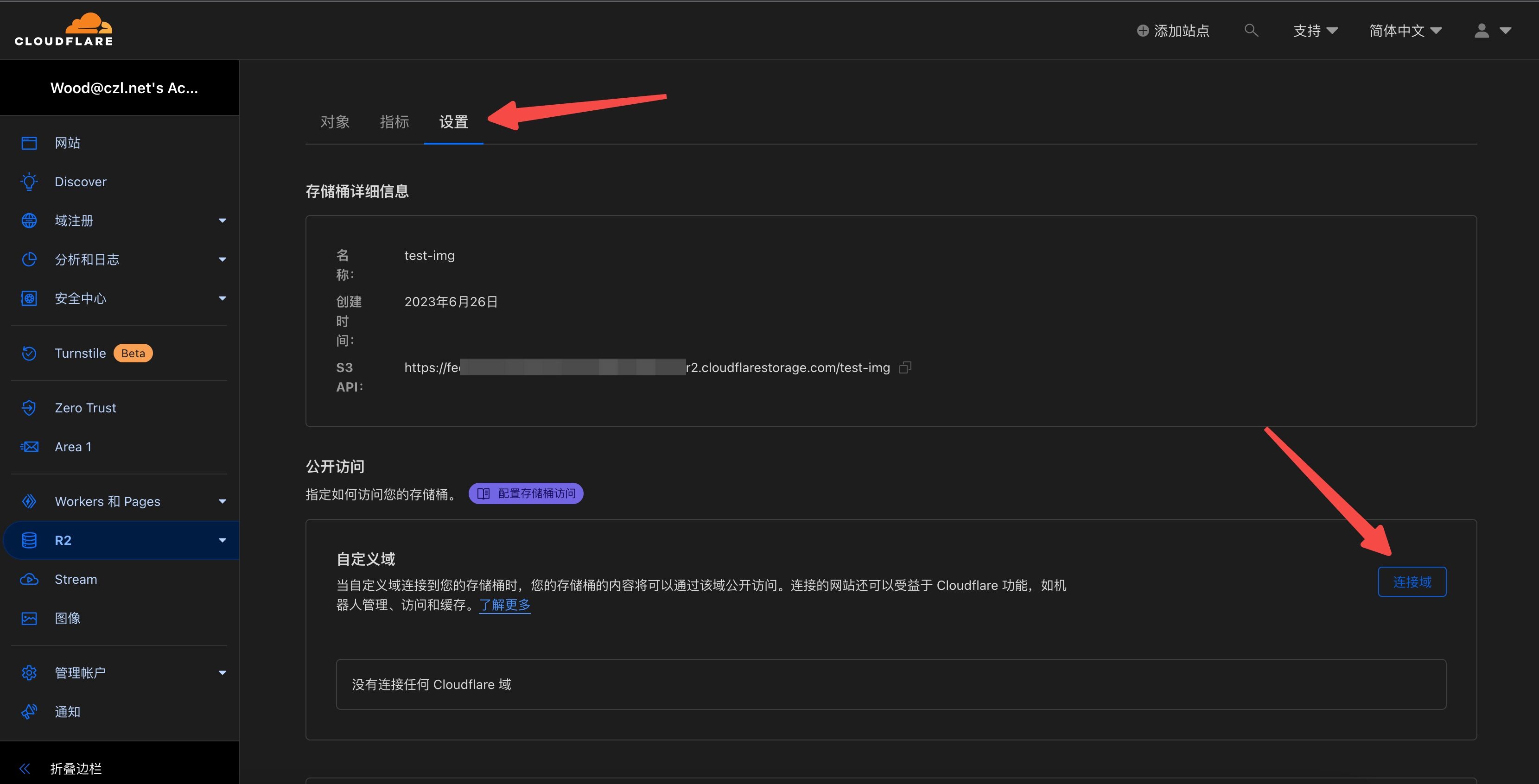
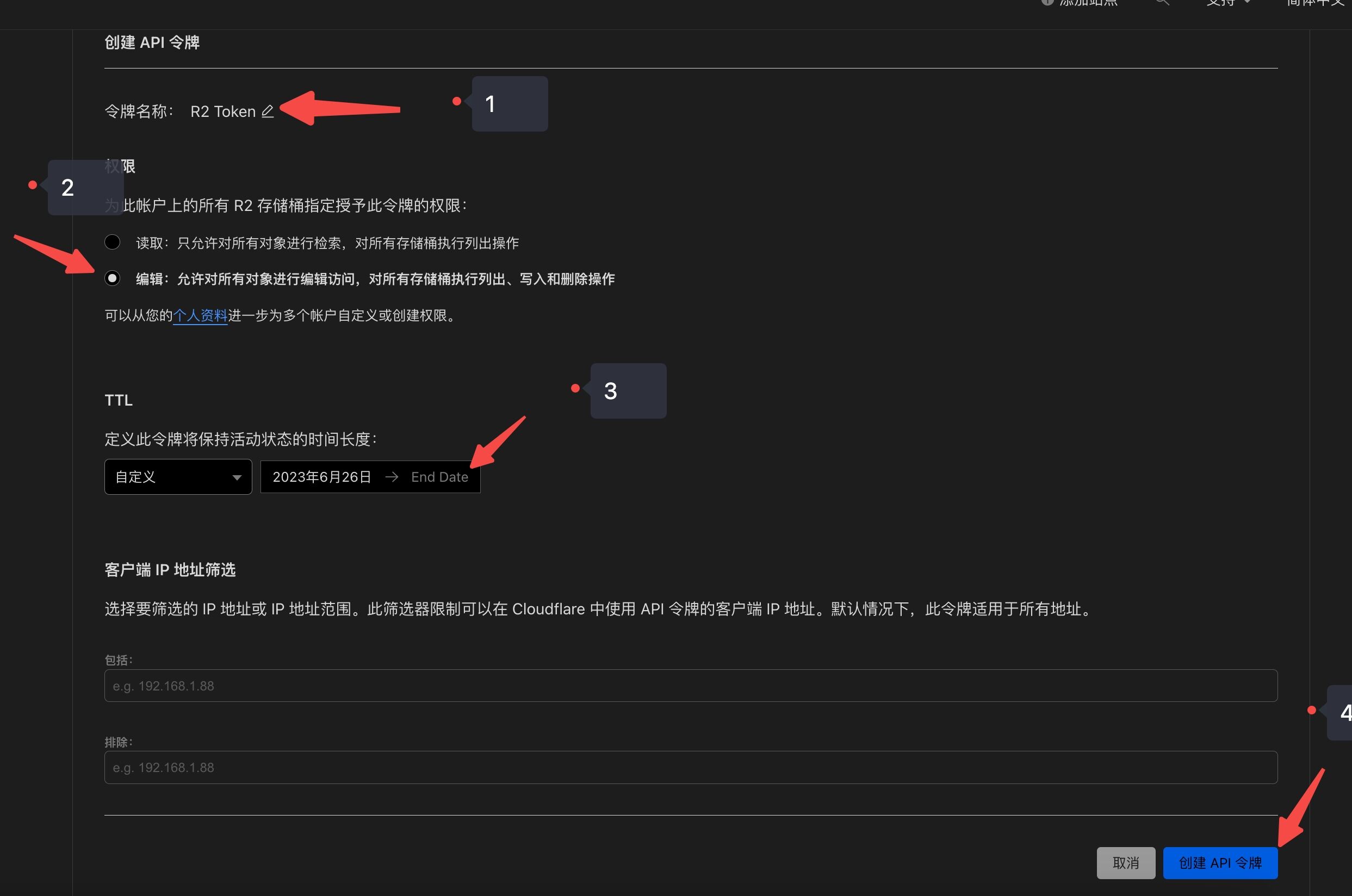
- Once the domain is bound, return to “R2-Overview” and create a token.
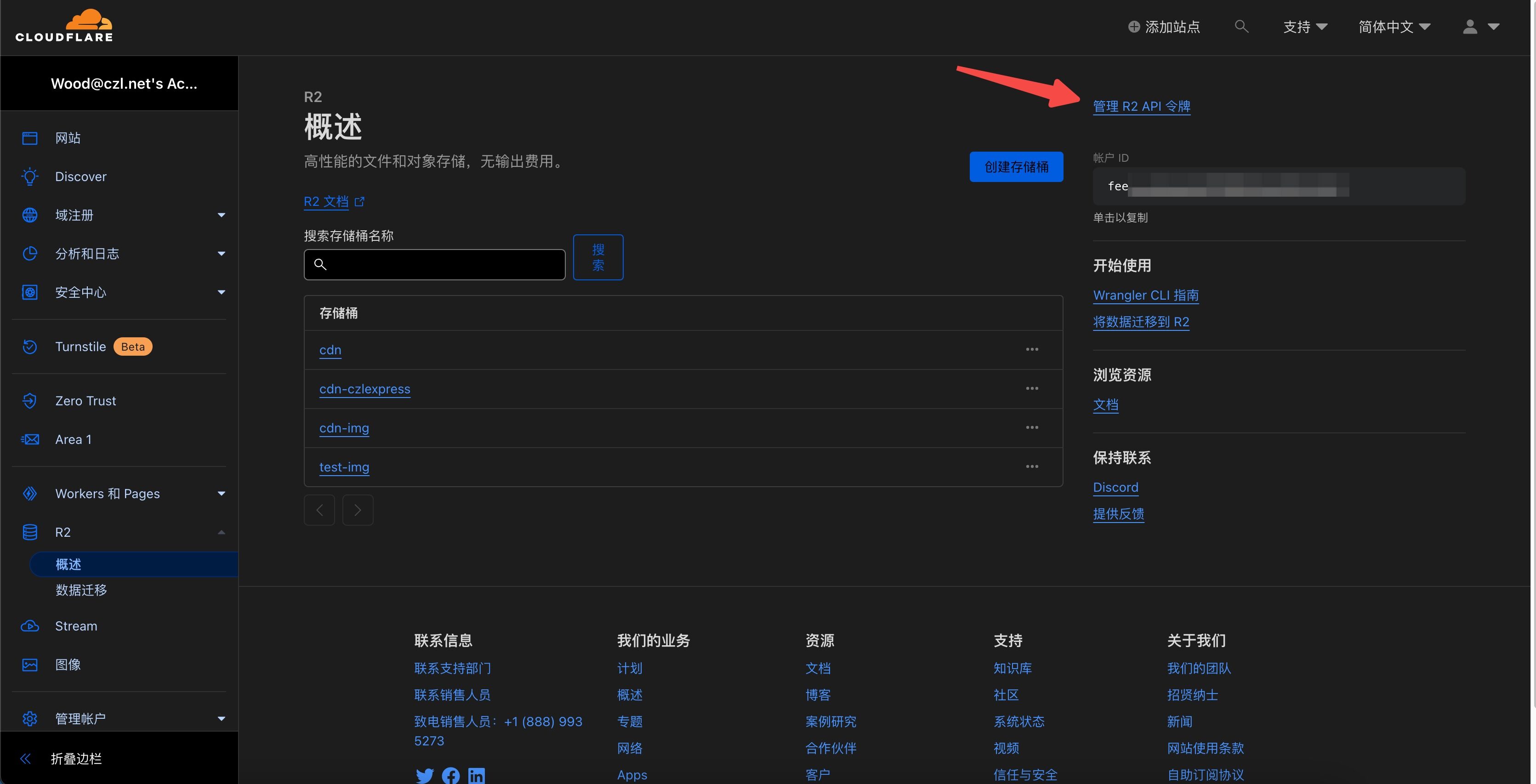
- Choose a name for the token.
Set the expiration date as far out as you can, though none of the available durations are very long.I found that the latest version lets you choose no expiration. Select "Edit" for permissions, then click Create.
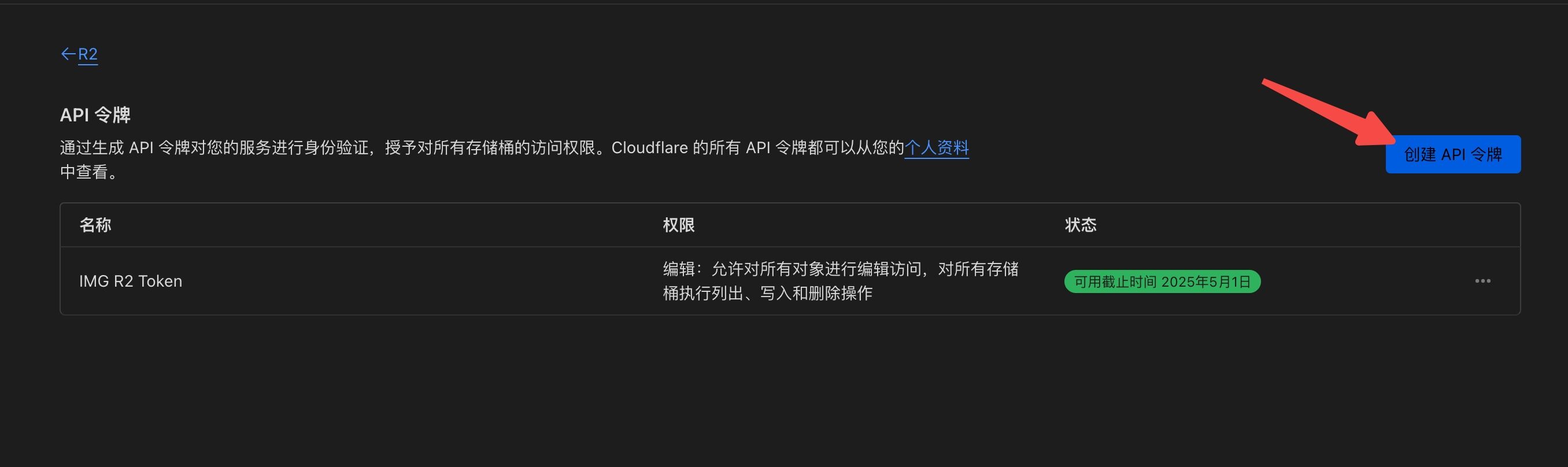
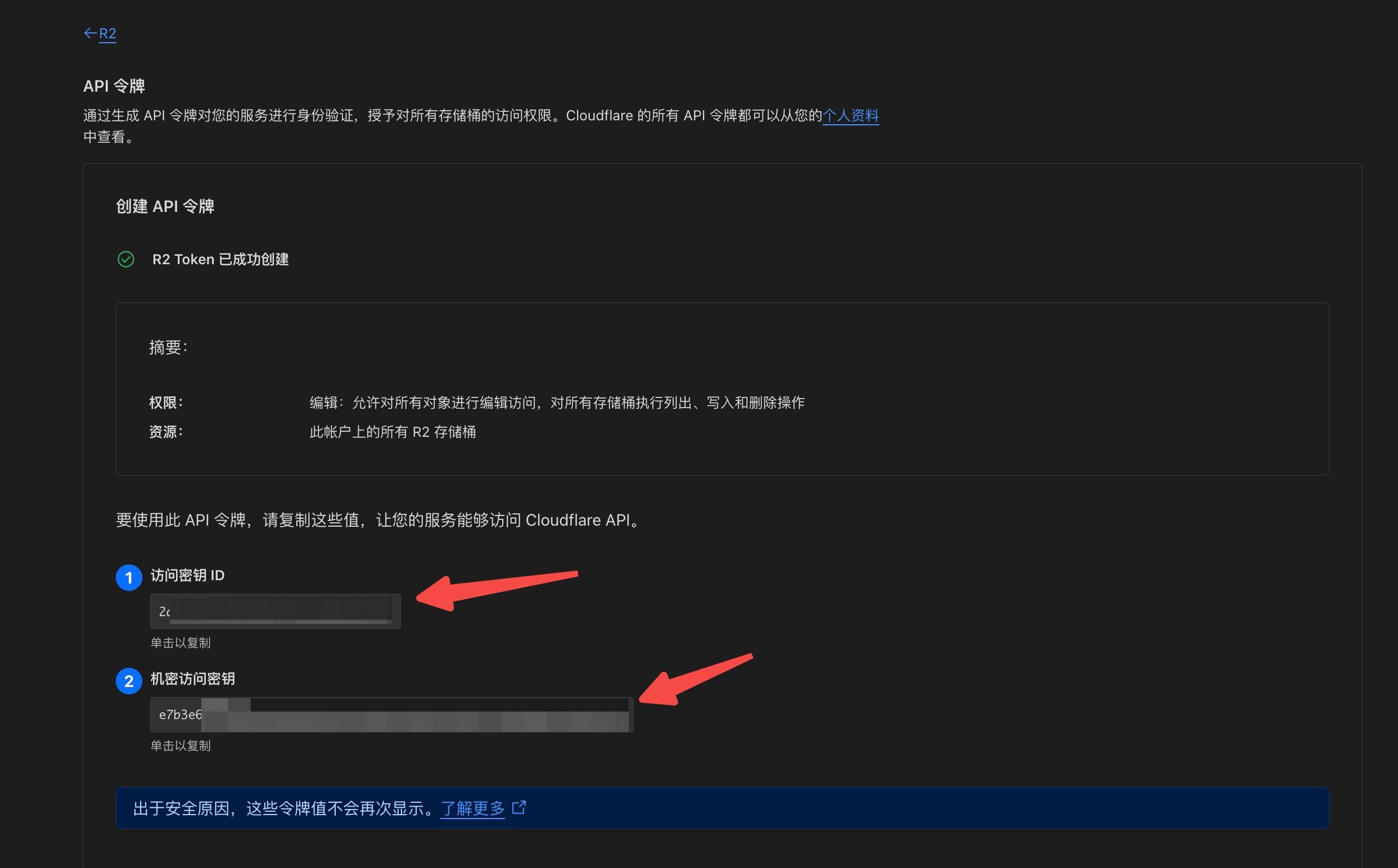
- Once created, you will have the ID and KEY.
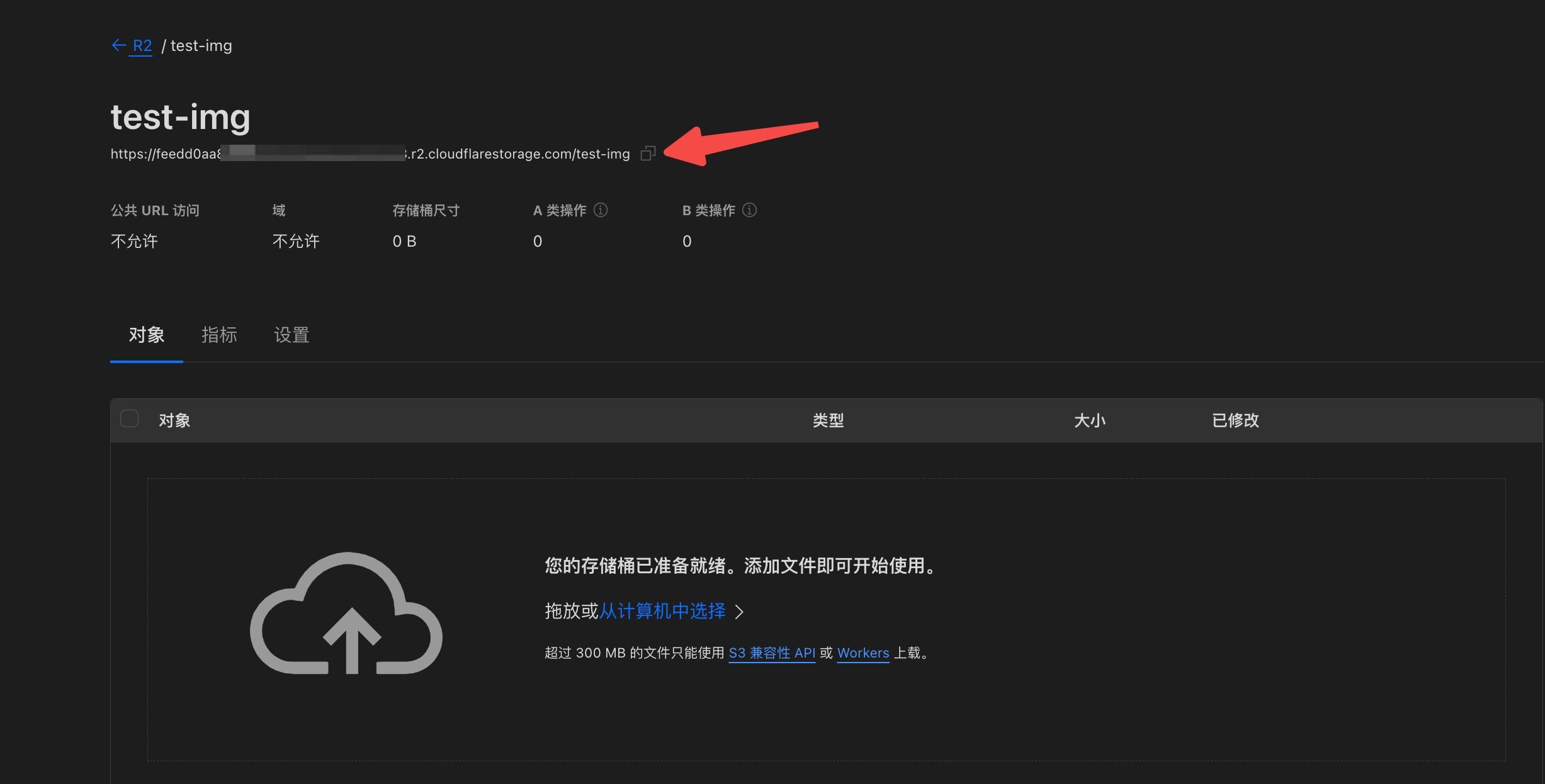
- Sorry, I missed a step: get the endpoint from this section of the bucket settings. Use only the base domain, without the trailing
/路径.
Add It to Lsky Pro
- Create a storage strategy.
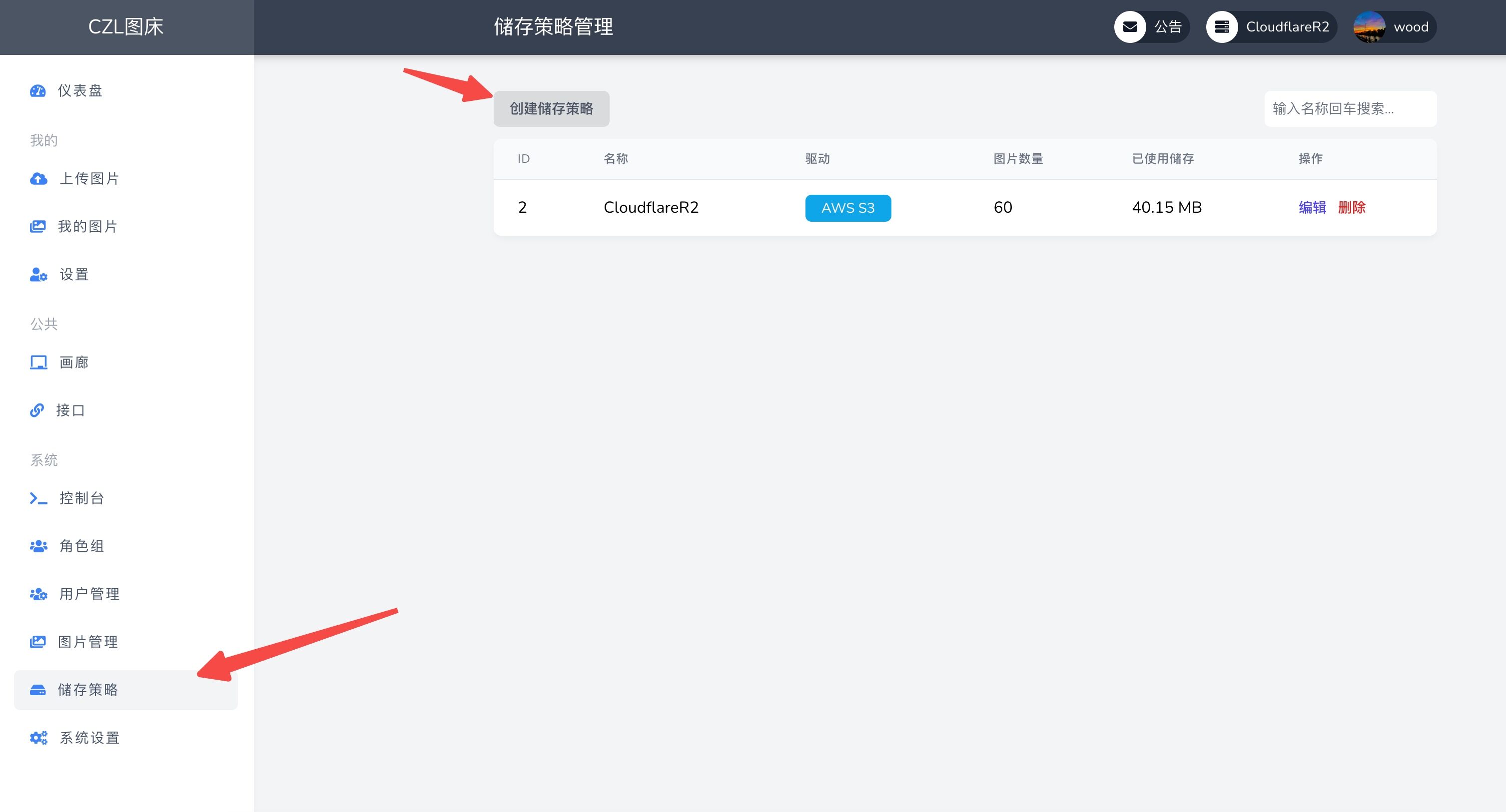
- Enter a name, select the role group as needed, and choose
AWS S3as the storage strategy.
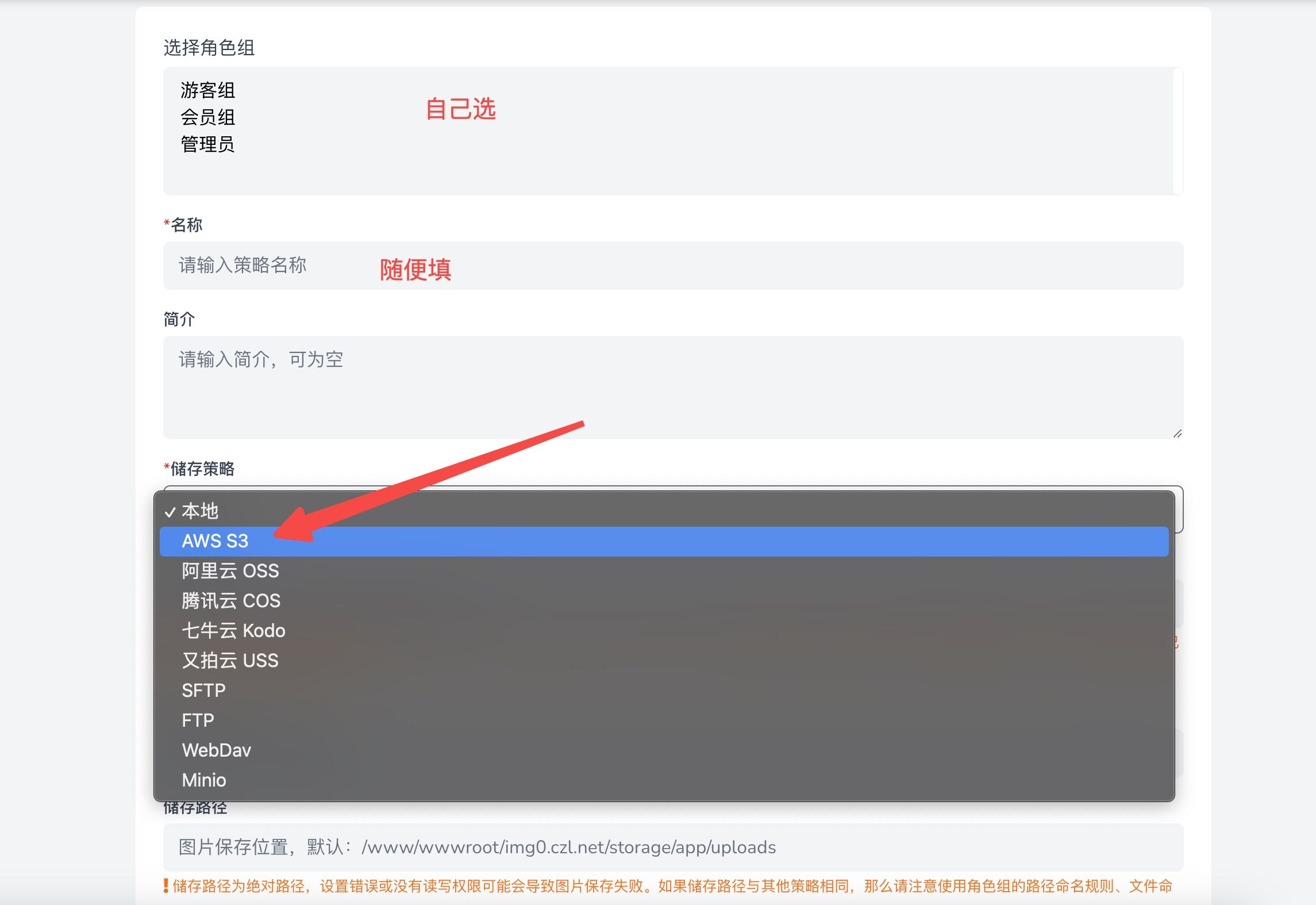
-
Configure the settings
- Access domain: the domain you bound
- ID: the ID you received after creating the token
- KEY: the token's key
- Endpoint: the address obtained in step six above
- Region: just choose auto; it does not matter
- Bucket name: the name you assigned to the bucket
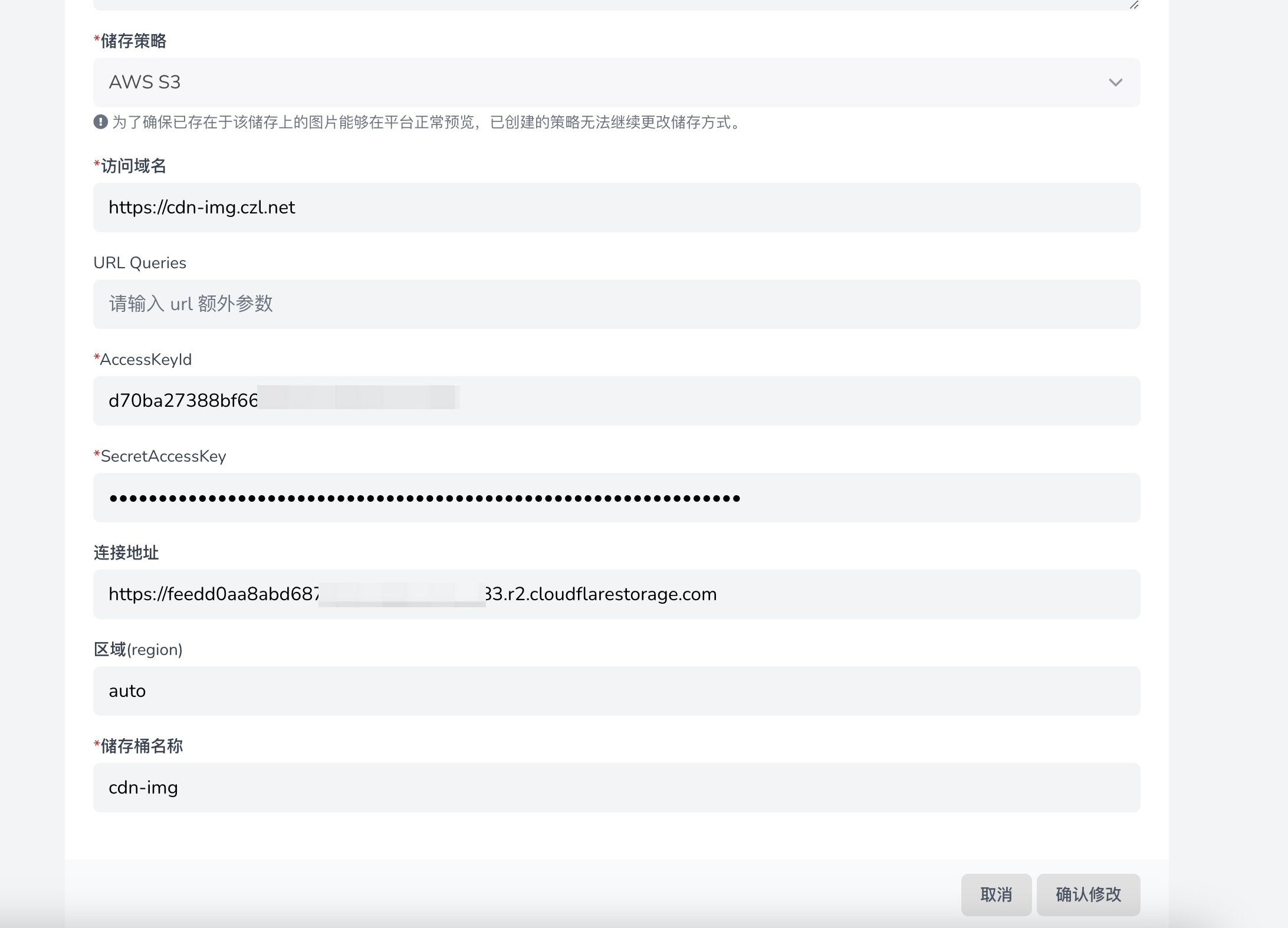
- Then save and enable it.
Last updated 2024-01-14
Comments 0