
Microsoft Store Error: 0x80131500
This post was translated from Chinese by AI. If anything reads oddly, the Chinese original is authoritative. 中文原文
Solution:
Press win+R
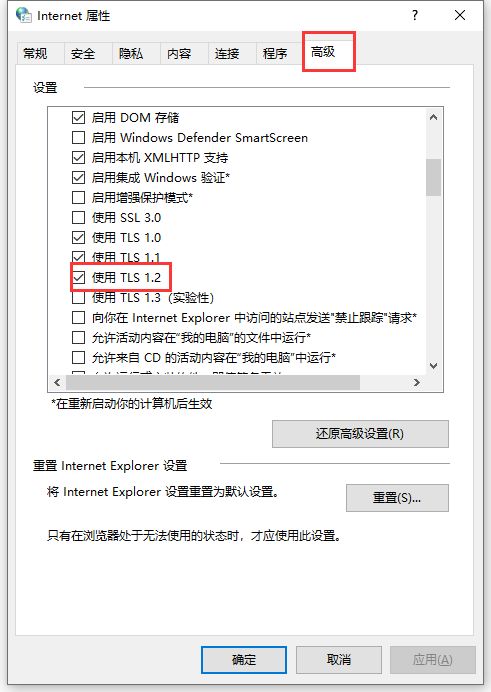
Enter inetcpl.cpl and press Enter to open Internet Properties
Click Advanced at the top right, scroll down to the TLS options, check TLS 1.2, click Apply, then OK, and close the window
Reopen microsoft store, and it should work
Last updated 2025-01-14
Comments 0