
An Incomplete Guide to Claude Code: Windows + VS Code Series
This post was translated from Chinese by AI. If anything reads oddly, the Chinese original is authoritative. 中文原文
Originally published at https://www.sunai.net/t/topic/955 My macbook pro is too old, and I haven't used it in a long time, so this tutorial uses windows. The steps on mac are much the same.
Network Setup
First, you need access to claude from a supported region (Hong Kong doesn't work), such as Japan, the United States, or Singapore.
Then, it's best to enable TUN mode so your terminal traffic goes through the proxy too.
Installation
First, you need to install Node.js 18 or later
Then, run this directly in your user directory
npm install -g @anthropic-ai/claude-code
windows users can simply open cmd.
I've already installed it, so this is what reinstalling looks like.
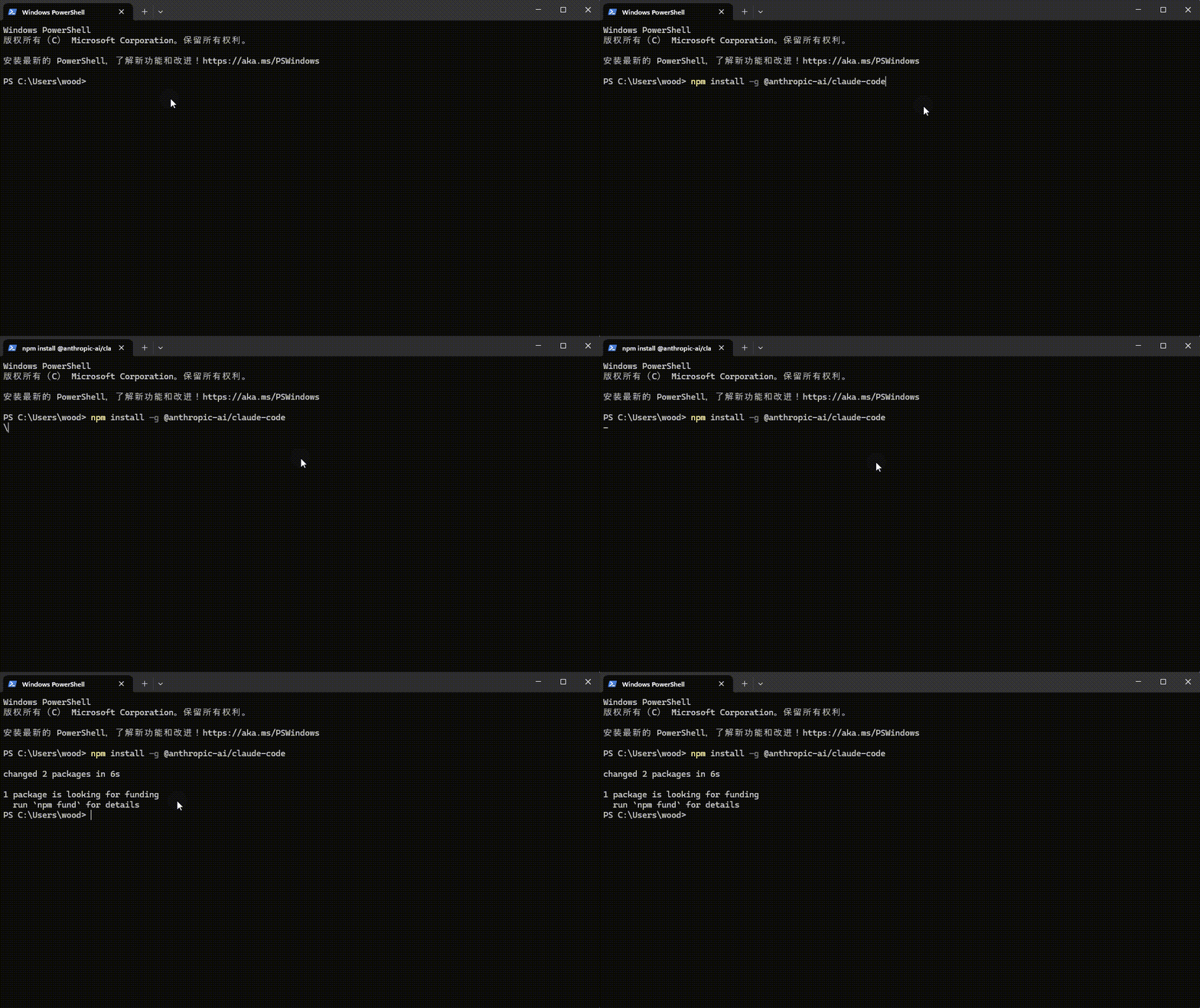
Installation complete. Pretty simple, right?
Account Setup
There are two options: an account on the official website or an api key
Sign In with Your Account
First, enter claude, then run /login and select the first option. I recorded a video using a test account. Since I was already logged in, I went straight to authorization.
If you're not logged in, you'll be prompted to sign in. Enter your email address, then click the link in your inbox.
API KEY
This method requires two environment variables.
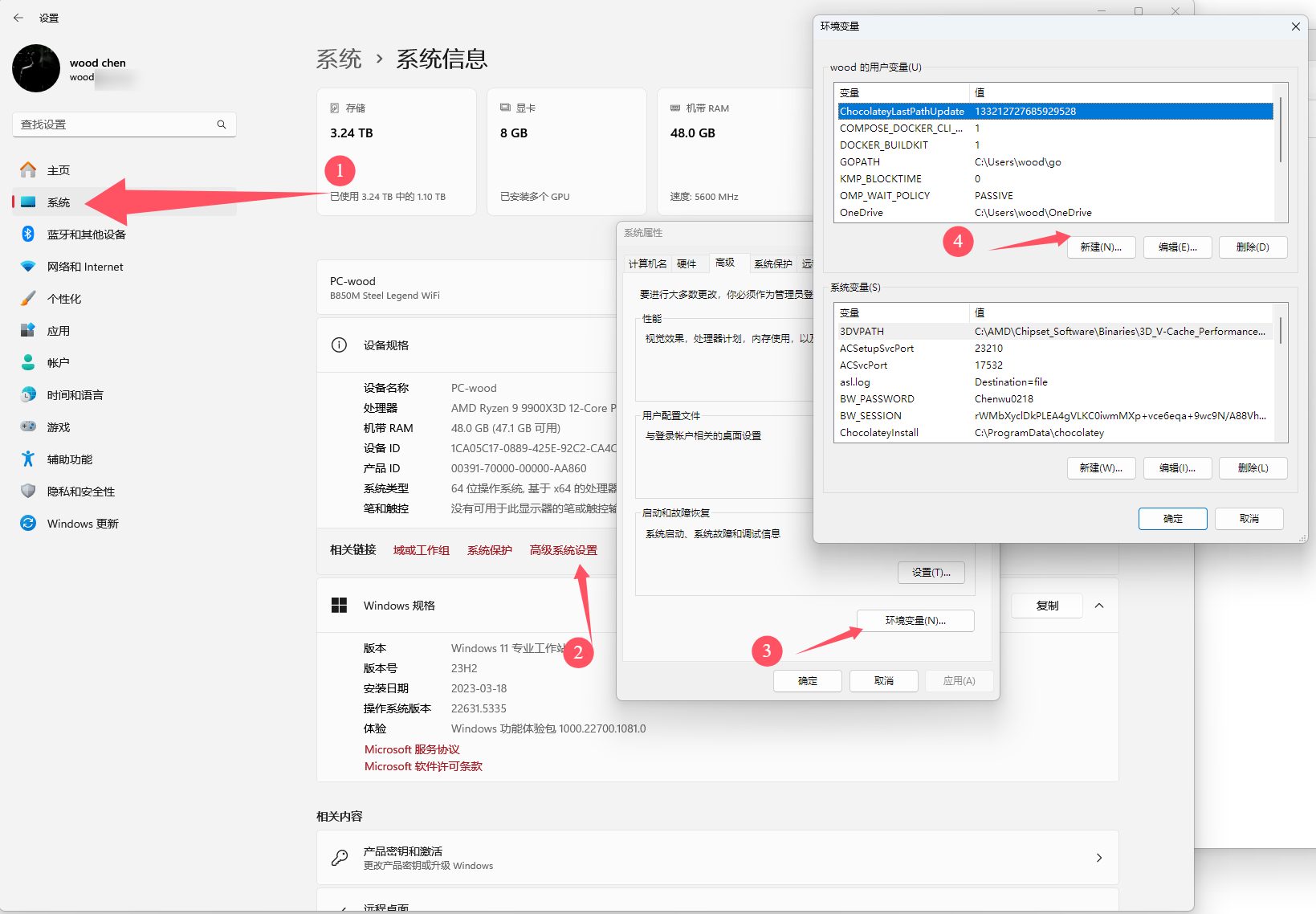
Add these two variables
ANTHROPIC_BASE_URL:

ANTHROPIC_AUTH_TOKEN:
If you use utools, you can use my Environment Variable Switcher plugin.
Once configured, close and reopen the terminal to use the api key.
Getting Started
Basic Terminal Usage
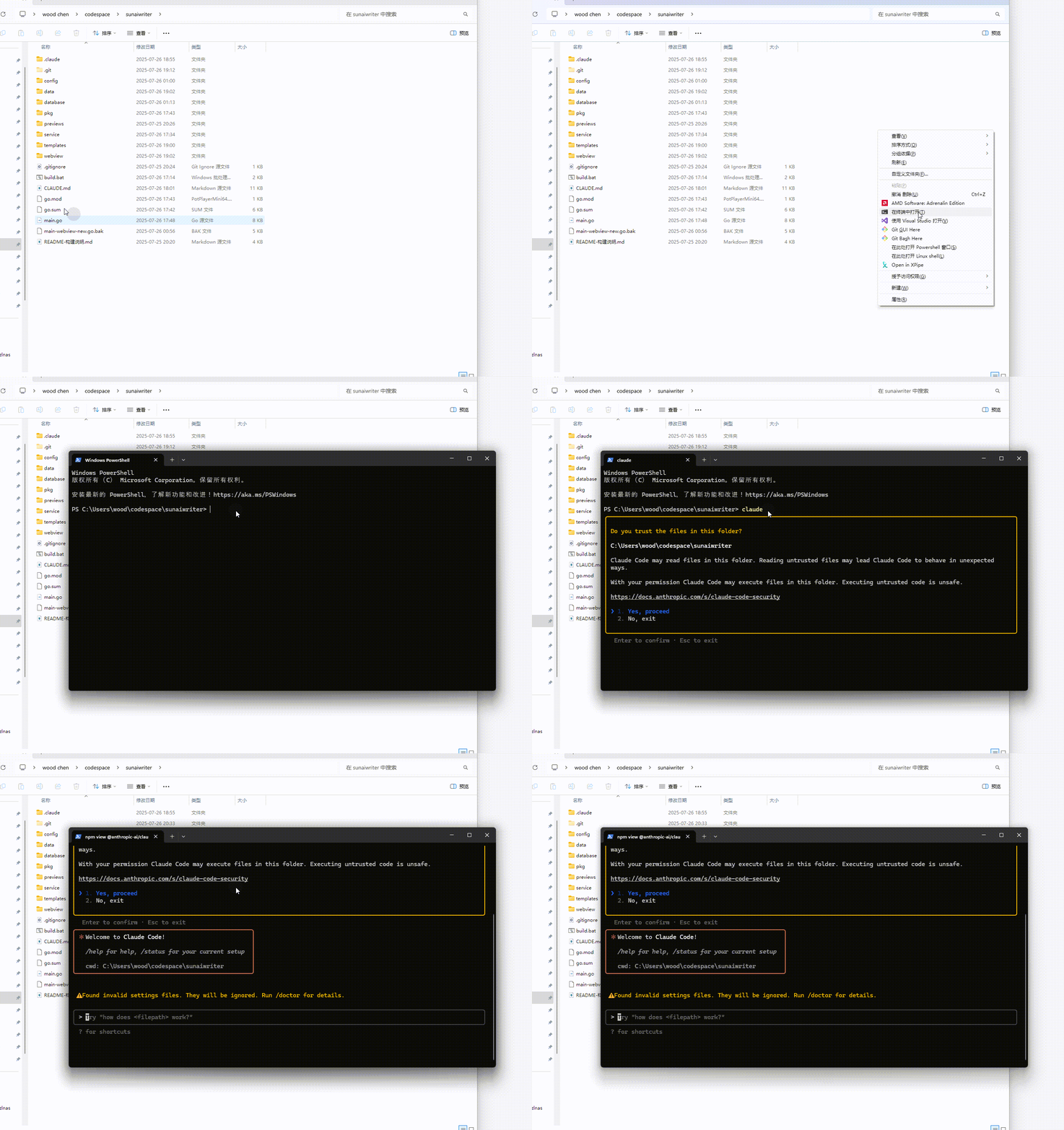
Open your project folder, press shift + 鼠标右键 (Shift + right-click), and select Open in Terminal.
Once the terminal opens, enter claude and you're ready to go.
For a More Convenient Workflow, Use VS Code or a VS Code-Based Editor, Such as Trae.
Install the Extension
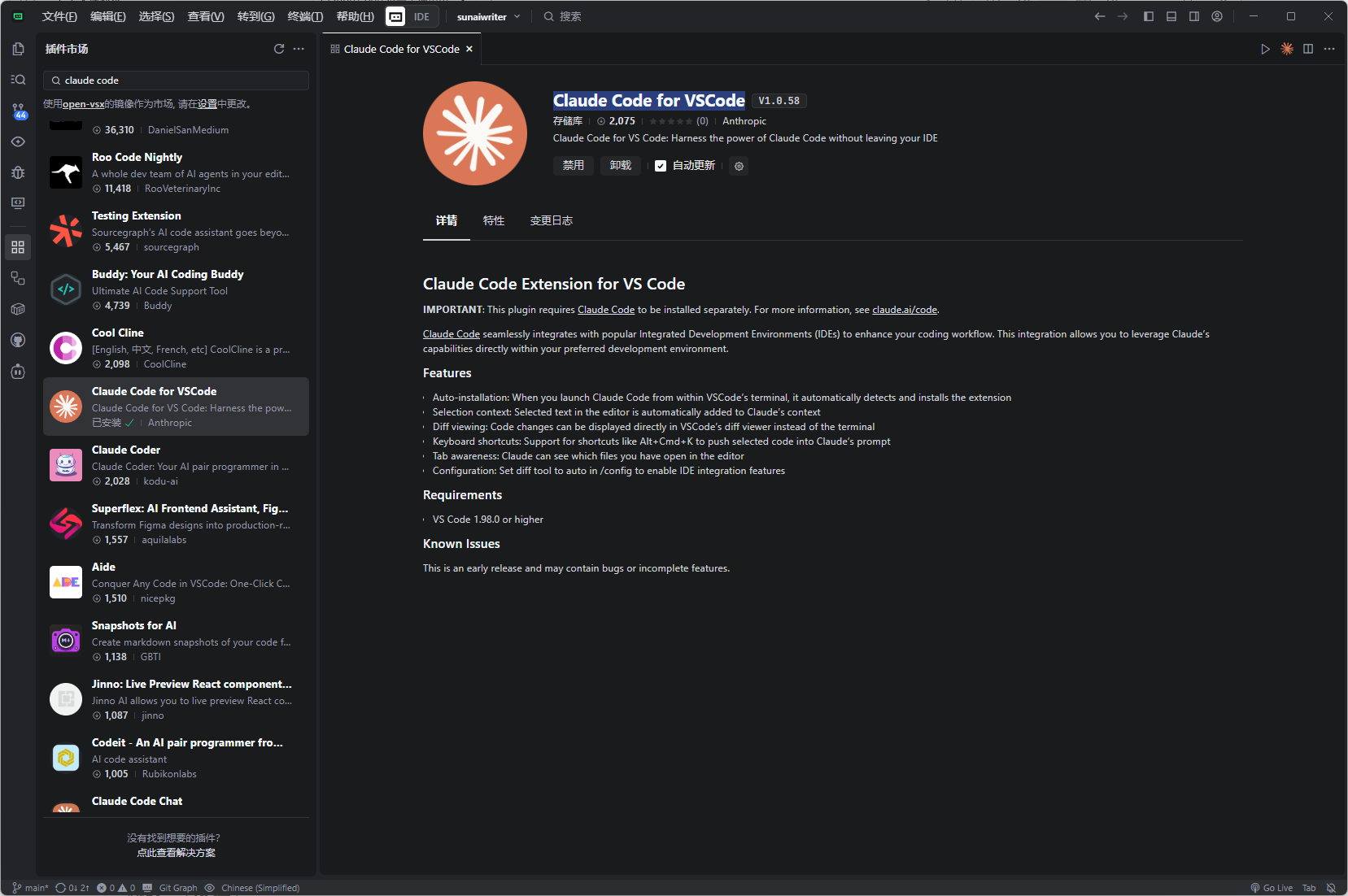
Search for Claude Code for VSCode and click Install.
Usage
If This Icon Doesn't Appear
Run claude in the terminal first, then run /ide to connect.
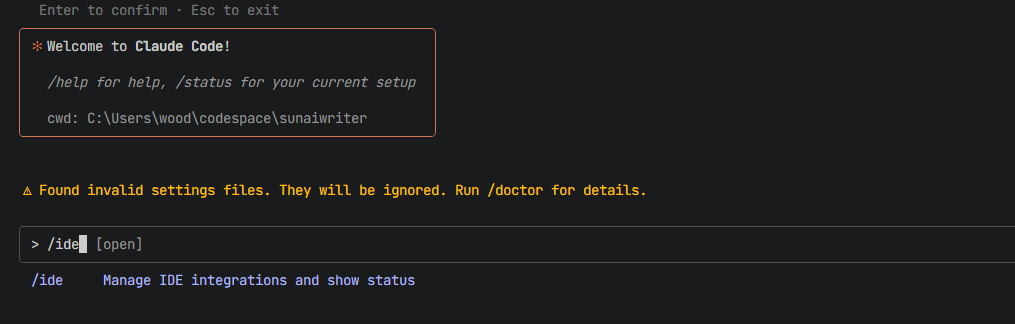
The main benefit is that it can read your currently open file and currently selected code to make targeted changes.
Usage Tips
/init
When you open a project, I recommend running /init first. claude code will scan the project and create a CLAUDE.md file to store its long-term memory. This noticeably reduces token usage and improves performance in future sessions.
/clear
If you're about to write code for a different feature, use this command to clear the context. claude code will start with a clean context, giving better results while using fewer tokens.
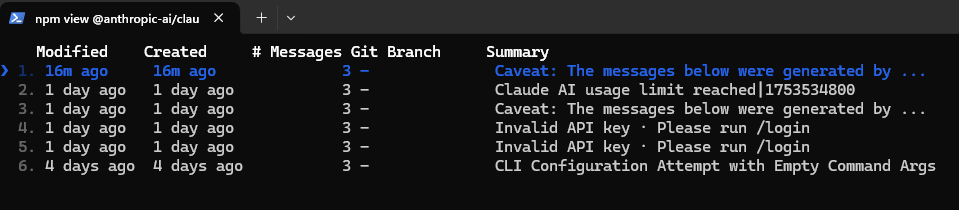
/resume
To return to a previous conversation, run this command and select the conversation you want to continue.
Official Documentation
Last updated 2025-07-31
Comments 0