
How to Publish Posts to typecho with the Mweb Editor
This post was translated from Chinese by AI. If anything reads oddly, the Chinese original is authoritative. 中文原文
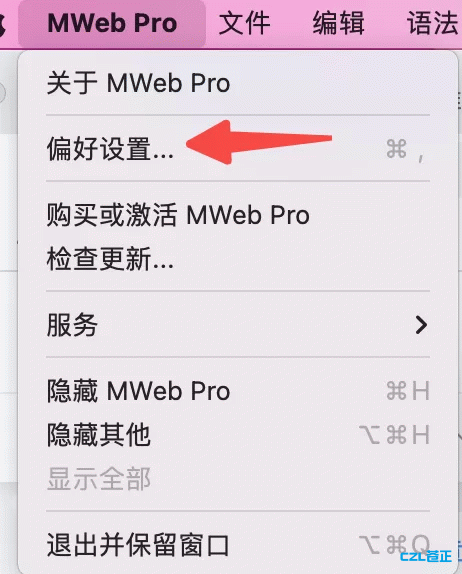
1.Mweb Pro Preferences
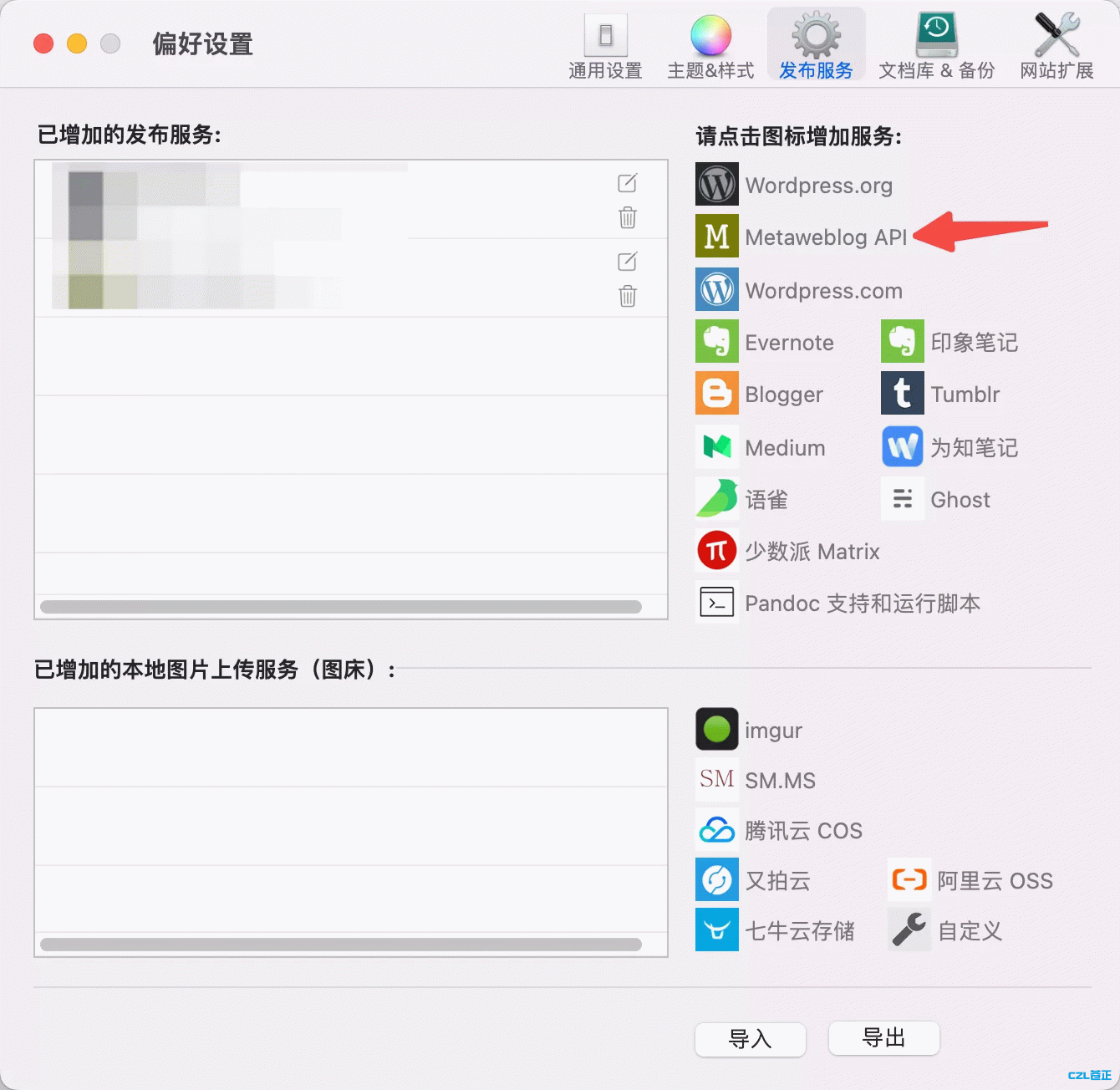
2.Select Metaweblog API under Publishing Services
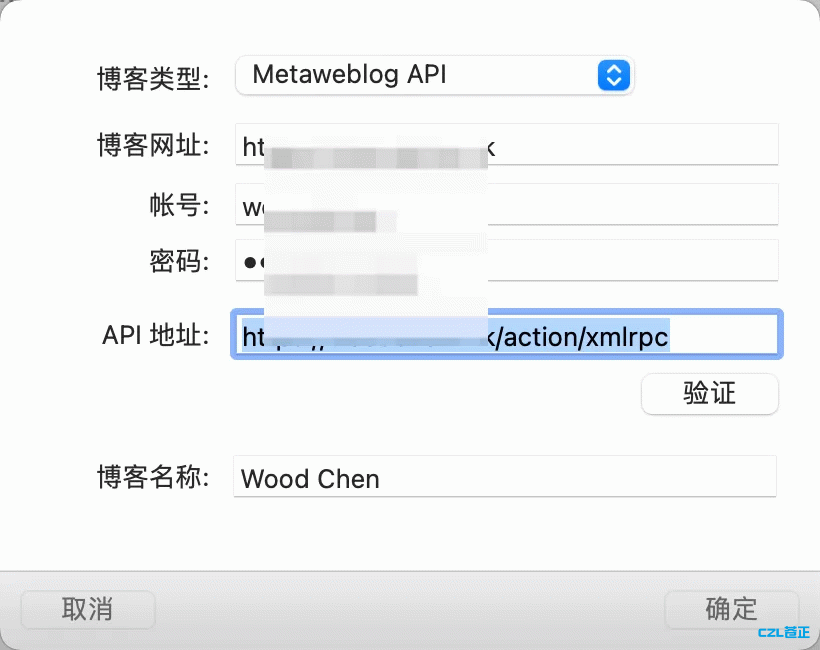
3.Enter the details. API URL: https://yoursite/action/xmlrpc
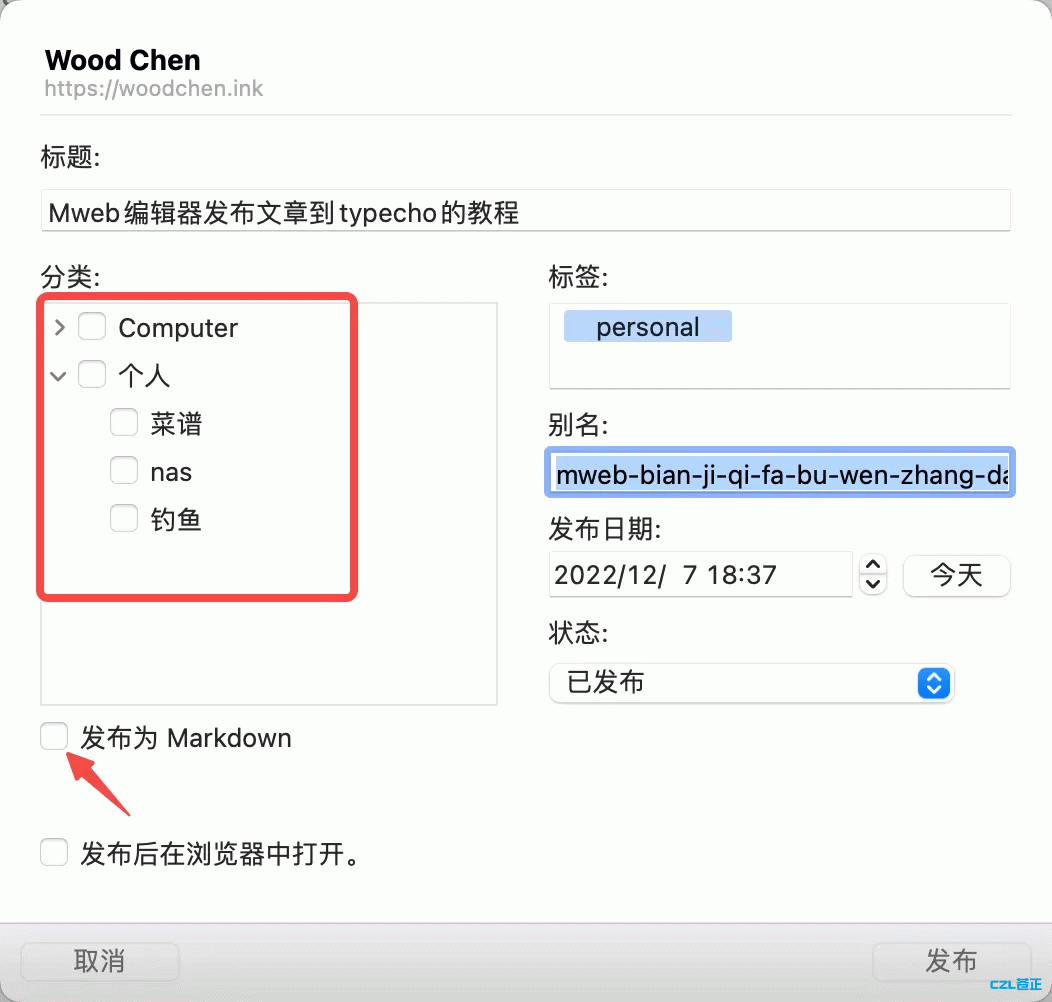
4.Save, then write your article. Click the export button in the upper-right corner, select the appropriate option, and publish
You can choose categories, tags, and the publication time. I generally recommend checking {x}Publish in markdown format
Last updated 2025-06-24
Comments 0