
How to Configure an S3 Bucket, Such as Cloudflare R2, in Tencent Edgeone
This post was translated from Chinese by AI. If anything reads oddly, the Chinese original is authoritative. 中文原文
Tencent's edgeone is quite handy and reasonably priced, with built-in protection. The personal plan's 50G of monthly traffic is enough for me. Setting up a website proxy is straightforward, but I ran into a few issues when configuring a cloudflare r2 storage bucket as the origin. Here are my notes.
Why use edgeone with r2 as the origin? This lets me combine r2's free storage and outbound traffic with edgeone's acceleration in China.
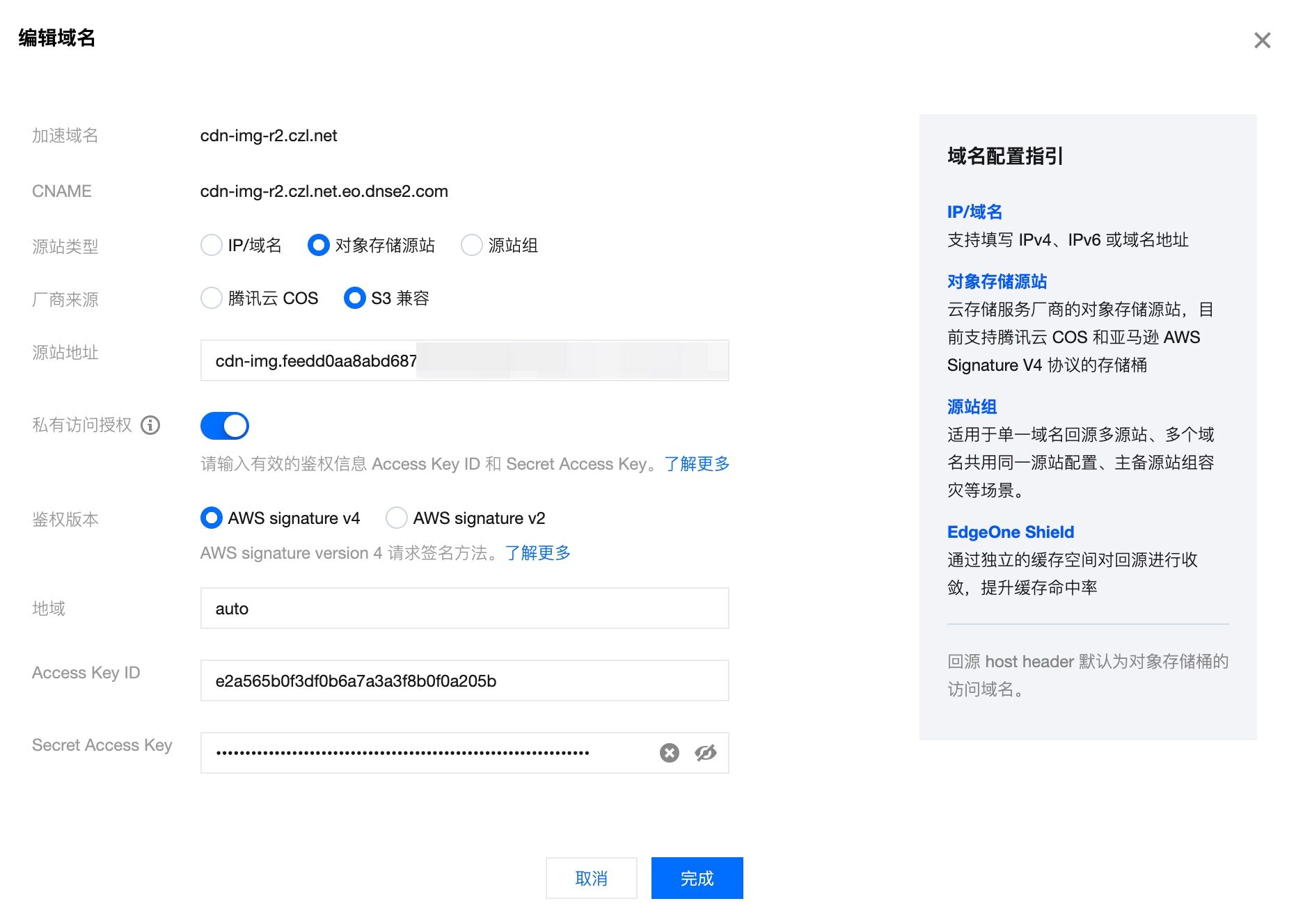
Origin Address
This is not quite the same as what cloudflare displays, so you need to adjust it manually. Take the bucket in this screenshot, for example:
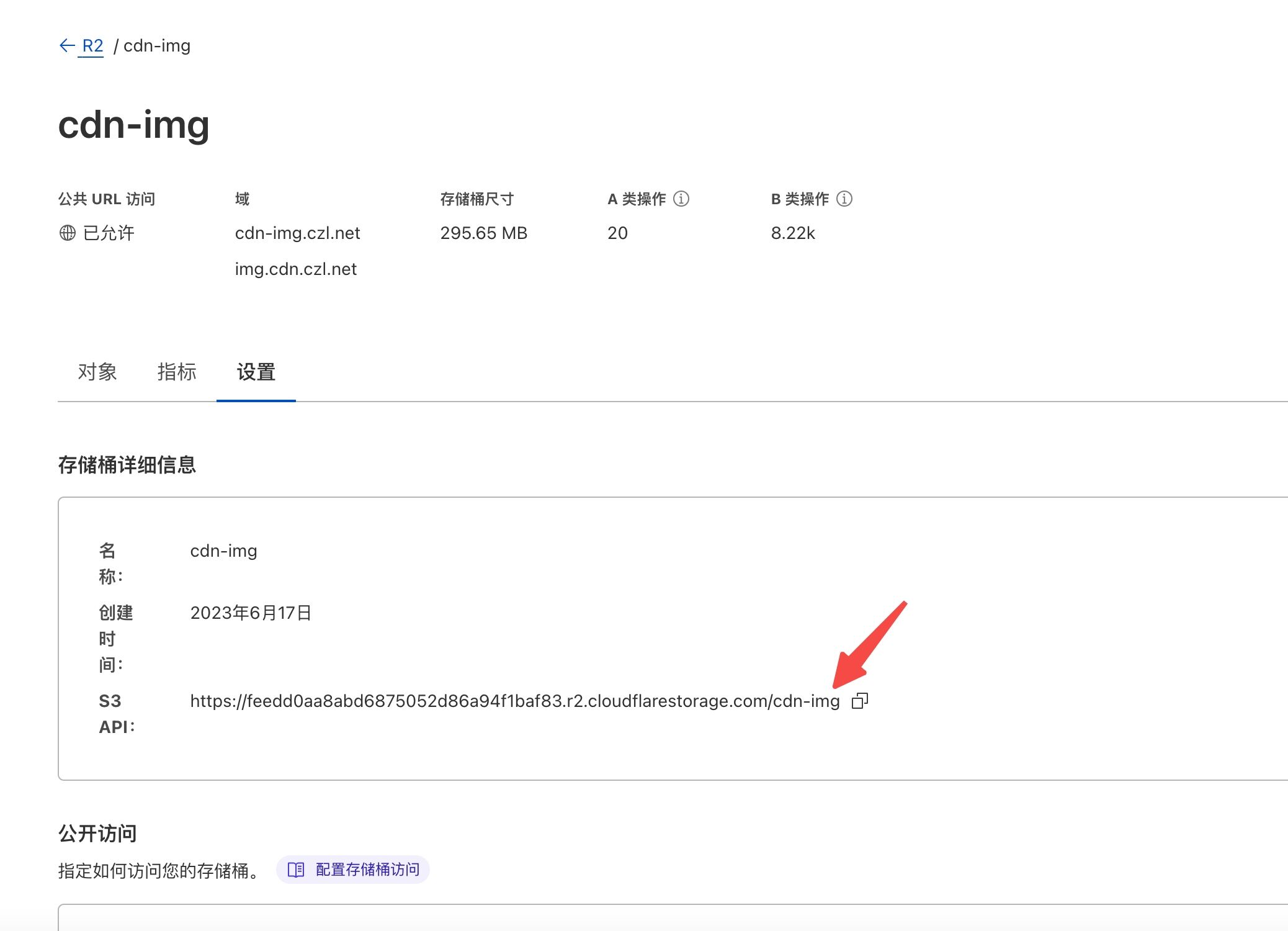
Put the bucket name before the domain name and remove https
For example, cloudflare displays https://aaa.r2.cloudflarestoreage.com/bbb (aaa is your user ID, and bbb is the bucket name).
In Tencent edgeone, enter bbb.aaa.r2.cloudflarestoreage.com
This is the format you need.
Private Buckets, Authentication, and Region
Buckets are usually private, so enable private bucket authentication.
Select v4 for authentication.
Enter auto for the region.
Access Key ID and Secret Access Key
Get these from cloudflare.
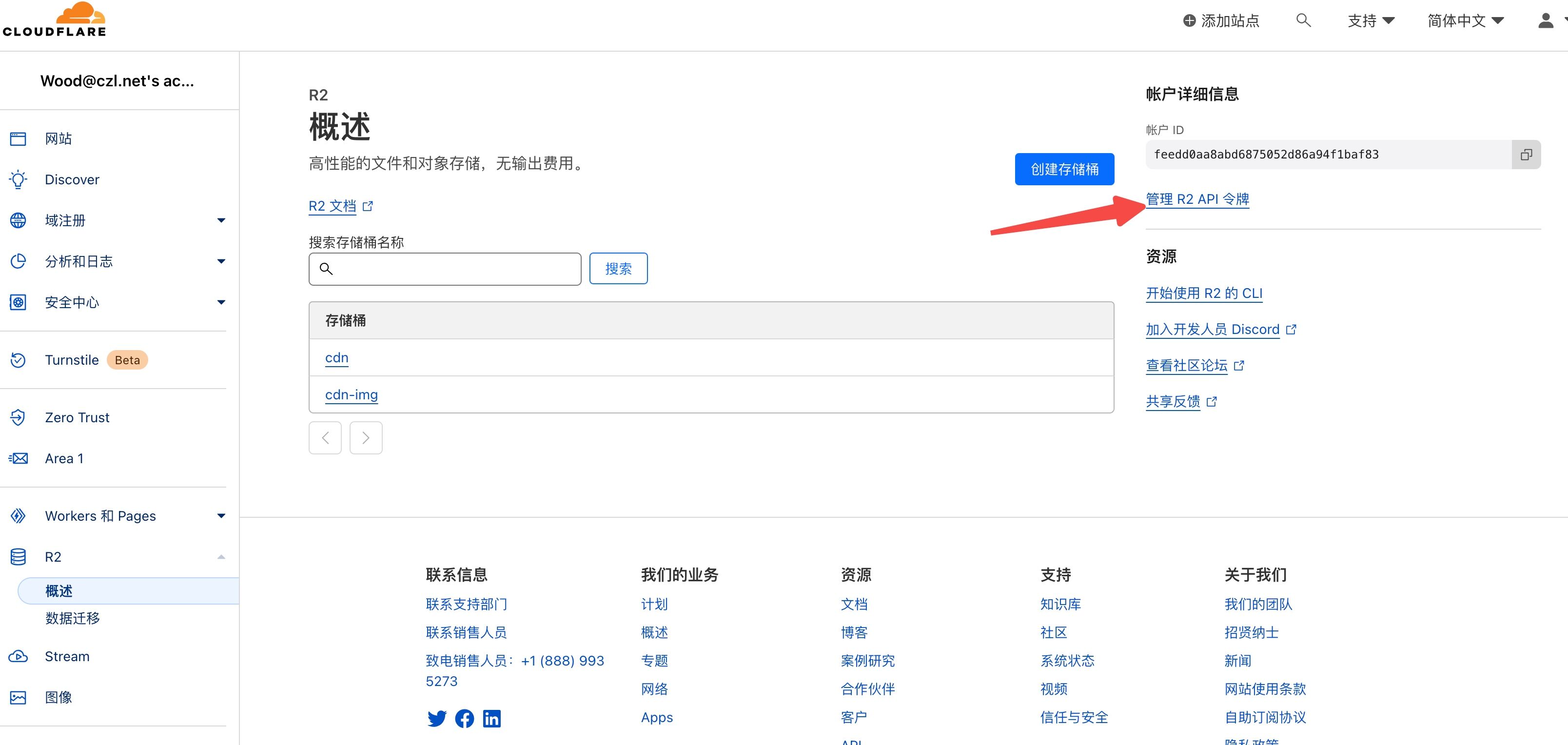
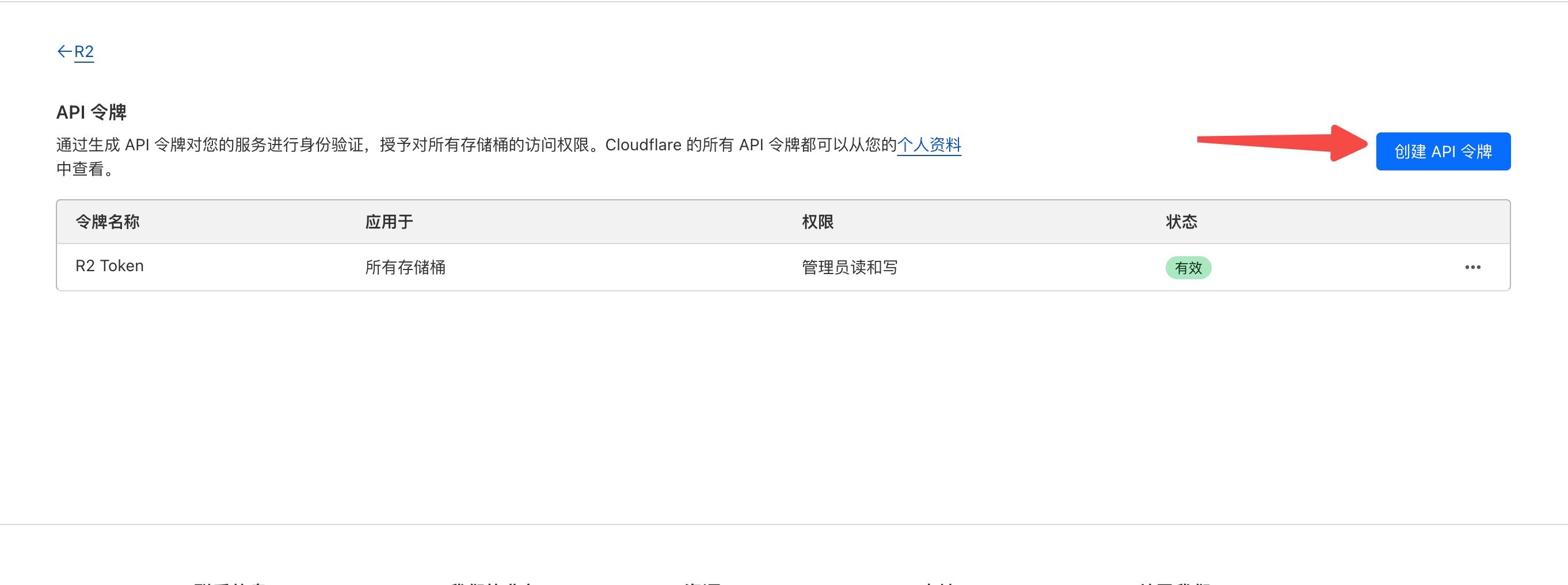
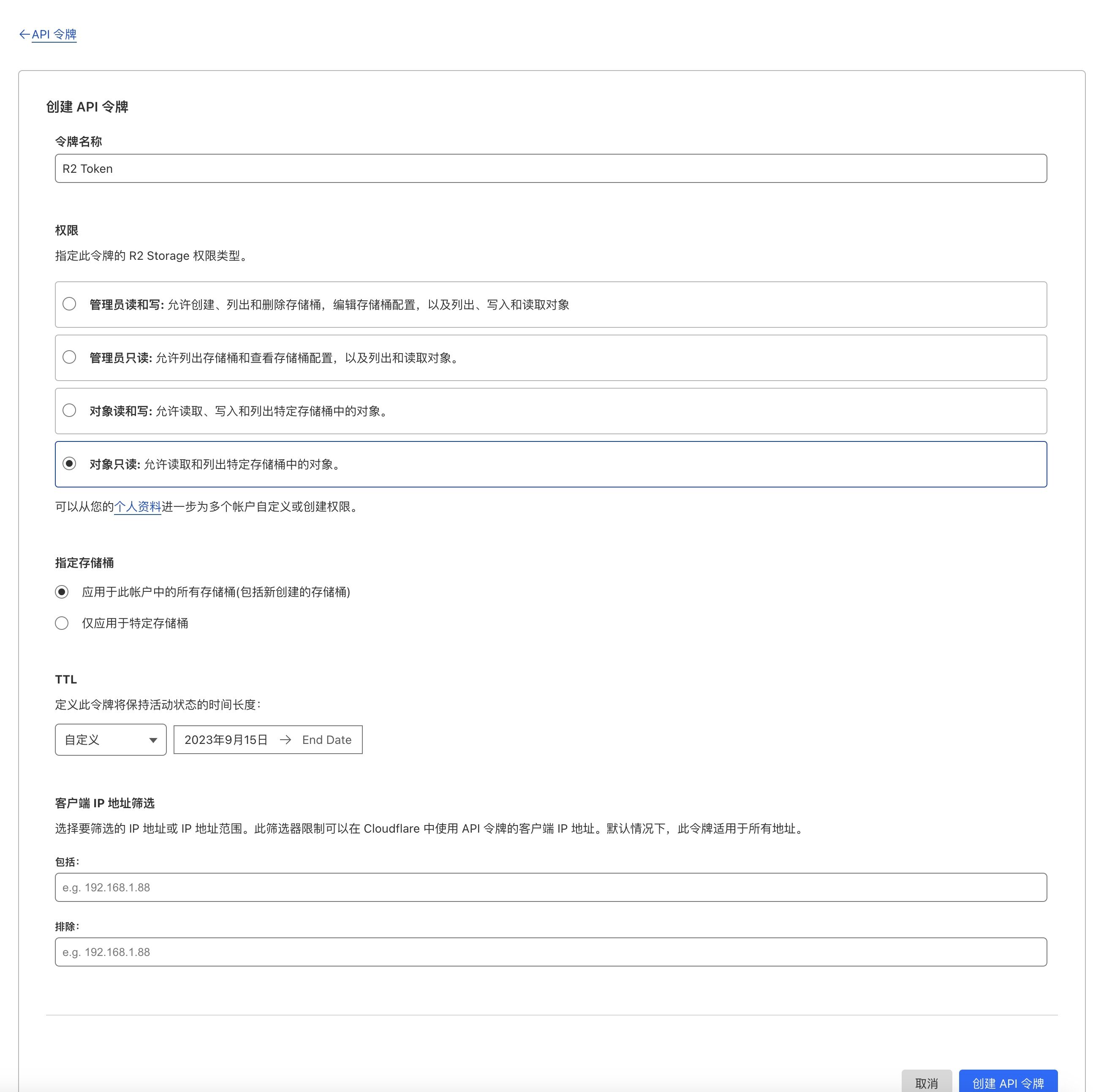
Choose the permissions you need. You can set the token to never expire.
PS: Set Up a Redirect on cloudflare
If, like me, the domain you bind in edgeone differs from your original domain, you need to set up a redirect so all the existing image URLs point to the new domain.
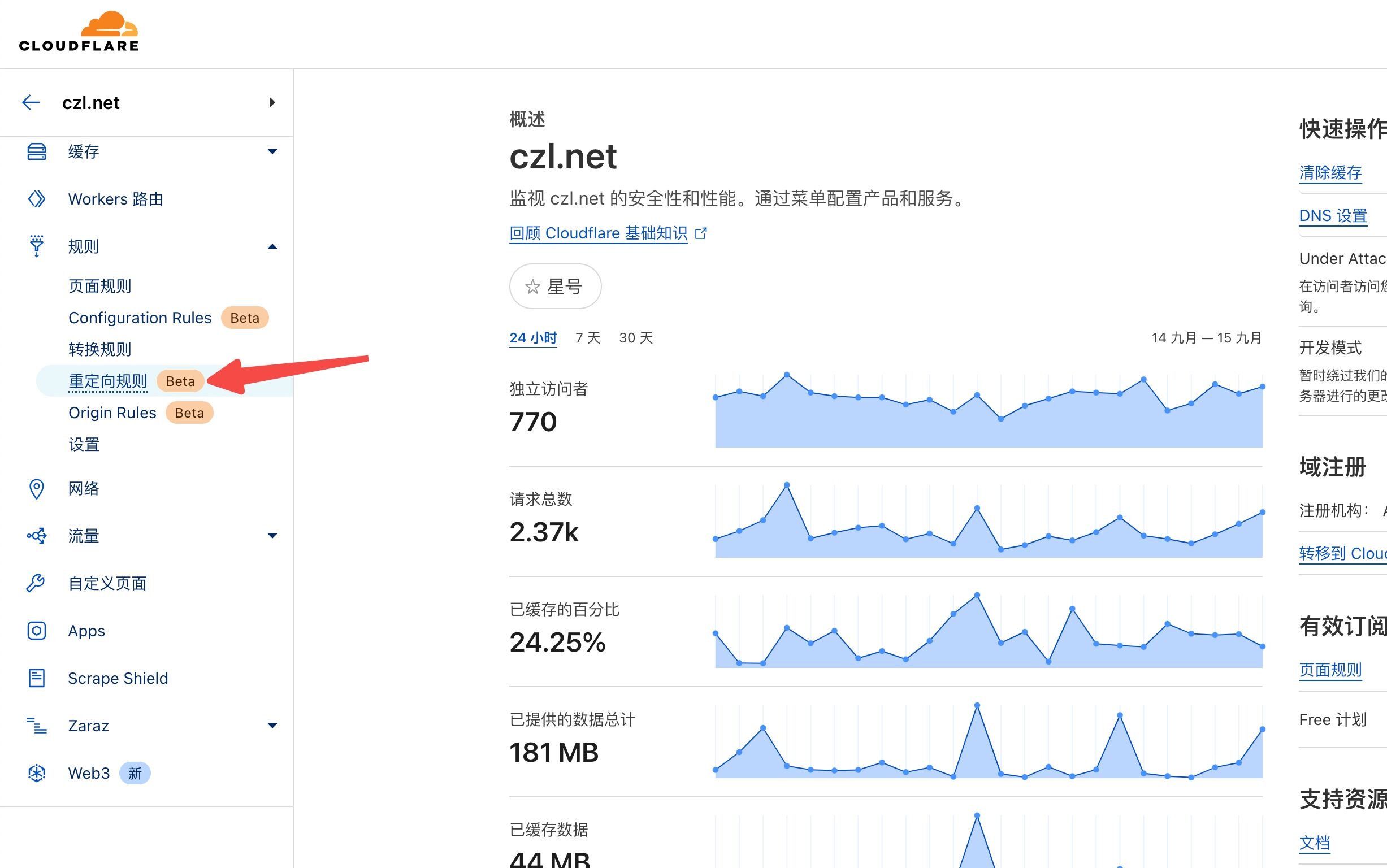
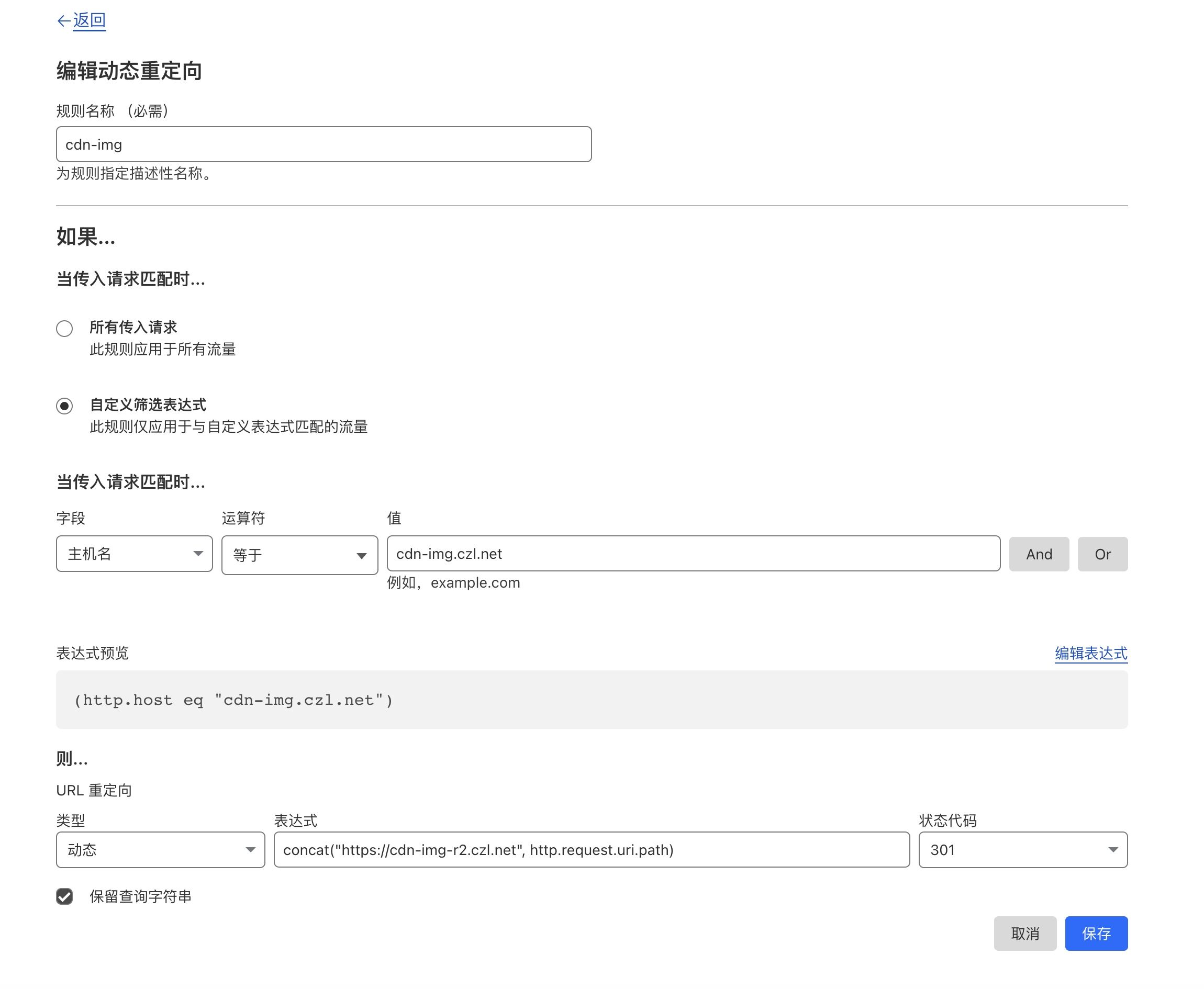
Configure it as shown in the screenshots.
- Enter any name.
- For incoming requests, select Hostname, then enter the old domain you want to redirect.
- For the new domain, select Dynamic , Expression
concat("https://cdn-img-r2.czl.net", http.request.uri.path)(the domain in the expression is the new domain), 301, and Preserve query string.
That's it.
Result After Configuration
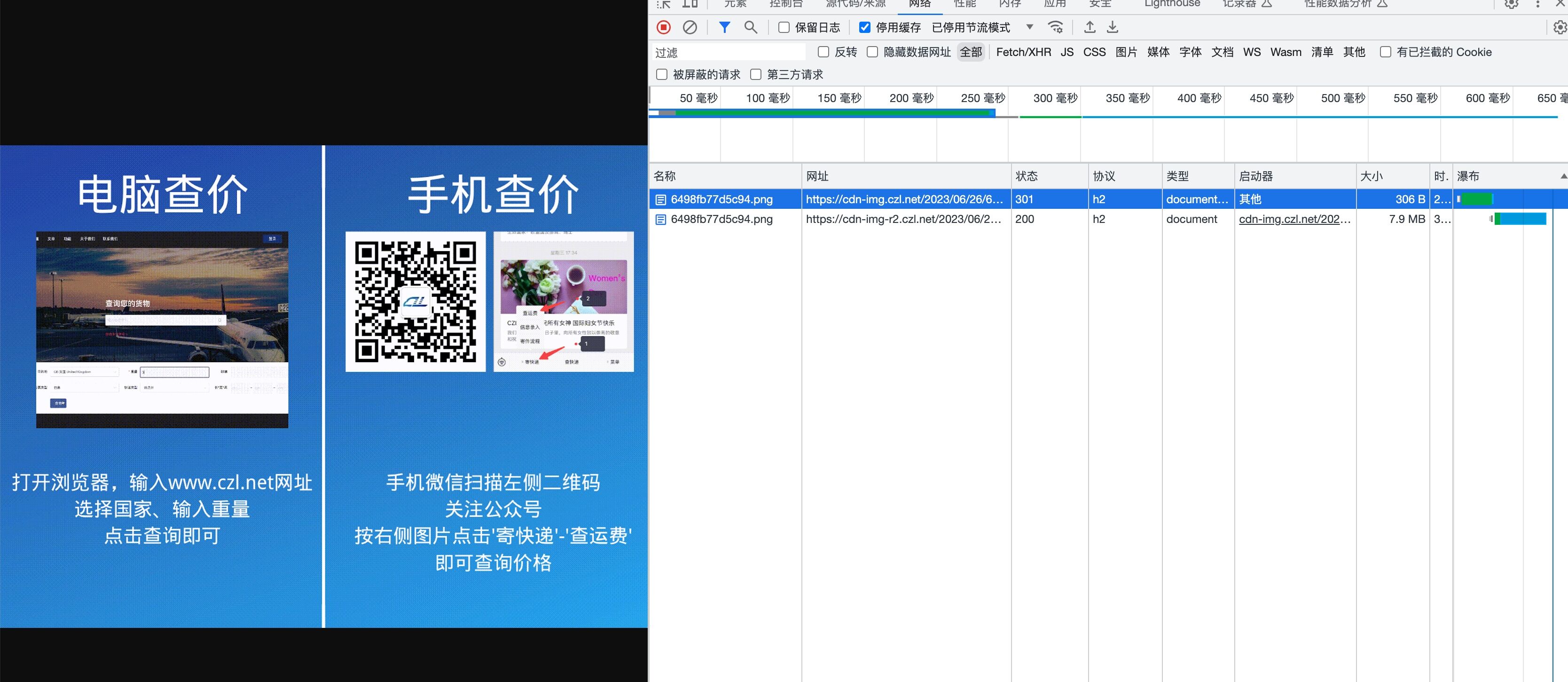
Last updated 2024-01-14
Comments 0