
certimate: Automated Wildcard Certificates and Deployment to BT Panel, 1panel, edgeone, and More
This post was translated from Chinese by AI. If anything reads oddly, the Chinese original is authoritative. 中文原文
Project URL: https://github.com/usual2970/certimate Original post: https://www.q58.club/t/topic/347
Backend: GO, database: sqlite, frontend: react+ant-design
Original project description: An open-source SSL certificate management tool that helps you automatically request and deploy SSL certificates, and renew them before they expire. An open-source SSL certificate management tool that helps you automatically apply for and deploy SSL certificates, as well as automatically renew them when they are about to expire.
Supported Domain Providers
https://docs.certimate.me/docs/reference/providers/#supported-host-providers
Supported Platforms
https://docs.certimate.me/docs/reference/providers/#supported-dns-providers
I mainly use it because it supports edgeone and 1panel.
For more details, see the project's readme. Here, I'll briefly explain how I use it.
My Installation Method
Author's documentation: https://docs.certimate.me/docs/getting-started/installation/docker
I installed it with docker on a VPS outside China because I use google certificates. If you use another certificate provider, the location doesn't matter—you can use a VPS in China or even deploy it on a Synology NAS.
services:
  certimate:
    image: woodchen/certimate:latest # I use my own docker build, with no real changes. The original author's docker image is: usual2970/certimate:latest
    container_name: certimate
    ports:
      - 1009:8090
    volumes:
      - ./data:/app/pb_data
    restart: unless-stopped
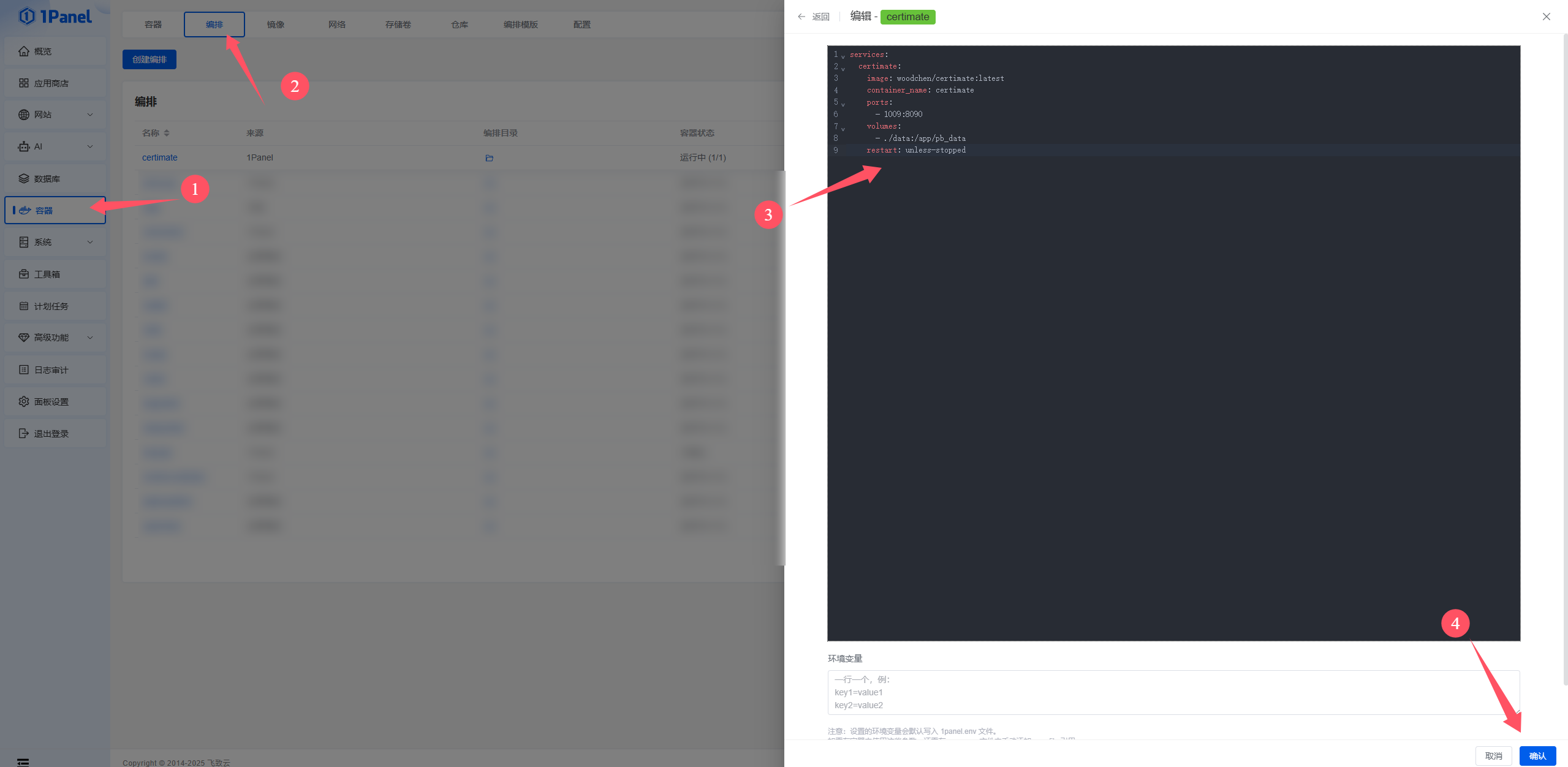
Then set up a reverse proxy for the port, and you can access it.
Default Credentials—Remember to Change Them. I Changed the Username First, Then the Password
- Username:
admin@certimate.fun - Password:
1234567890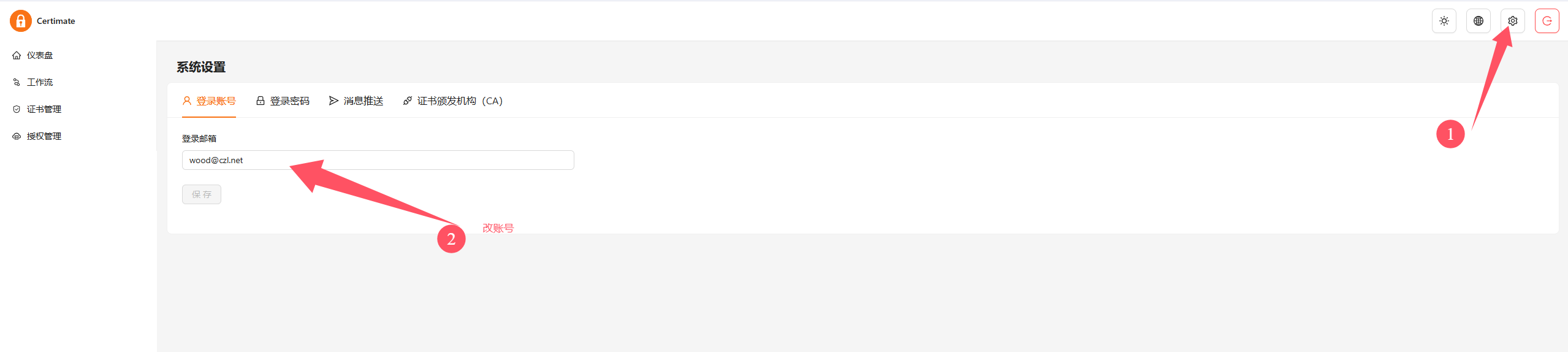
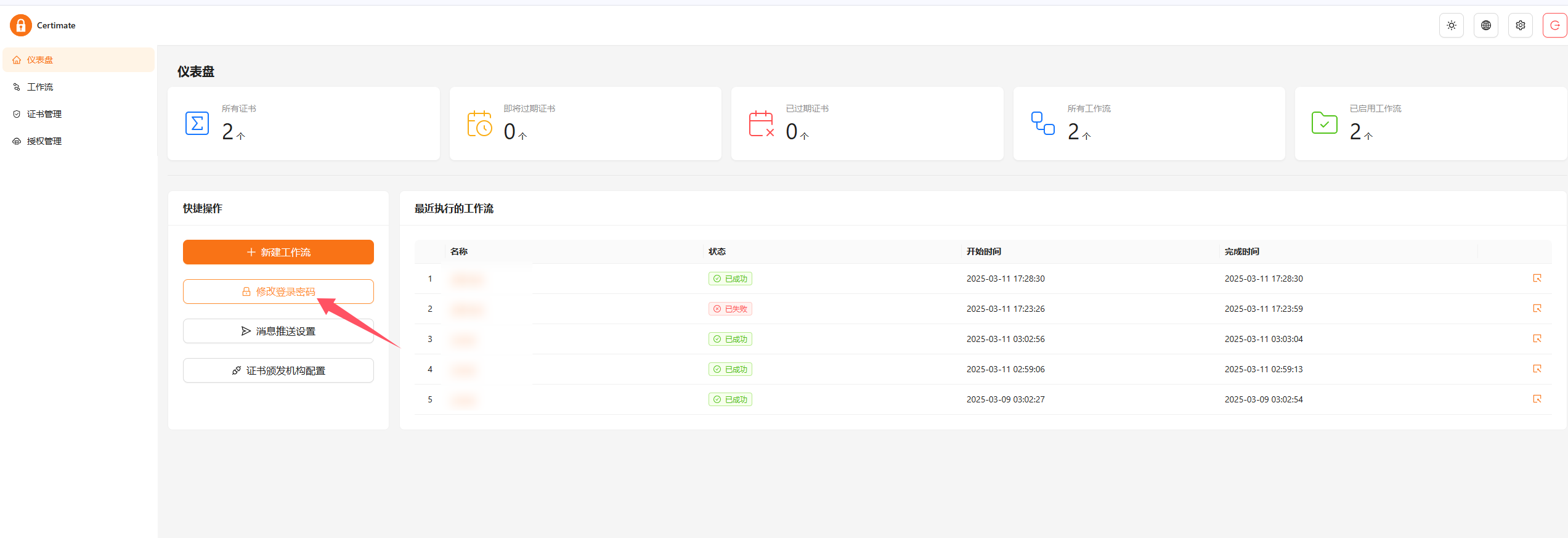
The Certificate Authority I Use
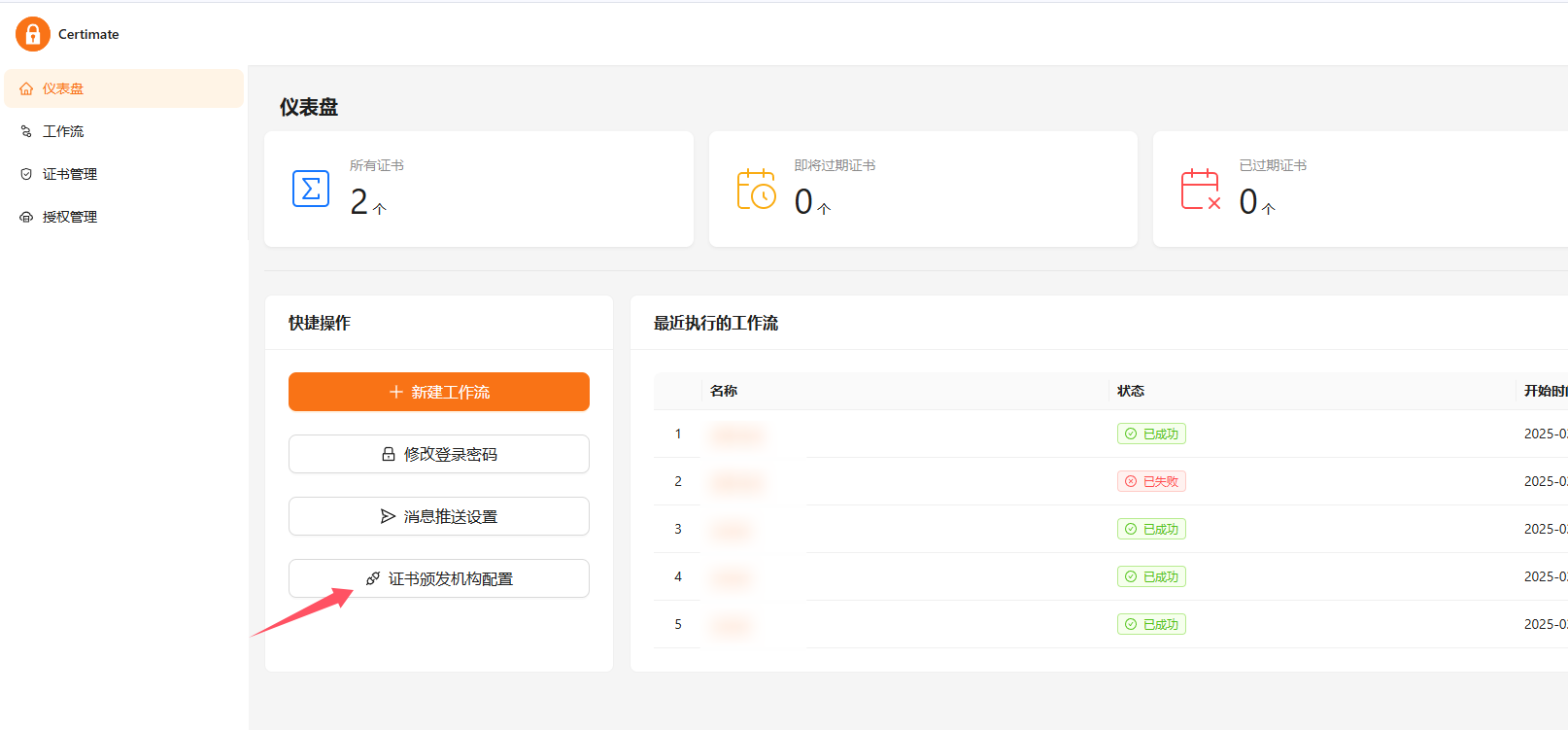
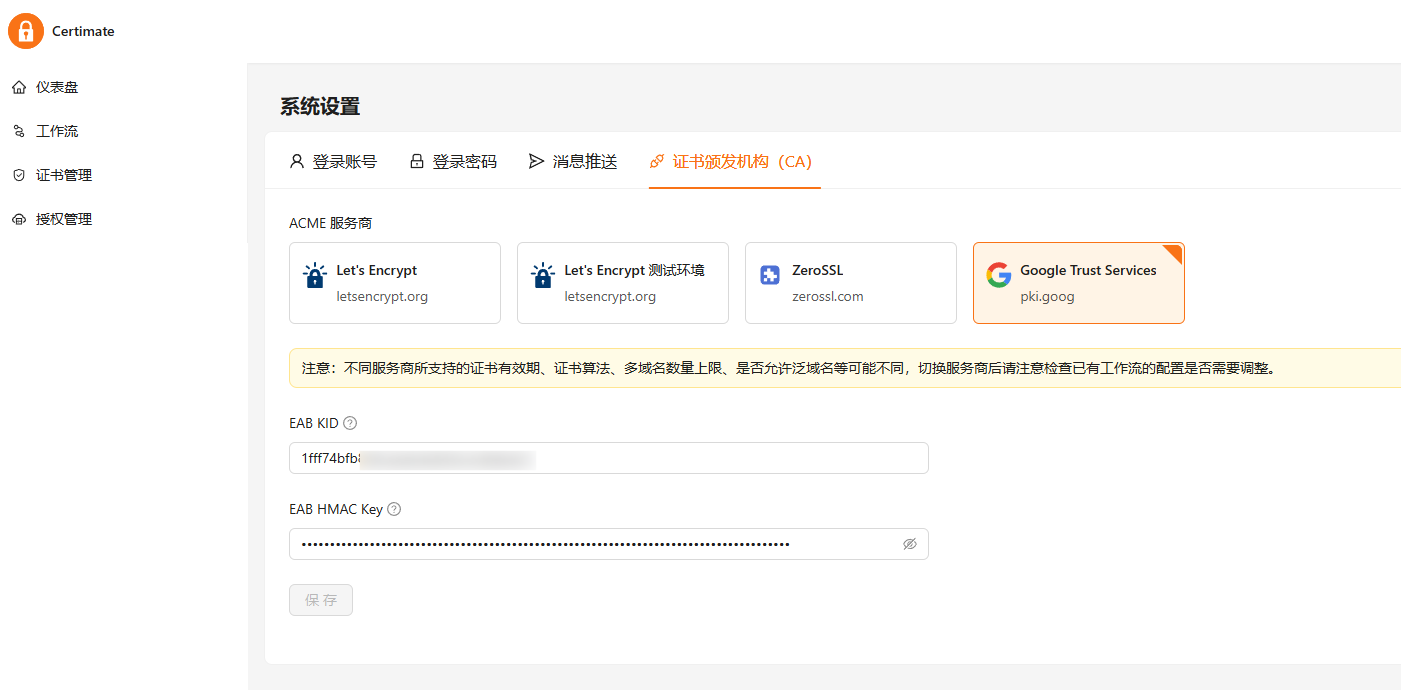
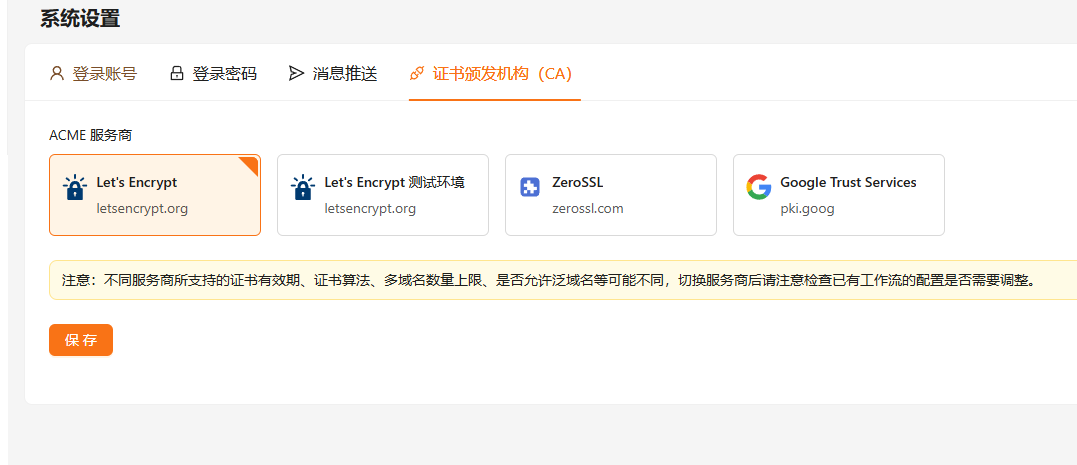
Other options
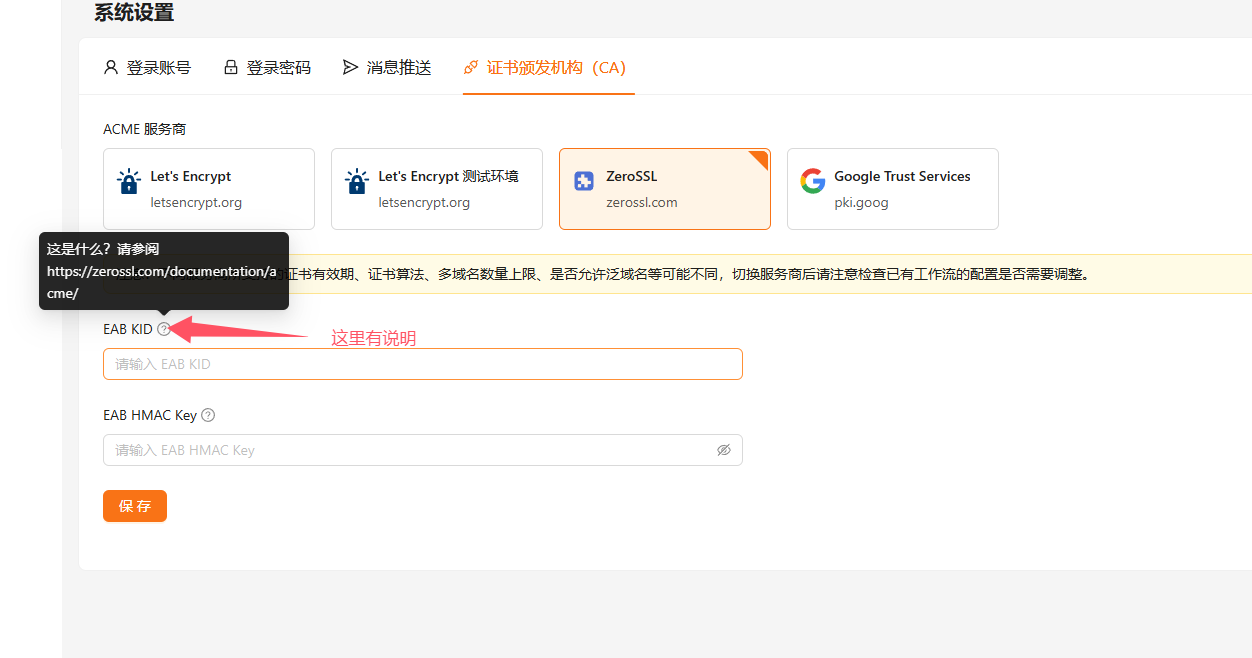
The author has been very thorough: every section includes explanations and links to official documentation 👍
My DNS Providers and Deployment Platforms
DNS: cloudflare + dnspod
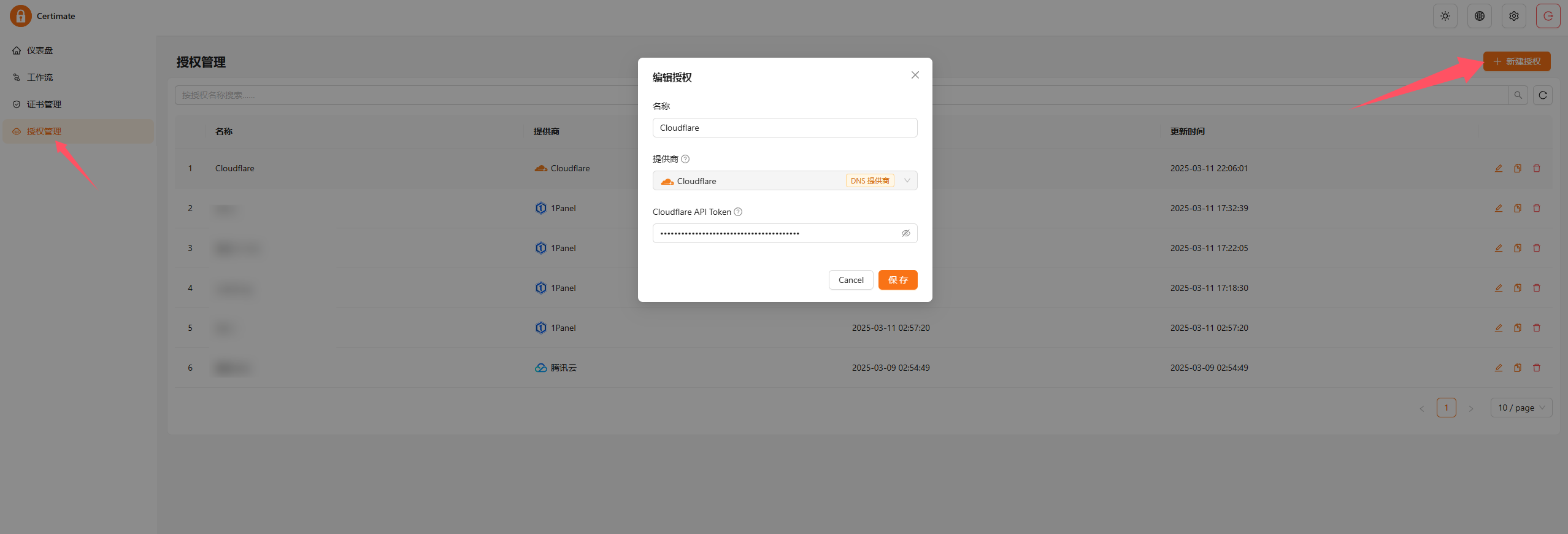
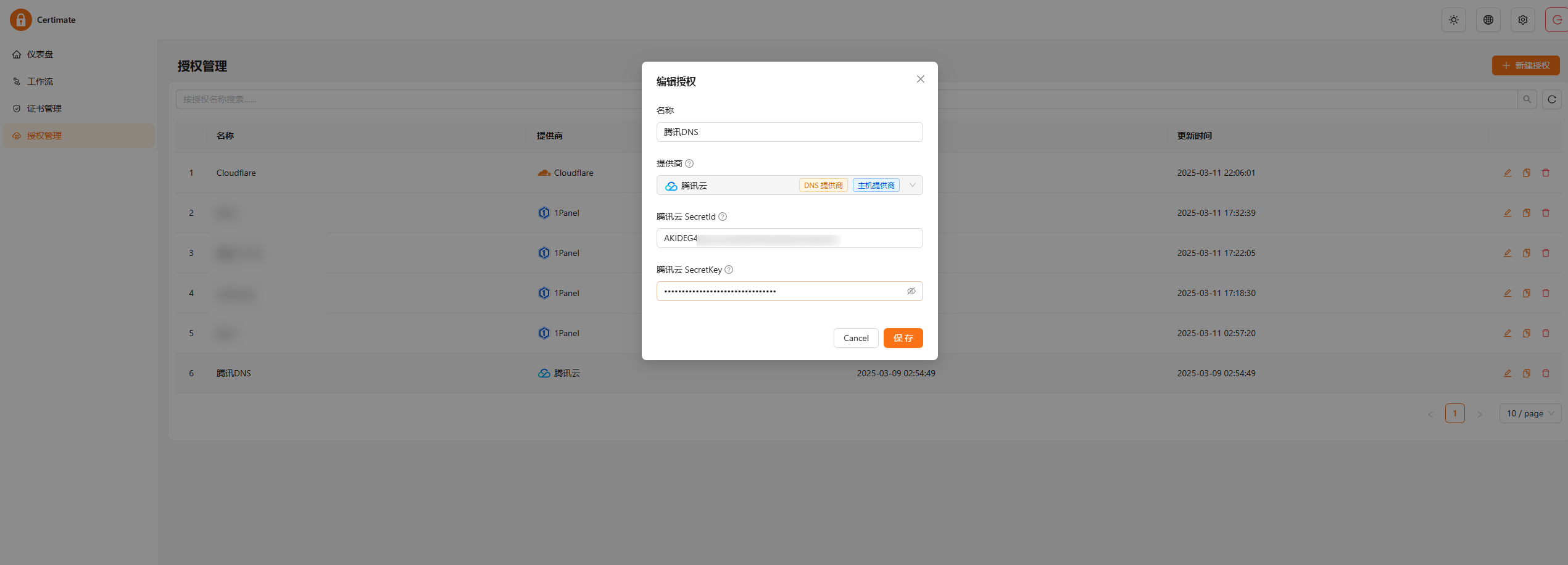
Deployment Platforms: 1panel on Multiple VPS Instances + edgeone
edgeone uses the same authorization method as DNS.
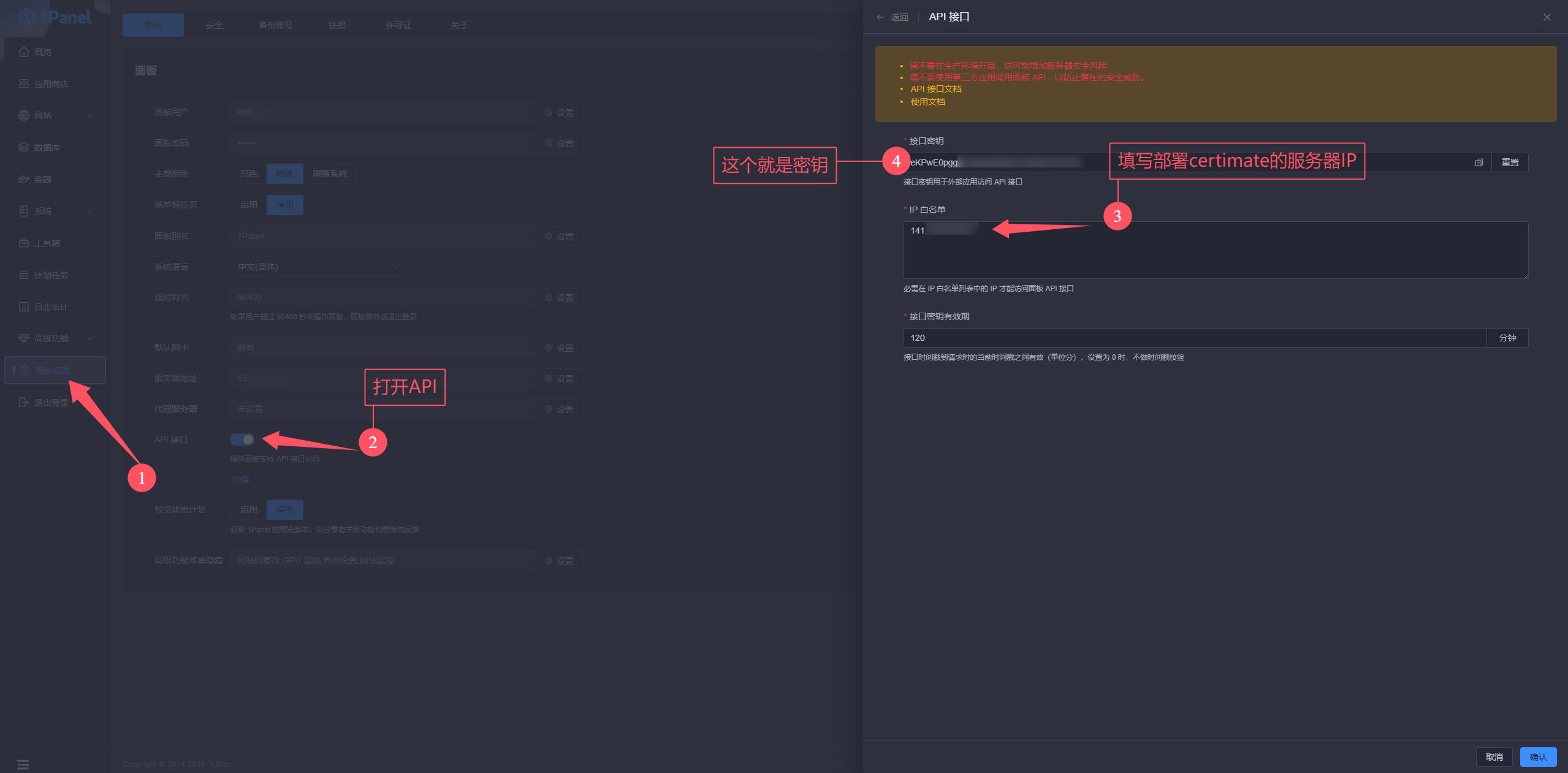
1panel takes a little more work. You need to enable its API here:
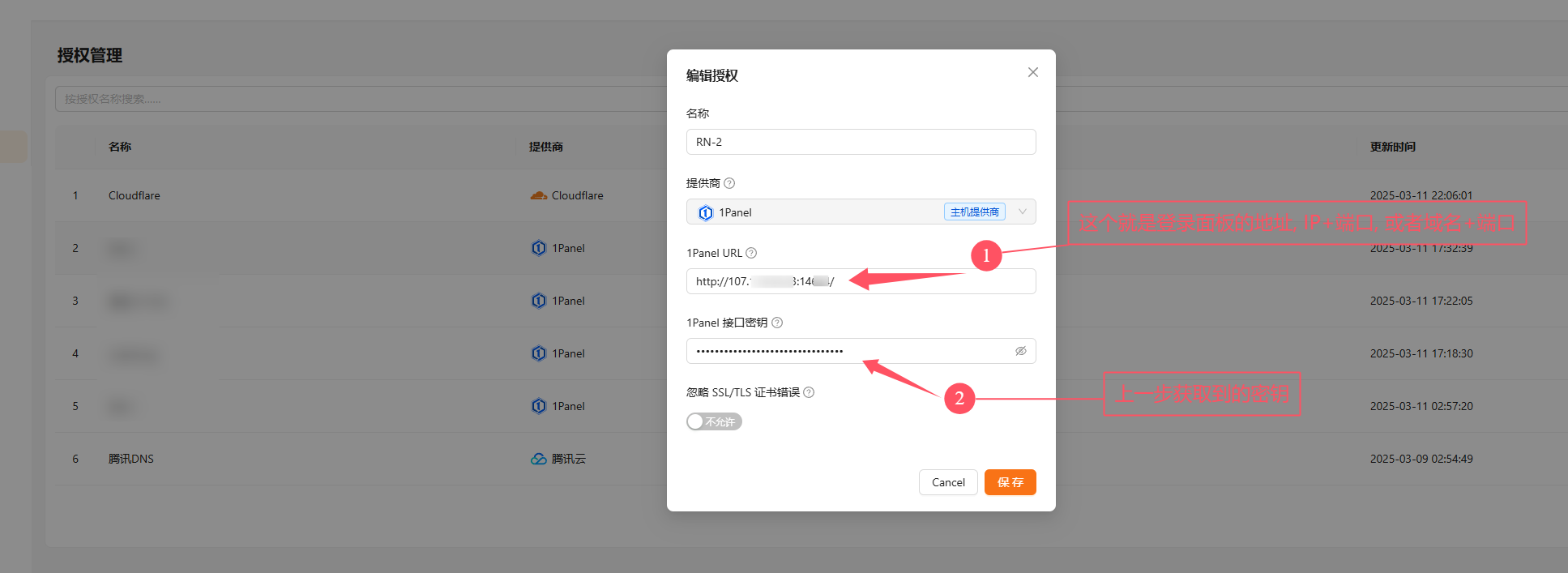
Then add it in certimate like this:
One Thing to Note
If certimate and 1panel are on the same server, you need to add the docker container's IP to the 1panel API allowlist, not the server's IP. Here's my setup:
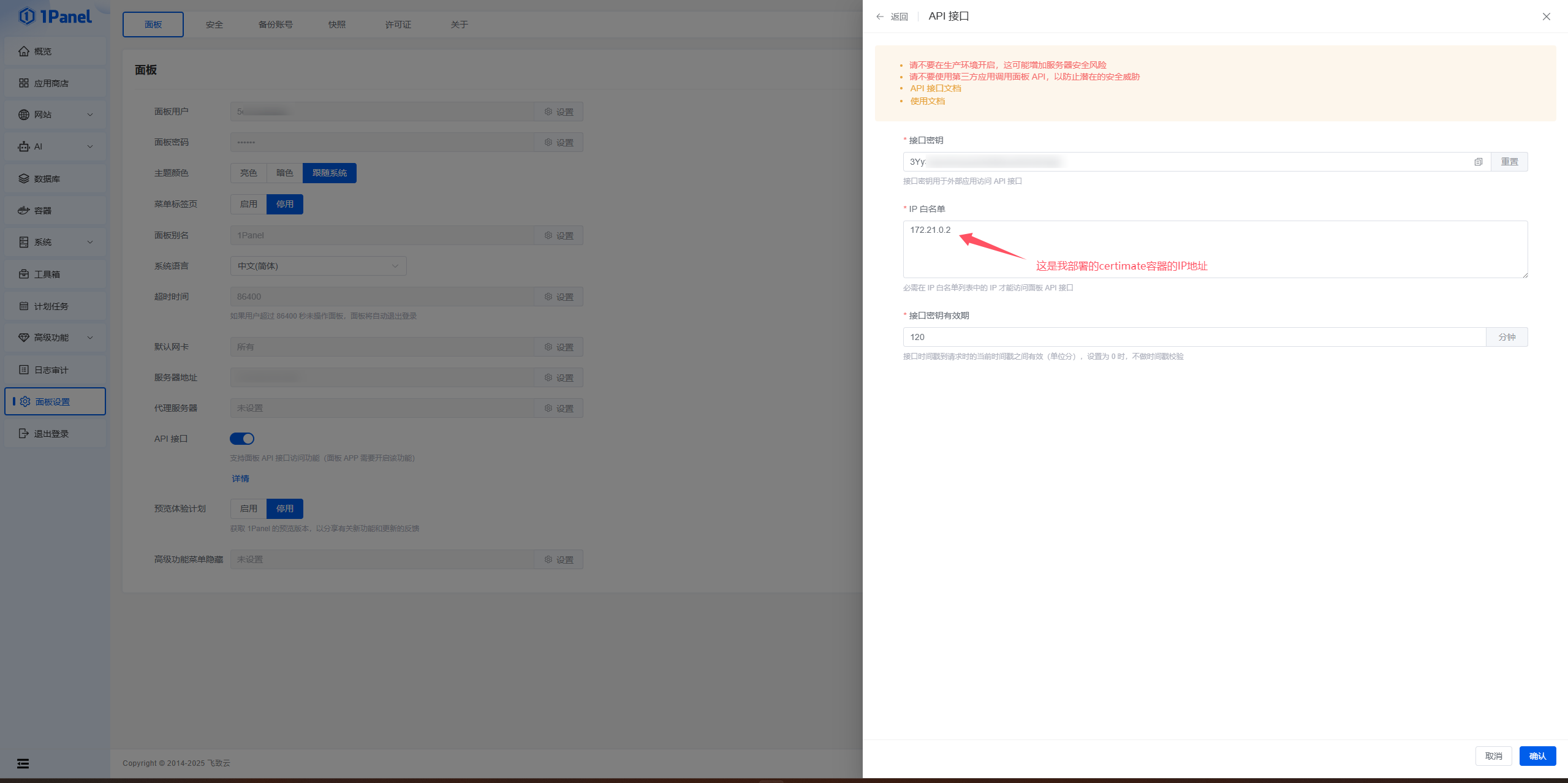
This corresponds to:

Editing the Workflow
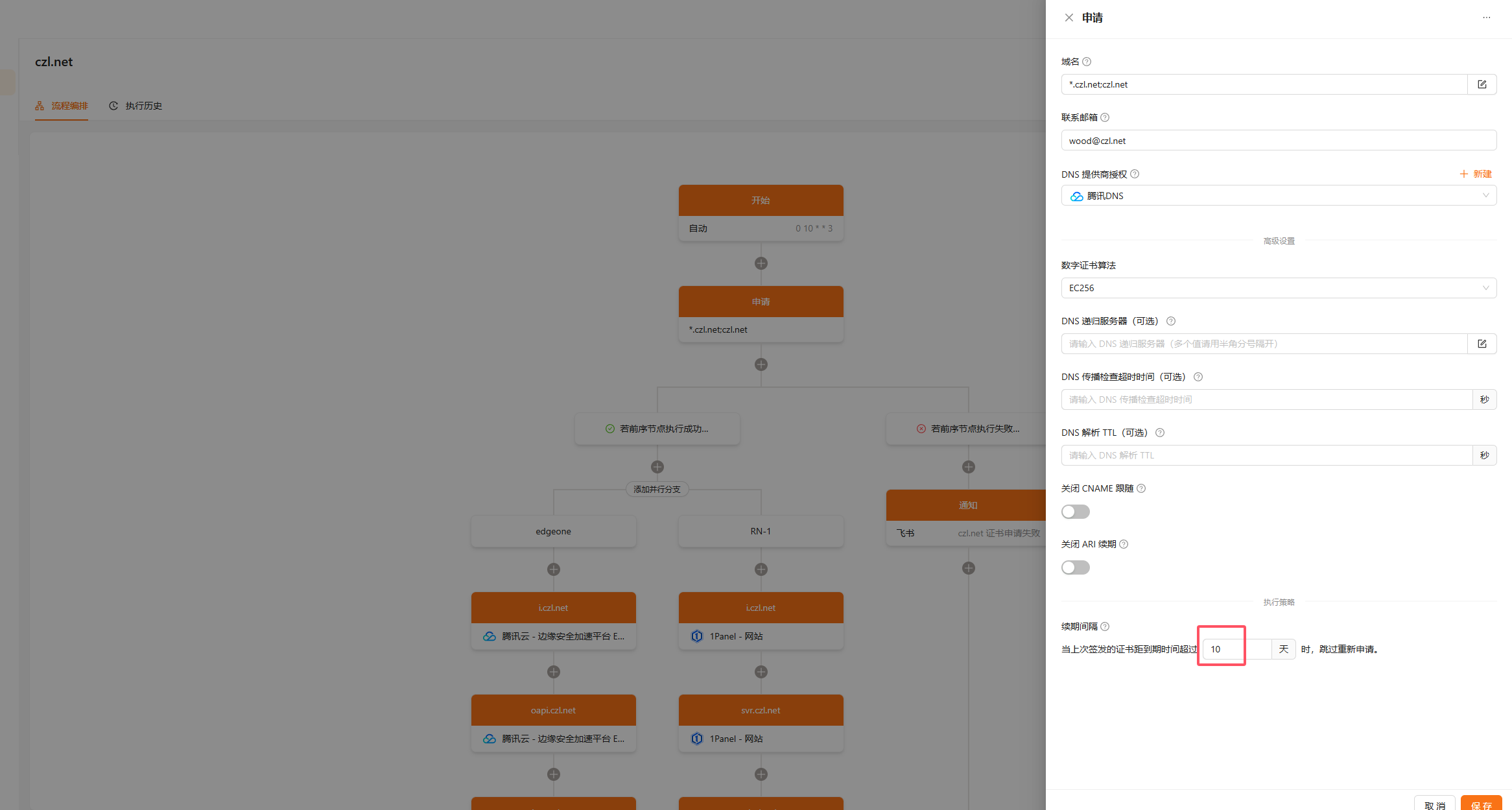
This should be fairly straightforward. Create a new workflow, roughly like mine:
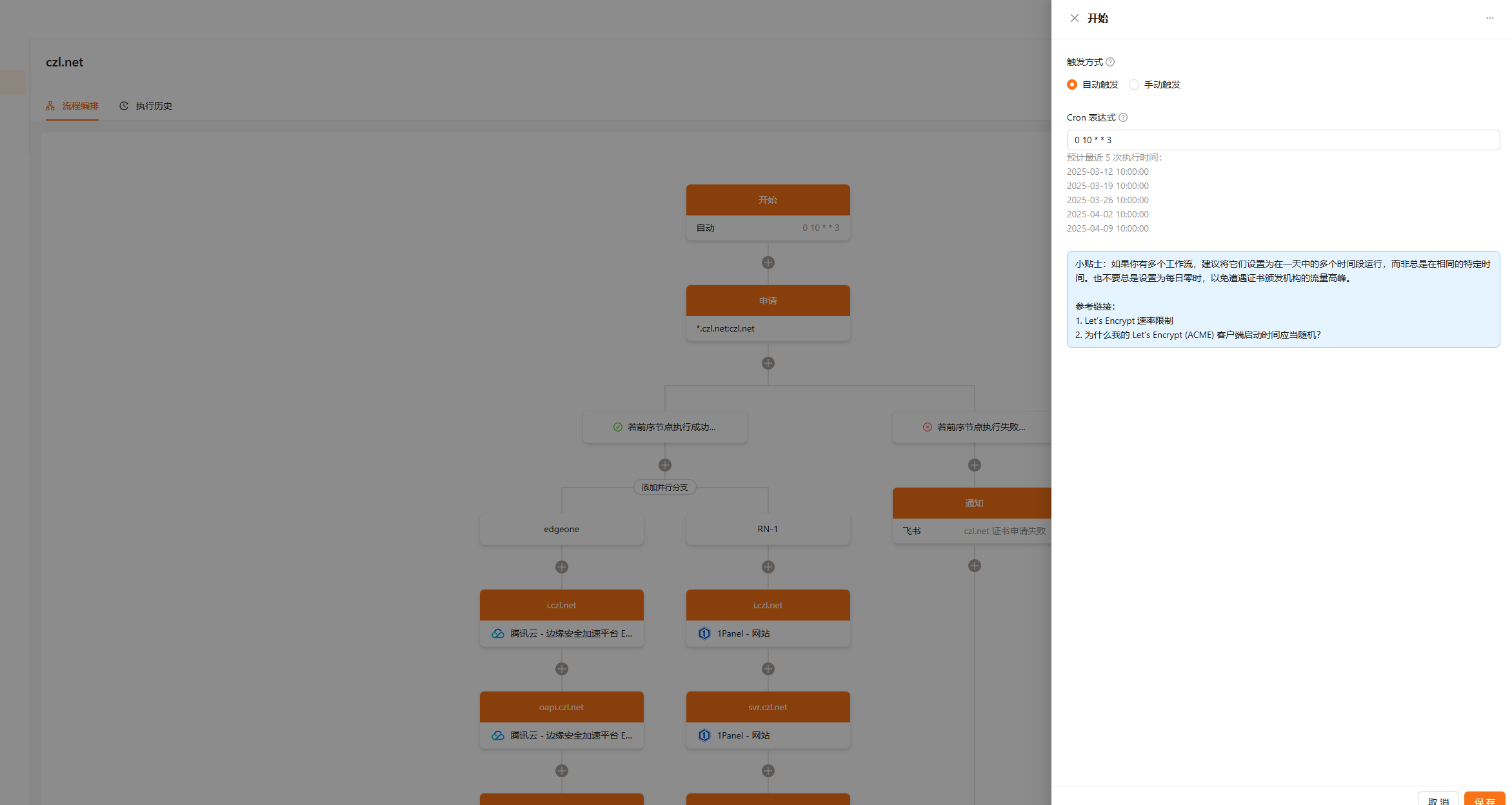
I set this to 10 days. Since it checks once a week, there's no need to renew until fewer than 10 days remain.
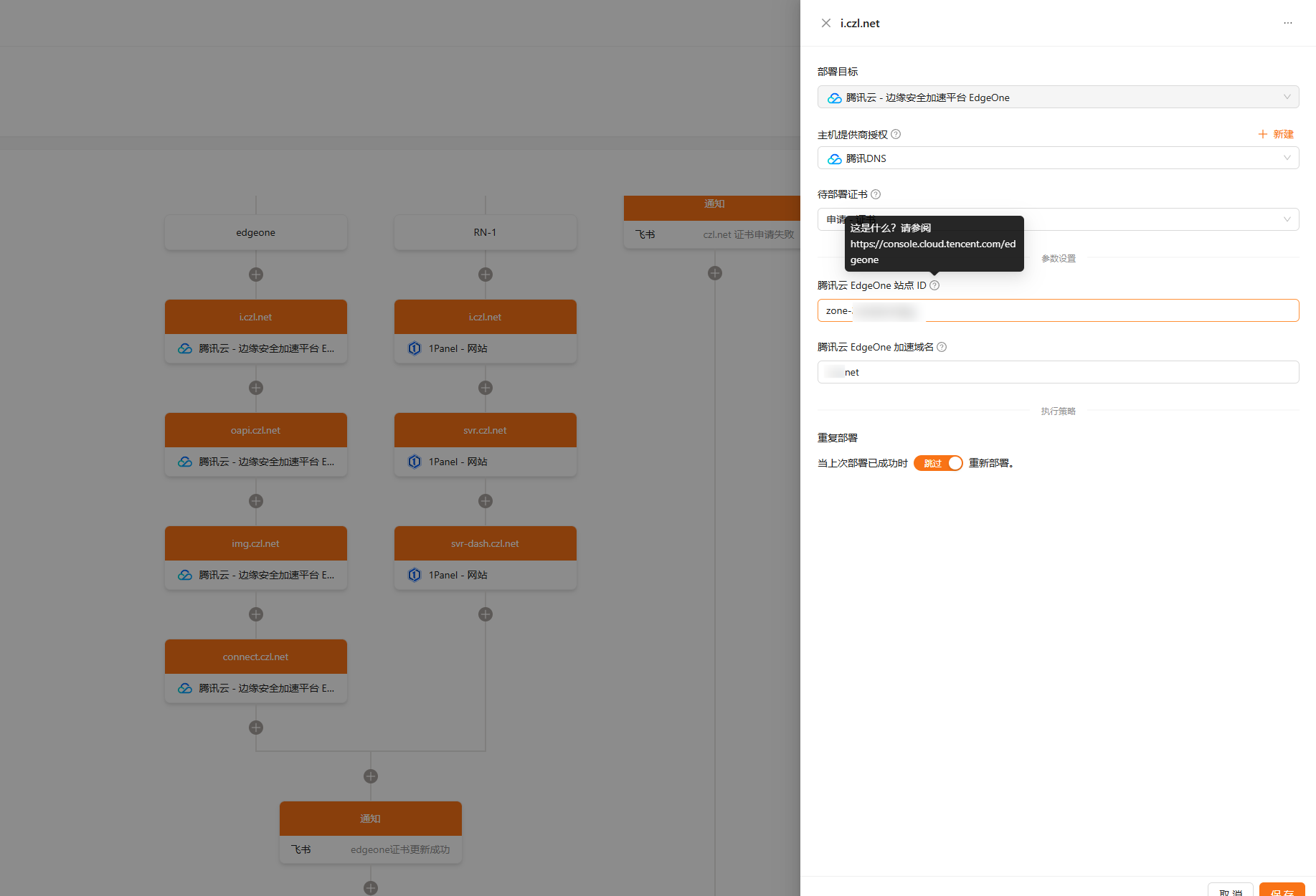
If anything is unclear, hover over the question mark. The author has provided documentation links and explanations.
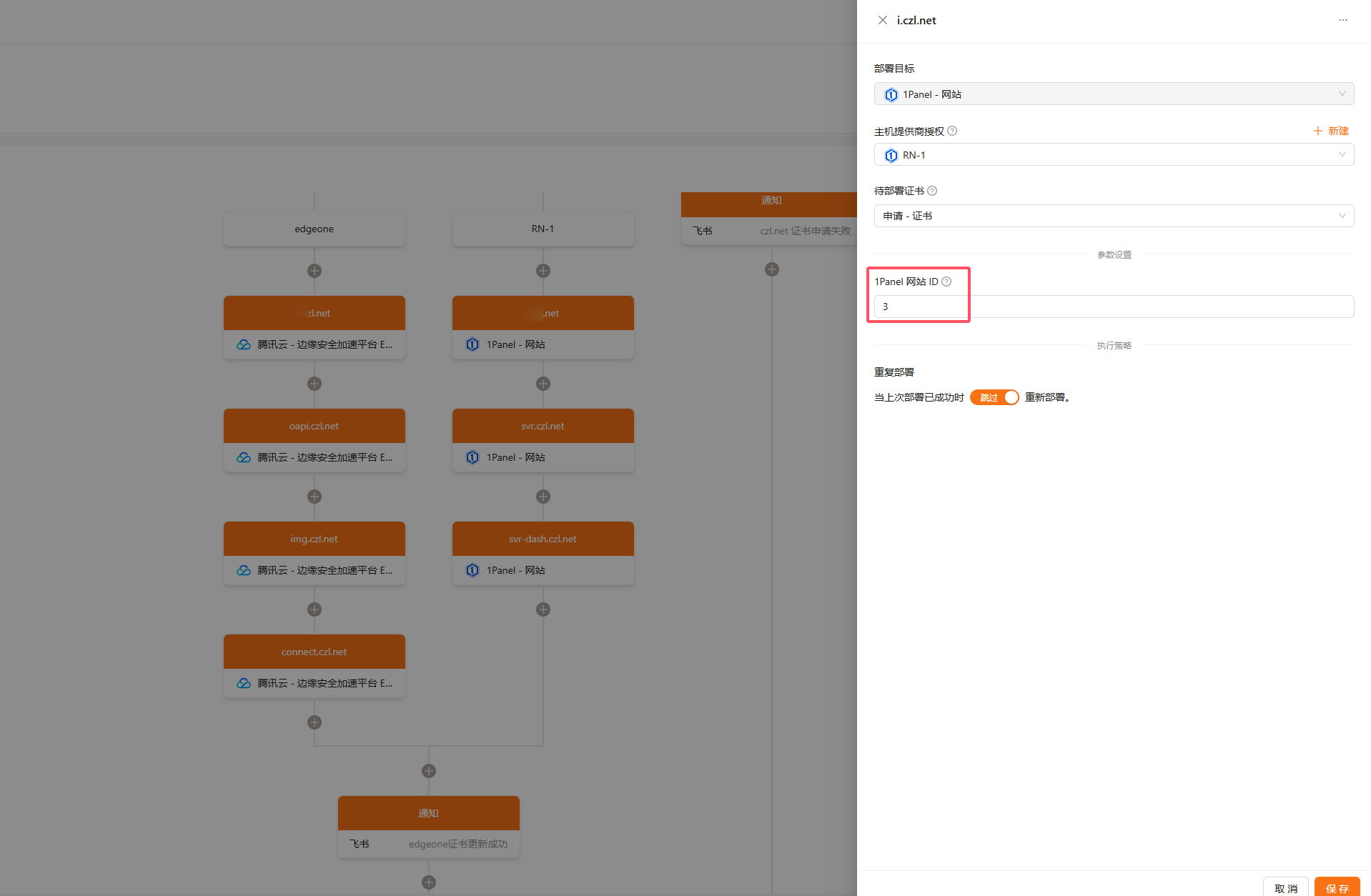
If You Can't Find the Website ID in 1panel, See My Screenshots Below
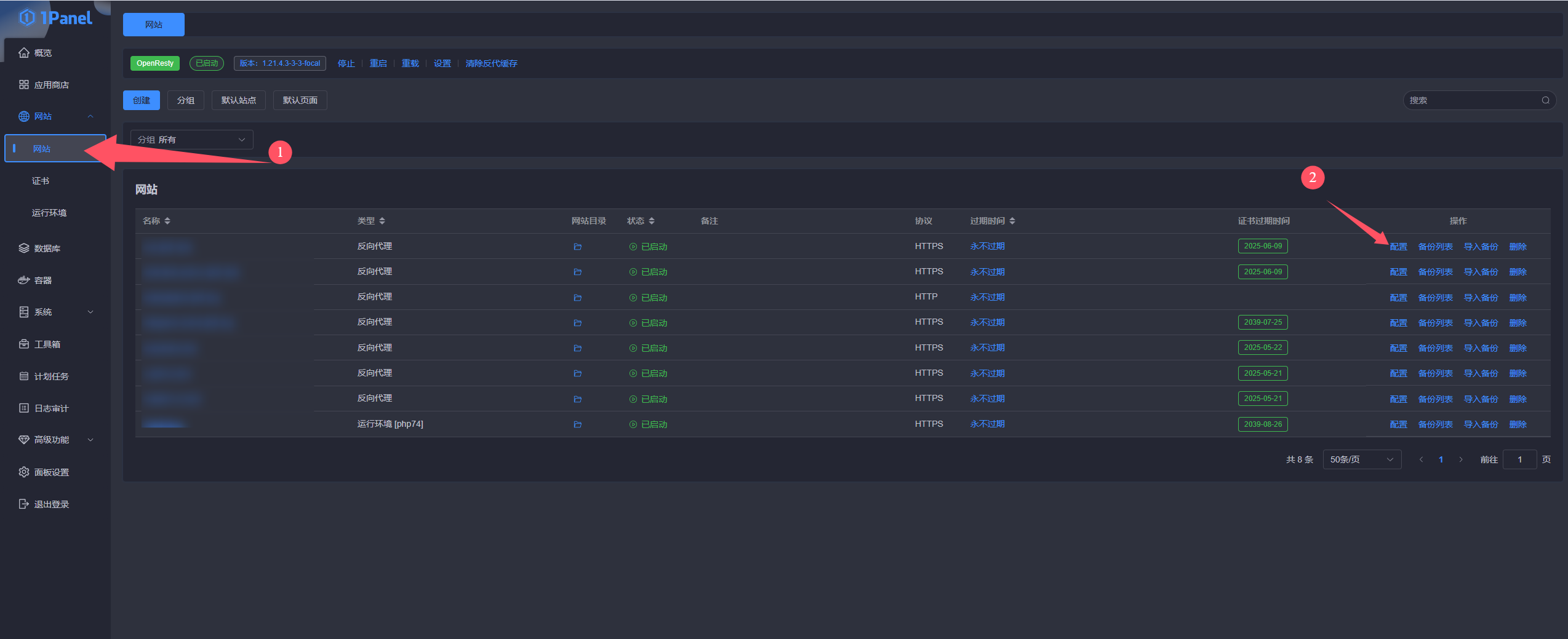
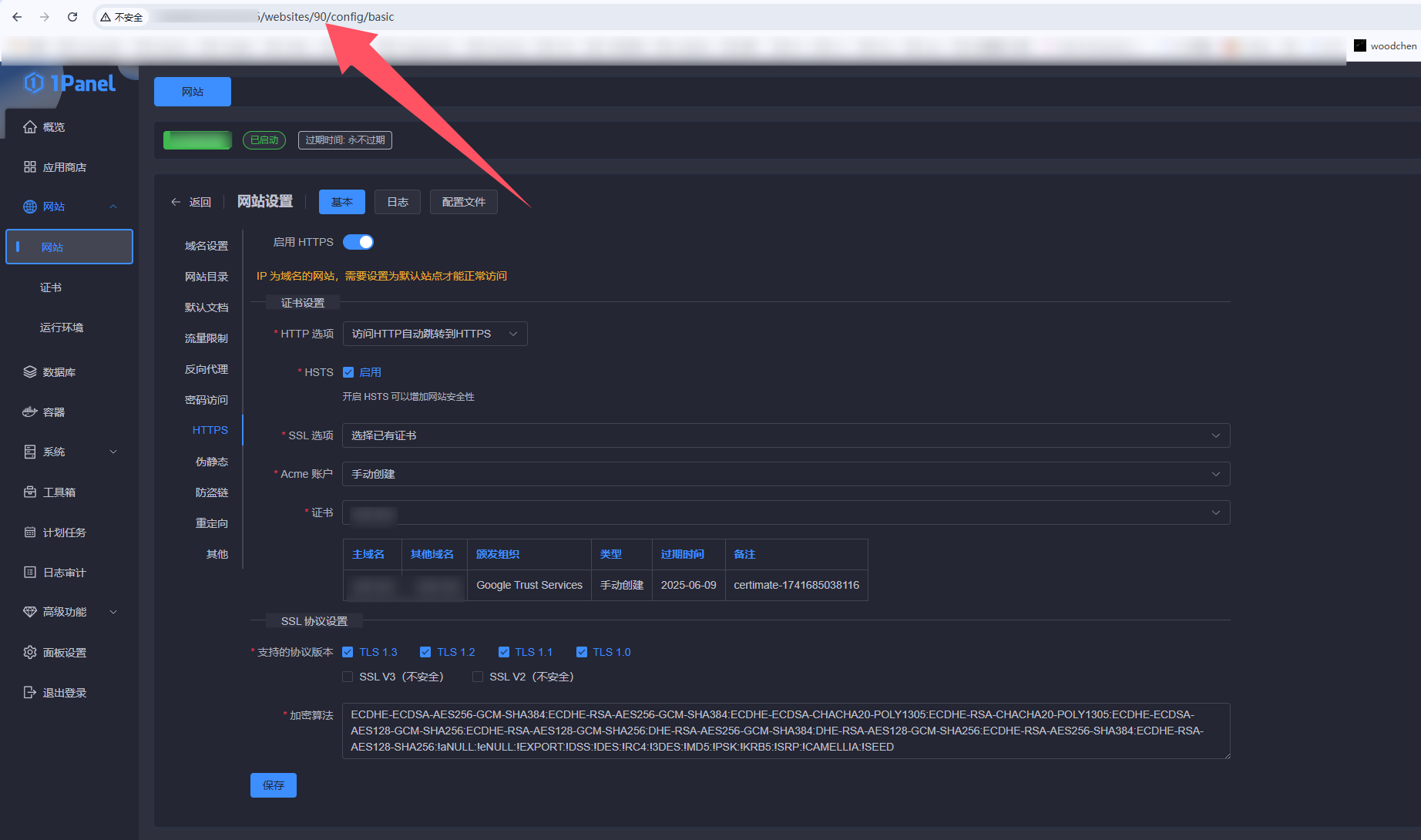
This is the website ID: 90
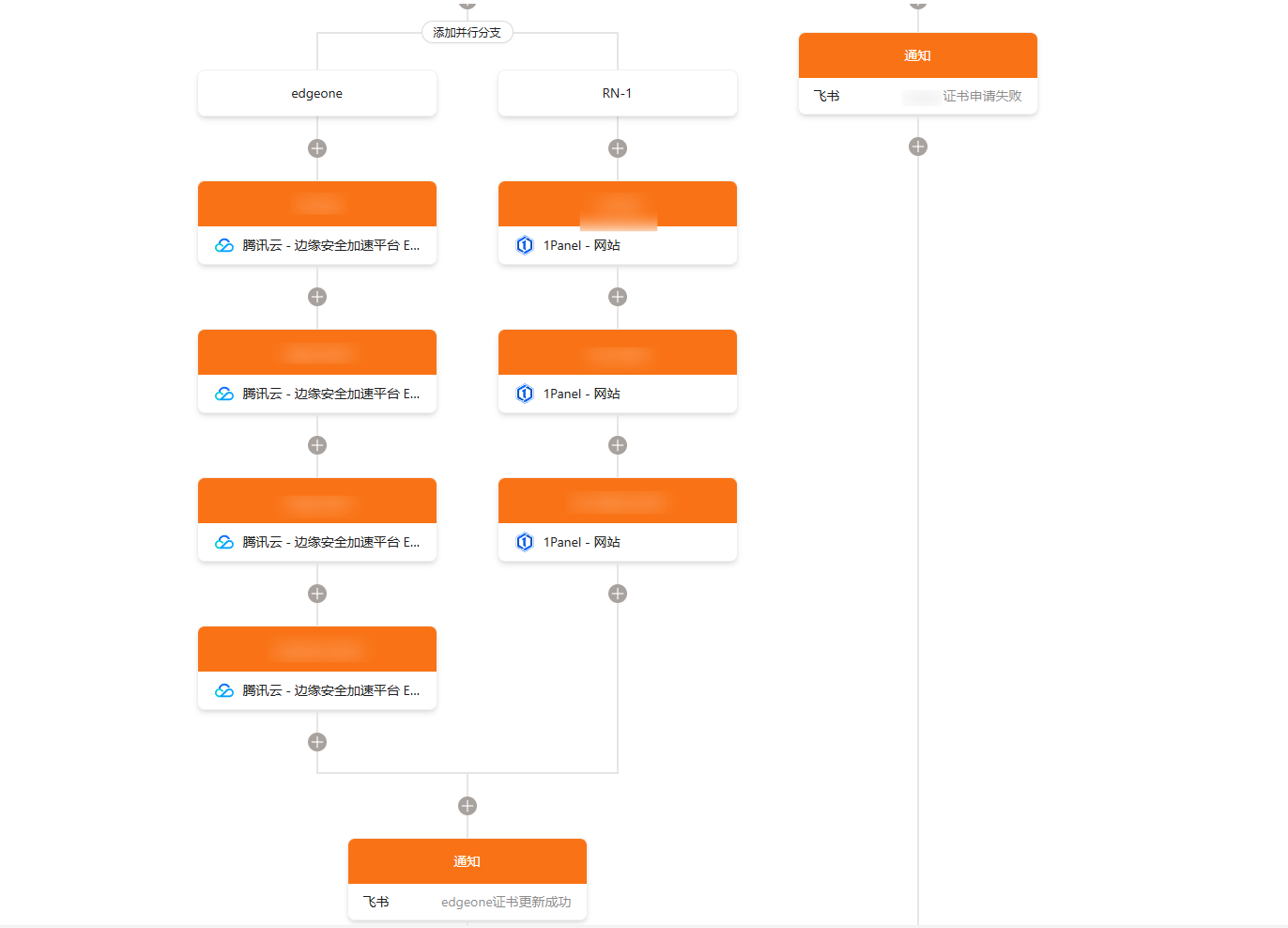
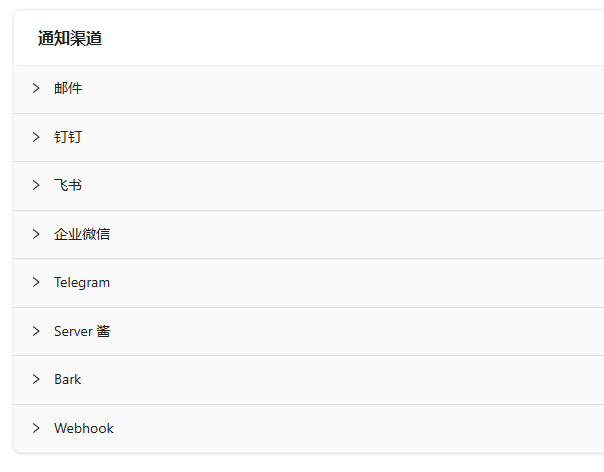
You can run steps in parallel or sequentially, depending on your preference. I use a Feishu bot for notifications, but other notification platforms are supported too:
Running the Workflow
Once you've finished editing the workflow, click Publish Changes and Enable.
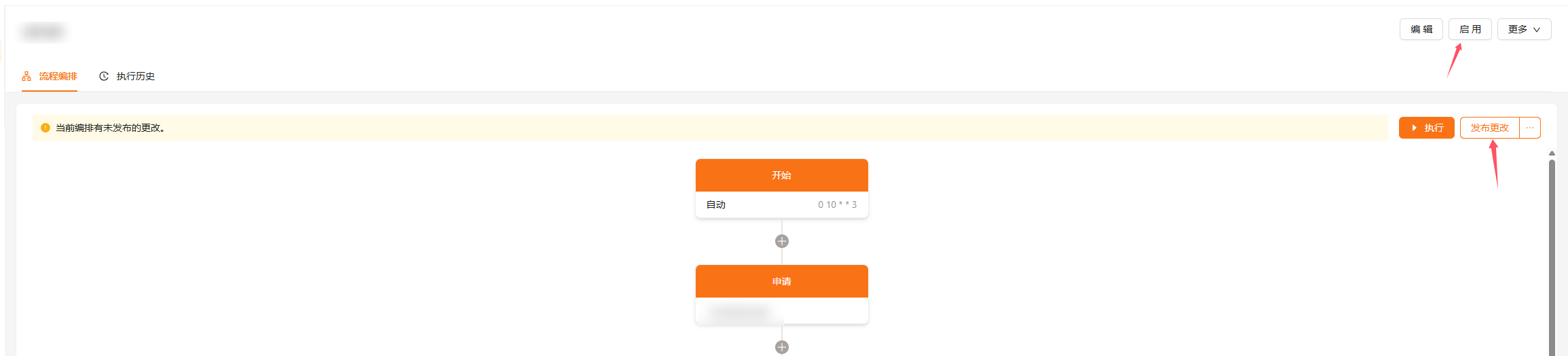
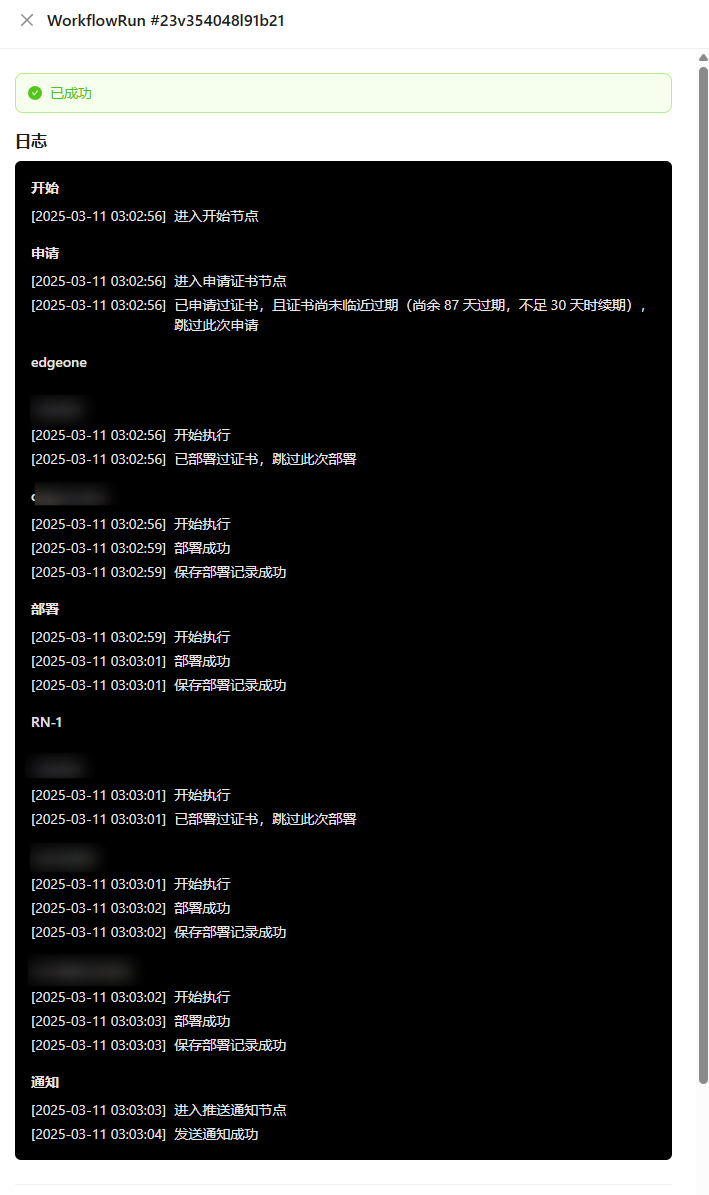
You can run it manually and check the logs for any issues.


If anything else is unclear, check the author's documentation site: https://docs.certimate.me/
It's very detailed and pretty much spot-on. I took a quick look at the code; it mostly uses the official SDK rather than a hand-rolled implementation, which should make future updates easy too.
It's handy for personal use, but if you want to turn it into a paid SaaS offering, there probably isn't much of a market. People are already getting certificates for free, so they generally won't pay for this. You also need to consider issues like someone having you send requests to their server, exposing your own server's IP address.
Comments 0