
PandoraNext: Automatically Monitor Your Balance and Send Updates to Feishu or Other Webhooks
This post was translated from Chinese by AI. If anything reads oddly, the Chinese original is authoritative. 中文原文
PandoraNext project: https://github.com/pandora-next/deploy
spug project: https://github.com/openspug/spug
Feishu: https://www.feishu.cn/
1. Create a scheduled task in spug
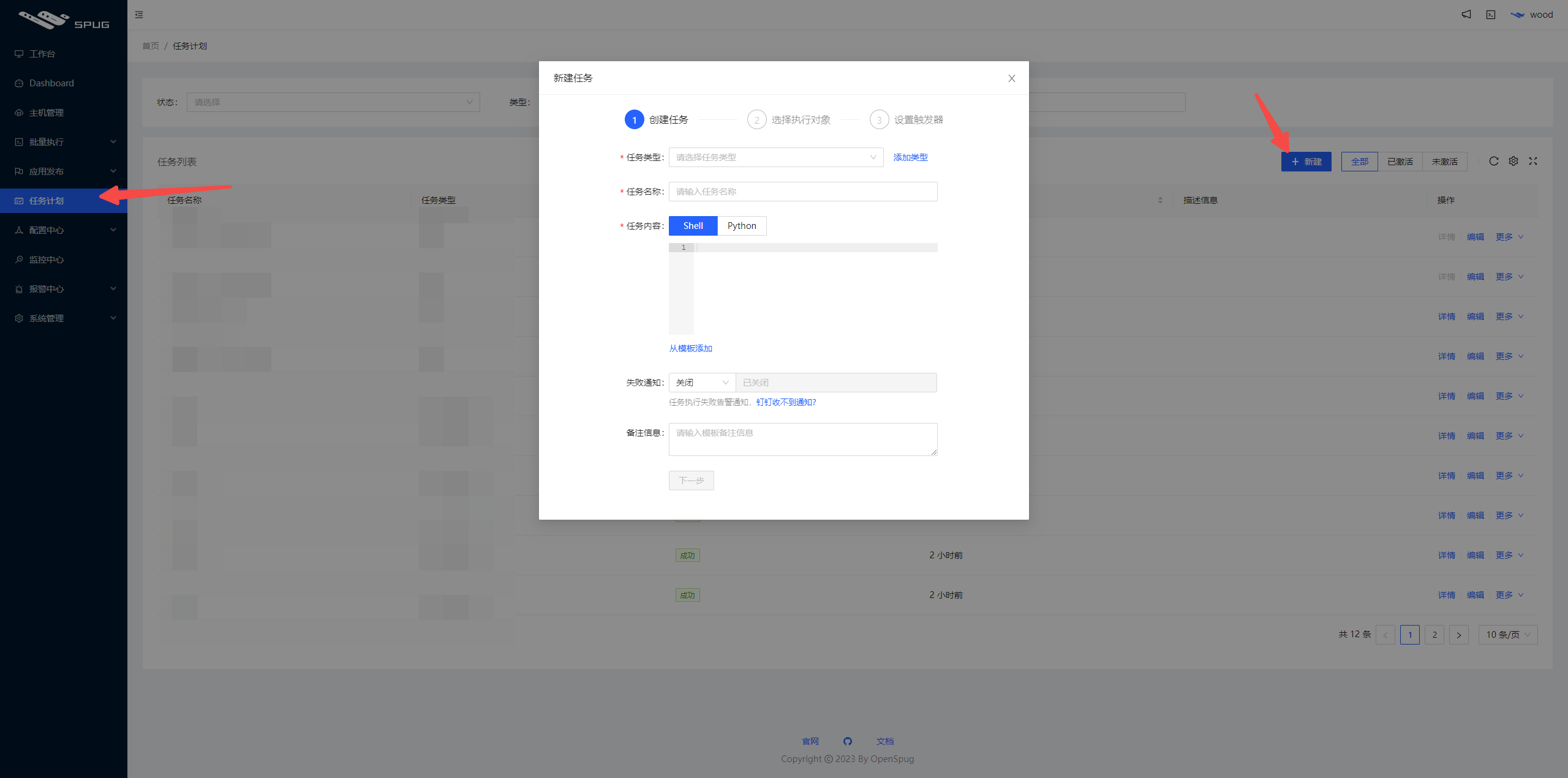
2. Add shell commands
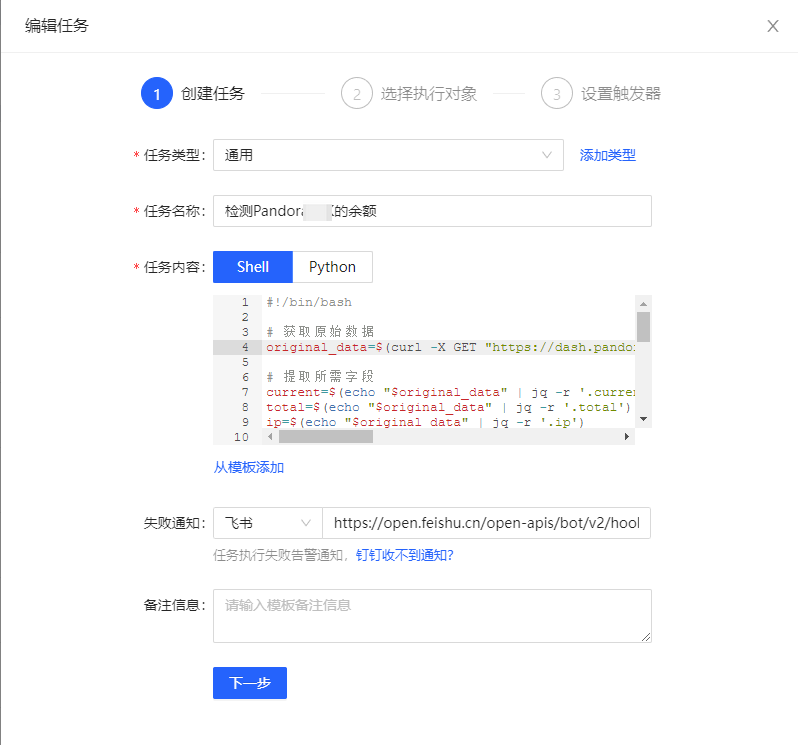
Commands
Other webhook endpoints may have their own requirements; adjust as needed
#!/bin/bash

# Fetch the raw data
original_data=$(curl -X GET "https://dash.pandoranext.com/api/UMSgTxxxpHWqU/usage")

# Extract the required fields
current=$(echo "$original_data" | jq -r '.current')
total=$(echo "$original_data" | jq -r '.total')
ip=$(echo "$original_data" | jq -r '.ip')
license_id=$(echo "$original_data" | jq -r '.license_id')
ttl_seconds=$(echo "$original_data" | jq -r '.ttl')

# Convert seconds to hours, minutes, and seconds
hours=$((ttl_seconds / 3600))
minutes=$(( (ttl_seconds % 3600) / 60 ))
seconds=$((ttl_seconds % 60))

# Format the reset time
reset_time="${hours}H${minutes}M${seconds}S"

# Build the new message body, using \n for line breaks
formatted_message='{"msg_type":"text","content":{"text":"Pandora余额 \n用量:'"$current/$total"'\n许可IP:'"$ip"'\nlicense_id:'"$license_id"'\n重置时间:'"$reset_time"'"}}'

# Send the request using curl
curl -X POST -H "Content-Type: application/json" -d "$formatted_message" https://open.feishu.cn/open-apis/bot/v2/hook/e919axxxxxxec1

# Output the new message body
echo "新的消息体:$formatted_message"
3. Select the target host
This must be the machine where PandoraNext is installed

4. Configure the schedule

0 9-21 * * 1-5
If this is too frequent, change it to every 2 hours
0 9-21/2 * * 1-5
5. Run a test and activate the task

6. Results

PS: If you get jq: command not found
Install jq (jq is a command-line tool for processing JSON data)
Install jq on Ubuntu or Debian:
sudo apt-get update
sudo apt-get install jq
Install jq on CentOS or RHEL:
sudo yum install jq
Install jq on macOS (using Homebrew):
brew install jq
If you get an error installing jq
[root@1panel ~]# sudo yum install jq
已加载插件:fastestmirror, langpacks
Loading mirror speeds from cached hostfile
 * base: mirrors.ustc.edu.cn
 * extras: ftp.sjtu.edu.cn
 * updates: mirrors.ustc.edu.cn
没有可用软件包 jq。
错误:无须任何处理
Run the following 3 commands
sudo yum update
sudo yum install epel-release
sudo yum install jq
Last updated 2025-06-25
Comments 0