
WIN10: Fix “Operation did not complete because the file contains a virus or potentially unwanted software”
This post was translated from Chinese by AI. If anything reads oddly, the Chinese original is authoritative. 中文原文
Windows' built-in antivirus blocked your operation because the file contains a virus or potentially unwanted software. This error often appears when you try to use cracked software. The most reliable approach takes two steps:
-
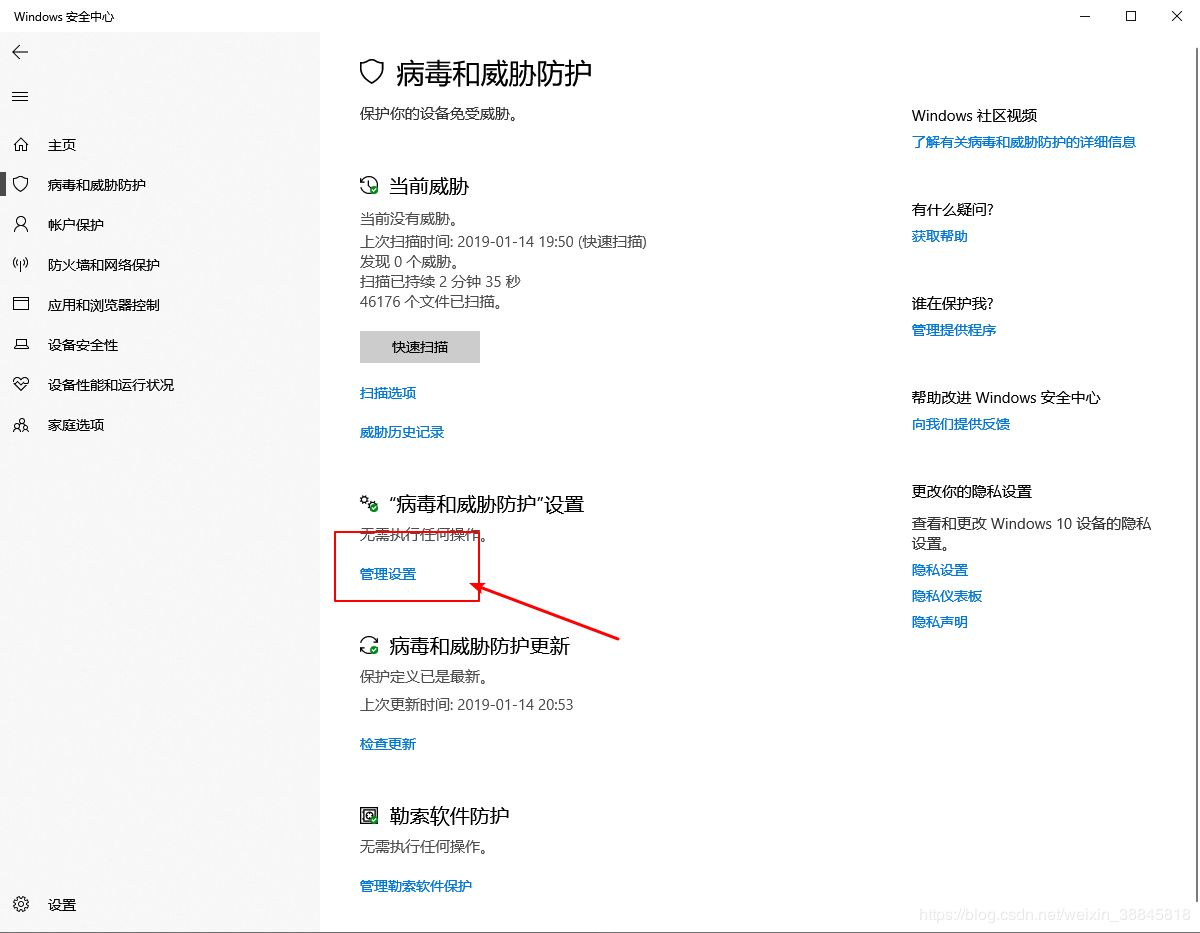
Open Control Panel, click Update & Security-Windows Security, then find Virus & threat protection as shown and turn off real-time protection.
-
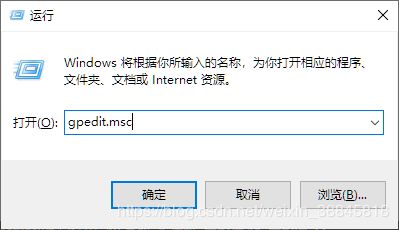
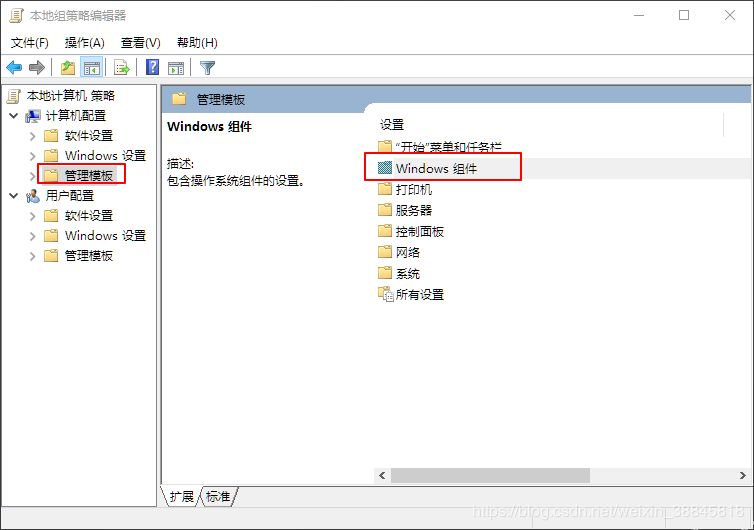
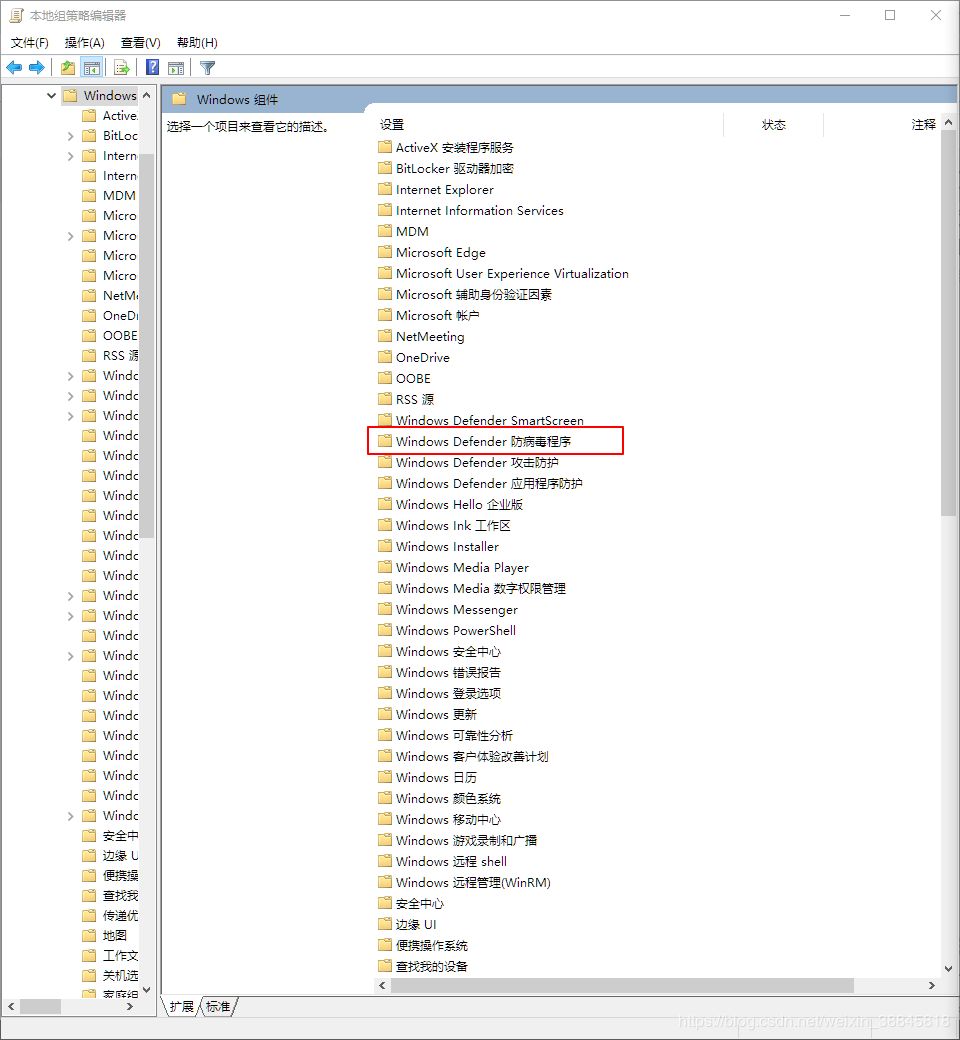
Press WIN+R, enter gpedit.msc, then navigate to Administrative Templates-WIndows Components-Winodws defender Antivirus-Real-time Protection. Find “Turn off real-time protection,” double-click it, and select “Enabled.”
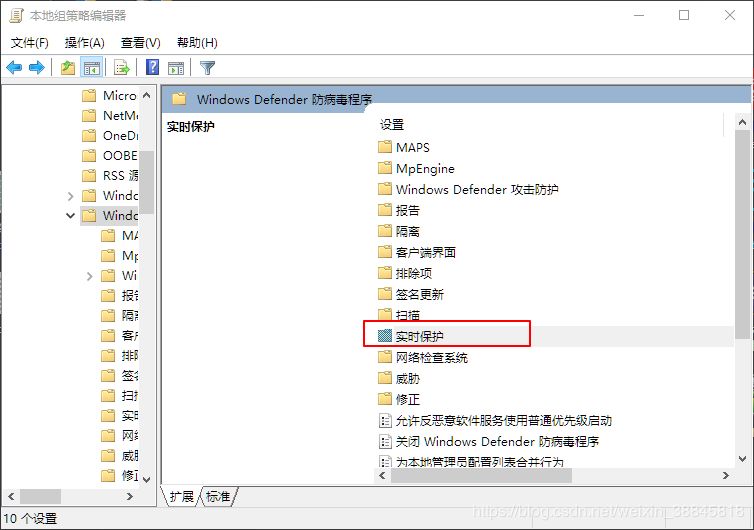
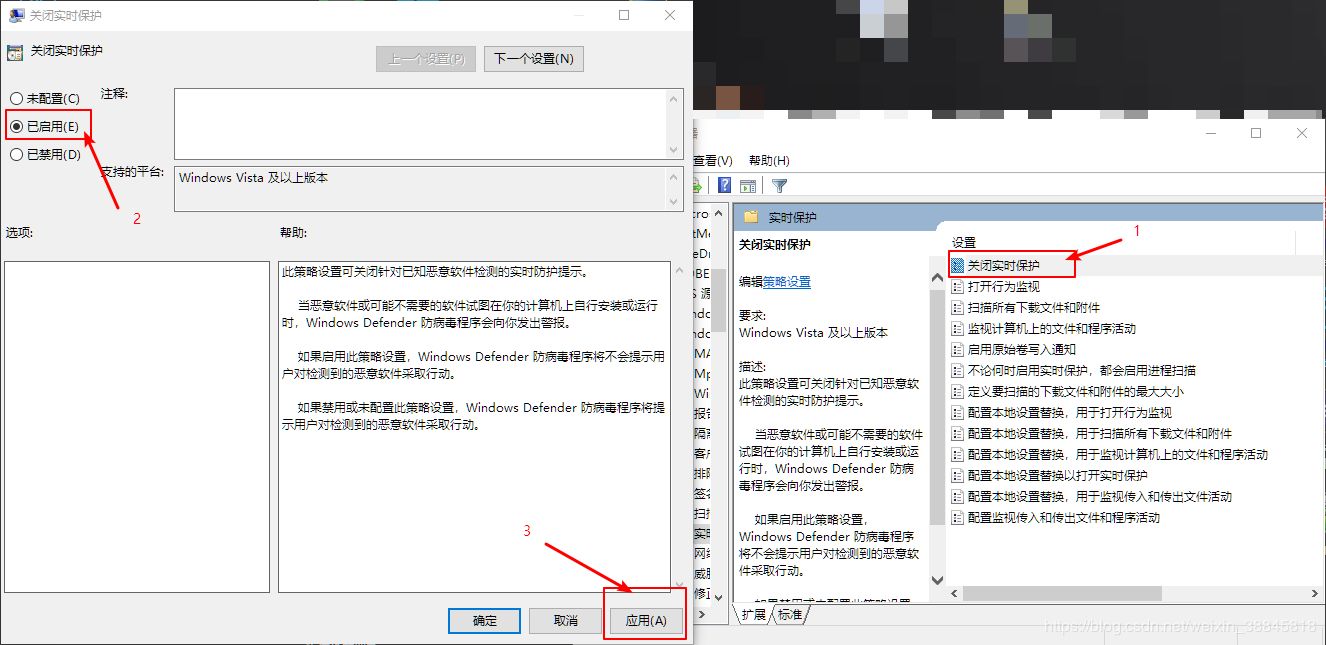
- All done.
Last updated 2025-01-14
Comments 0