
How do I run my pnpm prod project with pm2 and keep it in the background?
This post was translated from Chinese by AI. If anything reads oddly, the Chinese original is authoritative. 中文原文
To manage a Node.js application running in production with pm2, follow these steps:
-
Install pm2 globally
npm install pm2 -g -
Go to the project root directory and start the application with pm2
pm2 start npm --name myapp -- run prodIn this command,
--name myappnames the applicationmyapp, andrun prodruns thenpm run prodcommand. -
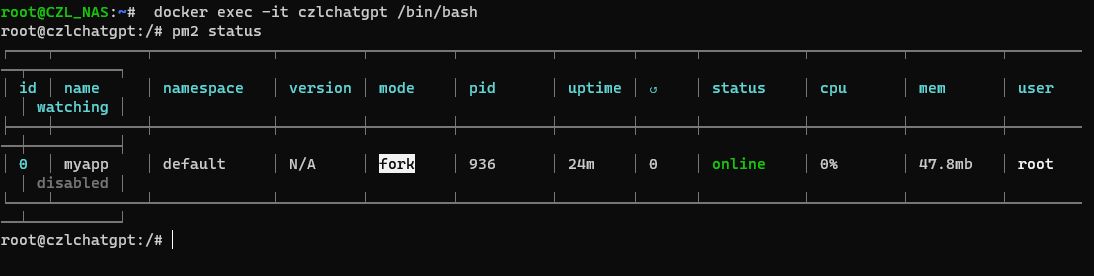
The application is now running in the background. You can check its status with the following command:
pm2 status -
If the application encounters a problem, you can restart it:
pm2 restart myapp -
To stop the application, use the following command:
pm2 stop myappTo remove the application from pm2 entirely, use the following command:
pm2 delete myapp
These steps let you manage a Node.js application in production with pm2 and keep the process running in the background. When deploying, I recommend using a process manager such as pm2 or forever to keep the application running reliably and handle failures promptly.
Last updated 2024-01-14
Comments 0