
Deploy a Project in a Node.js Container Using Synology's Docker GUI and SSH
This post was translated from Chinese by AI. If anything reads oddly, the Chinese original is authoritative. 中文原文
First, pull the node image in docker, then start a container and configure the environment
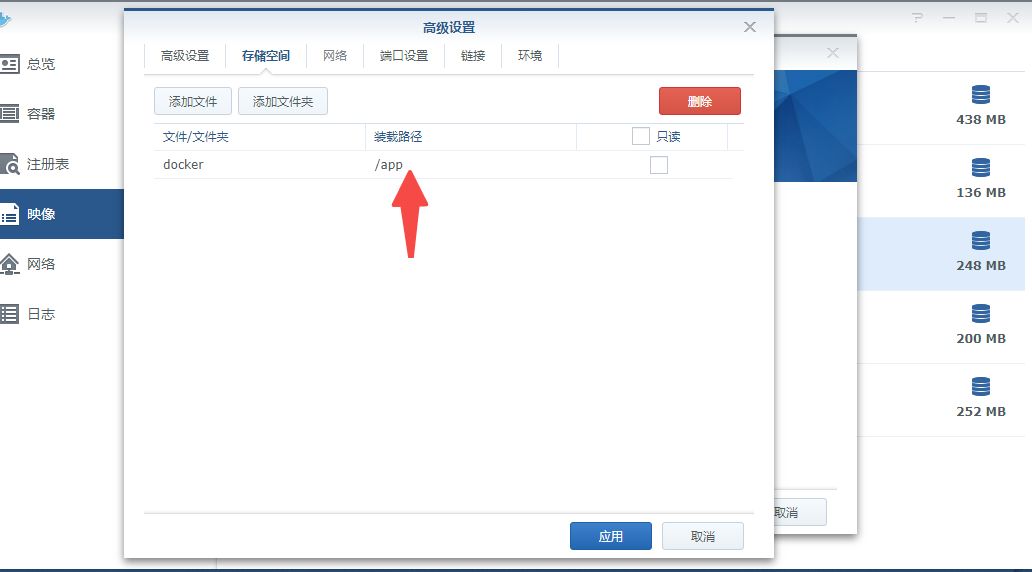
Storage
Map the /app folder to store your project
On the left, select the folder where you store your project, usually a path like /docker/node/app, not the one shown in the screenshot
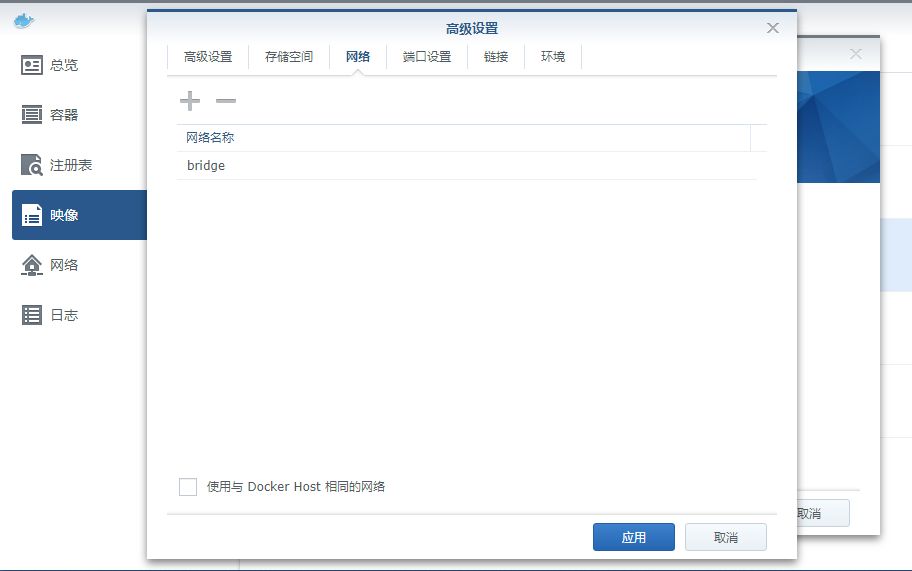
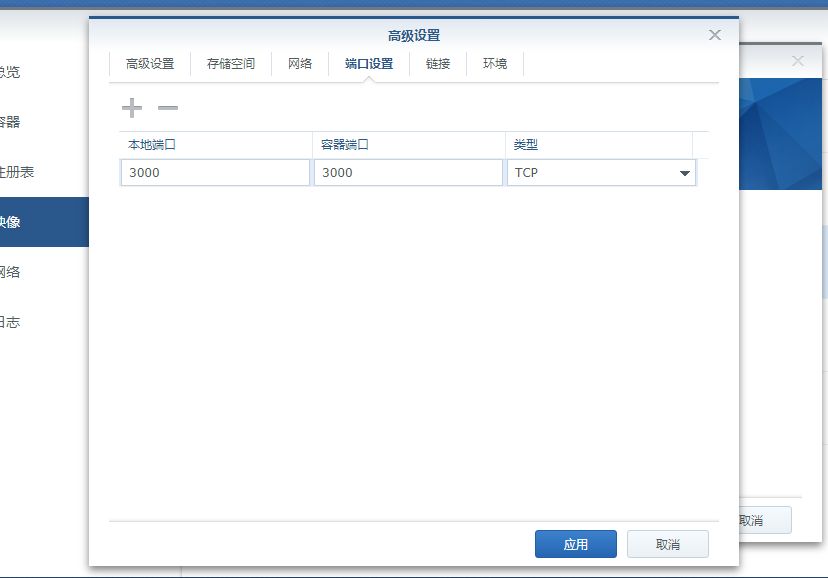
Network/Ports
You can use host networking or map ports yourself
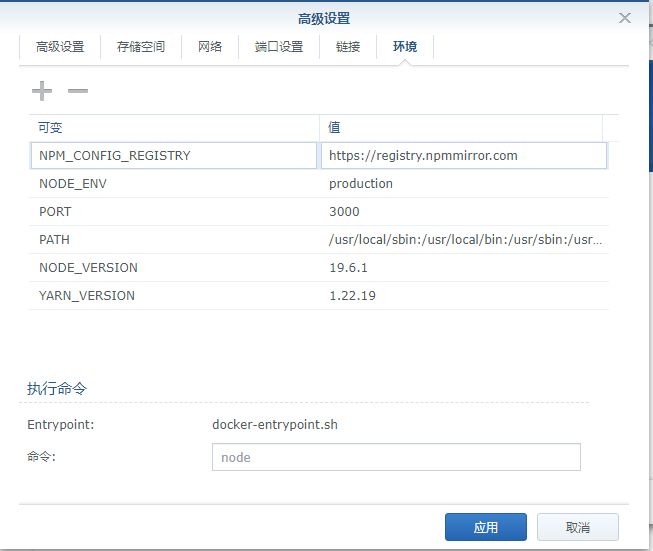
Environment
I configured 3 variables here
NPM_CONFIG_REGISTRY  https://registry.npmmirror.com
PORT  3000
NODE_ENV  production
Common variables for reference:
NPM_CONFIG_REGISTRY: Registry mirror
NODE_ENV: The environment in which the Node.js application runs, usually set to production or development, with production as the default. This variable can control application behavior, such as enabling or disabling debug mode.
PORT: The port the Node.js application listens on, defaulting to 3000. You can set it to a suitable port, such as 80 or 443.
MONGO_URI: The connection URI for the MongoDB database. If the application needs to connect to MongoDB, use this variable to specify the connection URI.
REDIS_HOST: The hostname or IP address of the Redis server. If the application needs Redis, use this variable to specify the Redis server address.
REDIS_PORT: The port the Redis server listens on, defaulting to 6379. If you need to connect to a Redis server on a nonstandard port, use this variable to specify that port.
REDIS_PASSWORD: The Redis server password. If the Redis server requires authentication, use this variable to specify the password.
MYSQL_HOST: The hostname or IP address of the MySQL database server. If the application needs to connect to MySQL, use this variable to specify the MySQL server address.
MYSQL_PORT: The port the MySQL server listens on, defaulting to 3306. If you need to connect to a MySQL server on a nonstandard port, use this variable to specify that port.
MYSQL_USER: The username of the MySQL database user. If the application needs to connect to MySQL, use this variable to specify the database user.
MYSQL_PASSWORD: The password of the MySQL database user. If the application needs to connect to MySQL, use this variable to specify the database user's password.
MYSQL_DATABASE: The name of the MySQL database. If the application needs to connect to MySQL, use this variable to specify the database name.
Apply the settings, then start the container
Enter the container to configure it
Enter the container
If your container is named woodniubi, the command is:
docker exec -it woodniubi /bin/bash
Here's what it does:
In this command, docker exec runs a command, and the -it flags open an interactive terminal inside the container. woodniubi is the container name or ID, and /bin/bash is the command to run inside the container. You can replace it with another shell.
After running this command, you'll enter the Node container's command-line interface, where you can run commands and perform various operations.

You'll see an app folder here. Place your project files in the mapped folder on the host, then enter the folder inside the container and run npm install and any other necessary commands.
For actual deployments, I recommend using pm2 to run the project in the background. Otherwise, the process will stop when you close your shell. See my other article
Last updated 2025-06-25
Comments 0