
Configuring Process Supervision and Scheduled Tasks for Lsky Pro and Dujiaoka in 1panel
This post was translated from Chinese by AI. If anything reads oddly, the Chinese original is authoritative. 中文原文
Original: https://q58.club/t/topic/149
Dujiaoka
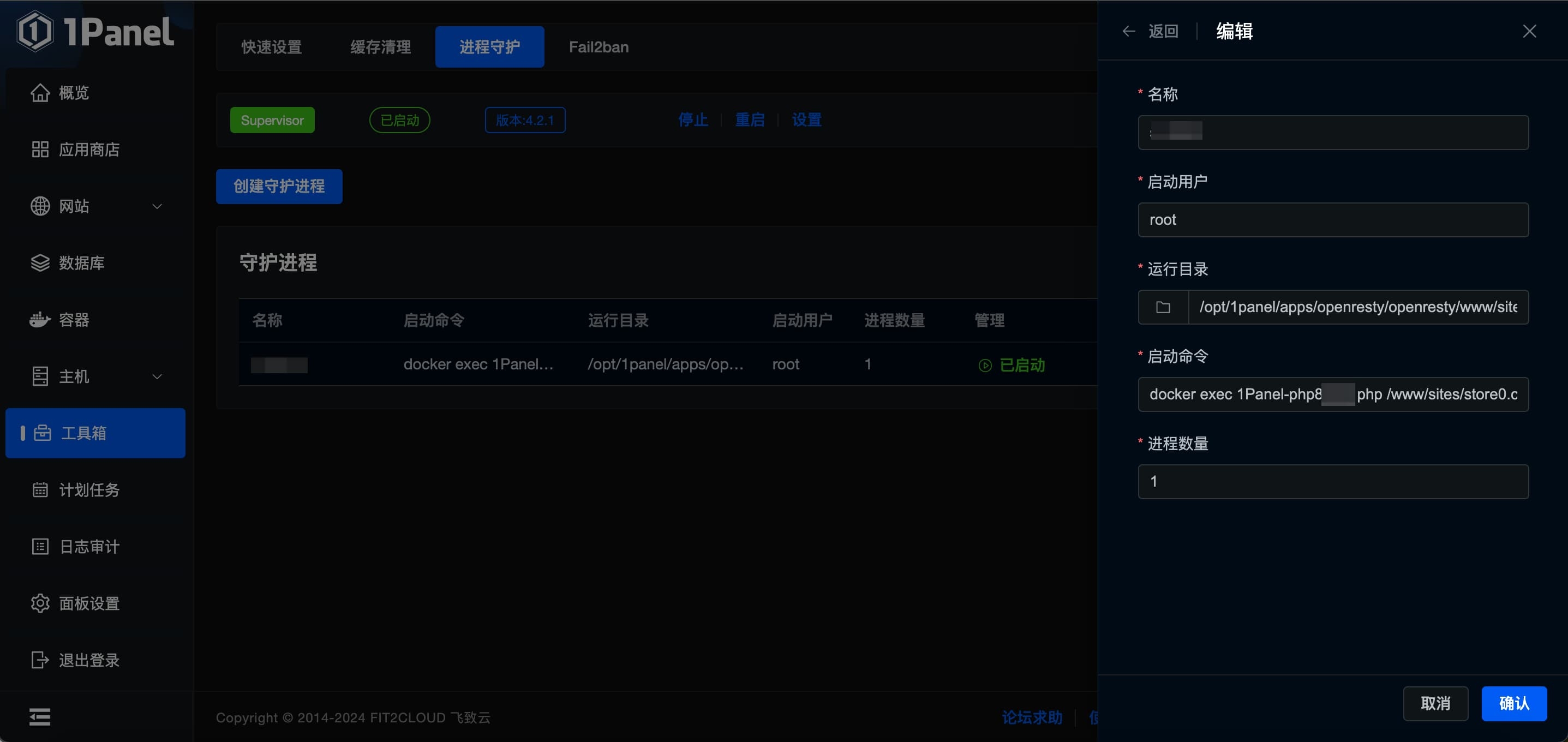
- Create a new process supervisor
- Set any name you like
- Set the startup user to root
- Set the working directory to your website directory: /opt/1panel/apps/openresty/openresty/www/sites/你的网址/index
- Set the startup command to
docker exec 你的php容器名称 php /www/sites/你的网址/index/artisan queue:work - Click Confirm
Lsky Pro
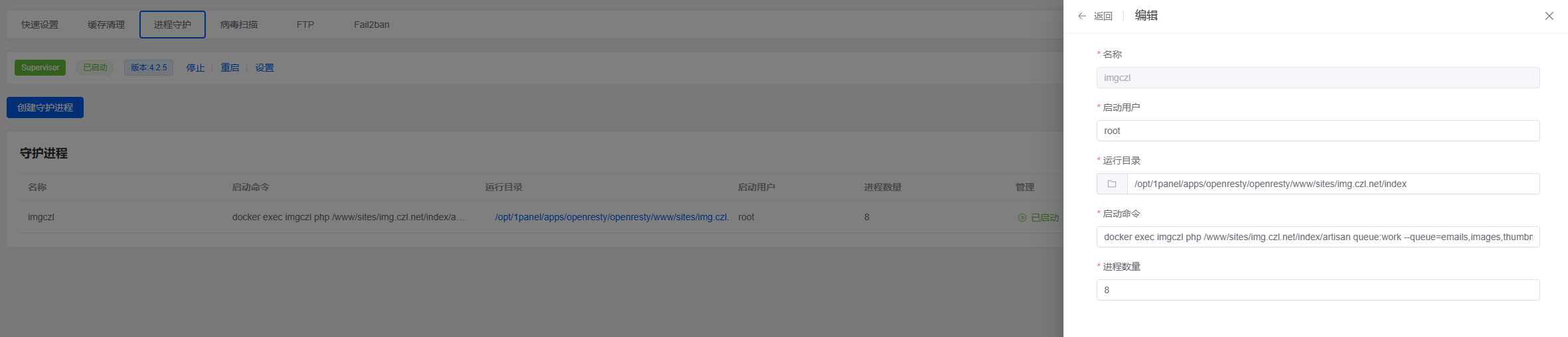
The process is the same Only the command is different
docker exec imgczl php /www/sites/img.czl.net/index/artisan queue:work --queue=emails,images,thumbnails
Scheduled Tasks
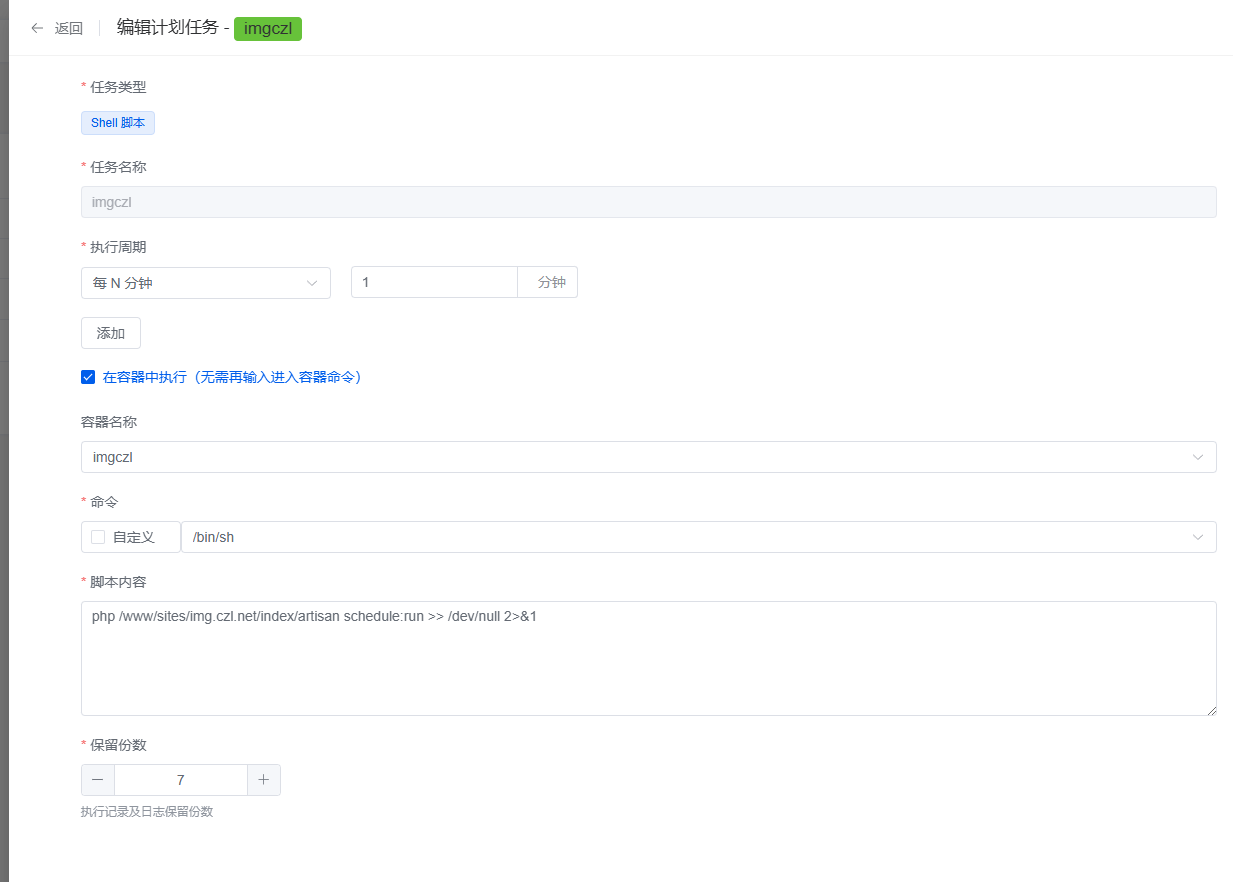
I'll use Lsky Pro as an example here
php /www/sites/img.czl.net/index/artisan schedule:run >> /dev/null 2>&1
Last updated 2025-03-17
Comments 0