
Warning when downloading with pip: You are using pip version 8.1.1, however version 22.1 is available.
This post was translated from Chinese by AI. If anything reads oddly, the Chinese original is authoritative. 中文原文
I encountered an error while downloading other packages with pip install, as shown below:
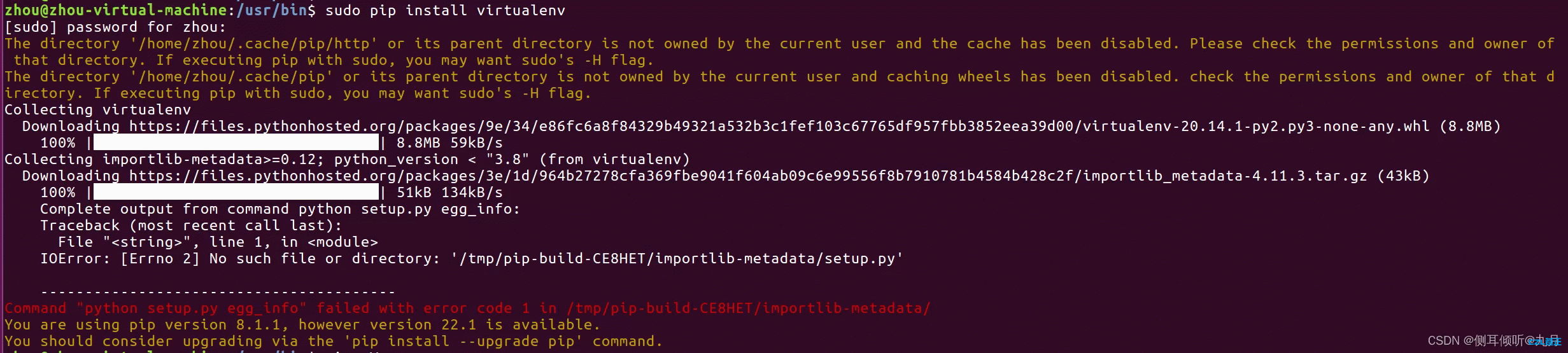
The message said: “You are using pip version 8.1.1, however version 22.1 is available.
You should consider upgrading via the ‘pip install --upgrade pip’ command.”
Following the suggestion, I ran "pip install --upgrade pip", but it still did not work:

I then searched online for solutions and found the following:
# Upgrade pip:
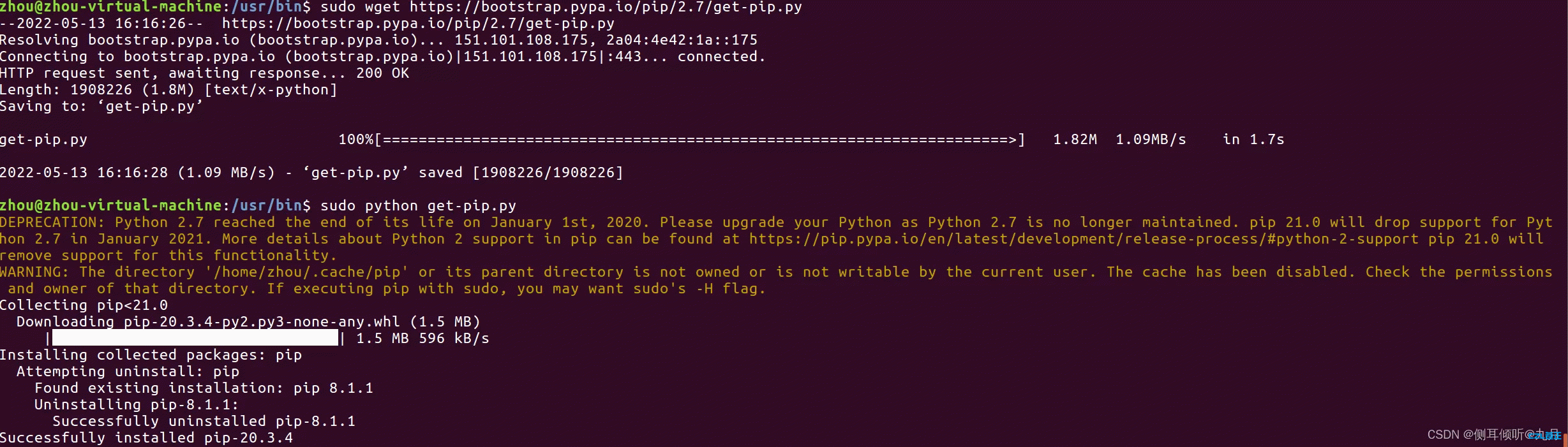
1.sudo wget https://bootstrap.pypa.io/pip/2.7/get-pip.py
2.sudo python get-pip.py
3.pip -V

# Upgrade pip3:
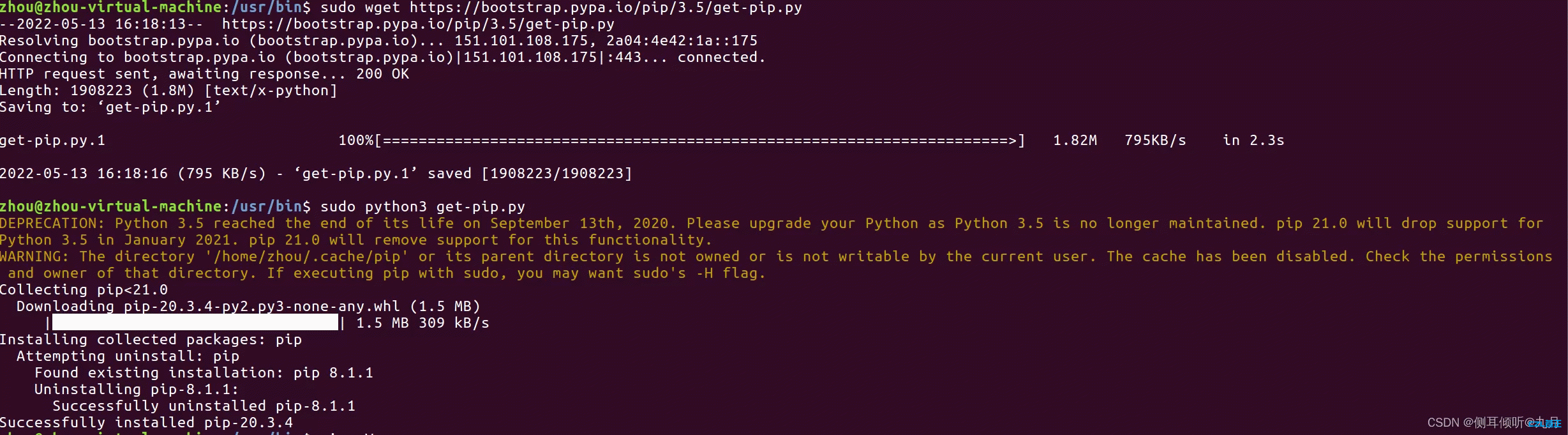
1.sudo wget https://bootstrap.pypa.io/pip/3.5/get-pip.py
2.sudo python3 get-pip.py
3.pip -V
Along the way, I also ran into 2 issues:
Issue One
After completing steps 1 and 2, checking the version with "pip -V" may return this error: “bash: /usr/bin/pip: No such file or directory”

# Clear the cache
hash -r

# If clearing the cache does not work, run:
sudo apt-get update
sudo apt-get upgrade
Issue Two
After upgrading pip and pip3 in that order, I ran "pip -V" and "pip3 -V" and found that pip also pointed to the python3.5 package directory, as shown below:

Running "sudo python get-pip.py" again fixed it, as shown below:

Original source: https://blog.csdn.net/Cynthialearn/article/details/124754685
Last updated 2024-01-14
Comments 0