
Build a Random Image API with Tencent Edgeone Edge Functions
This post was translated from Chinese by AI. If anything reads oddly, the Chinese original is authoritative. 中文原文
The source code is on github: https://github.com/woodchen-ink/Random-Api
Besides edgeone, you can also deploy it using worker or nodejs
This method assumes you already use edgeone
I wrote a general introduction to this project before, but back then I implemented it with a cloudflare worker. Then... I recently noticed that accessing this worker from mainland China was really slow, so I switched to edgeone for deployment. It's much faster.
Differences
- edgeone is faster to access from mainland China
- The static files also need to be hosted in mainland China; otherwise, edgeone nodes still have to fetch them from
pages.dev, which is slow
So, first, if you need a small server to host a few static websites, some small files, or a status monitoring service, you can try the Tencent Cloud 99 server or Alibaba Cloud 99 server,click here for the link
Deployment
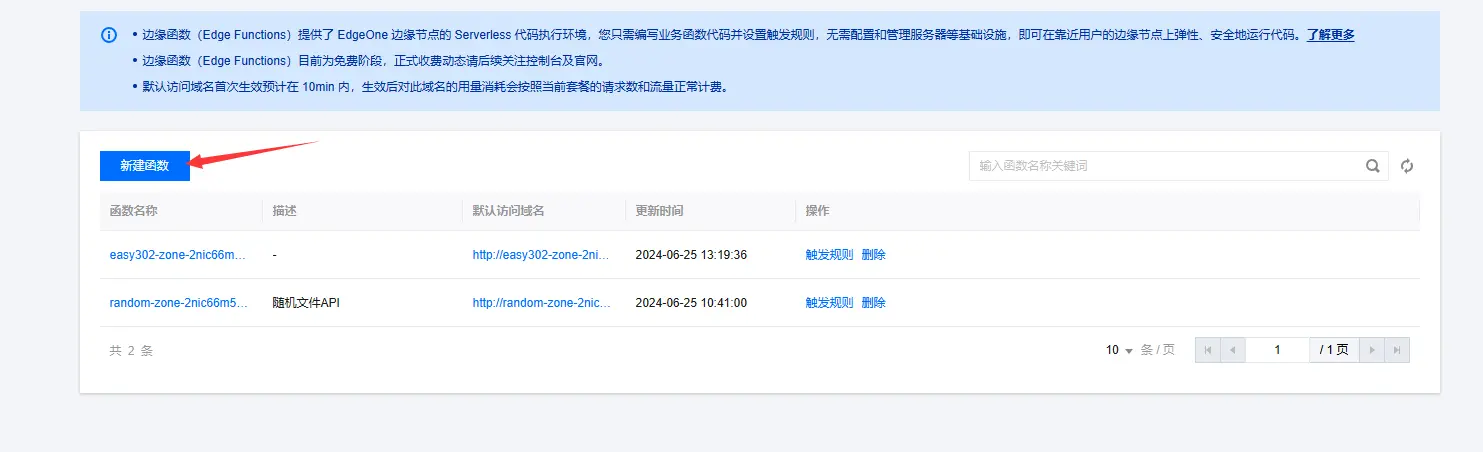
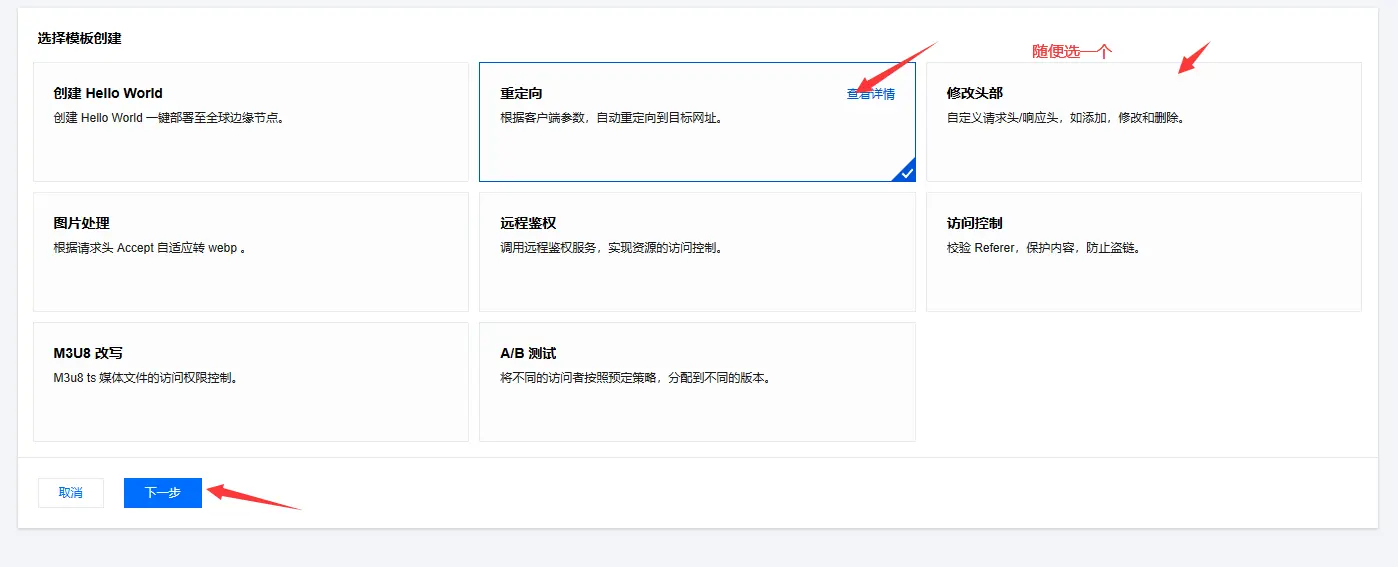
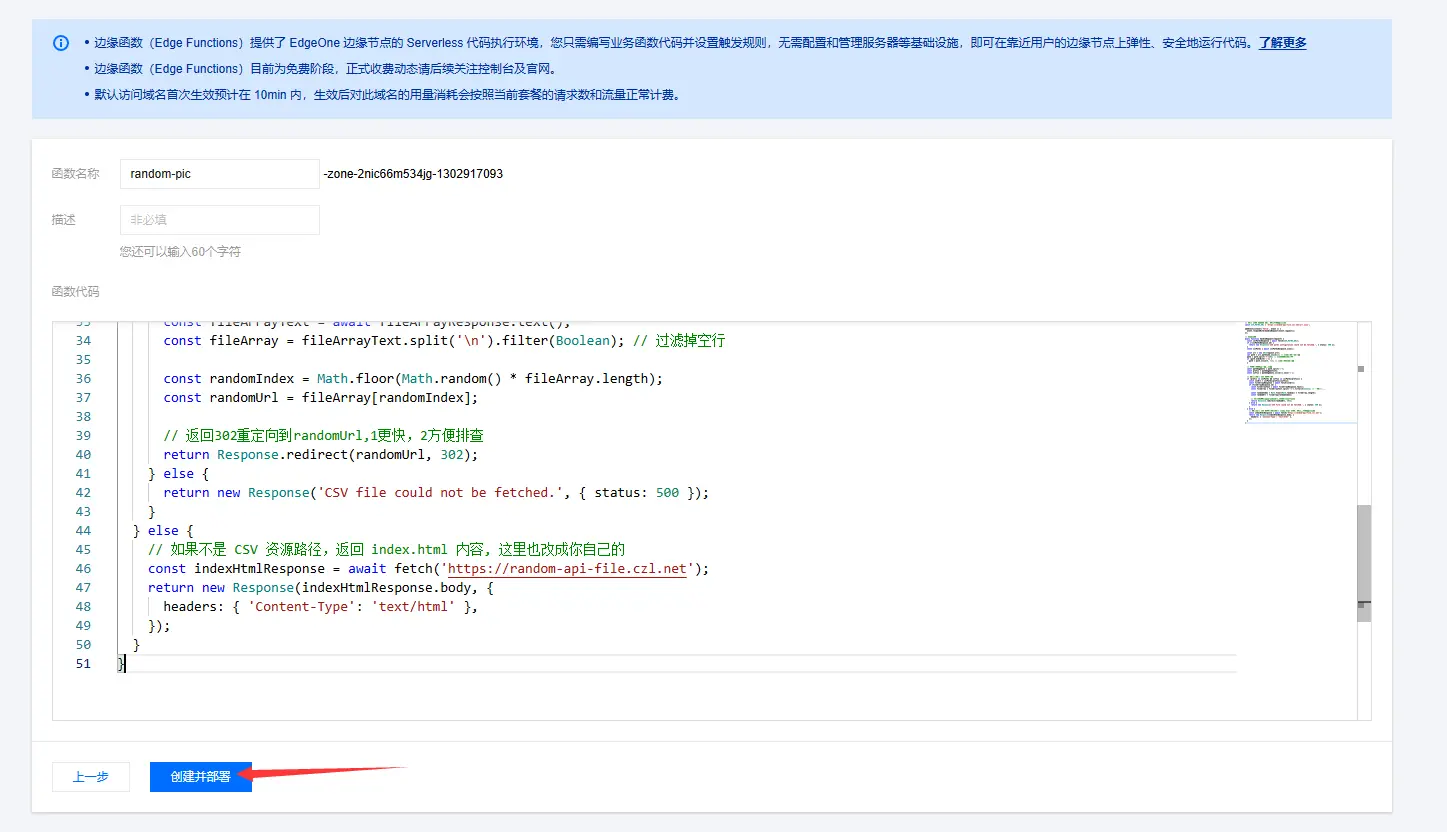
- In edgeone, create a function, give it any name you like, and paste in the contents of
eo.js
// URL of the external JSON file; replace this with your own
const CSV_PATHS_URL = 'https://random-api-file.czl.net/url.json';

addEventListener('fetch', event => {
  event.respondWith(handleRequest(event.request));
});

// Handle requests
async function handleRequest(request) {
  const csvPathsResponse = await fetch(CSV_PATHS_URL);
  if (!csvPathsResponse.ok) {
    return new Response('CSV paths configuration could not be fetched.', { status: 500 });
  }
  const csvPaths = await csvPathsResponse.json();

  const url = new URL(request.url);
  let path = url.pathname.slice(1); // Remove the leading slash
  path = path.split('?')[0]; // Remove the part after the question mark
  if (path.endsWith('/')) {
    path = path.slice(0, -1); // Remove the trailing slash
  }

  // Split the path into a prefix and suffix
  const pathSegments = path.split('/');
  const prefix = pathSegments[0];
  const suffix = pathSegments.slice(1).join('/');

  // If the path points to a CSV resource
  if (prefix in csvPaths && suffix in csvPaths[prefix]) {
    const csvUrl = csvPaths[prefix][suffix];
    const fileArrayResponse = await fetch(csvUrl);
    if (fileArrayResponse.ok) {
      const fileArrayText = await fileArrayResponse.text();
      const fileArray = fileArrayText.split('\n').filter(Boolean); // Filter out empty lines

      const randomIndex = Math.floor(Math.random() * fileArray.length);
      const randomUrl = fileArray[randomIndex];

      // Return a 302 redirect to randomUrl: 1 faster, 2 easier to troubleshoot
      return Response.redirect(randomUrl, 302);
    } else {
      return new Response('CSV file could not be fetched.', { status: 500 });
    }
  } else {
    // If the path does not point to a CSV resource, return the contents of index.html; replace this with your own too
    const indexHtmlResponse = await fetch('https://random-api-file.czl.net');
    return new Response(indexHtmlResponse.body, {
      headers: { 'Content-Type': 'text/html' },
    });
  }
}
- Once deployed, just add a trigger rule. Modify the relevant content in
index.mdindex.htmlandurl.csvas needed
Last updated 2025-03-16
Comments 0