
Complete Guide to Hosting Your Own PalWorld Server
This post was translated from Chinese by AI. If anything reads oddly, the Chinese original is authoritative. 中文原文
Server Recommendations
Tencent Cloud Palworld dedicated server offer: https://curl.qcloud.com/uLCNpnXB
Server Configuration
I recommend starting with at least 4 cores and 8G of RAM
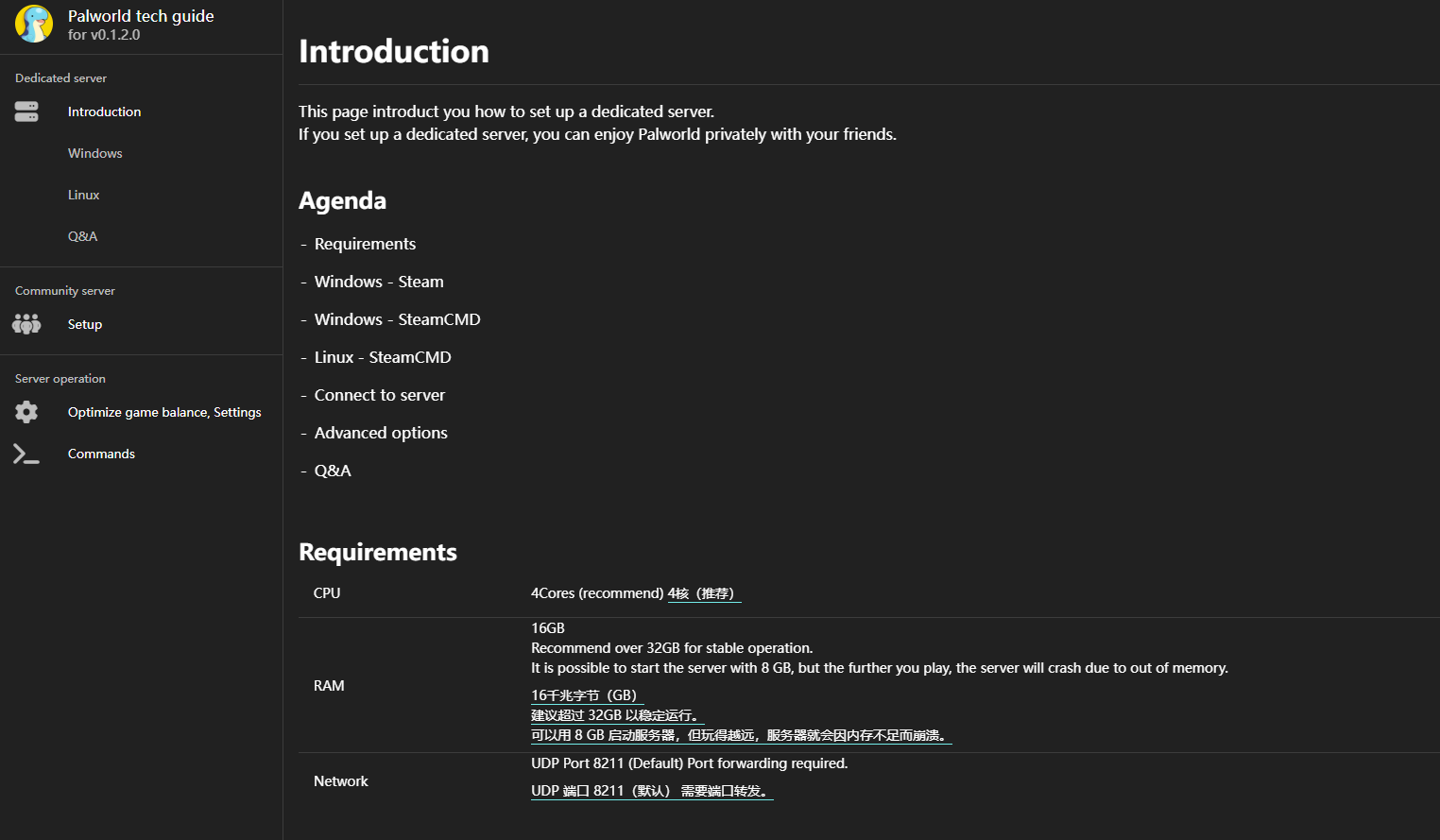
Use windows server for an easier setup
2 cores will also work for a small number of players
I recommend 8G of RAM. 4G is playable, but it may lag after a few hours with more players
Increase virtual memory to match physical RAM at a 1:1 ratio. This may still cause lag, but it reduces the risk of crashes
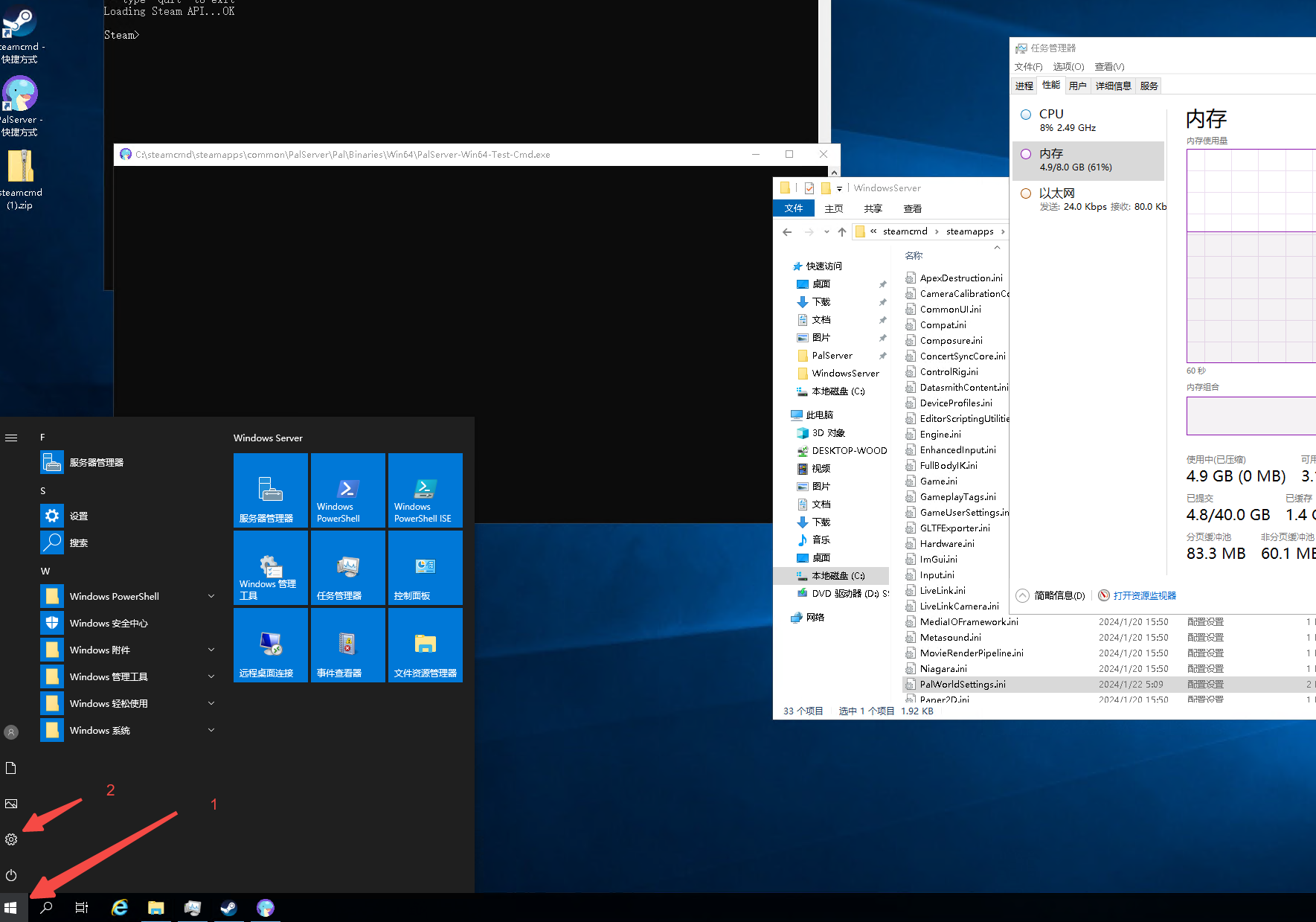
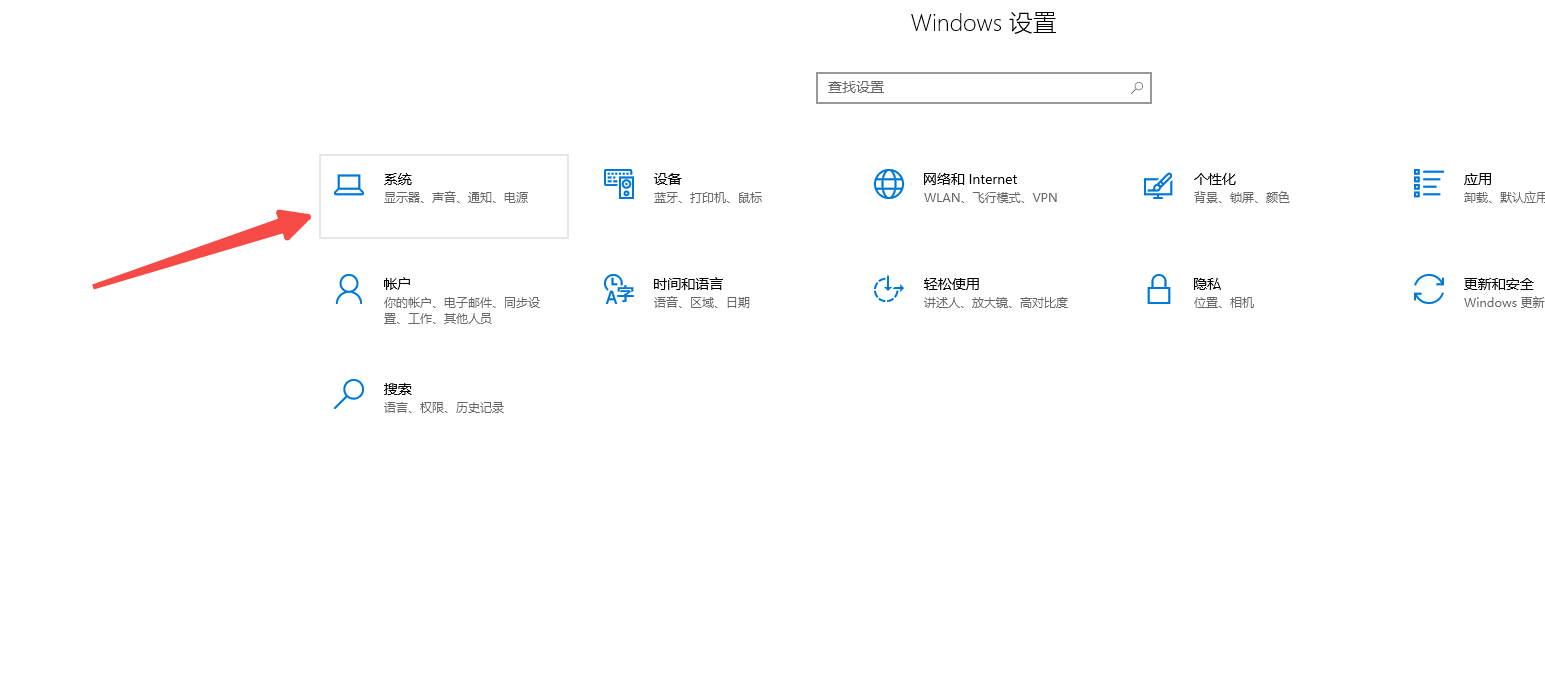
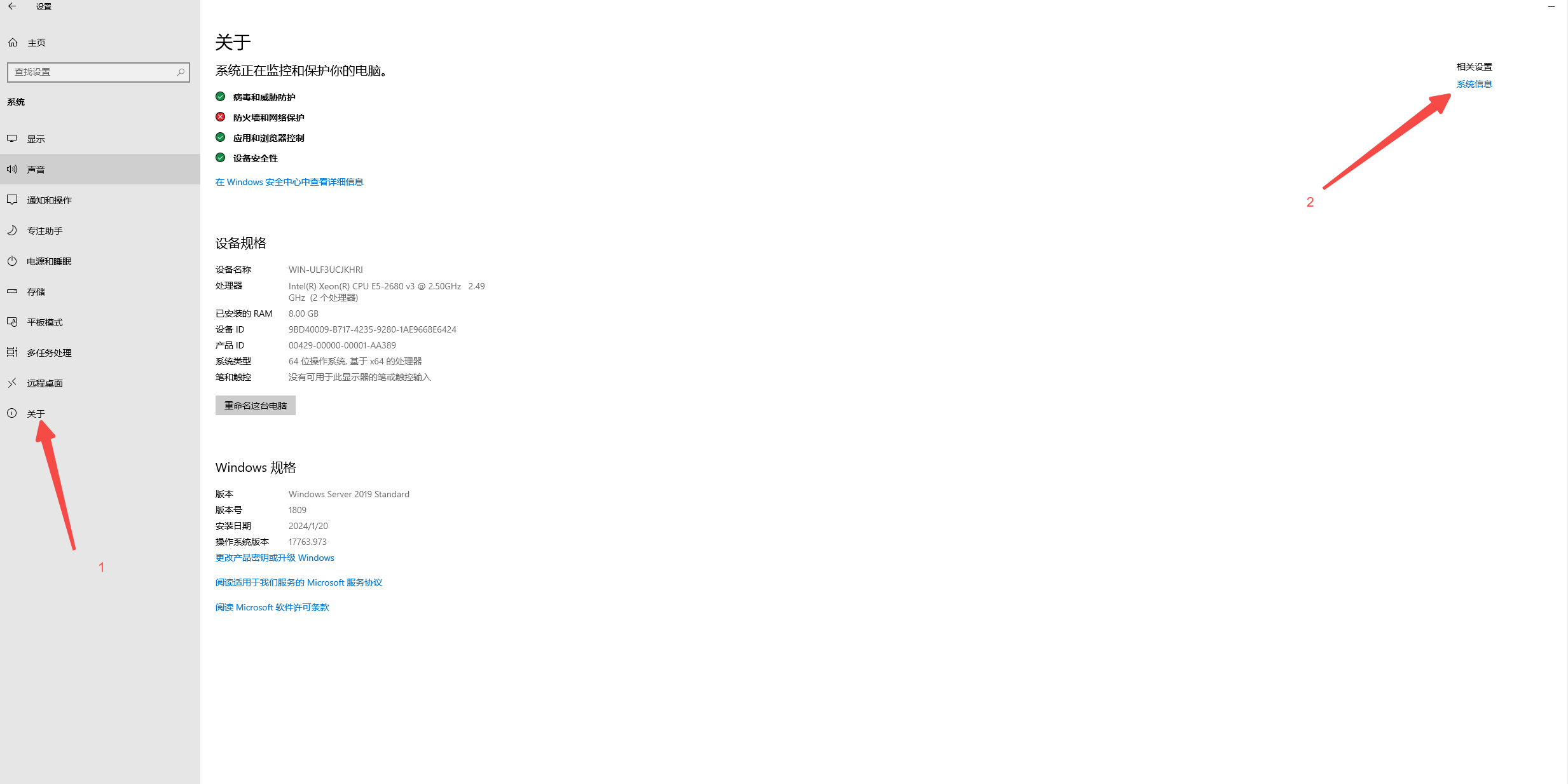
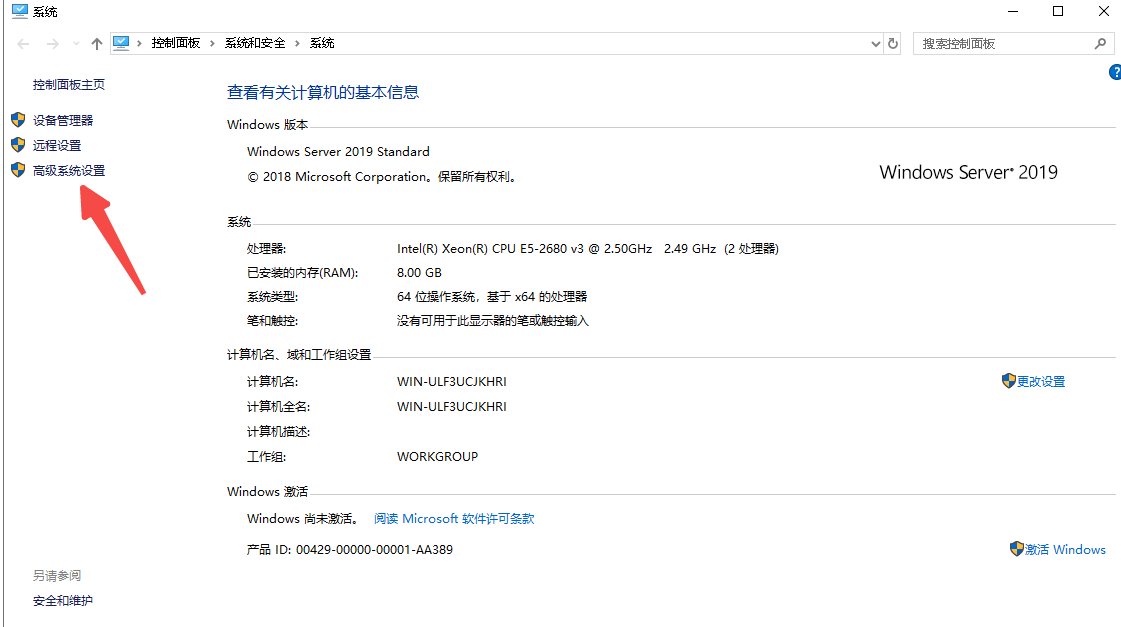
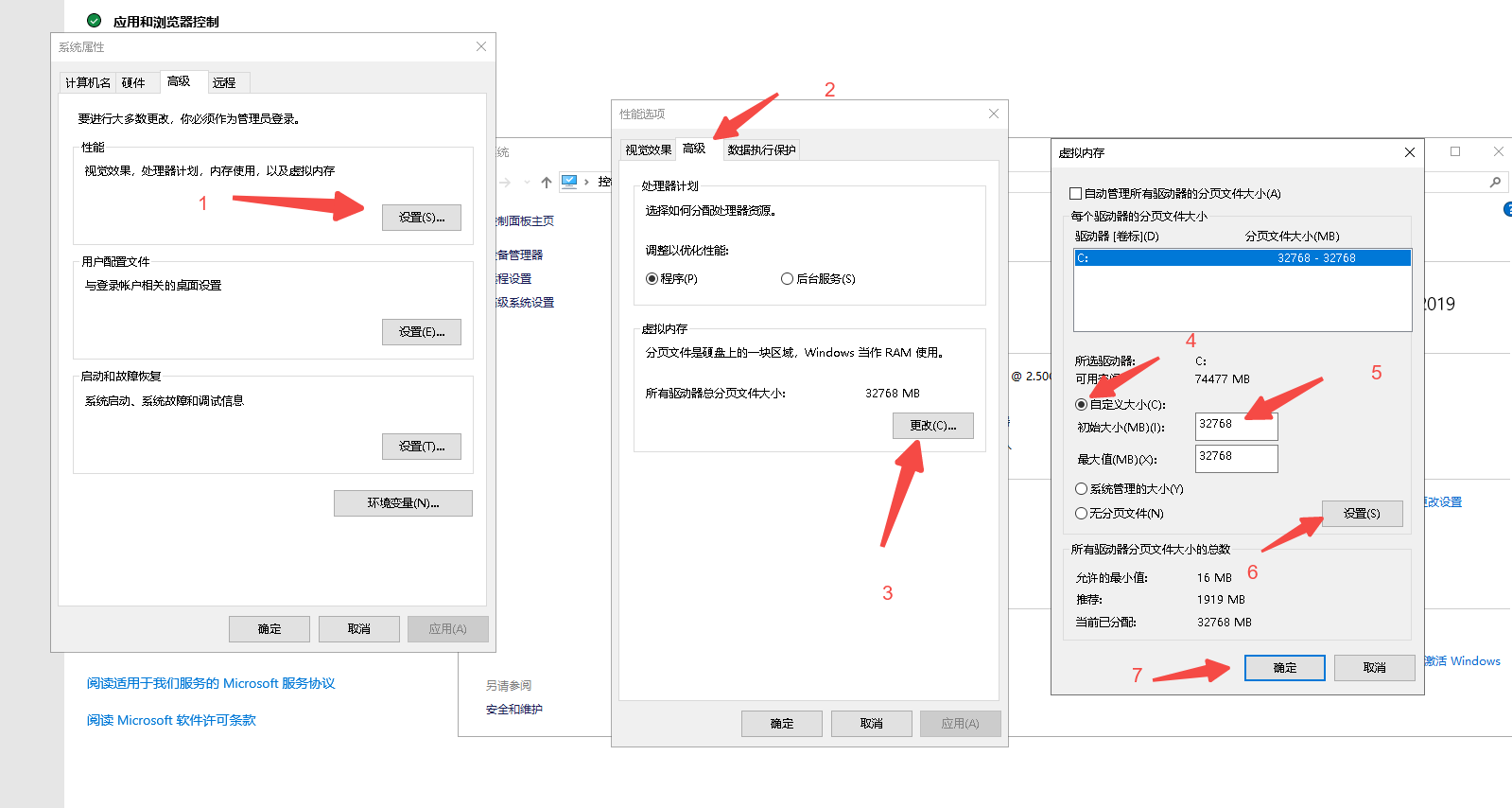
Set the value to 32768
The change is now complete; close each dialog in turn. Virtual memory changes on windows server generally take effect without a restart.
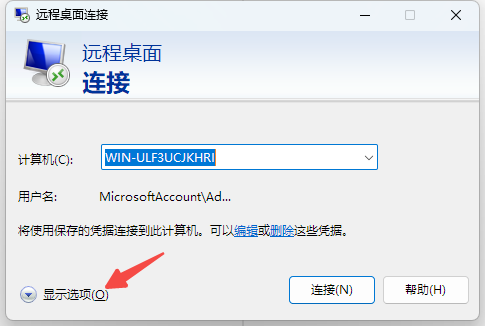
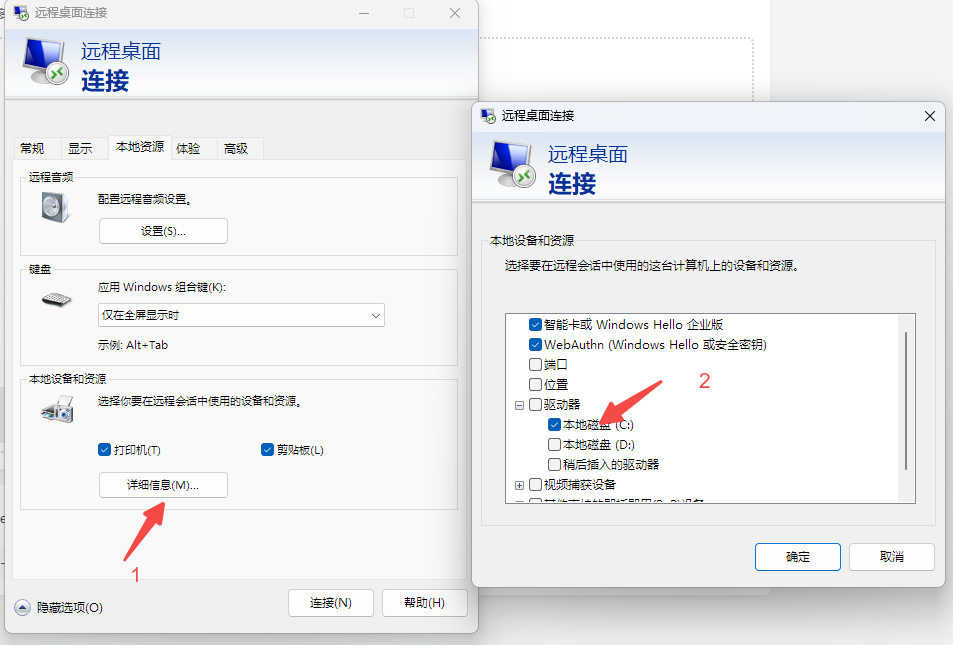
When connecting remotely, map your local folders to make file transfers easier later
Download SteamCMD and PalServer
SteamCMD download link:
https://www.alipan.com/s/a3jWQiQxHrH
1.Create a SteamCMD folder on the server's C drive and put the downloaded exe in it
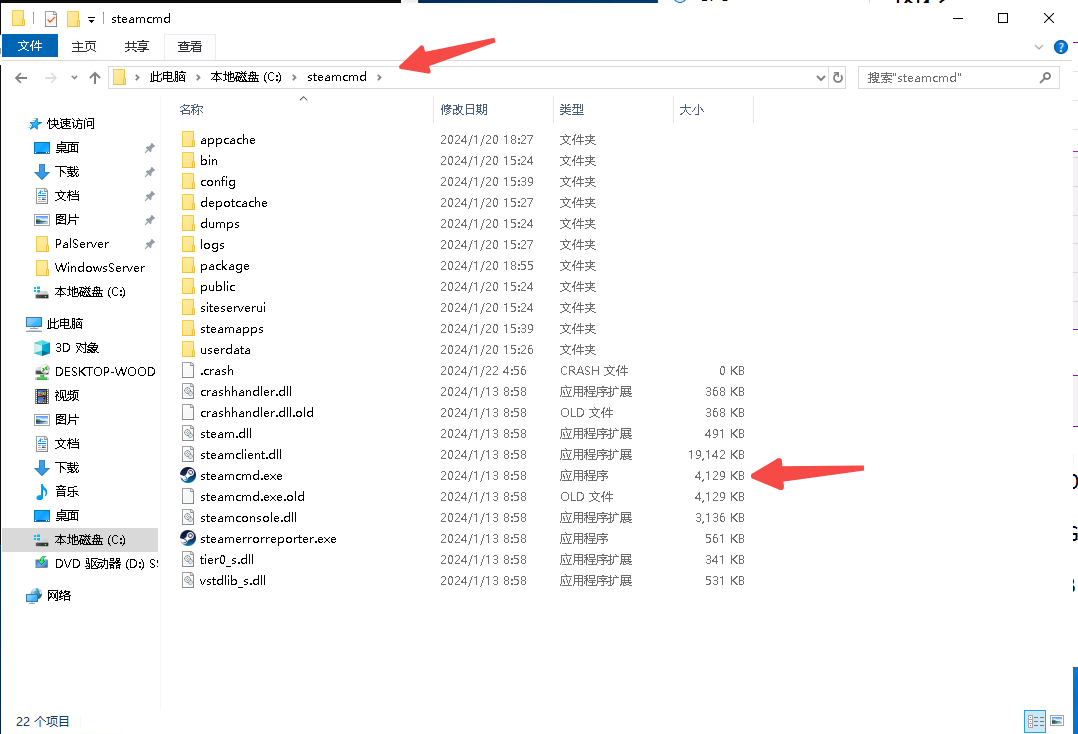
Initially, the folder contains only the exe file
2.Run the exe to install steamcmd automatically
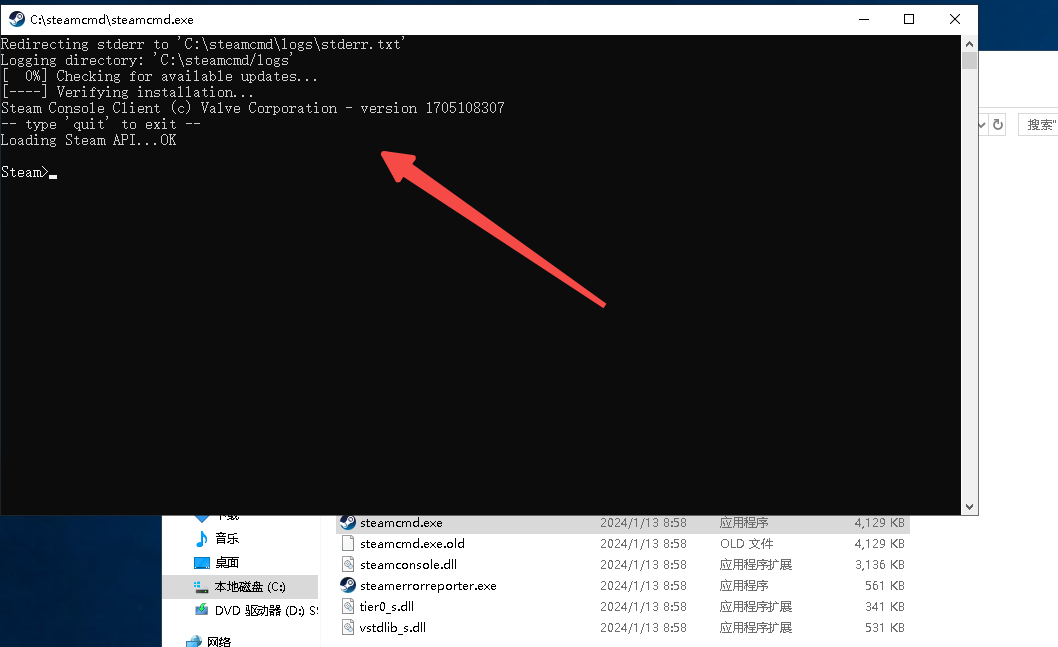
Mine looks like this because I have already installed it. Normally, some messages will scroll past before this screen appears
3.Install the Palworld server, PalServer
login anonymous
Press Enter. Once it finishes, enter the following
app_update 2394010 validate
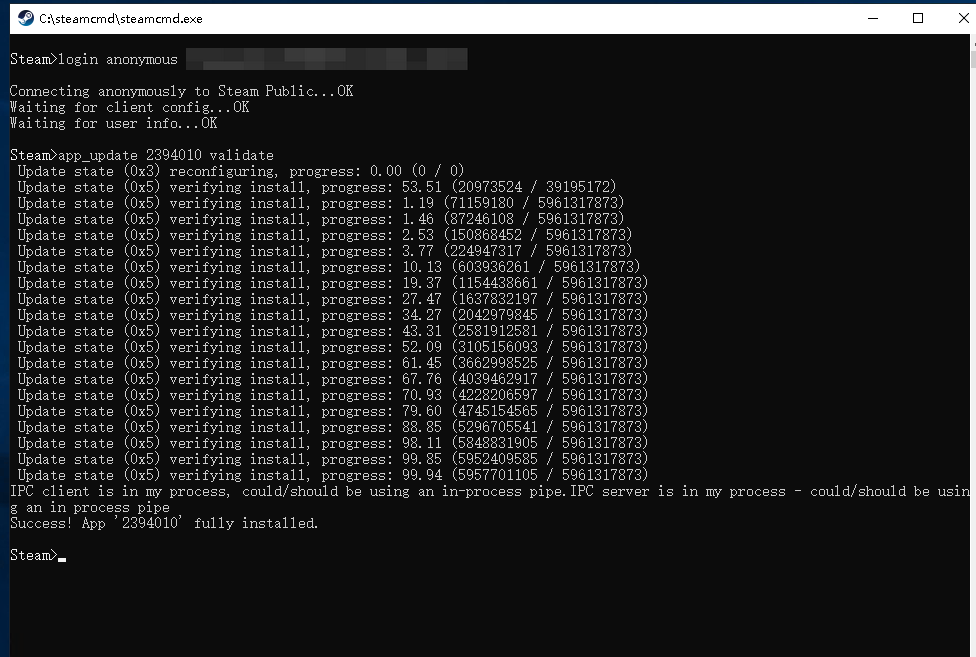
4.Run the Palworld server, PalServer
Go to C:\steamcmd\steamapps\common\PalServer and double-click PalWorld.exe to run it
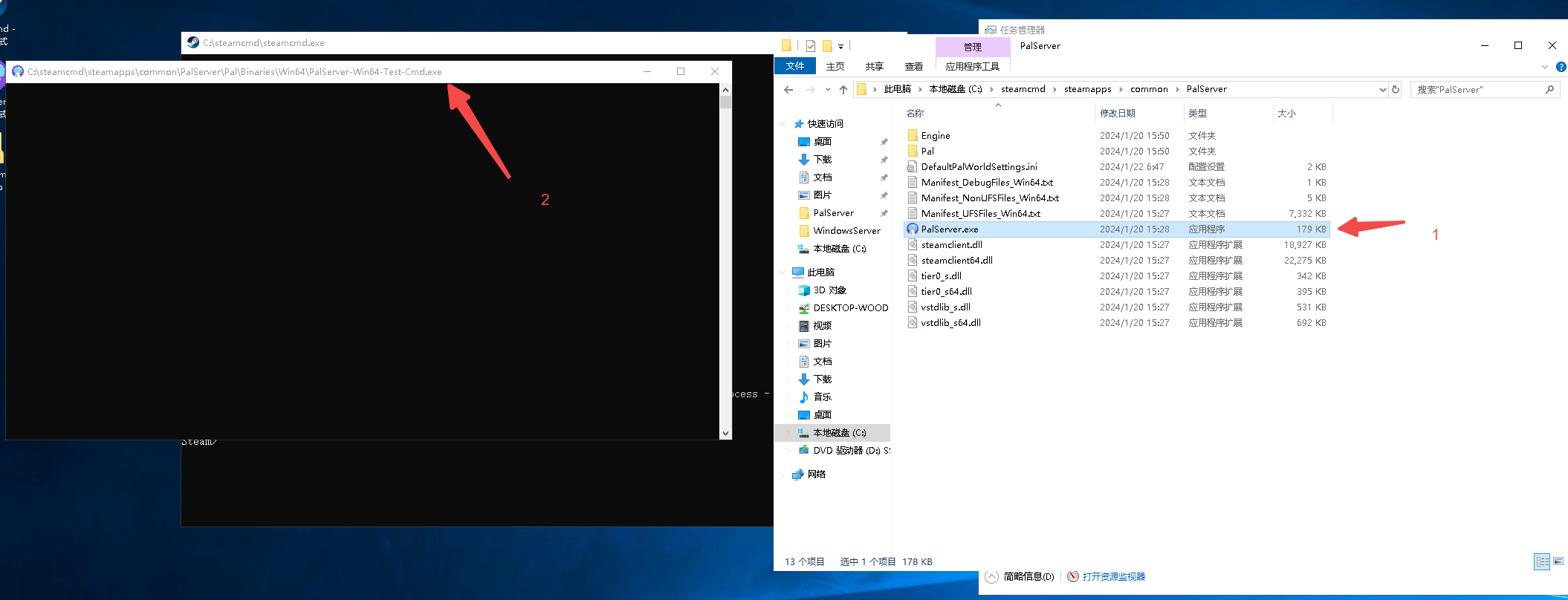
It is normal for the console window to be blank
5.Connect to your server

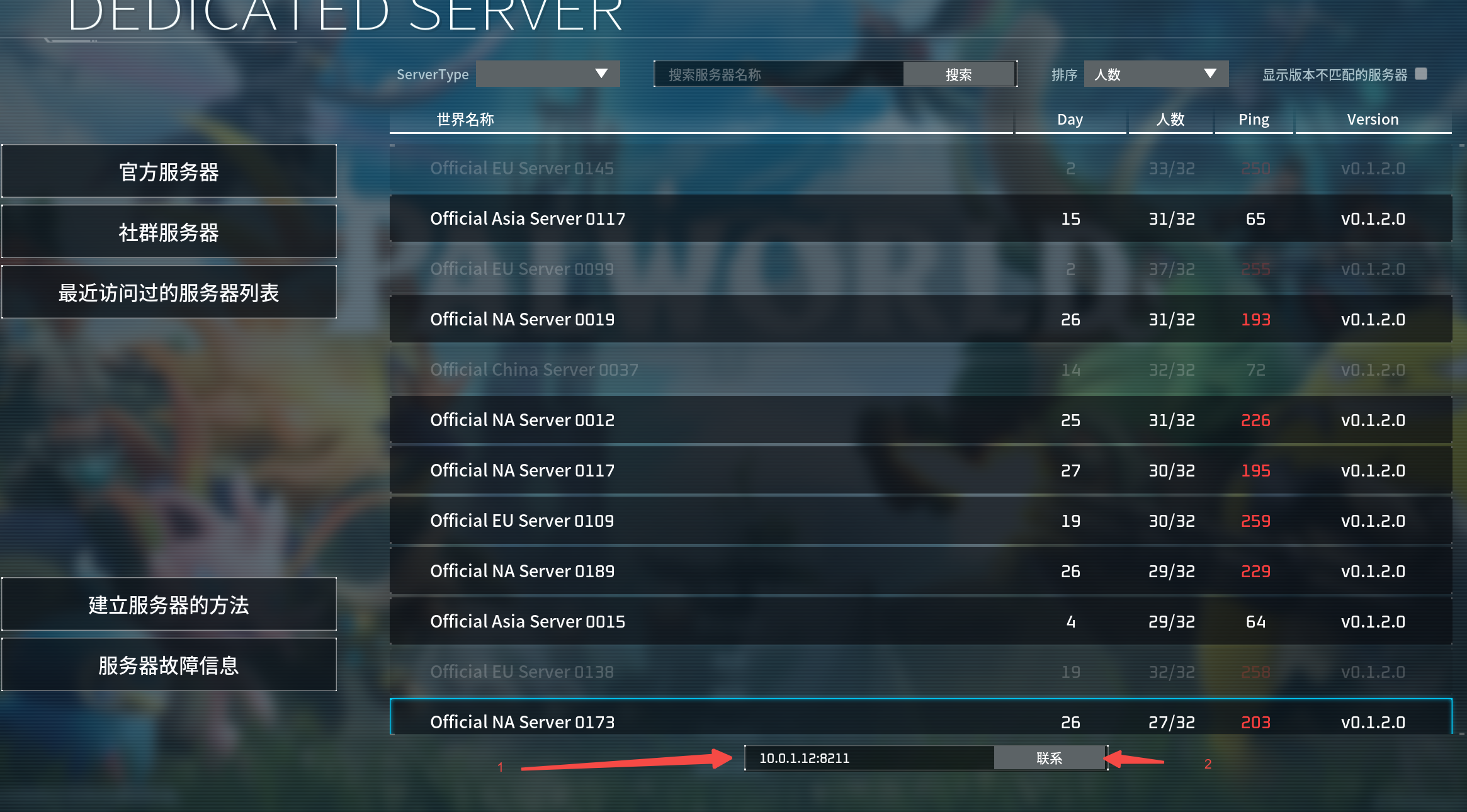
You can connect using a LAN IP, a public IP, or a domain name configured with DDNS. Make sure you use the correct port and allow it through the firewall
Missing DirectX Runtime
Download the file below
https://www.alipan.com/s/2DsGdvCj4QX
Put it on the desktop
1.Create a folder named DirectX on the C drive
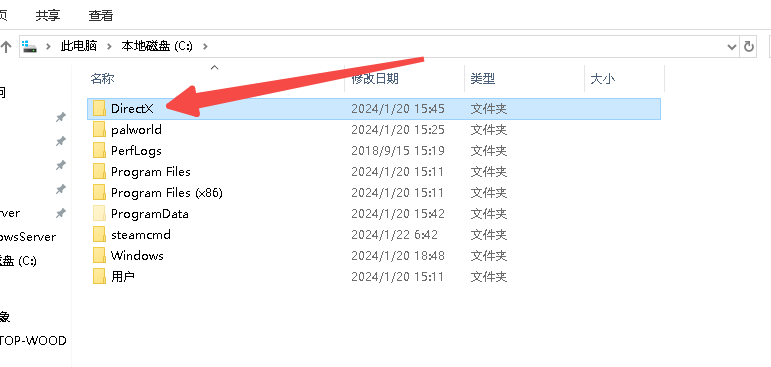
2.Double-click the downloaded program and select the folder you just created as the installation folder
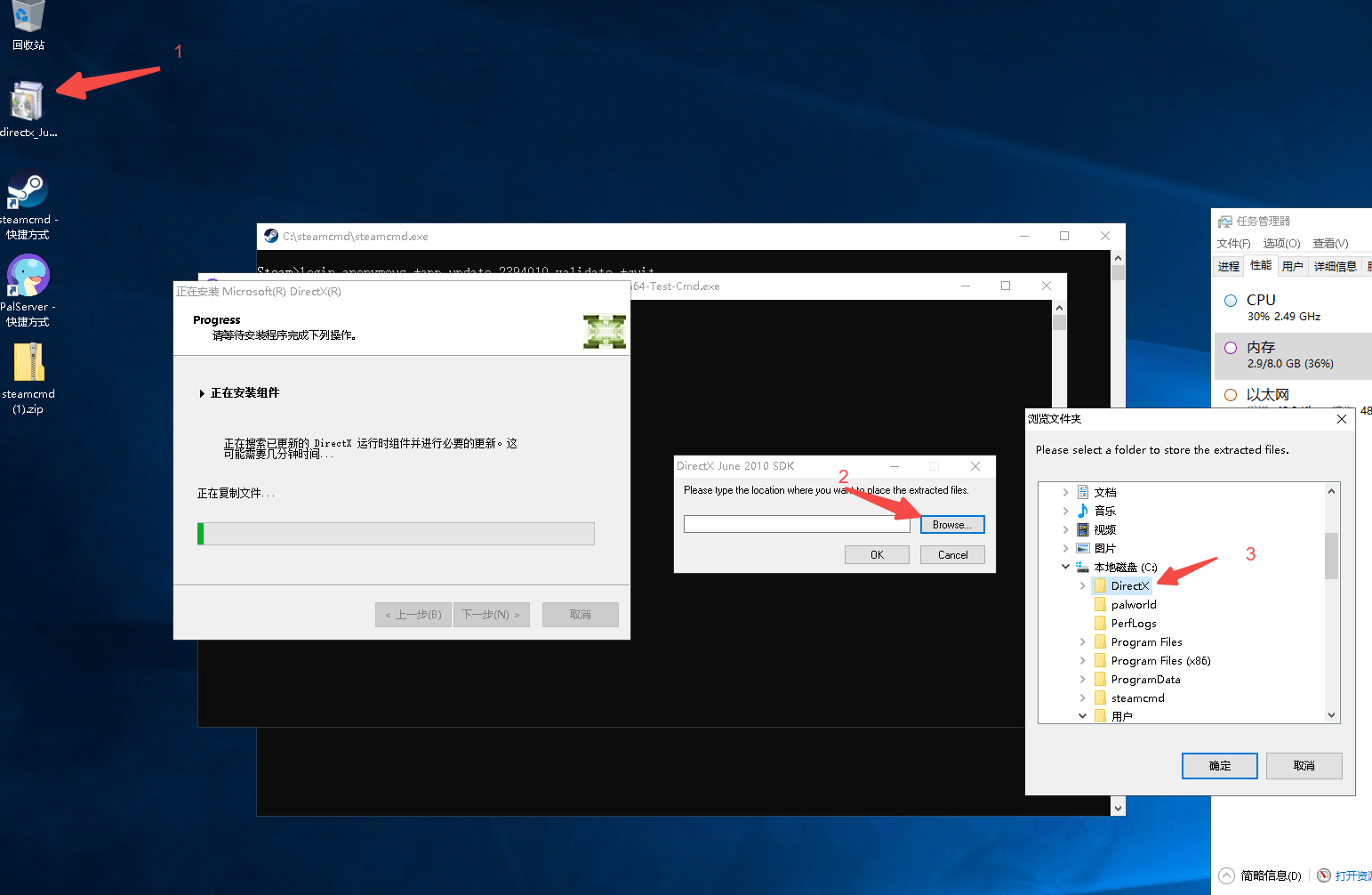
Click OK, then continue through the steps until finished
3.Open C:\DirectX and double-click DXSETUP.EXE to install
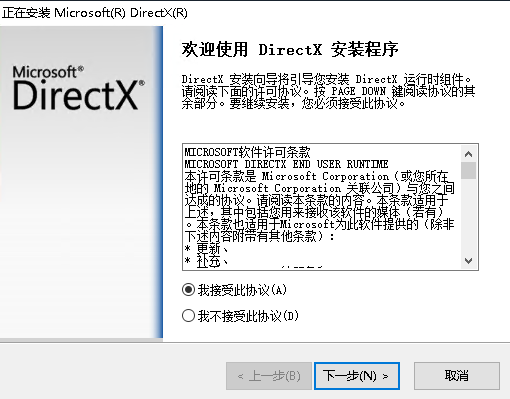
Keep clicking Next until the installation is complete
Changing the Configuration
1.Default configuration file
The DefaultPalWorldSettings.ini file in C:\steamcmd\steamapps\common\PalServer
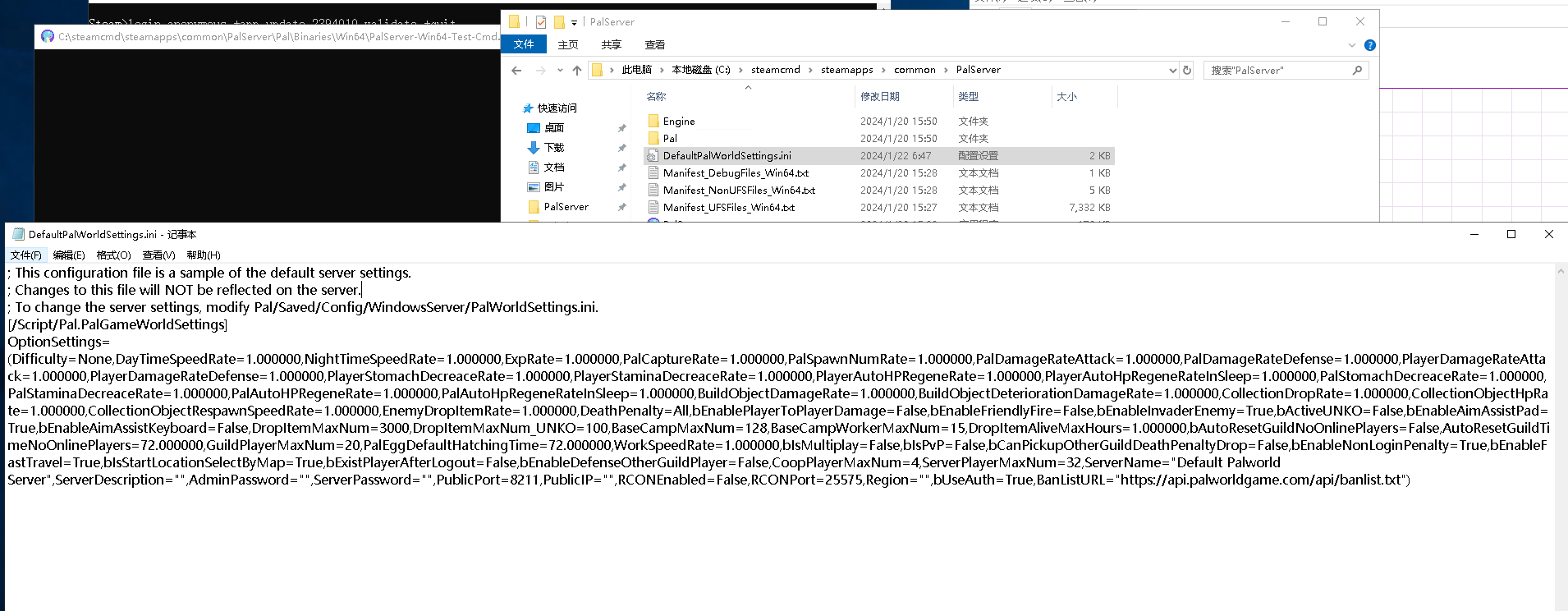
Details:
These game configuration parameters control various settings and rules in the game. Below is an explanation of each parameter:
- DayTimeSpeedRate: Daytime speed multiplier, affecting how quickly daytime passes in the game.
- NightTimeSpeedRate: Nighttime speed multiplier, affecting how quickly nighttime passes in the game.
- ExpRate: Player experience gain multiplier, affecting how quickly characters level up.
- PalCaptureRate: Pal capture rate, affecting the chance of successfully capturing Pals.
- PalSpawnNumRate: Pal spawn count multiplier, affecting how many Pals spawn in the game.
- PalDamageRateAttack: Pal attack damage multiplier, affecting Pal attack power.
- PalDamageRateDefense: Pal damage received multiplier, affecting Pal defense.
- PlayerDamageRateAttack: Player attack damage multiplier, affecting player attack power.
- PlayerDamageRateDefense: Player damage received multiplier, affecting player defense.
- PlayerStomachDecreaseRate: Player hunger depletion rate, affecting how quickly players get hungry in the game.
- PlayerStaminaDecreaseRate: Player stamina depletion rate, affecting how quickly players consume stamina in the game.
- PlayerAutoHPRegeneRate: Player automatic health regeneration rate.
- PlayerAutoHpRegeneRateInSleep: Player automatic health regeneration rate while sleeping.
- PalStomachDecreaseRate: Pal hunger depletion rate, affecting how quickly Pals get hungry in the game.
- PalStaminaDecreaseRate: Pal stamina depletion rate, affecting how quickly Pals consume stamina in the game.
- PalAutoHPRegeneRate: Pal automatic health regeneration rate.
- PalAutoHpRegeneRateInSleep: Pal automatic health regeneration rate while sleeping.
- BuildObjectDamageRate: Building damage received multiplier, affecting building durability.
- BuildObjectDeteriorationDamageRate: Building deterioration damage multiplier, affecting how quickly buildings deteriorate.
- CollectionDropRate: Gathering item drop rate, affecting the chance of obtaining items through gathering.
- CollectionObjectHpRate: Gatherable object durability multiplier, affecting the durability of gatherable objects.
- CollectionObjectRespawnSpeedRate: Gatherable object respawn rate, affecting how quickly gatherable objects respawn.
- EnemyDropItemRate: Enemy item drop rate, affecting the chance of obtaining items from enemies.
- DeathPenalty: Death penalty setting; "All" means all items are dropped.
- bEnablePlayerToPlayerDamage: Whether to enable player-to-player damage.
- bEnableFriendlyFire: Whether to enable friendly fire.
- bEnableInvaderEnemy: Whether to enable enemy invasions.
- bActiveUNKO: Whether to enable UNKO activity.
- bEnableAimAssistPad: Whether to enable controller aim assist.
- bEnableAimAssistKeyboard: Whether to enable keyboard and mouse aim assist.
- DropItemMaxNum: Maximum number of dropped items.
- DropItemMaxNum_UNKO: Maximum number of dropped items during UNKO activity.
- BaseCampMaxNum: Maximum number of base camps.
- BaseCampWorkerMaxNum: Maximum number of workers in a base camp.
- DropItemAliveMaxHours: Maximum number of hours dropped items remain in the game.
- bAutoResetGuildNoOnlinePlayers: Whether to automatically reset guilds with no online players.
- AutoResetGuildTimeNoOnlinePlayers: Time before automatically resetting a guild with no online players.
- GuildPlayerMaxNum: Maximum number of players in a guild.
- PalEggDefaultHatchingTime: Default Pal egg incubation time.
- WorkSpeedRate: Work speed multiplier, affecting the speed of various tasks in the game.
- bIsMultiplay: Whether to enable multiplayer.
- bIsPvP: Whether to enable player-versus-player combat.
- bCanPickupOtherGuildDeathPenaltyDrop: Whether players can pick up items dropped as a death penalty by players from other guilds.
- bEnableNonLoginPenalty: Whether to enable penalties for not logging in.
- bEnableFastTravel: Whether to enable fast travel.
- bIsStartLocationSelectByMap: Whether to select the starting location on the map.
- bExistPlayerAfterLogout: Whether players remain in the game after logging out.
- bEnableDefenseOtherGuildPlayer: Whether to enable defense against players from other guilds.
- CoopPlayerMaxNum: Maximum number of co-op players.
- ServerPlayerMaxNum: Maximum number of players on the server.
Copy it directly, then find and change the settings you need
Modify an existing game
Put the modified configuration into the PalWorldSettings.ini file in C:\steamcmd\steamapps\common\PalServer\Pal\Saved\Config\WindowsServer, then restart the game process.
Use windows server Task Scheduler to restart the program every day at 12 noon
1. Press WIN + R, enter taskschd.msc, and press Enter
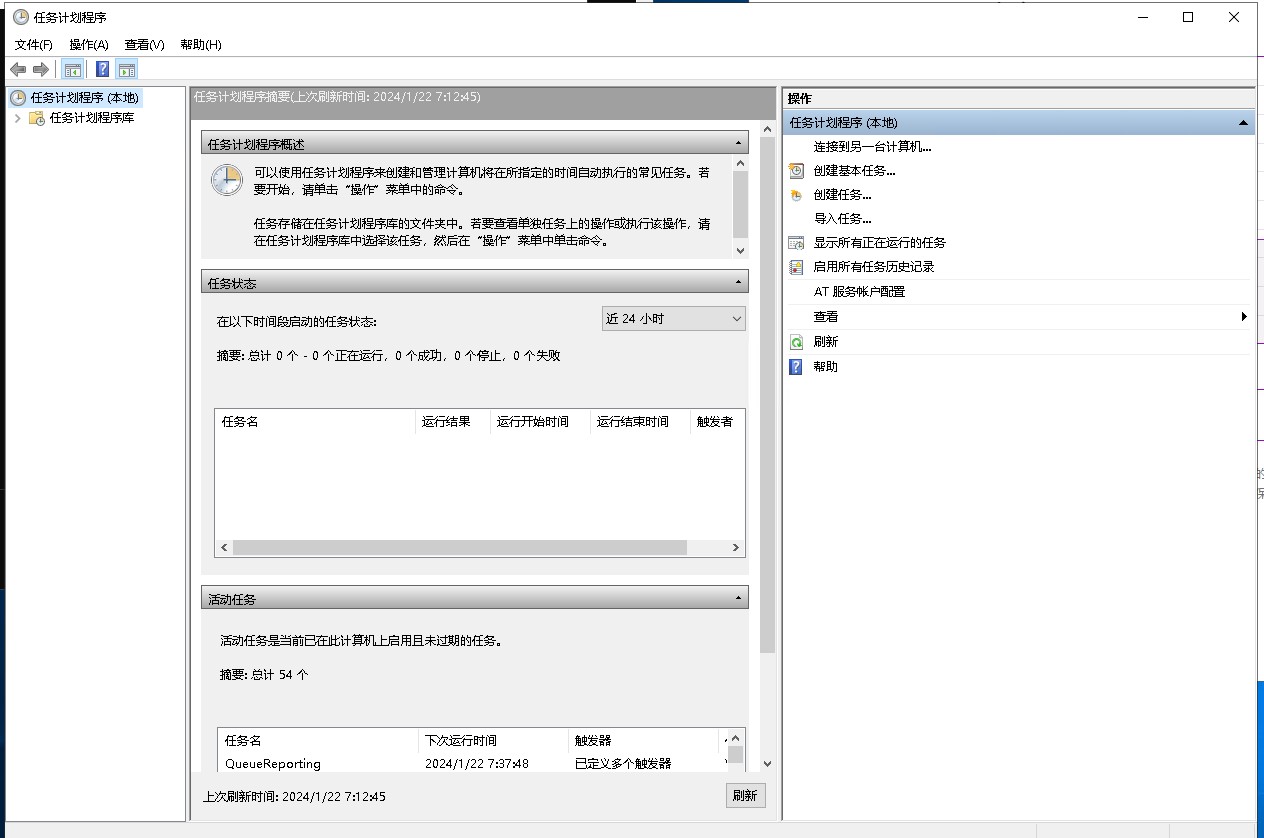
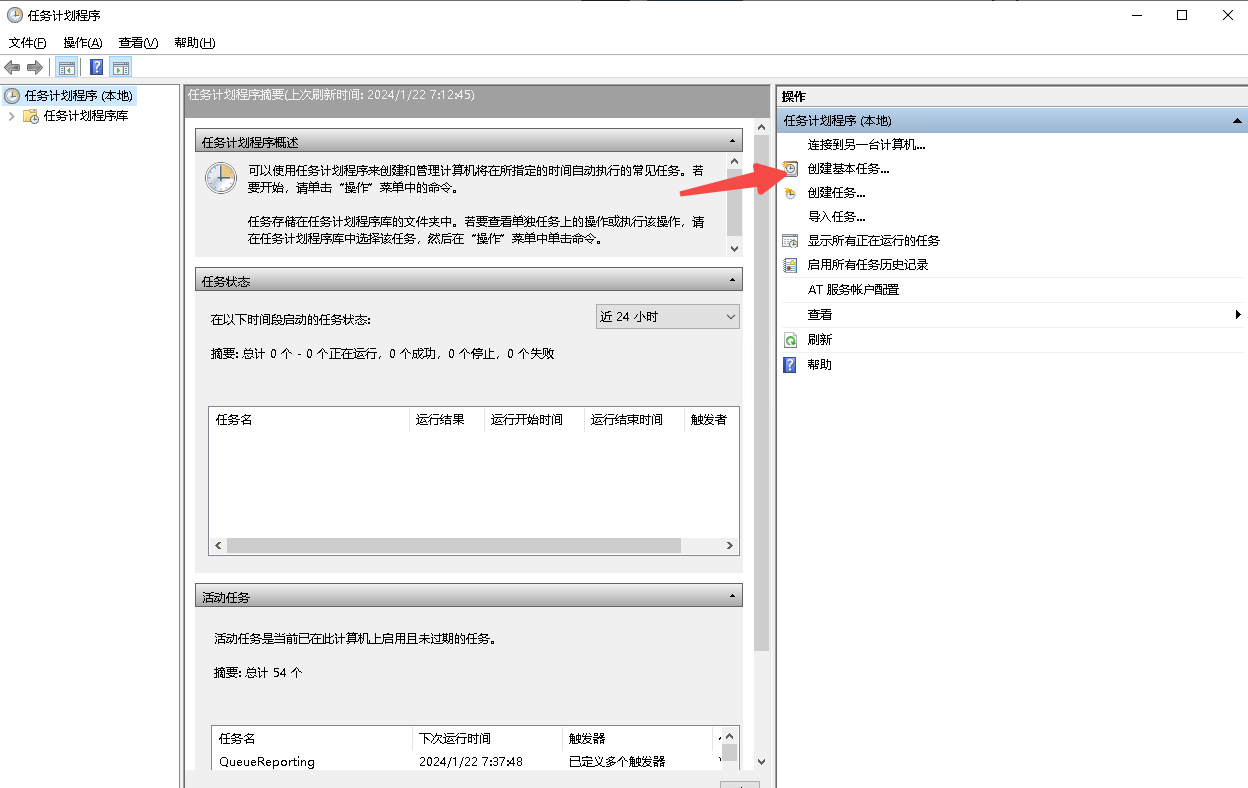
2.Create a task
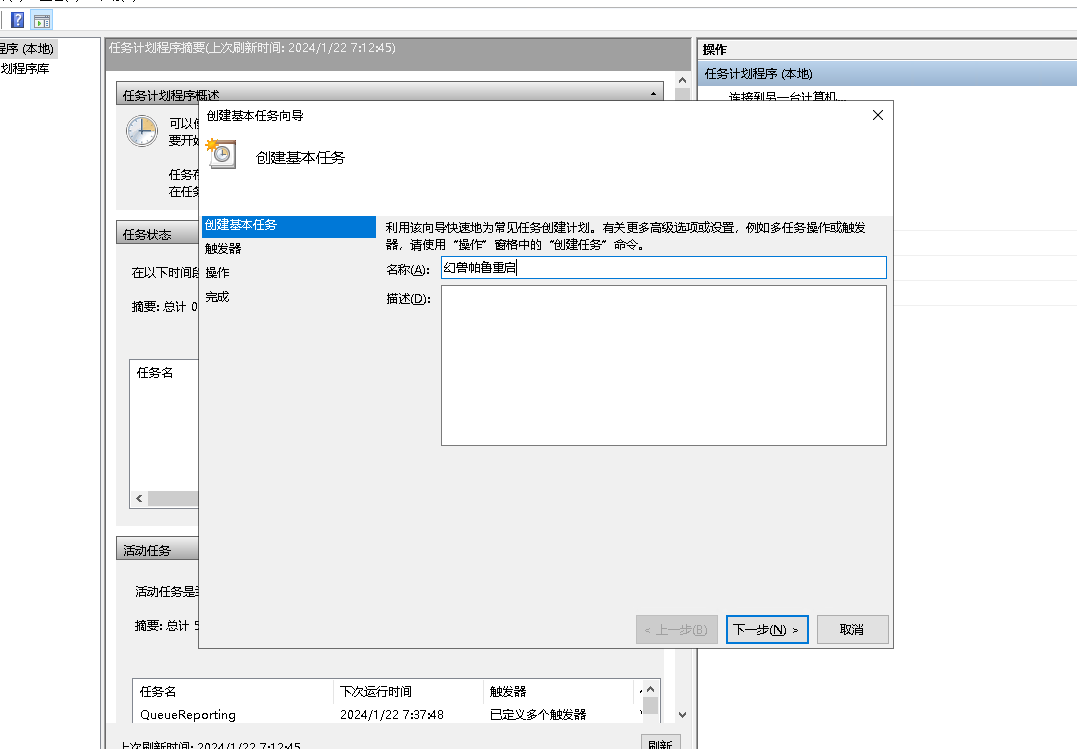
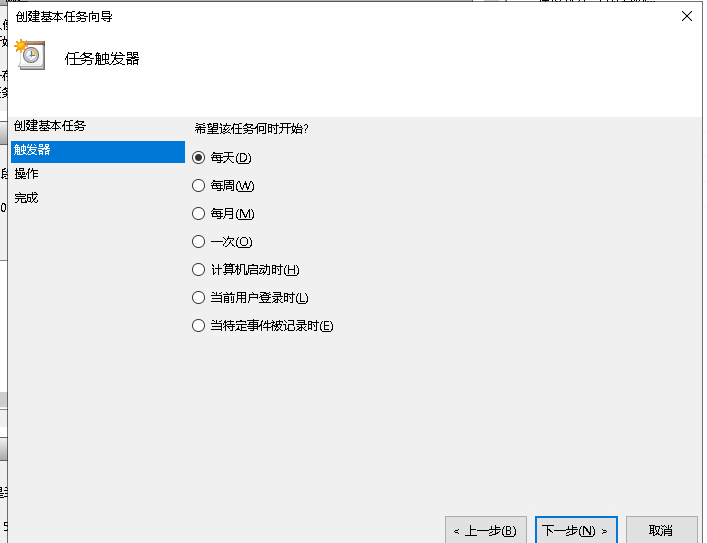
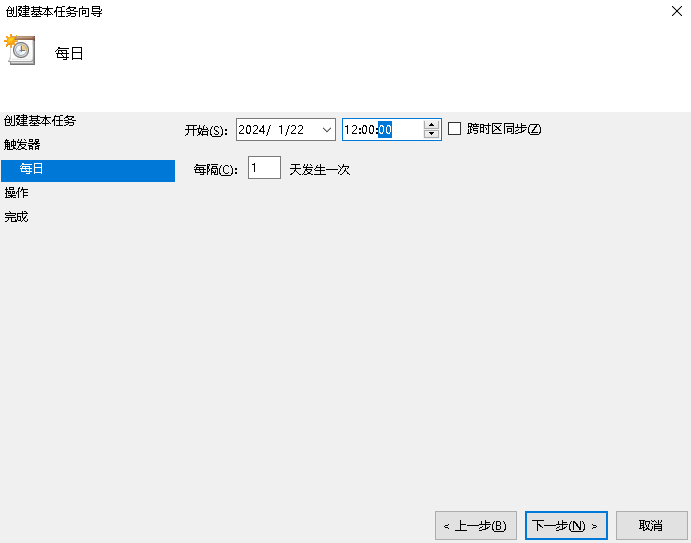
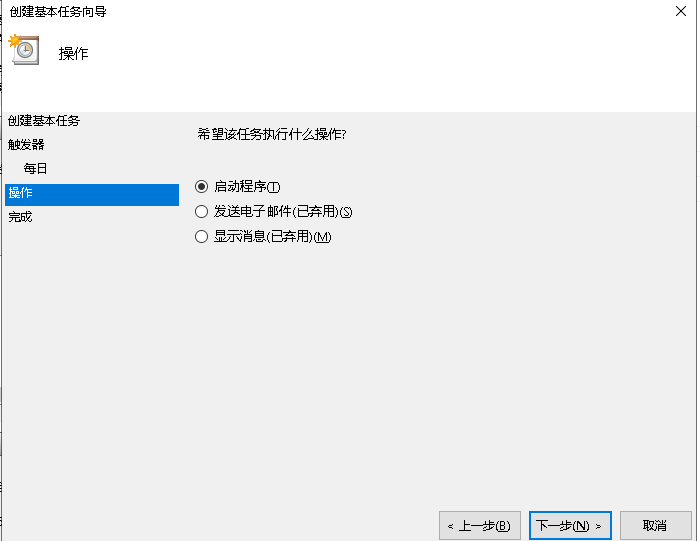
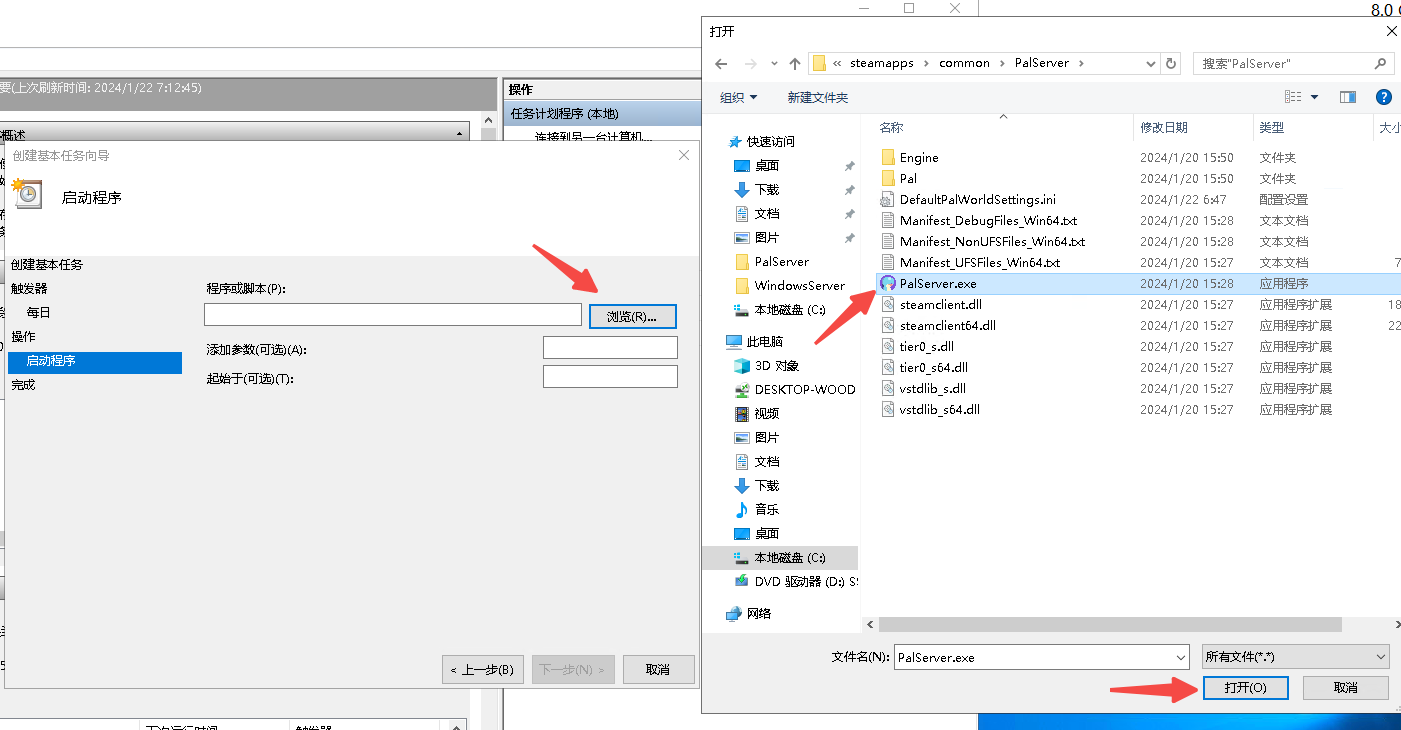
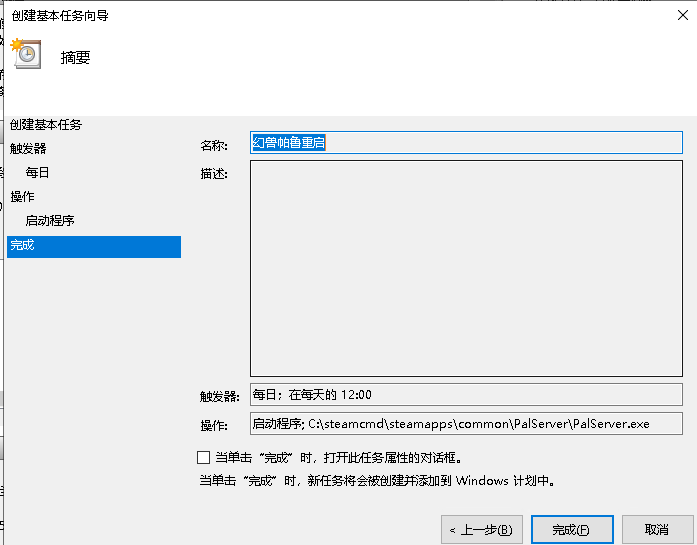
3.Set the runtime limit to 1 day so two instances won't run simultaneously
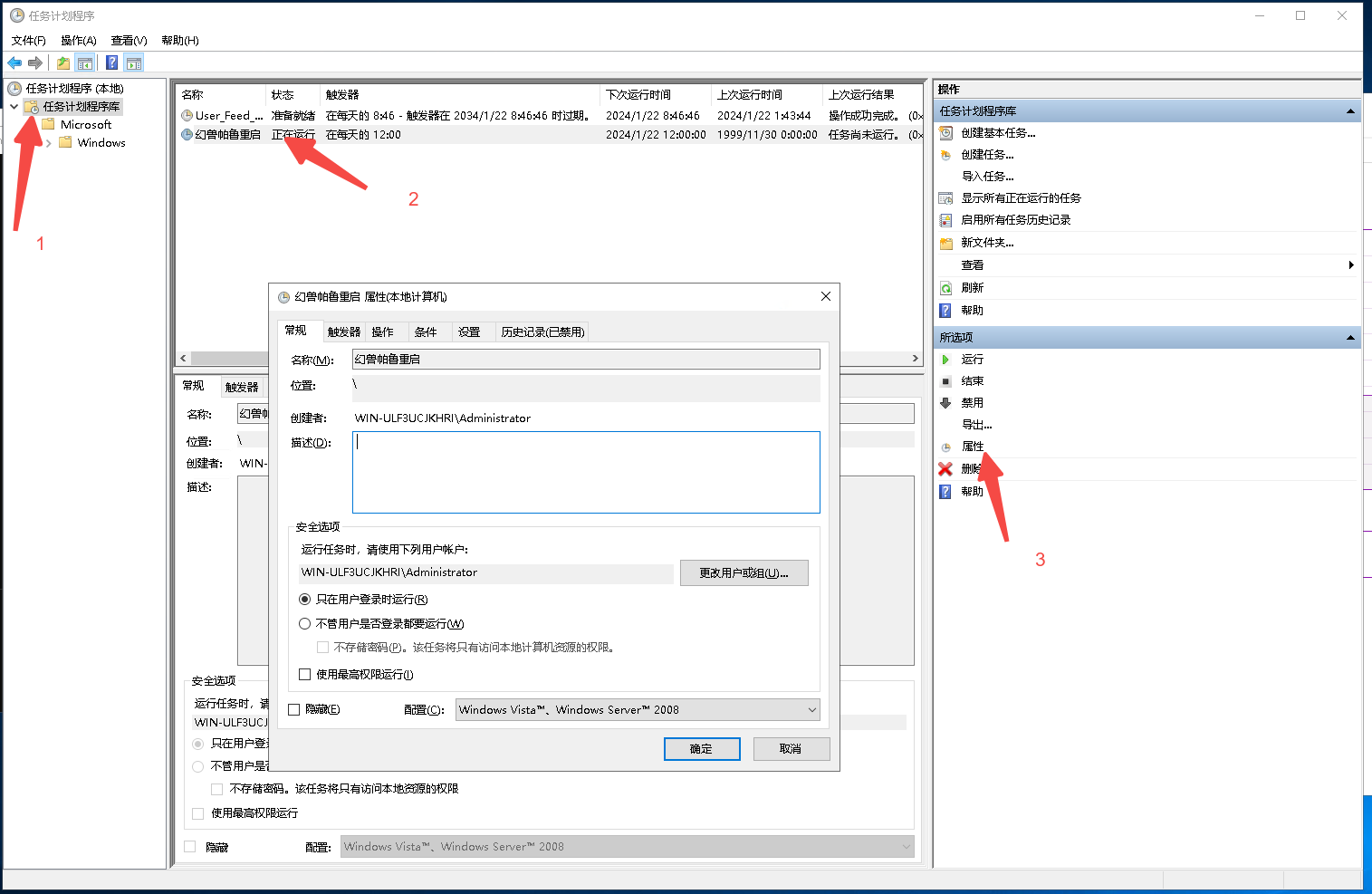
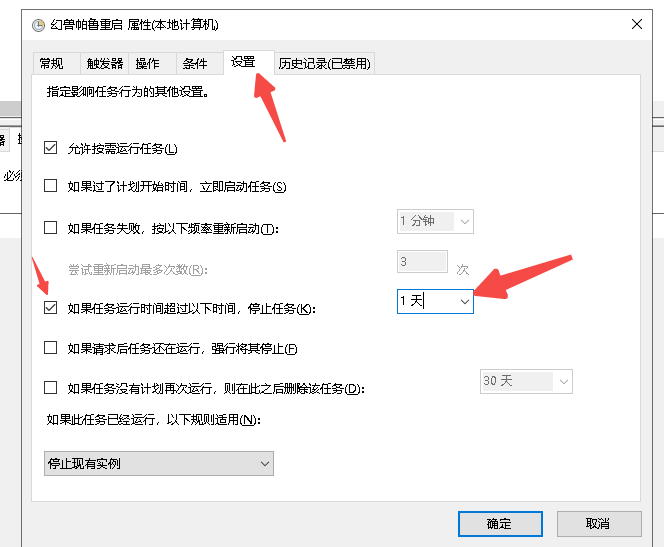
4.Adjust the schedule as needed
If you have other questions, join the discussion group
Click the link to join the QQ channel [PalWorld]: https://pd.qq.com/s/cfoglmfwc
Last updated 2025-06-24
Comments 0